The best audio editing software is REAPER for affordable full-DAW music and multitrack podcast work on any OS, Audacity for free editing for beginners, and DaVinci Resolve‘s Fairlight page for free audio inside a video workflow. The right choice depends on your main task, operating system and budget model.
Choosing an audio editor is harder than it should be. Dozens of tools overlap, and pricing mixes free tiers, one-time licenses, AI credits and subscriptions. Many buyers worry that a free editor will be outgrown within months, or that a $22.99/month suite is more than they need.
PlugRoute has no affiliate relationships with any company listed. Rankings are determined entirely by research data and objective evaluation criteria.
“Audacity users are either militant (‘Audacity does everything FINE!’) or looking to upgrade.” (r/podcasting user [Source: r/podcasting, 2021])
Takeaway: Don’t ask which editor is best overall. Ask which one fits your job today and will still fit it a year from now.
What Are the 5 Categories of Audio Editing Software?
Audio editing software falls into five categories: waveform editors for quick trims, full DAWs for music and multitrack production, audio post-production workstations for video, transcript-based editors for editing speech as text, and restoration specialists that repair damaged recordings alongside another editor. Knowing the category prevents buying a tool that cannot do your job.
The seven ranked tools fall into these categories as follows:
- Waveform Editor: Audacity is a track-based editor for recording, trimming, cleaning and exporting audio, and Audacity has no MIDI tools.
- Full DAW: REAPER and Logic Pro are digital audio workstations for multitrack audio and MIDI production.
- Audio Post-Production Workstation: DaVinci Resolve (Fairlight) and Adobe Audition finish dialogue, music and effects for video and broadcast.
- Transcript-Based Editor: Descript edits audio and video when you edit an automatically generated transcript.
- Restoration Specialist: iZotope RX repairs noise, hum, echo, clicks and clipping, and iZotope RX is used with a separate editor or DAW.
Category matters because these tools are not interchangeable. A restoration suite cannot replace a DAW, and a transcript editor cannot replace a music workstation.
How Do the Best Audio Editing Software Tools Compare at a Glance?
REAPER, Audacity and DaVinci Resolve lead on weighted score because they combine low cost, cross-platform support and broad capability. Logic Pro, Adobe Audition, Descript and iZotope RX each lead in a specific job: Mac music, Premiere Pro dialogue cleanup, text-based podcast editing and audio repair.
| Rank | Company | Category | Best For | One-Line Summary | Key Capabilities | Primary Strength | Key Limitation |
|---|---|---|---|---|---|---|---|
| 1 (4.23/5) | REAPER | Full DAW | Budget DAW for music, multi-host podcasts and voiceover | REAPER is the best-value full DAW in 2026, offering cross-platform audio and MIDI production for a $60 one-time license. | Audio and MIDI, deep routing, ReaScript, templates | Full DAW for $60 on all three OSes | Steep learning curve; weak built-in noise reduction |
| 2 (4.18/5) | Audacity | Waveform Editor | Free editing for beginners on any OS | Audacity is the best free audio editor for beginners in 2026, offering cross-platform multitrack editing and noise reduction with no paid tiers. | Multitrack editing, live effects (v4), noise reduction, plugin support | $0 on Windows, macOS and Linux | No MIDI; noise reduction can sound watery and is not designed for room echo |
| 3 (3.95/5) | DaVinci Resolve (Fairlight) | Audio Post-Production Workstation | Video creators who want free pro audio | DaVinci Resolve’s Fairlight page is the best free audio workstation for video creators in 2026. | Up to 2,000 tracks, ADR/Foley, Dolby Atmos, single timeline with video | Multitrack audio mixer on the video timeline, free | Heavy hardware demands; AI cleanup is Studio-only |
| 4 (3.80/5) | Logic Pro | Full DAW | Music production on Mac | Logic Pro is the best music production software for Mac in 2026, with a full DAW and AI Session Players for $199.99 one-time. | AI Session Players, Stem Splitter, Flex Pitch, sound library | Most complete built-in music toolset in the ranking | Apple-silicon Macs only; weak for podcasts |
| 5 (3.63/5) | Adobe Audition | Audio Post-Production Workstation | Dialogue cleanup in Premiere Pro workflows | Adobe Audition is the best audio editor for dialogue cleanup inside Premiere Pro workflows in 2026, but it is sold only by subscription. | Spectral repair, Essential Sound, Enhance Speech, DeReverb, Premiere round-trip | Broad built-in dialogue repair toolset | Subscription-only; no MIDI; no Linux |
| 6 (3.48/5) | Descript | Transcript-Based Editor | Solo and interview podcasts | Descript is the easiest audio editor for solo and interview podcasters in 2026 because you edit the transcript instead of the waveform. | Transcript editing, filler-word removal, Studio Sound, Rooms | Lowest learning curve in the ranking | Crash reports on long recordings; credit-based pricing |
| 7 (2.95/5) | iZotope RX | Restoration Specialist | Repairing noisy, echo-filled or damaged audio | iZotope RX is the reference audio restoration suite in 2026, but it is an add-on to a separate editor. | Spectral Editor, De-reverb, De-hum, De-clip, Dialogue Isolate, Stems View (RX 12) | Fixes defects that EQ and compression cannot | Not a standalone editor; paid upgrades between versions |
Quick Decision Framework
| Your #1 Priority | Recommended Tool | Why | Acceptable Alternative |
|---|---|---|---|
| Full DAW on a budget or a multi-host podcast | REAPER | REAPER gives full audio, MIDI and routing for $60 one-time. | Audacity |
| Free quick edits on any OS | Audacity | Audacity costs $0, has no watermarks and runs on Windows, macOS and Linux. | DaVinci Resolve (free) |
| Audio for video without a subscription | DaVinci Resolve | DaVinci Resolve keeps audio on the video timeline, free or $295 list one-time. | Descript |
| Music production on Mac | Logic Pro | Logic Pro bundles instruments, Session Players and Stem Splitter for $199.99. | REAPER |
| Dialogue cleanup in Premiere Pro | Adobe Audition | Adobe Audition round-trips with Premiere Pro and includes spectral repair. | DaVinci Resolve Studio |
| Solo or interview podcast, text-based editing | Descript | Descript edits audio when you edit the transcript. | Audacity |
| Damaged or echo-filled recordings | iZotope RX (with a host editor) | iZotope RX has dedicated De-reverb, De-hum and De-clip modules. | Adobe Audition (DeReverb, DeHummer) or Descript Studio Sound |
Which Audio Editing Software Should I Choose for My Use Case?
The right audio editor depends on your main task. Audacity suits free quick edits, REAPER suits budget music and multi-host podcasts, DaVinci Resolve suits audio for video, Logic Pro suits Mac music, Adobe Audition suits Premiere Pro dialogue cleanup, Descript suits text-based podcast editing, and iZotope RX repairs damaged recordings alongside another editor.
Video integration matters because YouTube is now the most-used service among US weekly podcast listeners aged 13+ (32%), ahead of Spotify (25%) and Apple Podcasts (15%) [Source: Edison Research, Q1 2025]. Three ranked tools work directly with video:
- DaVinci Resolve keeps audio on the same timeline as the video edit.
- Adobe Audition round-trips clips and sequences with Premiere Pro.
- Descript edits audio and video together through the transcript.
Which Operating Systems, Prices and AI Cleanup Tools Does Each Editor Offer? (prices verified November 2026)
| Company | OS Support | Pricing Model | Entry Price | 3-Year Cost | AI Cleanup (Feature / Tier / Location) | MIDI | Video Workflow Fit |
|---|---|---|---|---|---|---|---|
| REAPER | Windows, macOS, Linux | One-time | $60 (discounted) / $225 (commercial) | $60 or $225 | None built in; ReaFir noise reduction is not AI | Yes | No native AAF/OMF interchange |
| Audacity | Windows, macOS, Linux | Free (GPL) | $0 | $0 | Intel OpenVINO plugins / free / local; Audacity 3.7.x only, not yet Audacity 4 | No | Separate app; no documented video-editor link |
| DaVinci Resolve | Windows, macOS, Linux | Free + one-time Studio | $0 / $295 list ($236 on US store, Nov 2026) | $0 or $236–$295 | Voice Isolation, Dialogue Separator / Studio only / location not documented | Limited, post-focused | Same timeline as video |
| Logic Pro | macOS (Apple silicon, 15.6+), iPad | One-time or bundle subscription | $199.99 | $199.99 or $387 (Creator Studio annual) | No dedicated AI cleanup; Stem Splitter separates parts | Yes | Bundled with Final Cut Pro in Creator Studio |
| Adobe Audition | Windows, macOS | Subscription only | $22.99/month | About $828 | Enhance Speech / included / location not documented | No | Round-trip with Premiere Pro |
| Descript | Windows, macOS, Web | Freemium + AI credits | $0 / $16 per month (Hobbyist, annual) | About $576 (Hobbyist, annual) | Studio Sound / uses AI credits / cloud, needs internet | No | Edits audio and video together |
| iZotope RX | Windows, macOS | One-time tiers + subscription | $99 (RX 12 Elements list) | $99–$1,399, plus paid upgrades | Dialogue Isolate, Repair Assistant / paid / standalone app and plugins | No | Plugin inside video editors; slowdowns reported in Resolve |
What Are the Best Audio Editing Software Tools in 2026?
The seven best audio editing tools in 2026 are REAPER, Audacity, DaVinci Resolve (Fairlight), Logic Pro, Adobe Audition, Descript and iZotope RX. They are ranked by weighted score across six published criteria. REAPER leads Audacity by 0.05 points, and the top three sit within 0.28 points, so match a tool to your job using each entry’s Best For label.
1. REAPER: Highest Weighted Score and Best-Value Full DAW for Music, Multitrack Podcasts and Voiceover
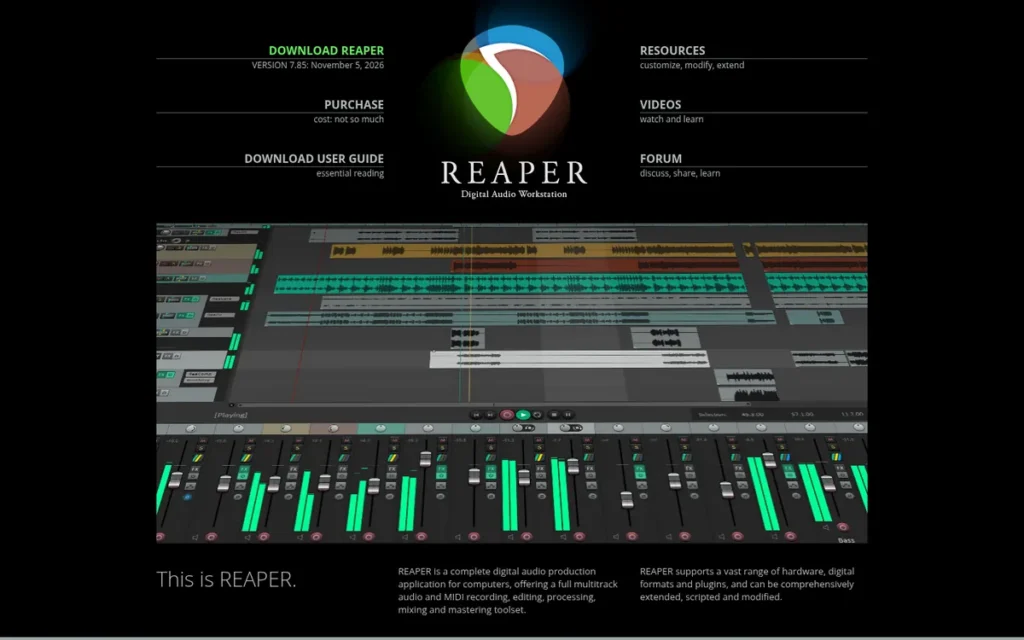
Category: Full DAW, a digital audio workstation for recording, editing, mixing and producing multitrack audio and MIDI.
At a Glance
- Category: Full DAW
- Best For: Home musicians, multi-host podcasters and voiceover artists who want a full, non-destructive DAW on any OS for a low one-time price
- Price Range: $60 one-time (discounted license) or $225 one-time (commercial license); 60-day free evaluation
- Primary Strength: REAPER provides full audio and MIDI production with deep routing on Windows, macOS and Linux for a $60 one-time license.
- Biggest Limitation: REAPER has a steep learning curve, bundles no virtual instruments or loops, and has weaker built-in noise reduction than dedicated repair tools.
- One-Line Summary: REAPER is the best-value full DAW in 2026, offering cross-platform audio and MIDI production for a $60 one-time license, at the cost of a steep learning curve.
- Last Verified: November 2026
Score and Rank Rationale: Weighted score 4.23/5. REAPER ranks #1 because it leads on capability (4.5) and reliability (4) and scores 5 on cost and platform reach. It scores 2.5 on learning curve, the lowest tier in the ranking.
Overview
REAPER is a full audio and MIDI digital audio workstation from Cockos for Windows, macOS and Linux, built for home musicians, multi-host podcasters and voiceover artists who want professional multitrack recording, routing and mixing for a low one-time license.
REAPER is highly customizable, and it rewards users who take the time to learn its interface.
Key Features
- REAPER records, edits and mixes audio and MIDI with 64-bit processing and up to 128 channels per track.
- REAPER supports VST, VST3, AU, LV2 and CLAP plugins, plus its own JSFX effects and ReaScript automation in Lua, Python and EEL.
- REAPER 7 added track lanes and comping, FX containers, parallel routing and a Theme Adjuster [Source: Cockos, October 2023].
- REAPER offers sends, buses, sidechain ducking, and project and track templates that speed up repeat podcast and voiceover sessions.
- REAPER runs from a portable install and uses DRM-free licensing.
Best For
REAPER is best for budget-conscious creators on any operating system who need a non-destructive multitrack DAW for music, multi-host podcasts or voiceover and are willing to spend time learning it.
Pricing
REAPER sells a $60 discounted license for personal use, businesses with under $20,000 in annual gross revenue, schools and nonprofits. Everyone else needs the $225 commercial license. Both are one-time purchases (verified November 2026).
REAPER offers a fully functional 60-day evaluation, and a v7 license covers updates through version 8.99. All sales are final and VAT is extra. REAPER’s 3-year cost for most readers is $60. Older community quotes citing “$70” are out of date.
Strengths
- REAPER holds a Capterra rating of 4.8/5 from 60 reviews [Source: Capterra, 2026], a high score on a smaller review base than Audacity (470) or Adobe Audition (246).
- REAPER was the primary DAW for about 7.4% of more than 2,500 mostly professional respondents [Source: Production Expert, 2025]. REAPER ranked fourth in that survey, behind Pro Tools (37.2%), Logic Pro (12.6%) and Studio One (8.4%).
- REAPER’s $60 one-time price, with a 60-day full evaluation, is the lowest entry price for a full audio and MIDI DAW in this ranking (verified November 2026).
- REAPER is described by PCMag as a powerful, highly customizable DAW [Source: PCMag, accessed 2026], and podcasters call its routing and templates “well worth the $60” [Source: r/podcasting, 2021].
Limitations
REAPER trades approachability for flexibility, and its most consequential trade-off is a steep initial learning curve. The other trade-offs are:
- REAPER’s learning curve is echoed by Capterra and Software Advice reviewers, who cite small fonts, a dated look and unintuitive mouse behavior [Source: Software Advice, accessed 2026]. One podcaster found the first session intimidating but was “a reaper convert” two days later [Source: r/podcasting, 2021].
- REAPER ships with no virtual instruments or loop library, and community users call its built-in ReaFir noise reduction “worlds below iZotope RX Elements” [Source: r/podcasting, 2021].
- REAPER lacks native AAF/OMF interchange for exchanging projects with video editors [Source: PCMag, accessed 2026].
- REAPER has no official tutorials built into the app, so new users typically rely on community resources such as Kenny Gioia’s videos, the SWS extension and ReaPack. Advanced customization sometimes means editing configuration files [Source: Higherhz, accessed 2026; r/podcasting, 2021].
Users on r/Reaper pushed back on claims that the DAW is easy to learn:
“Not easy to pick up at all.
The first two weeks were a nightmare and many default settings are questionable but once you get an overview you good.
And it’s just as hard for a seasoned DAW user to make the switch as it is for a beginner to pick it up.” Posted by u/JayJay_Abudengs
Takeaway: REAPER demands a rough first couple of weeks from beginners and experienced DAW users alike before its flexibility pays off.
Verdict
REAPER is the best-value full DAW for creators who want professional multitrack audio and MIDI on Windows, macOS or Linux without a subscription.
For $60, REAPER covers music, multi-host podcasts and voiceover with routing depth that free editors lack. Expect a steep first week, and budget for a separate cleanup plugin and instrument library.
2. Audacity: Best Free Audio Editor and Best Starting Point for Beginners
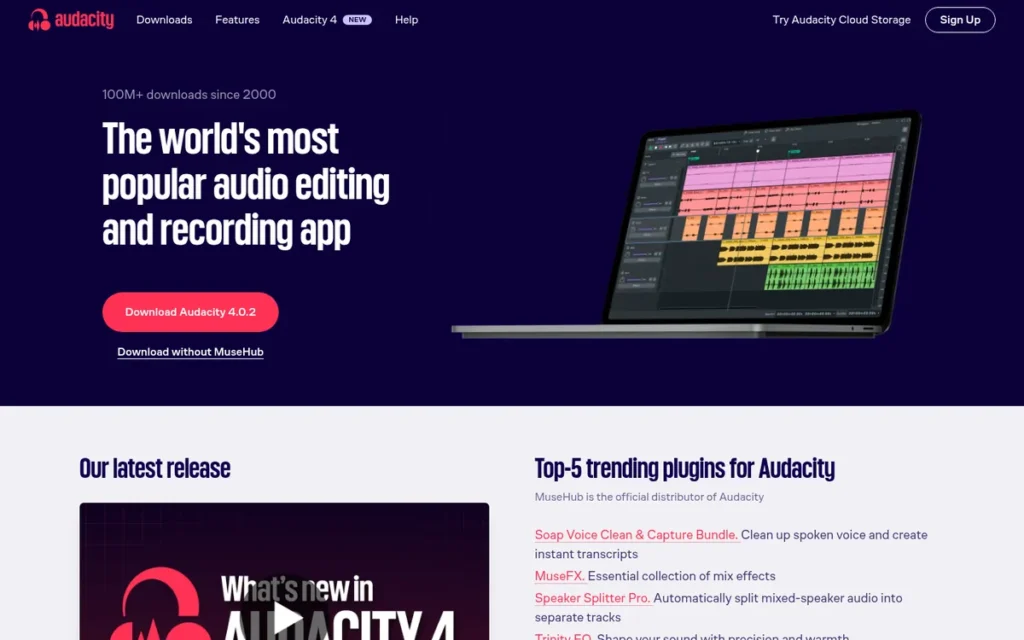
Category: Waveform Editor, a track-based editor for recording, trimming, cleaning up and exporting audio, without music-production (MIDI) tools.
At a Glance
- Category: Waveform Editor
- Best For: Beginners, solo podcasters and marketers who need free recording, trimming, basic noise reduction and export on any operating system
- Price Range: Free (no paid tiers; optional paid audio.com cloud storage)
- Primary Strength: Audacity delivers core multitrack editing, effects and noise reduction at $0 on Windows, macOS and Linux.
- Biggest Limitation: Audacity has no MIDI support, and its built-in noise reduction can leave metallic or watery artifacts and is not designed to remove room echo.
- One-Line Summary: Audacity is the best free audio editor for beginners in 2026, offering cross-platform multitrack editing and noise reduction with no paid tiers, but it is not a music DAW or a restoration suite.
- Last Verified: November 2026
Score and Rank Rationale: Weighted score 4.18/5. Audacity ranks #2, 0.05 points behind REAPER, because it scores 5 on cost and platform reach and 4 on independent validation (470 Capterra reviews). Its capability score (3.5) is lower than REAPER’s (4.5) because it has no MIDI and limited echo repair.
Overview
Audacity is a free, open-source multitrack audio editor for Windows, macOS and Linux, suited to beginners, podcasters and small-business marketers who need to record, trim, clean up and export audio without paying for a license.
Audacity 4 adds a redesigned interface, live effects and resizable clips. Audacity is still a waveform editor, not a full music workstation.
Key Features
- Audacity records and edits multiple tracks and exports audio with no watermarks or export limits.
- Audacity 4 adds real-time (live) effects, resizable clips, track meters and label-based export, which answers long-standing complaints about destructive editing.
- Audacity supports VST, VST3, AU, LADSPA and LV2 plugins, so users can add third-party processors as their needs grow.
- Audacity includes built-in noise reduction, compression, EQ, normalization and Clip Fix for basic dialogue cleanup.
- Audacity can run the free Intel OpenVINO AI plugins for local noise suppression, stem separation and transcription. The plugins support Audacity 3.7.x but not yet Audacity 4 [Source: Audacity / Intel GitHub, 2026].
Best For
Audacity is best for first-time editors, solo or two-person podcasters, and marketers who need quick trims and basic cleanup at no cost. Audacity is a particularly good fit for Linux users and anyone avoiding subscriptions.
Pricing
Audacity costs $0, with no paid tiers, watermarks or export limits (verified November 2026). Audacity’s 3-year cost is $0.
Audacity’s optional extras include paid audio.com cloud storage (price not verified) and MuseHub courses, such as an “Audacity 4 Explained” course seen at $4.99.
Strengths
- Audacity holds a Capterra rating of 4.5/5 from 470 reviews and a TrustRadius score of 9.5/10 from 114 reviews [Source: Capterra, 2026; TrustRadius, 2026]. Audacity has the largest verified review base of any audio-only editor in this ranking.
- Audacity 4 brings a redesigned interface, live effects, resizable clips and label-based export [Source: Audacity, 2026]. Audacity 4 addresses the dated-interface and destructive-editing criticisms common in 2021-era community threads.
- Audacity is GPL-licensed and runs natively on Windows, macOS and Linux at no cost. Audacity is one of three tools in this ranking, alongside REAPER and DaVinci Resolve, that support all three operating systems.
- Audacity has been used for fully produced client podcasts, and one professional producer was “pleasantly reminded of just how versatile and powerful Audacity is for a completely free solution” [Source: r/podcasting, 2021].
Limitations
Audacity trades capability for zero cost, and its most consequential gap is the absence of MIDI and virtual instruments. The other trade-offs are:
- Audacity cannot serve songwriters who compose with MIDI. PCMag says Audacity “nails the basics” but cannot replace a professional workstation [Source: PCMag, accessed 2026].
- Audacity’s noise reduction can sound “metallic or watery” at aggressive settings, and it is not designed to remove room reflections [Source: TechRadar, accessed 2026; r/VoiceActing, 2022].
- Audacity may feel “overwhelming” to beginners, according to TechRadar, and Equipboard notes crashes with some third-party plugins [Source: TechRadar, accessed 2026; Equipboard, accessed 2026].
- Audacity users who want free AI cleanup face a compatibility gap, because the OpenVINO plugins do not yet support Audacity 4.
- Audacity drew telemetry concerns after Muse Group acquired it in 2021. A 2021 rumor said Audacity would become proprietary, but Audacity remains GPL open source.
Users on r/audacity noted:
“There’s all sorts of ways to reduce noise with Audacity with Noise Reduction but it has its minutes before it affects the quality of the sounds you want to keep. I’d first explore how to improve the ambiance of the room. Don’t record in the kitchen where hard surfaces abound. Put a rug or piece of carpet on your desk. You can also get mic surrounds which soften the sounds.” Posted by u/paulywauly99
Takeaway: Audacity’s Noise Reduction degrades the voice once it is pushed hard, so experienced users treat the recording room as the first fix.
Verdict
Audacity is the best starting point for anyone who wants capable audio editing at zero cost on Windows, macOS or Linux.
Audacity covers trims, multitrack podcast edits and basic noise reduction, and Audacity 4 closes much of the non-destructive editing gap. Most users outgrow Audacity only when they need MIDI, sends and buses for multi-host shows, or echo repair. If none of these apply, Audacity can serve as a long-term tool.
3. DaVinci Resolve (Fairlight): Best Free Option for Audio Inside a Video Workflow
Category: Audio Post-Production Workstation, a tool built for finishing dialogue, music and effects for video and broadcast.
At a Glance
- Category: Audio Post-Production Workstation
- Best For: YouTubers, video editors and video podcasters who want professional audio mixing on the same timeline as their video at no cost
- Price Range: Free; DaVinci Resolve Studio $295 one-time list ($236 on Blackmagic’s US store, November 2026)
- Primary Strength: DaVinci Resolve’s Fairlight page provides a free audio workstation of up to 2,000 tracks on the same timeline as the video edit.
- Biggest Limitation: DaVinci Resolve demands strong GPU and RAM, has documented crash reports, and locks its AI Voice Isolation behind the Studio license.
- One-Line Summary: DaVinci Resolve’s Fairlight page is the best free audio workstation for video creators in 2026, keeping professional audio mixing on the video timeline, though AI cleanup requires the Studio license.
- Last Verified: November 2026
Score and Rank Rationale: Weighted score 3.95/5. DaVinci Resolve matches REAPER and Audacity on cost and platform reach (5/5 each). It scores 2.5 on reliability because of Capterra crash and database-corruption reports. Its 4.8/5 rating is discounted because it is a cross-platform aggregate.
Overview
DaVinci Resolve’s Fairlight page is a full audio post-production workstation built into Blackmagic Design’s DaVinci Resolve video editor for Windows, macOS and Linux, suited to YouTubers, video editors and video podcasters who want to mix audio without leaving the video timeline.
DaVinci Resolve is free, with an optional one-time upgrade to DaVinci Resolve Studio.
Key Features
- DaVinci Resolve’s Fairlight page handles up to 2,000 tracks with real-time EQ and dynamics, bus mixing and automation, according to Blackmagic’s vendor specification [Source: Blackmagic Design, 2026].
- DaVinci Resolve keeps audio on the same timeline as the video, so editors don’t round-trip files between separate apps.
- DaVinci Resolve includes ADR and Foley tools and outputs stereo, 5.1, 7.1 and Dolby Atmos mixes.
- DaVinci Resolve’s free version includes Dialogue Leveler and a De-Hummer Fairlight FX for removing power-line hum [Source: Blackmagic Design, 2026].
- DaVinci Resolve Studio adds AI Voice Isolation, Dialogue Separator, Music Remixer and IntelliTrack panning.
Best For
DaVinci Resolve is best for video creators and video podcasters who want free, professional-grade audio mixing inside their editor and prefer a one-time upgrade to a subscription.
Pricing
DaVinci Resolve’s free version includes the Fairlight page, multitrack recording and mixing, and many Fairlight FX. DaVinci Resolve Studio lists at $295 one-time and was priced at $236 on Blackmagic’s US store (verified November 2026).
DaVinci Resolve’s AI dialogue tools are Studio-only. The 3-year cost is $0 (free) or $236–$295 (Studio). PlugRoute did not verify Fairlight hardware console pricing.
Strengths
- DaVinci Resolve holds a 4.8/5 rating across 494 ratings aggregated by ToolRadar [Source: ToolRadar, 2026]. ToolRadar’s figure is a cross-platform aggregate, and PlugRoute could not verify a count on any single platform.
- DaVinci Resolve’s Fairlight engine grew from 1,000 tracks at Blackmagic’s 2016 Fairlight acquisition to 2,000 tracks in current versions, including DaVinci Resolve 21 [Source: Blackmagic Design, 2016; Blackmagic Design, 2026]. Both figures are vendor specifications, not independent tests.
- DaVinci Resolve keeps audio on the video timeline, and one video editor said auto-ducking means they “essentially never have to dip audio” manually [Source: r/editors, 2022].
- DaVinci Resolve offers the full Fairlight page free on Windows, macOS and Linux, making it the only $0 option in this ranking that combines a multitrack audio mixer with a video editing timeline.
Limitations
DaVinci Resolve trades a free price for heavy system demands and complexity, and its most consequential trade-off is stability on weaker hardware. The other trade-offs are:
- DaVinci Resolve’s Capterra reviewers report a frustrating Fairlight learning curve, heavy GPU and RAM requirements, database-corruption risk and “endless program crashes” [Source: Capterra, 2026].
- Editors call DaVinci Resolve’s routing “clunky” and say it suits short voiceover, music and effects projects better than large multi-voice productions [Source: r/editors, 2022].
- DaVinci Resolve users report severe slowdowns when iZotope plugins are added, and one editor said audio “breaks apart so easily in Fairlight” [Source: r/editors, 2022].
- DaVinci Resolve’s AI dialogue tools, Voice Isolation and Dialogue Separator, require the Studio license.
- DaVinci Resolve on Linux has historically lacked VST plugin support or needed workarounds without delay compensation [Source: r/davinciresolve, 2026].
Verdict
DaVinci Resolve’s Fairlight page is the strongest free choice for creators who edit audio for video, because it puts a full multitrack mixer on the same timeline as the edit.
DaVinci Resolve suits video podcasters and YouTubers best. Expect to need a capable computer, time to learn it, and the Studio upgrade if one-click AI dialogue cleanup matters to you.
4. Logic Pro: Best for Music Production on Mac
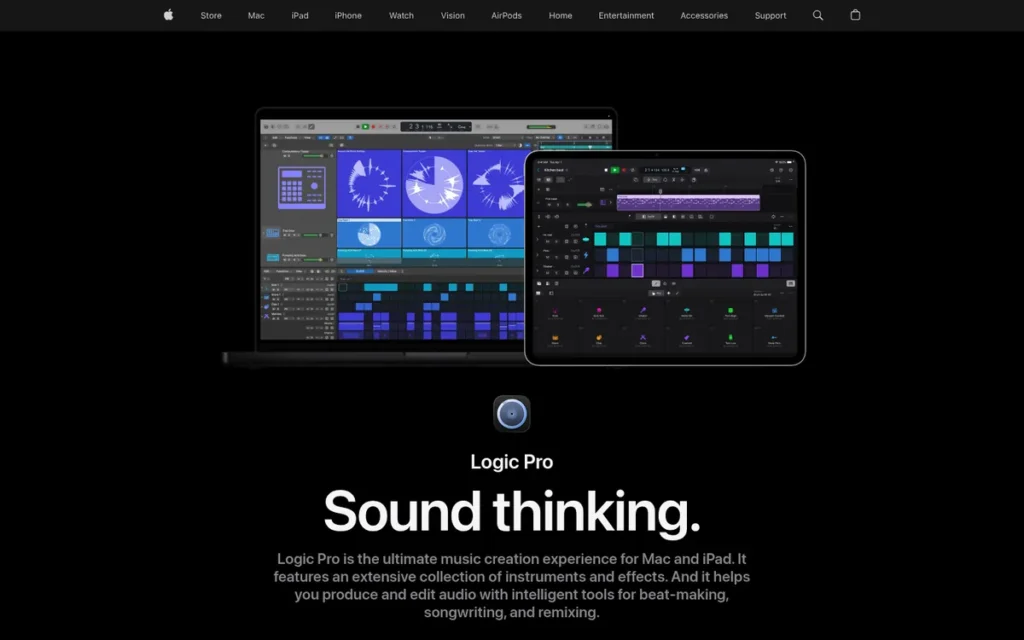
Category: Full DAW.
At a Glance
- Category: Full DAW
- Best For: Home musicians and producers on Apple-silicon Macs, including GarageBand users ready to upgrade
- Price Range: $199.99 one-time (Mac), or Apple Creator Studio at $12.99/month or $129/year
- Primary Strength: Logic Pro bundles the most complete music-creation toolset in this ranking, including AI Session Players and Stem Splitter, for a one-time $199.99.
- Biggest Limitation: Logic Pro runs only on Apple-silicon Macs with macOS 15.6 or later and lacks podcast-specific tools such as transcript editing.
- One-Line Summary: Logic Pro is the best music production software for Mac in 2026, combining a full DAW, AI Session Players and a large sound library for a $199.99 one-time price, but it runs only on Apple-silicon Macs.
- Last Verified: November 2026
Score and Rank Rationale: Weighted score 3.80/5. Logic Pro has the highest validation score in the ranking (5/5) but the lowest platform score (2/5), because it runs only on Apple-silicon Macs with macOS 15.6 or later. Its #4 position reflects platform reach, not quality.
Overview
Logic Pro is Apple’s full music-production DAW for Apple-silicon Macs and iPad, built for home musicians, songwriters and producers who want recording, MIDI, virtual instruments, mixing and mastering in one app for a one-time price.
Logic Pro is the most direct upgrade from GarageBand, but it is a weaker fit for podcast editing.
Key Features
- Logic Pro includes AI Session Players for drums, bass and keys that generate backing parts for songwriters.
- Logic Pro’s Stem Splitter separates a mixed recording into individual parts such as vocals and drums.
- Logic Pro offers Flex Time and Flex Pitch, Mastering Assistant, ChromaGlow saturation and Dolby Atmos mixing.
- Logic Pro ships with a large royalty-free library of virtual instruments, loops and effects for home recording and beat making.
- Logic Pro opens GarageBand projects directly, so users of Apple’s free app can upgrade without losing work.
Best For
Logic Pro is best for Mac-based home musicians and producers who compose with MIDI and instruments and want a one-time purchase rather than a subscription.
Pricing
Logic Pro costs $199.99 one-time on the Mac App Store, with a 90-day free trial and historically free updates (verified November 2026). The Pro Apps Bundle for Education also costs $199.99.
Apple Creator Studio (launched January 2026) costs $12.99/month or $129/year, or $2.99/month or $29.99/year for education. Apple Creator Studio bundles Logic Pro for Mac and iPad, Final Cut Pro, Pixelmator Pro, Motion, Compressor and MainStage.
Logic Pro’s 3-year cost is $199.99 one-time, or $387 through annual Creator Studio billing.
New customers can get Logic Pro for iPad only through Apple Creator Studio. According to Apple, the former $4.99/month standalone plan is available only to existing subscribers [Source: Apple, 2026].
Strengths
- Logic Pro ranked third as the primary DAW for 18.1% of 3,222 producers, just behind Studio One at 18.7% [Source: Sleepfreaks, 2025]. Logic Pro ranked second at about 12.6%, behind only Pro Tools, in a separate survey [Source: Production Expert, 2025].
- Logic Pro holds a Capterra rating of 4.8/5 from 152 reviews [Source: Capterra, 2026]. That ties REAPER for the highest Capterra rating in this ranking, on more than twice REAPER’s review count. Logic Pro 11 is also a PCMag Editors’ Choice [Source: PCMag, accessed 2026].
- Logic Pro’s AI Session Players “enable non-musicians to be songwriters,” according to MusicRadar’s Logic Pro 11 review [Source: MusicRadar, accessed 2026].
- Logic Pro users describe the move up from GarageBand as smooth [Source: r/LogicPro, 2025], and Logic Pro’s 90-day trial lets buyers test before paying.
This aligns with community sentiment on r/askmusicians:
“Download the free trial from Apple’s website. That can give you 90 days to try it out yourself thoroughly. I went from GarageBand to Logic and I don’t think I could ever go back” Posted by u/Sad-Relation598
Takeaway: Logic Pro’s 90-day trial gives GarageBand users a low-risk upgrade path, and those who make the move rarely want to return.
Limitations
Logic Pro trades platform reach for deep Apple integration, and its most consequential trade-off is that it runs only on Apple-silicon Macs. The other trade-offs are:
- Logic Pro requires macOS 15.6 or later on an Apple-silicon Mac [Source: Apple, 2026], which rules out Windows, Linux and Intel Macs.
- Logic Pro has no transcript editing and no remote recording room for podcasts, and its restoration tools are weaker than Adobe Audition or iZotope RX [Source: PodPosted, accessed 2026].
- Logic Pro’s Session Players do not follow a live performance [Source: MusicRadar, accessed 2026], and PCMag cites limited interface customization [Source: PCMag, accessed 2026].
- Logic Pro for iPad is no longer sold as a standalone plan to new customers, so new iPad users must subscribe to Apple Creator Studio at $12.99/month or $129/year [Source: Apple, 2026].
- PlugRoute found limited reliability evidence for Logic Pro beyond one second-hand report that a macOS update broke a working Logic studio [Source: r/podcasting, 2022]. Logic Pro’s reliability score reflects thin evidence, not proven stability.
Verdict
Logic Pro is the best music production DAW for Mac users, with the most complete built-in instrument and AI songwriting toolset in this ranking for a one-time $199.99.
Logic Pro opens GarageBand projects directly, so it is the most direct upgrade path for GarageBand users. Podcasters and anyone on Windows, Linux or an Intel Mac should look at REAPER, Adobe Audition or Descript instead.
5. Adobe Audition: Best for Dialogue Cleanup in Adobe Premiere Pro Workflows
Category: Audio Post-Production Workstation.
At a Glance
- Category: Audio Post-Production Workstation
- Best For: Podcasters and video editors already on Creative Cloud who need professional dialogue cleanup and Premiere Pro integration
- Price Range: $22.99/month (annual plan, billed monthly); $34.49/month (no commitment); $263.88/year prepaid
- Primary Strength: Adobe Audition combines spectral repair, guided dialogue tools and a direct Premiere Pro round-trip for broadcast-ready speech cleanup.
- Biggest Limitation: Adobe Audition is subscription-only, with no MIDI support and no Linux version, and costs about $828 over three years.
- One-Line Summary: Adobe Audition is the best audio editor for dialogue cleanup inside Adobe Premiere Pro workflows in 2026, but its subscription-only pricing is hard to justify for occasional or music-focused users.
- Last Verified: November 2026
Score and Rank Rationale: Weighted score 3.63/5. Adobe Audition ties REAPER for capability (4.5) but scores 2.5 on pricing value because it is subscription-only, at about $828 over three years.
Overview
Adobe Audition is a subscription-based audio post-production editor for Windows and macOS, designed for podcasters and video editors who need professional dialogue cleanup, spectral repair and multitrack mixing, especially those already editing in Adobe Premiere Pro.
Adobe Audition focuses on speech and post-production rather than music creation.
Key Features
- Adobe Audition offers a destructive Waveform Editor, a non-destructive Multitrack Editor and a Spectral Frequency Display for visually removing clicks, hum, coughs and beeps.
- Adobe Audition’s Essential Sound panel tags clips as Dialogue, Music, SFX or Ambience and provides simplified loudness, repair, clarity and ducking controls.
- Adobe Audition includes Enhance Speech for AI dialogue cleanup and Remix for automatically re-cutting music to a target length.
- Adobe Audition includes DeReverb, DeHummer and a DeClipper diagnostic for reducing room echo, electrical hum and clipping [Source: Adobe Help Center, 2026].
- Adobe Audition sends clips and sequences to and from Premiere Pro for round-trip audio finishing.
Best For
Adobe Audition is best for Creative Cloud subscribers who edit video in Premiere Pro or produce dialogue-heavy podcasts and need precise, broadcast-ready cleanup.
Pricing
Adobe Audition offers three US billing options (verified November 2026):
- Adobe Audition costs $22.99/month on an annual plan, billed monthly.
- Adobe Audition costs $34.49/month with no annual commitment.
- Adobe Audition costs $263.88/year when prepaid annually.
Adobe Audition is subscription-only, with no perpetual license, and prices vary by country. Adobe offers a 7-day free trial. Canceling the annual plan billed monthly early may incur an early-termination fee.
Adobe Audition’s 3-year cost is about $828 at $22.99/month. By comparison, Audacity costs $0, REAPER $60 and DaVinci Resolve Studio $295 list. Older community quotes citing “$20 a month” are out of date.
Strengths
- Adobe Audition holds a Capterra rating of 4.7/5 from 246 reviews [Source: Capterra, 2026]. ToolRadar puts Adobe Audition’s aggregated review volume at about 664, among the highest in the category [Source: ToolRadar, 2026].
- Adobe Audition is praised by TechRadar for “balancing and polishing audio from dynamic environments” and producing broadcast-ready results [Source: TechRadar, accessed 2026].
- Adobe Audition combines a Spectral Frequency Display, Enhance Speech and dedicated DeReverb, DeHummer and DeClipper effects. That is the broadest documented set of built-in repair tools among the all-in-one editors in this ranking, and one editor said it has “better fixes in general” than Fairlight [Source: r/editors, 2022].
- Adobe Audition has more than 20 years of continuous development since Adobe acquired Syntrillium’s Cool Edit Pro assets in May 2003 for $16.5 million [Source: Adobe, 2003].
Limitations
Adobe Audition trades ownership and flexibility for professional dialogue tools, and its most consequential trade-off is subscription-only pricing. The other trade-offs are:
- Adobe Audition costs about $828 over three years at the cheapest monthly-billed tier, and early cancellation may incur a fee. One podcaster called the subscription “hard to extract yourself from” [Source: r/podcasting, 2021], and PCMag calls it expensive for what it offers [Source: PCMag, accessed 2026].
- Adobe Audition has no MIDI, virtual instruments or score editor, which makes it a poor fit for musicians [Source: PCMag, accessed 2026; TechRadar, accessed 2026].
- Adobe Audition runs only on Windows and macOS, with no Linux version.
- Adobe Audition has a steep curve for beginners and hard-to-find loops, according to PCMag and TechRadar [Source: PCMag, accessed 2026; TechRadar, accessed 2026].
- Adobe Audition users report friction with third-party tools, and one editor called using iZotope RX inside it “an exercise in frustration” [Source: r/editors, 2022].
Verdict
Adobe Audition is the strongest choice for dialogue cleanup when your video work already lives in Adobe Premiere Pro.
Adobe Audition’s spectral repair and Essential Sound tools justify the subscription for Creative Cloud users who finish audio regularly. Occasional editors, musicians and Linux users will get better value from REAPER, Audacity or DaVinci Resolve.
6. Descript: Best for Transcript-Based Editing of Solo and Interview Podcasts
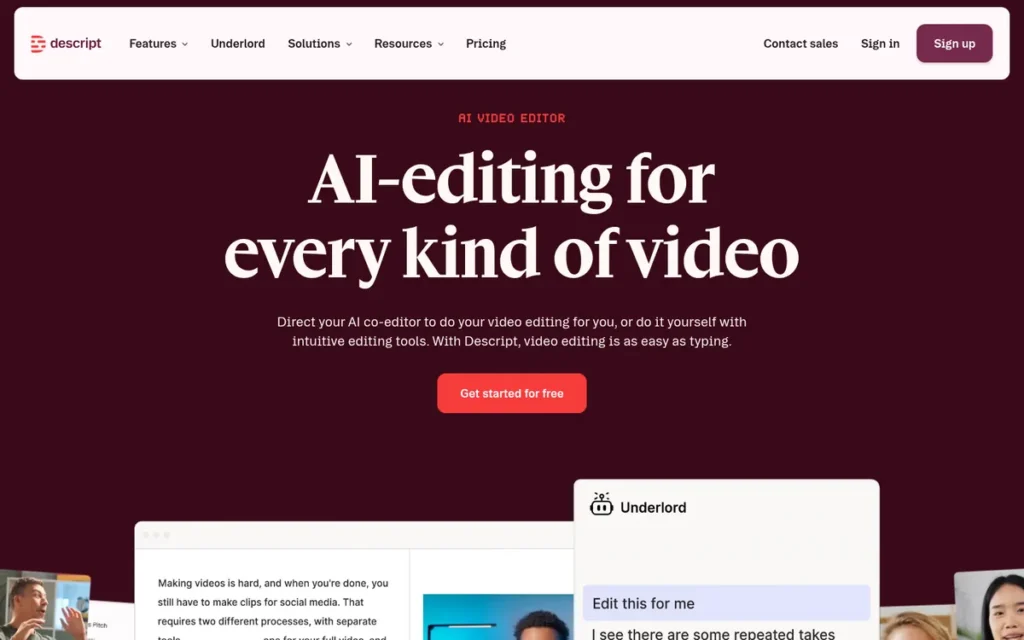
Category: Transcript-Based Editor, a tool that edits audio and video when you edit an automatically generated transcript.
At a Glance
- Category: Transcript-Based Editor
- Best For: Solo and two-person interview podcasters, including video podcasters, who want to edit by text rather than waveform
- Price Range: Free; Hobbyist $16–$24/month; Creator $24–$35/month; Business $50–$65/month; Enterprise custom
- Primary Strength: Descript lets beginners edit podcasts and videos by deleting words in a transcript and clean dialogue with one-click Studio Sound.
- Biggest Limitation: Descript has documented crash and data-loss reports on long recordings and meters usage through separate media-minute and AI-credit pools.
- One-Line Summary: Descript is the easiest audio editor for solo and interview podcasters in 2026 because you edit the transcript instead of the waveform, but reliability reports and credit-based pricing are real trade-offs.
- Last Verified: November 2026
Score and Rank Rationale: Weighted score 3.48/5. Descript has the best learning-curve score in the ranking (5/5) but the lowest reliability score (2/5), based on crash and data-loss reports on long recordings.
Overview
Descript is a transcript-based audio and video editor for Mac, Windows and the web, designed for podcasters, YouTubers and marketers who want to edit spoken-word recordings as text, remove filler words and clean up dialogue with one click.
Descript also offers AI voice tools and remote recording, but it is less suited to complex multitrack shows.
Key Features
- Descript generates an automatic transcript, and deleting text in the transcript cuts the matching audio or video.
- Descript removes filler words automatically across a recording.
- Descript’s Studio Sound removes noise and echo in one click, applied to whole files using cloud processing and AI credits [Source: Descript, 2026].
- Descript includes Rooms for remote interview recording, plus clip creation for social video.
- Descript offers AI Speech, voice cloning and the Underlord AI co-editor.
Best For
Descript is best for solo and two-person interview podcasters and video podcasters who value speed and a text-based workflow over fine, track-level control.
Pricing
Descript prices plans per person per month, with annual and monthly billing shown together (verified November 2026):
| Plan | Price (annual / monthly) | Media Minutes | AI Credits | Seats | Export |
|---|---|---|---|---|---|
| Free | $0 | 60/month | 100 one-time | Not stated | 720p with watermark |
| Hobbyist | $16 / $24 | 600 | 400/month | 1 editor | 1080p |
| Creator | $24 / $35 | 1,800 | 800/month | Up to 3 | 4K |
| Business | $50 / $65 | 2,400 | 1,500/month | Up to 5 | Adds translation and dubbing |
| Enterprise | Custom | Custom | Custom | Custom | N/A |
Descript AI-credit top-ups cost $35 for 350, $80 for 1,000 or $200 for 4,000 credits. Media-hour top-ups cost $25 for 5, $80 for 20 or $150 for 50 hours, and all top-ups expire after 12 months [Source: Descript, 2026].
Descript’s 3-year cost at Hobbyist annual billing is about $576.
Strengths
- Descript holds a Capterra rating of 4.6/5 from 183 reviews [Source: Capterra, 2026]. Descript also claims 4.6/5 on G2 [Source: Descript, 2026; G2 count unverified].
- Descript is called an affordable all-in-one podcast tool by TechRadar, which specifically praises Studio Sound on laptop-microphone recordings [Source: TechRadar, accessed 2026].
- Descript’s transcript workflow is valued enough that one podcaster kept using it despite crashes, because the transcript “makes it easier for her to edit” [Source: r/podcast, 2024].
- Descript runs on Mac, Windows and the web and offers a free tier, which gives beginners a no-cost way to try text-based editing.
Limitations
Descript trades control and reliability for speed, and its most consequential trade-off is documented crash and data-loss reports on longer recordings. The other trade-offs are:
- Descript users report crashes on recordings longer than about 15 minutes, with episodes “not saved anywhere” on the computer [Source: r/podcast, 2024]. Trustpilot reviewers describe Descript as “slow, glitchy, and unreliable” [Source: Trustpilot, accessed 2026].
- Descript’s own help documentation says files of about six hours or several GB may process slowly and recommends splitting them [Source: Descript, 2026].
- Descript’s Studio Sound applies to whole files, needs an internet connection and consumes AI credits, so per-clip control is limited.
- Descript can struggle with large casts, and one user said “Descript for a 5 person show sounds horrible” [Source: r/podcasting, 2021]. Descript’s Hobbyist plan also allows only one editor seat.
- Descript’s separate media-minute and AI-credit pools make monthly costs harder to predict, and Descript has no MIDI or music-production workflow.
Users on r/podcasting shared their experience:
“Definitely will need cleanup, but it does save you some time.
I find the biggest benefit in terms of making editorial decisions (especially for a documentary podcast) about what to keep and what to cut. If it’s just tidying up then by the time Descript transcribes and then I get it to be semi-accurate with an Australian accent (time consuming!), it would have been quicker in the DAW anyway.” Posted by u/O_Crispy_One
Takeaway: Descript’s transcript workflow pays off most for structural editorial decisions, while simple tidy-up edits can be faster in a traditional DAW once transcription fixes are counted.
Verdict
Descript is the fastest way for solo and interview podcasters to edit spoken-word audio and video, because editing the transcript edits the recording.
Descript is the most beginner-friendly tool in this ranking. As a safeguard, record long sessions in a separate app. Multi-host shows that need track-level control are better served by REAPER or Adobe Audition.
7. iZotope RX: Best Specialist for Repairing Noisy, Echo-Filled or Damaged Recordings
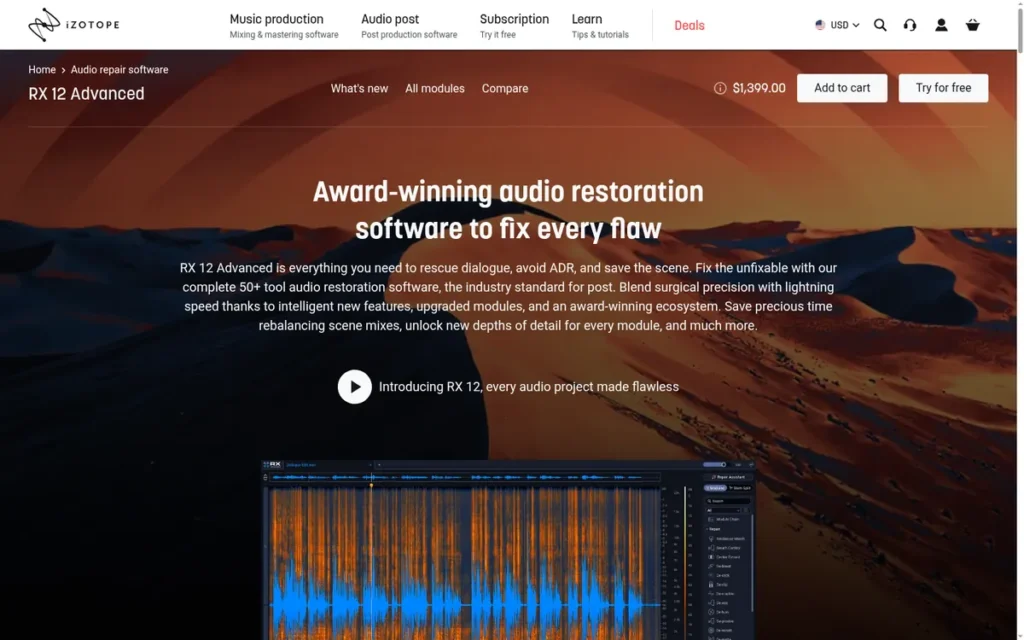
Category: Restoration Specialist, a repair suite that fixes noise, hum, echo, clicks and clipping, used alongside a separate editor or DAW.
At a Glance
- Category: Restoration Specialist
- Best For: Podcasters, video editors and voiceover artists who regularly receive noisy, echo-filled or damaged recordings and already use a host editor
- Price Range: $99 (Elements) / $399 (Standard) / $1,399 (Advanced) list for RX 12; frequent sale pricing; subscription available through Native Instruments
- Primary Strength: iZotope RX repairs problems such as room reverb, hum, mouth clicks and clipping that ordinary EQ, gating and compression cannot fix.
- Biggest Limitation: iZotope RX is not a standalone editor or DAW, and its entry-level Elements tier lacks the full spectral editor.
- One-Line Summary: iZotope RX is the reference audio restoration suite in 2026 for fixing noise, echo and damage, but it is an add-on to a separate editor rather than a complete audio editing tool.
- Last Verified: November 2026
Score and Rank Rationale: Weighted score 2.95/5. iZotope RX ranks last because the published methodology caps add-on tools at 3/5 for task fit. The rank reflects how well iZotope RX works as a primary editor, not its repair quality, where it leads.
Overview
iZotope RX is a dedicated audio repair and restoration suite for Windows and macOS, built for podcasters, video editors and voiceover artists who need to rescue recordings damaged by background noise, hum, room echo, mouth clicks or clipping.
iZotope RX 12, released in April 2026, runs standalone or as plugins. It still needs a separate editor or DAW for full editing.
Key Features
- iZotope RX’s Spectral Editor lets users see and remove specific sounds, with multichannel support up to Dolby Atmos 7.1.2.
- iZotope RX’s Repair Assistant suggests a repair chain automatically, and dedicated Spectral De-noise, De-hum, De-reverb, Mouth De-click and De-clip modules target specific defects.
- iZotope RX Standard adds the full standalone editor, real-time Dialogue Isolate and Music Rebalance, which Elements lacks.
- iZotope RX 12 adds Stems View in Standard and Advanced, plus Trim Silence in Advanced for podcast and audiobook editing [Source: iZotope, 2026].
- iZotope RX includes Loudness Optimize and Streaming Preview for checking delivery against loudness (LUFS) targets.
Best For
iZotope RX is best for creators who regularly receive problem recordings, such as remote interviews or field audio, and need repairs beyond what Audacity, REAPER or Descript can deliver.
Pricing
iZotope RX 12 lists at $99 for Elements, $399 for Standard and $1,399 for Advanced [Source: iZotope, 2026; Sound On Sound, 2026]. New major versions require paid upgrades.
iZotope RX has a history of deep discounts. RX 11 sale prices reached $49, $299 and $799, and Elements has often dropped to about $10–$50 [Source: Sound On Sound, accessed 2026; r/premiere, 2022].
iZotope also sells a subscription through Native Access with a 7-day trial, which reportedly excludes RX Advanced (verified November 2026). Standard is the practical middle tier, but check the live price before buying.
Strengths
- iZotope RX’s audio repair technology won Primetime Engineering Emmy Awards in 2013 and again in 2019 for RX 7 Advanced [Source: Television Academy, 2013; ProSoundWeb, 2019].
- iZotope RX fixes problems that “ordinary EQ, gating and compression cannot address,” according to Violet Recording’s 4.5/5 review [Source: Violet Recording, accessed 2026].
- iZotope RX’s De-click and De-noise are “great,” and its de-reverb “works spectacularly” when it works, according to an experienced podcast editor [Source: r/podcasting, 2023].
- iZotope RX works both standalone and as plugins inside DAWs and video editors, so iZotope RX adds to an existing workflow instead of replacing it.
Limitations
iZotope RX trades general-purpose editing for specialist repair depth, and its most consequential trade-off is that it is not a standalone multitrack editor. The other trade-offs are:
- iZotope RX is not a multitrack editor or DAW, so users must repair audio in RX and then return it to another app.
- iZotope RX Elements lacks the full standalone editor, and one podcaster described its tools as “very black box automated effects” [Source: r/podcasting, 2023].
- iZotope RX has no verified reviews on G2 or Capterra [Source: G2, 2026; Capterra, 2026], so buyers must rely on expert reviews and forums.
- iZotope RX owners face recurring paid upgrades, and RX 11 owners faced one when RX 12 shipped in April 2026. One buyer criticized “the endless cycle of sale prices” [Source: r/premiere, 2022].
- iZotope RX modules are CPU-heavy and can sound watery when overused [Source: Violet Recording, accessed 2026], and one editor reported DaVinci Resolve “grinds down to halt” with RX plugins [Source: r/editors, 2022].
Verdict
iZotope RX offers the widest range of dedicated repair modules in this ranking and is the only tool here whose restoration technology has won Primetime Engineering Emmy Awards (2013, 2019).
iZotope RX complements an audio editor rather than replacing one. Creators who regularly rescue problem audio will find iZotope RX Standard the practical tier. Anyone with clean recordings will likely get enough cleanup from Audacity, Adobe Audition, Descript or DaVinci Resolve.
What Does Each Audio Editor Really Cost Over Three Years?
Over three years, costs range from $0 for Audacity and free DaVinci Resolve to about $828 for Adobe Audition at its cheapest monthly-billed tier. The one-time licenses (REAPER at $60, Logic Pro at $199.99 and DaVinci Resolve Studio at $295 list) all cost less over three years than any subscription in this ranking.
| Product | Tier Assumed | Year 1 | 3-Year Total | Notes |
|---|---|---|---|---|
| REAPER | Discounted license | $60 | $60 | $225 for commercial users; v7 license covers updates through 8.99 |
| Audacity | Free | $0 | $0 | No paid tiers |
| DaVinci Resolve | Free / Studio | $0 / $236–$295 | $0 / $236–$295 | $295 list; $236 on Blackmagic US store (Nov 2026); AI dialogue tools need Studio |
| Logic Pro | Mac one-time / Creator Studio annual | $199.99 / $129 | $199.99 / $387 | Creator Studio monthly costs about $468 over three years |
| Adobe Audition | Annual plan, billed monthly | About $276 | About $828 | About $792 if prepaid annually |
| Descript | Hobbyist, annual billing | $192 | About $576 | Top-ups extra; Free tier is $0 |
| iZotope RX | RX 12 Elements / Standard list | $99 / $399 | $99 / $399 plus upgrades | Paid upgrade cost not documented; sale prices vary |
These estimates rest on two assumptions:
- The three-year estimates use US prices verified in November 2026.
- The three-year estimates exclude tax or VAT, sale pricing, third-party plugins and Descript top-ups.
Adobe Audition’s three-year cost (about $828) would buy REAPER’s discounted license nearly 14 times over. A podcaster could instead buy REAPER ($60) plus iZotope RX 12 Standard ($399 list), keep about $369, and own both licenses.
Which tools can you try before paying?
- REAPER offers a fully functional 60-day evaluation, though REAPER sales are final.
- Logic Pro offers a 90-day free trial, and Apple Creator Studio offers a one-month trial for new subscribers.
- Adobe Audition offers a 7-day free trial.
- iZotope’s subscription offers a 7-day trial.
- Descript offers a free tier with 60 media minutes per month.
- Audacity and DaVinci Resolve are free to use with no time limit.
Which Tool Fixes Which Recording Problem?
Free editors handle steady background noise and hum reasonably well. Room echo and dialogue buried under music usually need paid audio restoration tools such as iZotope RX, Adobe Audition, Descript Studio Sound or DaVinci Resolve Studio’s dialogue isolation. Of these, iZotope RX offers the widest set of dedicated spectral editing and repair modules.
In short, free editors remove steady noise, and paid tools remove the room. An air-conditioner hum is steady noise that Audacity can reduce for free. A voice recorded in an empty, hard-walled room has echo, which needs DeReverb-class tools in Adobe Audition, iZotope RX or Descript Studio Sound.
| Recording Problem | Tools That Address It | Notes |
|---|---|---|
| Steady background noise | Audacity Noise Reduction; Descript Studio Sound; Adobe Audition Enhance Speech; iZotope RX Spectral De-noise; DaVinci Resolve Studio Voice Isolation | Aggressive settings in Audacity can sound metallic or watery |
| Room echo or reverb | iZotope RX De-reverb; Adobe Audition DeReverb; Descript Studio Sound | Audacity’s built-in noise reduction is not designed to remove room reflections [Source: r/VoiceActing, 2022] |
| Electrical hum | iZotope RX De-hum; Adobe Audition DeHummer; DaVinci Resolve De-Hummer (free); Audacity Notch Filter | Spectral tools let users target the hum frequency visually |
| Clicks, coughs and beeps | Adobe Audition Spectral Frequency Display; iZotope RX Mouth De-click and Spectral Editor | Mouth De-click requires RX Standard or higher |
| Clipping | iZotope RX De-clip; Adobe Audition DeClipper (Waveform Editor diagnostic); Audacity Clip Fix | iZotope RX offers the most granular de-clip controls |
| Dialogue mixed with music or ambience | iZotope RX Dialogue Isolate; DaVinci Resolve Studio Dialogue Separator; Logic Pro Stem Splitter; OpenVINO for Audacity 3.7.x | Logic Pro and OpenVINO separate stems rather than repair dialogue |
Based on vendor documentation from Adobe, iZotope, Blackmagic Design, Descript and Audacity, accessed November 2026.
Why Aren’t Pro Tools, GarageBand, Premiere Pro and Soundtrap Ranked?
PlugRoute did not rank Pro Tools, GarageBand, Premiere Pro or Soundtrap. Pro Tools targets professionals, GarageBand is an on-ramp to Logic Pro, Premiere Pro is a video editor, and Soundtrap fits cleanup, podcasting and Mac music jobs less well than the seven ranked tools.
- Pro Tools leads professional DAW usage at about 37.2% [Source: Production Expert, 2025], but Pro Tools fits beginner-to-intermediate users less well than the ranked DAWs.
- GarageBand is Apple’s free Mac starting point, and GarageBand projects open directly in Logic Pro, so GarageBand works as an on-ramp rather than a separate recommendation.
- Premiere Pro is a video editor, not an audio editor, and Premiere Pro users are covered through Adobe Audition’s round-trip workflow.
- Soundtrap appeared in discovery research, but Soundtrap fits the cleanup, podcasting and Mac music jobs less well than the ranked tools.
What Red Flags Should I Watch For When Evaluating Audio Editing Software?
The biggest red flags are subscriptions that are hard to leave, metered AI credits, AI cleanup locked behind paid tiers, crash or data-loss reports on long sessions, hardware or OS requirements that exclude your computer, and pricing built on constant sales and paid upgrades. Each one can raise your costs or lose you work after purchase.
Red Flag #1: Subscription-Only Access With No Exit Path
Subscription-only tools such as Adobe Audition stop working when you stop paying, and Adobe Audition has no perpetual-license fallback. Canceling Adobe’s annual plan billed monthly early may also incur a fee. One podcaster described the subscription as “hard to extract yourself from” [Source: r/podcasting, 2021].
Red Flag #2: Metered AI Credits That Make Costs Unpredictable
Credit-based pricing makes monthly costs hard to predict, because your usage draws from more than one meter. Descript separates media minutes from AI credits, and Descript’s top-ups expire after 12 months [Source: Descript, 2026]. Estimate your use of both meters before you choose a plan.
Red Flag #3: Paywalled AI Cleanup in Free Tiers
Free tiers often leave out the cleanup features buyers want most, so a $0 entry price can hide a later upgrade. DaVinci Resolve’s Voice Isolation and Dialogue Separator are Studio-only. iZotope RX Elements lacks the full spectral editor, and Descript’s free tier includes only 100 one-time AI credits.
Red Flag #4: Crash or Data-Loss Reports on Long Sessions
Crash reports on long recordings are a serious warning, because you cannot re-edit a lost take. Descript users report crashes on sessions longer than about 15 minutes [Source: r/podcast, 2024], and DaVinci Resolve reviewers cite database-corruption risk [Source: Capterra, 2026]. Recording in a separate app is a common safeguard.
As one user on r/podcast described:
“if you’re mostly just cutting pauses/mispronunciations + adding an intro, i’d look for something that doesn’t choke on longer sessions or take forever to export. i’ve had decent luck recording and doing quick edits in riverside, local tracks help with quality, and exporting hasn’t been a headache for me. if you like audacity’s simplicity, it’s still solid too, just a bit more manual.” Posted by u/mpulciano
Takeaway: Podcasters with simple editing needs rank stability on long sessions and fast exports above feature depth when choosing an audio editor.
Red Flag #5: Hardware or OS Gates That Exclude Your Computer
Hardware and operating-system requirements can rule out a tool before its features matter, so check them before you compare capabilities or prices. Four requirements in this ranking exclude common setups, from Intel Macs and Linux machines to offline studios and low-powered laptops:
- Logic Pro needs an Apple-silicon Mac with macOS 15.6 or later.
- DaVinci Resolve demands strong GPU and RAM.
- Descript’s Studio Sound needs an internet connection.
- Adobe Audition and iZotope RX have no Linux version.
Red Flag #6: Perpetual Sale Cycles and Paid Version Upgrades
Frequent discounting and paid major-version upgrades make the real long-term price hard to know. iZotope RX 11 owners faced a paid upgrade decision when RX 12 shipped in April 2026. One buyer criticized iZotope’s “endless cycle of sale prices,” followed by new versions that must be bought again [Source: r/premiere, 2022].
What Questions Should I Ask Before Choosing Audio Editing Software?
Before choosing audio editing software, decide your main task, confirm OS and hardware support, calculate the three-year cost, check whether you need MIDI, check how it fits your video editor, and plan your upgrade path. Together, these six questions rule out most of the wrong choices before you spend money.
Question #1: What is my main task: trims, cleanup, podcasts, music or audio for video?
Your main task determines which category of tool you need. Choosing by task first rules out most mismatches before price or brand enter the decision. Each common job in this ranking maps to one or two tools built for it:
- For quick trims, Audacity covers the job.
- For text-based podcast editing, Descript covers the job.
- For music production, REAPER and Logic Pro cover the job.
- For audio for video, DaVinci Resolve covers the job.
- For recording repair, iZotope RX covers the job.
Question #2: Does it run on my operating system and hardware?
Of the seven ranked tools, only Audacity, REAPER and DaVinci Resolve run natively on Windows, macOS and Linux. Logic Pro requires an Apple-silicon Mac with macOS 15.6 or later. Adobe Audition and iZotope RX have no Linux version, and Descript’s Studio Sound needs an internet connection.
Question #3: What will it cost me over three years?
Three-year cost tells you more than the monthly price, because subscription payments add up while a one-time license is paid once. Adobe Audition costs about $828 over three years at $22.99/month. REAPER costs $60 and DaVinci Resolve Studio $295 list, both paid once. Add expected upgrades, credits and top-ups before comparing.
Question #4: Do I need MIDI and virtual instruments?
Musicians who compose need MIDI and virtual instruments, and only REAPER and Logic Pro offer them fully in this ranking. DaVinci Resolve offers limited, post-production-focused support. Adobe Audition, Audacity, Descript and iZotope RX have no MIDI workflow, so musicians should not pick them as a primary tool.
Question #5: Does it fit my video editor?
Video integration differs sharply between tools, and the right choice depends on which video editor you already use. Five ranked tools handle the handoff in different ways, from a shared timeline to no native interchange at all:
- Adobe Audition round-trips with Premiere Pro.
- DaVinci Resolve keeps audio on the same timeline as video.
- Descript edits audio and video together.
- Logic Pro is bundled with Final Cut Pro in Apple Creator Studio.
- REAPER lacks native AAF/OMF interchange.
Question #6: What will I move to when I outgrow it?
A clear upgrade path protects your learning time and project files. Common paths are Audacity to REAPER and GarageBand to Logic Pro. Audacity users usually move on only when they need MIDI, sends and buses, or echo repair. You can add iZotope RX to any of these editors later.
How Did We Rank These Audio Editing Software Tools?
PlugRoute ranked seven audio editors by scoring each from 1 to 5 on six weighted criteria: task fit (25%), pricing value (20%), independent validation (20%), platform support (15%), learning curve (10%) and reliability (10%). The same evidence standard applied to every tool, and the full score table is published below.
Ranking Criteria
- C1 Task Capability and Job Fit (25%): C1 measures fit across quick edits, dialogue cleanup, multitrack podcasts, music production and audio for video, because job fit is readers’ top concern.
- C2 Pricing Transparency and Long-Term Value (20%): C2 compares 1-year and 3-year cost and penalizes credit pools, conflicting list prices and subscription-only access, because pricing models confuse buyers.
- C3 Independent Validation (20%): C3 combines verified ratings with review counts, expert verdicts, dated industry surveys and verifiable awards, because readers need evidence-backed recommendations.
- C4 Platform Availability and System Requirements (15%): C4 scores Windows, macOS and Linux support and deducts for hardware gates or required internet connections, because compatibility can rule a tool out.
- C5 Learning Curve and Growth Path (10%): C5 assesses onboarding difficulty and how far each tool scales, because beginners fear both steep curves and outgrowing a tool.
- C6 Reliability and Stability (10%): C6 weighs crash, data-loss and plugin-friction reports and states where evidence is thin, because lost work costs hours.
Weighted Score Table
| Rank | Product | C1 | C2 | C3 | C4 | C5 | C6 | Weighted Total |
|---|---|---|---|---|---|---|---|---|
| 1 | REAPER | 4.5 | 5 | 3.5 | 5 | 2.5 | 4 | 4.23 |
| 2 | Audacity | 3.5 | 5 | 4 | 5 | 4 | 3.5 | 4.18 |
| 3 | DaVinci Resolve (Fairlight) | 4 | 5 | 3.5 | 5 | 2.5 | 2.5 | 3.95 |
| 4 | Logic Pro | 4 | 4 | 5 | 2 | 3.5 | 3.5 | 3.80 |
| 5 | Adobe Audition | 4.5 | 2.5 | 4.5 | 3 | 3 | 3.5 | 3.63 |
| 6 | Descript | 3.5 | 3 | 3.5 | 4 | 5 | 2 | 3.48 |
| 7 | iZotope RX | 3 | 2.5 | 3.5 | 3 | 2.5 | 3 | 2.95 |
Scoring Notes
- REAPER’s validation score rose from 3 to 3.5 once its Capterra rating became verifiable (4.8/5 from 60 reviews). That moved REAPER from 4.13 to 4.23, which changed the #1 position.
- The C3 rule credits review volume for every product. That is why Audacity (470 Capterra reviews plus TrustRadius) scores 4 and Logic Pro (152 reviews, a PCMag Editors’ Choice and two survey placements) scores 5.
- REAPER leads Audacity by only 0.05 points, and the top three totals sit within 0.28 points. Different weights would change the order, so readers with one specific job should go by the Best For labels.
- Third-party ratings are one input to C3, never a standalone ranking input, because platform coverage is uneven; for example, iZotope RX has no G2 or Capterra reviews.
- iZotope RX is capped at 3 on C1 because it is an add-on, not a standalone editor. The cap reflects how well it works as a primary editor, not its repair quality.
- The Production Expert and Sleepfreaks surveys used self-selected samples that lean toward professionals, so the same caveat applies to every product that cites them.
- Community quotes from 2021–2023 are date-stamped, outdated prices are flagged, and undated sources are cited as “accessed 2026.”
PlugRoute has no affiliate relationships with any company listed. Rankings are determined entirely by research data and objective evaluation criteria.
What Do Readers Most Often Ask About Audio Editing Software?
The most common questions about audio editing software ask which tool is best for podcasts, which is best for noise reduction and cleanup, and how independent rankings are set. Each answer below names specific tools, prices and the evidence behind them.
What is the best audio editing software for podcasts in 2026?
Descript is the best audio editing software for solo and interview podcasts in 2026 because editing the transcript edits the recording. REAPER, at $60 one-time, suits multi-host shows that need sends, buses and ducking. Adobe Audition, at $22.99/month, suits podcasters already editing in Premiere Pro. Audacity remains the best free starting point.
What is the best audio editing software for noise reduction and cleanup?
iZotope RX offers the widest set of dedicated audio restoration modules in this ranking, including spectral editing, de-reverb, de-clip and dialogue isolation. Adobe Audition, Descript Studio Sound and DaVinci Resolve Studio’s Voice Isolation offer guided or one-click cleanup inside a full editor. Audacity’s free noise reduction handles steady background noise but is not designed to remove room echo.
How does PlugRoute determine rankings?
PlugRoute scores every product from 1 to 5 on six published criteria: task fit, pricing value, independent validation, platform support, learning curve and reliability. The criteria are weighted 25/20/20/15/10/10. Ratings appear with source, count and date. The full score table is published, and PlugRoute re-scores products when new evidence appears, such as a rating that becomes verifiable.
What Do Key Audio Editing Software Terms Mean?
DAW (Digital Audio Workstation): A DAW is a full program for recording, editing, mixing and producing multitrack audio and MIDI. It matters because musicians and producers of multi-host podcasts need one, and a simple waveform editor or a repair suite can’t stand in for it.
Waveform Editor: A waveform editor is a track-based tool for recording, trimming, cleaning up and exporting audio, without music-production (MIDI) tools. It works well for quick edits and basic podcasts. Buyers who later need MIDI or advanced routing often outgrow it.
MIDI: MIDI is the data format musicians use to compose with virtual instruments instead of recorded audio. If you write music, check for full MIDI support, because several editors don’t have it at all.
Non-Destructive Editing: Non-destructive editing lets you change effects and edits later without permanently altering the original audio. Older destructive workflows were a common complaint, so it’s worth checking which editing modes a tool offers.
Transcript-Based Editing: Transcript-based editing turns a recording into an automatic transcript, and deleting words in the text cuts the matching audio or video. It has the gentlest learning curve for spoken-word podcasts. It gives less fine, track-level control than a DAW.
Spectral Editing: A spectral editor shows sound as a visual frequency display, so you can find and remove specific noises such as clicks, coughs, beeps or hum. It’s one of the main features that separates paid repair tools from basic noise reduction.
De-reverb: De-reverb (also written DeReverb) reduces room echo and reflections in a recording. Free noise reduction tools aren’t built to remove room echo, so buyers who record in hard-walled rooms usually need a paid tool with this feature.
Sends and Buses: Sends and buses are routing tools that pass audio from several tracks through shared processing, for example sidechain ducking that lowers music under a voice. Multi-host podcasts and music mixes depend on them. Their absence is a common reason users move to a full DAW.
AI Credits: AI credits are a metered allowance that some tools use up when you run AI features such as one-click cleanup. They’re often billed separately from media minutes, and top-ups can expire. That makes monthly costs harder to predict than a flat license.
One-Time License vs. Subscription: A one-time license is paid once and keeps working. A subscription keeps charging, and the software stops working when you stop paying. Compare three-year costs, because one-time licenses in this category usually cost far less over time. Also check for paid major-version upgrades and early-cancellation fees.
Round-Trip: Round-trip means sending clips or sequences from a video editor to an audio editor and back for finishing. It matters for video creators, because a smooth handoff (or a shared timeline) saves exporting and re-importing files between apps.
AAF/OMF Interchange: AAF and OMF are file formats for exchanging projects between audio editors and video editors. If your tool lacks native AAF/OMF support, moving a project to or from a video editor takes extra steps.
Which Audio Editing Software Is Right for You?
Key Insights
Most beginners should start with free Audacity, budget musicians and multi-host podcasters with REAPER at $60, and video creators with free DaVinci Resolve. Mac musicians should choose Logic Pro, Premiere Pro users Adobe Audition, solo podcasters Descript, and anyone fixing damaged audio should add iZotope RX to their editor.
- REAPER has the highest weighted score and the best long-term value, with full audio and MIDI production for a $60 one-time license on all three operating systems.
- Audacity is the best free starting point for beginners on Windows, macOS or Linux, but Audacity has no MIDI and limited echo repair.
- DaVinci Resolve’s Fairlight page is the best free option for video creators, because DaVinci Resolve keeps multitrack audio mixing on the video timeline.
- Logic Pro is the best choice for music production on Apple-silicon Macs, with the most complete built-in instrument toolset for $199.99.
- Adobe Audition is worth its subscription mainly for Premiere Pro users who need broadcast-ready dialogue cleanup.
- Descript is the fastest editor for solo and interview podcasts, though Descript’s reliability reports and credit-based pricing are real trade-offs.
- iZotope RX is the reference tool for repairing damaged audio, but iZotope RX is an add-on to an editor rather than a replacement for one.
If you are unsure, start free. Audacity users who need routing or MIDI usually move to REAPER, and GarageBand users move to Logic Pro. Video creators can start with DaVinci Resolve and upgrade to Studio when they need AI dialogue cleanup.
No audio editor in this ranking can fully undo a bad room. A quiet space and close microphone placement prevent problems that even iZotope RX can only reduce.
Before you commit to a license or subscription, read PlugRoute’s full scoring methodology and our independent guides to podcast editing and audio restoration.
We update this guide quarterly. Last updated: November 2026.