Rhombus Systems ranks #1 as the best cloud AI VMS for SMBs needing AI depth and a documented ONVIF camera-unlock policy on subscription non-renewal; Milestone XProtect ranks #2 for maximum open-hardware compatibility and a free 8-camera entry tier; Genetec Security Center ranks #3 for unified video and access control at enterprise and government scale. The core trade-off: cloud AI simplicity versus open-platform hardware freedom versus unified enterprise scale.
Most video surveillance procurement fails the same way: buyers enter a sales cycle without knowing the 5-year total cost, cannot determine what happens to their cameras when subscriptions lapse, and discover which AI features require which tier only after deployment, not before.
PlugRoute has no affiliate relationships with any company listed in this article; rankings are determined entirely by research data and objective evaluation criteria.
Integrators recommending certain platforms earn commission rates significantly higher than open-platform alternatives, a financial incentive structure that can bias channel recommendations regardless of product fit, and one this evaluation is designed to counteract.
TL;DR: Top Picks at a Glance
- Rhombus Systems is the top-ranked cloud AI VMS in this 2026 evaluation, combining natural language AI incident search, a March 2026 Honeywell LenelS2 integration, and a documented ONVIF camera-unlock policy on subscription non-renewal.
- Milestone XProtect is the top-ranked open-platform enterprise VMS, supporting 14,000–16,000+ camera device models from any manufacturer with a free 8-camera Essential+ tier that requires no financial commitment to deploy.
- Genetec Security Center is the #1-ranked global VMS per Omdia 2025 (independently reported by SecurityBrief.com.au, August 2025), delivering unified video, access control, ALPR, and native firearm detection for government and large enterprise deployments.
- Avigilon Control Center / Alta is the best choice for forensic AI investigation, with patented Appearance Search identifying persons by clothing and physical descriptors, and Avigilon Alta as the leading ONVIF-open alternative for organizations evaluating Verkada.
- Blue Iris is the lowest-cost video surveillance software in this evaluation at ~$79.95 one-time Pro license for up to 128 cameras with no recurring subscription fees and free local AI detection via CodeProject.AI.
- Ivideon is the best NVR-free cloud VSaaS for non-technical small business owners and retailers needing POS-integrated loss prevention analytics with no on-site server hardware required.
- Verkada offers genuine Ambarella CV72 edge AI capabilities and a 4.7/5 G2 rating but ranks last in this evaluation due to its $2.95 million proposed FTC settlement (August 2024), proprietary-only camera ecosystem, and documented lock-in risk on subscription non-renewal.
What Are the Three Deployment Categories in Video Surveillance Software?
Video surveillance software divides into three deployment categories based on where video is processed, stored, and managed, cloud-managed/hybrid-edge, open-platform enterprise VMS, and local/accessible SMB software. Matching the right category to your operational context is the single most important pre-purchase decision, because switching categories mid-deployment typically requires replacing cameras, servers, or both.
Category 1: Cloud-Managed / Hybrid-Edge Platforms combine edge AI processing inside cameras with centralized cloud management, eliminating on-site NVR hardware. This evaluation’s entries in this category include Rhombus Systems (#1), Avigilon Alta (the cloud offering within entry #4), and Verkada (#7). Ivideon (#6) is a related sub-type, a pure Cloud VSaaS where cameras transmit directly to cloud storage with no edge AI inside the camera.
Category 2: Open-Platform Enterprise VMS platforms run on-premise or hybrid-cloud and accept cameras from virtually any manufacturer, with AI delivered through partner ecosystems or native analytics. This category includes Milestone XProtect (#2), Genetec Security Center (#3), and Avigilon Control Center (ACC, the on-premise platform within entry #4).
Category 3: Local / Accessible SMB Software targets deployments from 1–128 cameras without cloud dependencies or enterprise-scale infrastructure requirements. Blue Iris (#5) is the primary entry for technically capable Windows users seeking zero recurring cost.
How Do the Top 7 Video Surveillance Software Platforms Compare at a Glance?
These seven platforms span every major deployment model, pricing structure, and target user, from a ~$79.95 one-time license for technically capable home users to government-certified enterprise VMS platforms managing 100,000+ cameras across federated multi-site networks. The comparison table includes verified pricing data, camera compatibility, and AI capabilities for direct side-by-side evaluation.
| Rank | Company | Category | Best For | One-Line Summary | Key Capabilities | Primary Strength | Key Limitation |
|---|---|---|---|---|---|---|---|
| #1 | Rhombus Systems | Cloud-Native AI VMS | SMBs and mid-enterprise needing cloud AI, natural language incident search, and a documented camera exit policy | Rhombus Systems is a G2 2025 Best Software honoree offering natural language AI search, a March 2026 Honeywell LenelS2 integration, and a documented ONVIF camera-unlock policy on subscription non-renewal. | Natural language AI search; edge person/vehicle/facial/LPR/fall detection; glass-break audio correlation; 50+ enterprise integrations including LenelS2 | G2 2025 Best Software recognition and Honeywell LenelS2 partnership provide the highest enterprise-partnership validation of any cloud AI VMS in this evaluation | Relay Core N100 bridge supports only 10 third-party RTSP/ONVIF cameras per unit, limiting large-scale legacy camera integration |
| #2 | Milestone XProtect | Open-Platform Enterprise VMS | Enterprise and multi-site organizations requiring maximum camera brand flexibility and a free 8-camera entry tier | Milestone XProtect is deployed in 500,000+ installations across 190+ countries, supports 14,000–16,000+ camera device models, and offers a free 8-camera Essential+ tier that scales to 100,000+ camera federated enterprise deployments on the same platform. | First ONVIF Profile M-conformant VMS; 14,000–16,000+ device models; 1,000+ MIP SDK integrations including BriefCam and Bosch IVA Pro; free Essential+ tier | Broadest open-hardware compatibility of any VMS in this evaluation; 14,000–16,000+ supported device models with no proprietary camera requirement | AI is partner-delivered, not native; adding specialized analytics requires additional procurement, licensing, and integration overhead |
| #3 | Genetec Security Center | Unified Security Platform | Large enterprises, government, airports, and healthcare requiring unified video surveillance and physical access control | Genetec Security Center is the #1-ranked global VMS per Omdia 2025 (independently reported by SecurityBrief.com.au, August 2025), serving 42,500+ customers with native firearm detection, AutoVu ALPR, and unified video and access control in one interface. | Native firearm detection (Security Center 5.10); AutoVu ALPR; Omnicast VMS + Synergis access control unified; direct-to-cloud recording for Bosch, i-PRO, and Axis | #1 global VMS market position per Omdia 2025 analysis, with government security standard certification across multiple jurisdictions | UI consistently rated “not intuitive” by enterprise practitioners; reseller-only support with territory protection creates gaps in underserved markets |
| #4 | Avigilon Control Center / Alta | Forensic AI Enterprise VMS | Enterprises and public safety organizations requiring appearance-based AI forensic investigation and Motorola Solutions institutional backing | Avigilon Control Center and Avigilon Alta, backed by Motorola Solutions since a ~$1 billion acquisition in 2018, deliver patented Appearance Search AI and self-learning analytics across on-premise and cloud-managed deployments with ONVIF camera compatibility on Alta. | Patented Appearance Search (physical descriptor forensic AI); self-learning Unusual Motion Detection; HDSM storage optimization; Alta supports ONVIF cameras and portable Mercury access control panels | Patented Appearance Search identifies persons by clothing, accessories, and body shape without facial visibility; a forensic AI capability unique among platforms evaluated here | Avigilon ACC web application rated inadequate by practitioners; pricing consistently described as “overpriced”; ongoing per-camera licensing fees are barriers for budget-constrained deployments |
| #5 | Blue Iris | Local Windows NVR Software | Technically capable home users and small businesses on Windows wanting zero recurring fees and maximum camera compatibility | Blue Iris is a Windows-based NVR supporting up to 128 cameras under a ~$79.95 one-time Pro license with free local AI detection via CodeProject.AI, GPU-accelerated H.265 recording in version 6, and no recurring subscription fees. | Free local AI via CodeProject.AI and DeepStack; 128-camera capacity on one Pro license; H.265 with Intel QSV/Nvidia NVENC GPU acceleration; Home Assistant and MQTT integration | ~$79.95 one-time Pro license with no recurring subscription fees; the lowest total cost of ownership of any platform in this evaluation for technically capable Windows users | Windows-only; no cloud storage; no multi-site federation; steep initial configuration learning curve before AI detection is fully operational |
| #6 | Ivideon | Cloud VSaaS | Non-technical small business owners and retailers needing NVR-free cloud deployment with POS-integrated retail loss prevention analytics | Ivideon is a cloud VSaaS serving 4 million+ users and 15,000+ businesses across 130+ countries with no-NVR camera-to-cloud connectivity, POS cash register control AI unique among platforms in this evaluation, facial recognition, and 3G camera connectivity. | NVR-free camera-to-cloud architecture; POS cash register control analytics; facial recognition; people counting; 3G connectivity; auto-detection of Axis, Dahua, Hikvision, Swann, and Foscam | Unique POS cash register control analytics for retail loss prevention combined with the simplest no-NVR deployment architecture of any platform evaluated | Full internet dependency with no meaningful offline recording; data privacy review required for organizations subject to HIPAA, FedRAMP, FERPA, or GDPR |
| #7 | Verkada | Proprietary Hybrid Cloud VMS | Greenfield deployments prioritizing all-in-one simplicity; after verifying FTC settlement history, non-renewal camera policy, and pricing in writing | Verkada is a hybrid cloud VMS rated 4.7/5 on G2 featuring Ambarella CV72 edge AI cameras with 20–50 Kbps steady-state bandwidth and 30–365 days on-device encrypted storage, that received a $2.95 million proposed FTC settlement in August 2024 and operates a proprietary-only closed camera ecosystem. | Edge AI via Ambarella CV72 SoC: person detection, facial recognition, ALPR, behavioral analysis; 20–50 Kbps steady-state bandwidth; 30–365 days on-device encrypted storage; 10-year hardware warranties | Ambarella CV72 edge AI at 20–50 Kbps steady-state per camera; the lowest per-camera network overhead of any cloud VMS in this evaluation | $2.95 million proposed FTC settlement (August 2024) covering CAN-SPAM violations, data security failures, and deceptive privacy claims; proprietary-only cameras with documented non-renewal lock-in risk |
Scale-Based Entry Point, Start Here Before the Full Framework
| Your Deployment Scale | Start Here | Consider Skipping |
|---|---|---|
| Home / DIY (1–20 cameras, Windows, technical user) | Blue Iris (#5); ~$79.95 one-time, free local AI, 128-camera capacity | Genetec (#3), Avigilon (#4); enterprise infrastructure not needed at this scale |
| SMB / School / Mid-Enterprise (5–200 cameras, cloud or AI analytics needed) | Rhombus (#1), Milestone (#2), Ivideon (#6) in that order | Avigilon (#4), Genetec (#3); typically too complex and expensive for most deployments at this scale |
| Enterprise (100+ cameras, multi-site, access control integration required) | Genetec (#3), Avigilon (#4), Milestone (#2) | Ivideon (#6), Blue Iris (#5); single-server or consumer-grade tools do not support federated multi-site deployment |
Quick Decision Framework
| Your #1 Priority | Recommended Tool | Why | Acceptable Alternative |
|---|---|---|---|
| Lowest 5-year cost on Windows (up to 128 cameras) | Blue Iris | ~$79.95 one-time Pro license, zero recurring subscription fees, free local AI via CodeProject.AI | Milestone XProtect Essential+ (free, 8 cameras, no expiration) |
| Cloud AI with the best vendor exit policy | Rhombus Systems | ONVIF unlock on non-renewal; Honeywell LenelS2 integration; consistently described as lower TCO than Verkada | Avigilon Alta (ONVIF cameras + Mercury access control panels portable to other software) |
| Unified video and access control at enterprise scale (verify certified reseller availability in your market) | Genetec Security Center | #1 globally per Omdia 2025; native firearm detection; Omnicast + Synergis in one interface | Milestone XProtect + third-party access control (more integration complexity required) |
| Forensic AI investigation by physical descriptors (verify web client meets distributed-user needs) | Avigilon Control Center | Patented Appearance Search identifies persons by clothing, accessories, body shape; even when face not visible | Genetec Security Center (partner AI analytics available; not an Appearance Search equivalent) |
| Broadest open-hardware VMS with a free entry tier | Milestone XProtect | 14,000–16,000+ supported device models; free Essential+ for 8 cameras; no expiration | Genetec Security Center (open hardware, no free tier, higher enterprise cost) |
| Simple cloud cameras, no NVR, retail loss prevention (review data privacy terms before deploying in regulated industries) | Ivideon | NVR-free cloud setup; unique POS cash register control AI; 3G connectivity support | Rhombus Systems (more expensive but deeper AI; better scalability beyond 20 cameras) |
| All-in-one greenfield simplicity (verify FTC settlement history, pricing, and non-renewal policy in writing first) | Verkada | Highest ease-of-setup for greenfield proprietary hardware deployments; 4.7/5 G2 rating | Rhombus Systems (comparable cloud simplicity, open exit policy, typically lower TCO) |
1. Rhombus Systems: Best Overall Cloud AI VMS
Category: Cloud-Native AI VMS, manages cameras and AI analytics through a cloud console with edge processing inside each camera, requiring no on-site NVR or recorder hardware.
At a Glance
- Category: Cloud-Native AI VMS
- Best For: SMBs and growing enterprises needing cloud-managed AI surveillance, natural language incident search, and a documented exit policy that protects camera hardware on subscription non-renewal
- Price Range: Per-camera annual subscription (contact for quote); community-reported door sensors at $41/unit with no ongoing license fee (r/k12sysadmin, 2023); consistently described as “considerably cheaper” than Verkada across practitioner comparisons; multi-year license options available
- Primary Strength: Rhombus Systems provides natural language AI incident search, edge AI analytics across multiple detection types, an ONVIF camera-unlock commitment on subscription non-renewal, and a March 2026 Honeywell LenelS2 integration that validates enterprise credibility
- Biggest Limitation: Rhombus Systems’ core AI platform is optimized for proprietary cameras, and the Relay Core N100 bridge supports only up to 10 third-party RTSP/ONVIF cameras per unit, making large-scale legacy camera integration impractical for organizations with 50+ existing non-Rhombus cameras
- One-Line Summary: Rhombus Systems is a G2 2025 Best Software honoree offering natural language AI incident search, a March 2026 Honeywell LenelS2 integration, and a documented ONVIF camera-unlock policy on subscription non-renewal, the only cloud AI VMS in this evaluation with all three.
- Last Verified: April 2026
Overview
Rhombus Systems is a Sacramento-based cloud-native AI video management system founded in 2016 by Garrett Larsson and Omar Khan, purpose-built for SMB-to-enterprise deployments where security teams need AI-powered incident search, remote multi-site management, and a clear exit path if they ever change platforms.
Rhombus Systems manages surveillance through a cloud console backed by edge AI processing inside each camera, eliminating the on-site NVR failure risk that burdens traditional VMS deployments and reducing steady-state bandwidth to levels manageable on standard business internet connections.
Named to G2’s 2025 Best Software list and confirmed in a Honeywell strategic collaboration announced in March 2026, Rhombus Systems holds the highest enterprise-partnership validation of any cloud AI VMS in this evaluation.
The Honeywell collaboration specifically integrates Rhombus Systems’ cloud platform with LenelS2 access control systems, enabling organizations to access Rhombus cameras and AI analytics within LenelS2 Elements cloud-native access control and to manage LenelS2 solutions through the Rhombus Console (PRNewswire / Honeywell official press release, March 26, 2026).
Key Features
- Natural Language Incident Search: Rhombus Systems offers AI-powered natural language search enabling security managers to query footage in plain language (for example, “show me everyone who entered the back door after 10 PM”) rather than manually scrubbing timestamps, a capability confirmed ahead of Verkada in a 2026 practitioner comparison covering Southern California property management deployments (Endpoint Wireless, 2026).
- Edge AI Analytics: Rhombus Systems processes inference at the camera edge: including person/vehicle/object detection, facial biometrics, license plate recognition, color-based search, foot traffic counting, unusual behavior detection, and fall detection, without sending raw video to the cloud, keeping bandwidth compatible with standard business internet connections.
- Relay Core N100 Third-Party Camera Bridge: Rhombus Systems’ Relay Core N100 hardware bridge integrates up to 10 RTSP/ONVIF-compatible third-party cameras into the Rhombus cloud console with 2TB–4TB on-device storage per unit, enabling phased migration from legacy NVR systems without a full rip-and-replace of existing camera infrastructure.
- A100 Audio Gateway: Rhombus Systems’ A100 Audio Gateway adds two-way audio, glass-break detection, and audio-to-video event correlation to the surveillance console, automatically surfacing the nearest camera footage when an audio anomaly is detected, a capability not available in Verkada’s platform as of April 2026 (Unio Digital, April 2026).
- 50+ Enterprise Integrations: Rhombus Systems connects to 50+ enterprise integrations including SAML SSO, SCIM, Okta, ButterflyMX, Kisi, and the Honeywell LenelS2 access control platform, with an open API and custom webhook automation making it compatible with zero-trust identity management architectures deployed by enterprise IT teams.
Best For
Skip this entry if: you have 50+ existing non-Rhombus cameras to integrate at scale, require macOS or Linux desktop management, or your procurement policy requires a vendor with Canon-level or Motorola Solutions-level financial backing rather than a pre-IPO company.
Rhombus Systems is best for schools, multi-site SMBs, and growing mid-enterprises that need cloud-managed AI surveillance with a credible exit strategy, particularly organizations evaluating Verkada but concerned about vendor lock-in, proprietary camera requirements, or total cost of ownership over a 5-year deployment horizon.
Pricing
Rhombus Systems does not publish hardware or subscription pricing publicly as of April 2026, contact Rhombus directly or through an authorized reseller for a quote.
Community-verified data: one K-12 deployment of 44 R200 cameras and 22 door sensors reported $41/door sensor with no ongoing license fee (r/k12sysadmin, 2023). Multi-year license commitments are available for budget cycle predictability. Practitioners who have evaluated both platforms consistently describe Rhombus Systems as “considerably cheaper in the long run” compared to Verkada (u/H2OZdrone, r/sysadmin, 2024).
Rhombus Systems publicly commits to unlocking cameras to full ONVIF compatibility upon subscription non-renewal, avoiding the hardware write-off risk documented for closed proprietary platforms. Verify all figures directly with Rhombus before purchase.
Strengths
- Rhombus Systems was named to G2’s 2025 Best Software list and ranked #2 Easiest to Use in G2’s enterprise video surveillance category as of April 2026, the highest usability rating among cloud AI VMS platforms in this evaluation.
- Honeywell announced a strategic collaboration with Rhombus Systems in March 2026 to integrate Rhombus Systems’ cloud video platform with LenelS2 access control systems, enabling unified management of cameras and physical access control from both platforms, the most significant third-party enterprise validation of any cloud VMS platform in this evaluation (PRNewswire / Honeywell official press release, March 26, 2026).
- Rhombus Systems publicly commits to unlocking cameras as fully ONVIF-compatible upon subscription non-renewal, a policy confirmed by a K-12 technology administrator who evaluated this commitment as a contract condition before deployment, directly contrasting with platforms that render hardware non-functional after contract expiration (r/k12sysadmin, 2023).
A K-12 IT administrator who deployed Rhombus and evaluated it head-to-head against Verkada shared their experience on r/k12sysadmin:
“Another bonus, from the beginning they told me when our license is up if for some reason did we not want to renew, they would unlock the cams so they would be fully onvif compatible. They have told me several times they aren’t going to hold anyone hostage. Are their better systems? Maybe. I demoed Verkada, hated the sales people and pricing, liked the product. Does Rhombus give you more control over camera image quality and settings, absolutely. Do I think Verkada’s UI is more polished and has some fancier features? Yes sure but at a steep price. I’ve passed feedback on to the folks at Rhombus and they’ve been receptive.” Posted by u/WatercressBetter2305
Takeaway: School district practitioners who have run direct Rhombus-vs-Verkada evaluations consistently validate the ONVIF unlock commitment as genuine, while acknowledging that Verkada’s UI polish comes at a materially higher total cost.
- One practitioner who physically sampled hardware from Rhombus Systems, Verkada, and Cisco Meraki confirmed that Rhombus Systems cameras delivered superior video and hardware quality with higher feature depth at lower total cost, based on direct head-to-head evaluation (u/gleep52, r/videosurveillance, 2023).
Limitations
- Proprietary Hardware Ecosystem: Rhombus Systems’ AI analytics and edge processing are fully optimized only with Rhombus cameras, and the Relay Core N100 bridge for third-party ONVIF cameras is limited to 10 devices per unit, making large-scale legacy camera integration impractical for organizations with 50+ existing non-Rhombus cameras without substantial hardware replacement cost.
- ONVIF Unlock Scope: Rhombus Systems’ ONVIF unlock commitment returns cameras to open-standard compatibility rather than preserving the managed AI cloud experience, organizations that exit the platform lose cloud AI analytics even when individual camera hardware is retained and repurposed on a different VMS.
- Pre-IPO Vendor Longevity: Rhombus Systems operates as a pre-IPO private company without the Motorola Solutions or Canon financial backing of Avigilon or Milestone, which some enterprise procurement teams cite as a vendor longevity concern for multi-year contracts requiring long-cycle stability guarantees.
Verdict
Rhombus Systems is the best-ranked video surveillance software in this 2026 independent evaluation, combining G2 2025 Best Software recognition, a March 2026 Honeywell LenelS2 enterprise integration, natural language AI incident search, an industry-leading ONVIF unlock exit policy, and the second-highest ease-of-use score in the G2 enterprise category. Rhombus Systems excels most clearly in the SMB-to-mid-enterprise segment where organizations need AI-powered cloud surveillance without Verkada’s proprietary lock-in or Milestone’s implementation complexity. Organizations evaluating Rhombus Systems should request a 5-year TCO quote alongside Verkada and Avigilon Alta pricing to make the cost differential concrete before committing.
2. Milestone XProtect: Best Open-Platform Enterprise VMS
Category: Open-Platform Enterprise VMS, runs on-premise or hybrid-cloud, accepts cameras from any manufacturer, and extends AI capabilities through a partner integration ecosystem of 1,000+ certified solutions.
At a Glance
- Category: Open-Platform Enterprise VMS
- Best For: Enterprise and multi-site organizations that need maximum camera hardware flexibility, a free 8-camera entry tier, and the option to deploy specialized AI analytics without changing the core VMS platform
- Price Range: Free (Essential+, up to 8 cameras, unlimited users, no expiration); paid tiers (Express, Professional+, Expert, Corporate) via authorized reseller only; community-reported Software Support Agreement (SSA) approximately $25–$35/camera channel/year for enterprise tiers (community-sourced, April 2026, verify before purchase)
- Primary Strength: Milestone XProtect supports 14,000–16,000+ camera device models from hundreds of manufacturers and is the first VMS platform conformant to ONVIF Profile M (February 2022), delivering the broadest open-hardware compatibility of any platform in this evaluation
- Biggest Limitation: Milestone XProtect delivers AI capabilities entirely through third-party partner integrations rather than natively, adding procurement complexity, additional licensing cost, and integration maintenance overhead compared to platforms with bundled native AI
- One-Line Summary: Milestone XProtect is deployed in 500,000+ installations across 190+ countries, supports 14,000–16,000+ camera device models from any manufacturer, and offers a free 8-camera Essential+ tier that scales to 100,000+ camera federated enterprise deployments on the same platform architecture.
- Last Verified: April 2026
Overview
Milestone XProtect is a Copenhagen-based open-platform video management system founded in 1998 and operating as a Canon subsidiary since 2014, purpose-built for deployments ranging from a single home server to federated 100,000+ camera enterprise networks where hardware vendor neutrality is a non-negotiable operational requirement.
Milestone XProtect’s defining architectural principle is open-platform camera compatibility, its 14,000–16,000+ supported device models span virtually every ONVIF-compatible IP camera on the market, and its MIP SDK powers 1,000+ third-party integrations for AI analytics, cloud archiving, and physical security management.
Milestone XProtect’s free Essential+ tier (up to 8 cameras, unlimited users, no time limit) makes Milestone XProtect the only enterprise-grade VMS in this evaluation accessible to home users and micro-businesses at zero financial commitment, while paid Expert and Corporate tiers serve airport-scale and city-surveillance deployments on the same underlying platform architecture.
Key Features
- 14,000–16,000+ Device Models: Milestone XProtect supports cameras from hundreds of manufacturers via ONVIF and native integrations, compatible with virtually any IP camera an organization already owns or plans to purchase, without proprietary hardware requirements or forced camera replacement costs.
- ONVIF Profile M Conformance: Milestone XProtect is the first VMS platform conformant to ONVIF Profile M (ONVIF official blog, February 2022), enabling standardized AI metadata streams (object classification, bounding box display, and position data for maps and speed calculation) without proprietary analytics dependencies.
- 1,000+ Third-Party AI Integrations: Milestone XProtect’s MIP SDK supports integrations including BriefCam for AI analytics, Visionplatform.ai for deep-learning inference, Bosch IVA Pro with GPU-accelerated object detection, and Arcules for cloud archiving, allowing organizations to add specialized AI from preferred vendors rather than accepting a single bundled analytics offering.
- Flexible Deployment Architecture: Milestone XProtect supports on-premises deployment, hybrid cloud (on-premise + cloud archiving), and cloud hosting on AWS, Google Cloud, and Microsoft Azure, with Scalable Video Quality Recording (SVQR) and failover recording support across all tiers.
- Free Essential+ Entry Tier: Milestone XProtect’s Essential+ provides up to 8 camera devices, unlimited concurrent users, live and recorded video access, and basic motion detection with no expiration date, a genuine zero-cost evaluation and small-deployment path that upgrades to paid tiers without requiring a platform migration.
Best For
Skip this entry if: you need native AI analytics bundled in the base platform without third-party integration overhead, want managed cloud storage out of the box, or are deploying exactly 8 cameras or fewer (in which case Essential+ serves you at zero cost and no paid tier is required).
Milestone XProtect is best for enterprise and multi-site organizations with an existing mixed-manufacturer camera infrastructure that require open-hardware flexibility for future purchases, and need a VMS that scales from a free 8-camera proof-of-concept to a 100,000+ camera federated deployment without changing the underlying platform architecture.
Pricing
Milestone XProtect Essential+ is free with no expiration for up to 8 cameras and unlimited users, verify current details at milestonesys.com before deployment (April 2026).
Paid tiers, XProtect Express, Professional+, Expert, and Corporate, are available only through Milestone authorized resellers with no publicly listed MSRP. Community sources report SSA costs of approximately $25–$35 per camera channel per year, mandatory for software updates and technical support (r/videosurveillance, community-reported, 2023).
For a 100-camera deployment, that represents an estimated $2,500–$3,500 in annual recurring SSA costs above the base platform license, a material 5-year TCO factor. Verify all figures directly with a Milestone reseller before purchase.
Strengths
- Milestone XProtect has been deployed in 500,000+ verified installations across 190+ countries (Milestone official, April 2026), making it one of the two most widely deployed VMS platforms globally and validating platform reliability at scale across retail, municipalities, airports, and critical infrastructure.
- Milestone XProtect became the first VMS platform conformant to ONVIF Profile M in February 2022 (ONVIF official blog, February 2022), establishing a standardization benchmark for AI analytics interoperability that no proprietary VMS ecosystem can replicate.
- Security professionals with 18+ years of certified Milestone experience consistently recommend Milestone XProtect for deployments of any size, noting that modest hardware (an i3 CPU and 8GB RAM) is sufficient for reliable operation, demonstrating the platform’s enterprise architecture does not impose disproportionate infrastructure costs at smaller scale (u/ImaginaryCheetah, r/homesecurity, 2023).
- Community consensus from experienced security practitioners positions Milestone XProtect and Genetec Security Center as the only two platforms meriting the “true enterprise VMS with federation” designation, a professional evaluation confirming Milestone XProtect is one of two platforms practitioners consider the definitive choice for enterprise federation (u/GroupStunning1060, r/videosurveillance, 2023).
Limitations
- No Native AI: Milestone XProtect delivers deep AI analytics entirely through third-party partner integrations, BriefCam, Bosch IVA Pro, Visionplatform.ai, adding procurement complexity, additional licensing cost, and integration maintenance overhead compared to platforms with bundled native AI capabilities.
- MIP SDK Hotfix Policy: Milestone XProtect limits MIP SDK bug patches to the newest SDK version only, meaning organizations running older XProtect versions with customized third-party integrations may not receive patches for known issues, a real operational burden for large enterprises with slow upgrade cycles.
- Pricing Opacity for Paid Tiers: Milestone XProtect’s paid tier pricing is exclusively reseller-provided with no public MSRP, forcing every enterprise buyer into a sales engagement before determining budget feasibility, the primary procurement complaint from IT teams evaluating the platform.
- Free Tier Profile G Limitation: Milestone XProtect Essential+ lacks ONVIF Profile G support for camera-side SD card backup recording, pushing users who want on-camera failover recording toward paid Express or above tiers (Milestone community forum).
Users on r/SecurityCamera offered a balanced practitioner perspective on Milestone’s day-to-day operation:
“The administrative side of Milestone kind of sucks. A better management interface would be an area that could give you competitive advantage. The front end is really nice though. It is intuitive and even non-techy people can pick it up fairly quickly. They also offer a desktop thick client, on-prem web client, and mobile app. Having all of those options is huge for varying needs in enterprise. I use all of them regularly.” Posted by u/Huge-Transition3644
Takeaway: Milestone XProtect’s end-user front-end earns consistent praise for intuitiveness and multi-client flexibility, but the administrative backend is a recognized weak point that experienced practitioners flag as an area needing improvement.
Verdict
Milestone XProtect is the best open-platform enterprise VMS in this 2026 evaluation for organizations that prioritize camera hardware freedom, the broadest supported device library in the category, and access to a mature 1,000+ integration ecosystem for specialized AI analytics. Milestone XProtect’s free Essential+ tier is the most credible zero-cost enterprise VMS entry point available, the only platform in this evaluation that lets organizations deploy and validate at no financial commitment before scaling to enterprise tiers. The primary considerations before selecting Milestone XProtect over cloud-native alternatives are the implementation complexity requiring certified integrators for enterprise deployments and the SSA recurring fee structure that must be factored into 5-year total cost of ownership analysis.
3. Genetec Security Center: Best for Unified Security and Government Deployments
Category: Unified Security Platform, combines VMS, access control, license plate recognition, and intrusion detection in a single management interface rather than requiring separate software platforms for each physical security function.
At a Glance
- Category: Unified Security Platform
- Best For: Large enterprises, government agencies, airports, healthcare systems, and organizations that manage both video surveillance and physical access control at scale and need both functions unified under a single management interface
- Price Range: Authorized Genetec reseller only; no public pricing listed; community-reported Software Support Agreement (SSA) approximately $25–$35/camera channel/year above the base platform license (community-sourced, April 2026, verify before purchase)
- Primary Strength: Genetec Security Center is the #1-ranked global VMS platform per Omdia’s 2025 report (independently reported by SecurityBrief.com.au and GlobeNewswire, August 2025), serving 42,500+ customers with native firearm detection, AutoVu ALPR, and unified video and access control in one interface
- Biggest Limitation: Genetec Security Center has a well-documented UI complexity problem, multiple enterprise practitioners describe it as “the least user-friendly video surveillance system” they have worked with, creating steep learning curves for non-specialist daily operators
- One-Line Summary: Genetec Security Center is the #1-ranked global VMS and VSaaS platform per Omdia’s 2025 report (independently reported by SecurityBrief.com.au, August 2025), serving 42,500+ customers with unified video surveillance, access control, license plate recognition, and native firearm detection analytics.
- Last Verified: April 2026
Overview
Genetec Security Center is a Montreal-based unified physical security platform founded in 1997 and serving 42,500+ customers in 80+ countries, combining video surveillance (Omnicast), access control (Synergis), automatic license plate recognition (AutoVu), and intrusion management in a single interface purpose-built for enterprise and public-sector deployments where video and physical access must be managed together.
Genetec Security Center holds the #1 global ranking in both VMS software and combined VMS/VSaaS categories per Omdia’s 2025 Video Surveillance & Analytics Database Report, independently reported by SecurityBrief.com.au and GlobeNewswire in August 2025, the only independent third-party analyst market-position confirmation of any platform in this evaluation.
Genetec Security Center’s most consequential differentiator for regulated industries is government security standard certification in multiple jurisdictions and native firearm detection analytics added in Security Center 5.10, positioning it as the default choice for airports, law enforcement, healthcare systems, and schools with statutory public safety obligations.
Key Features
- Unified Security Platform: Genetec Security Center unifies Omnicast (VMS), Synergis (access control), AutoVu (ALPR), intrusion detection, and building automation in a single management interface, eliminating the integration friction and migration cost of running separate video and access control platforms from different vendors (Genetec product page).
- Native Firearm Detection: Genetec Security Center 5.10 includes firearm detection analytics as a native platform feature, enabling real-time threat identification at schools, government buildings, and public venues without a separate third-party analytics subscription or plugin (Genetec blog, 2024).
- Direct-to-Cloud Video Recording: Genetec Security Center SaaS supports direct-to-cloud camera recording, cameras from Bosch, i-PRO, and Axis (firmware 9.8+) transmit video directly to the cloud without a local gateway appliance, reducing on-site hardware dependencies for new deployments and branch-office expansions.
- AutoVu ALPR Integration: Genetec Security Center’s AutoVu automatic license plate recognition integrates natively with video surveillance and access control in the same platform interface, enabling unified management of vehicle access, parking enforcement, and law enforcement workflows without third-party ALPR software.
- Multi-Site Federation: Genetec Security Center supports federated deployments connecting multiple physically separate sites under centralized management, enabling multi-hospital healthcare networks and multi-campus universities to manage video and access control across locations from a single administrative interface.
Best For
Skip this entry if: your organization has fewer than 50 cameras, does not manage physical access control alongside video surveillance, or cannot verify that a certified Genetec reseller operates in your geographic market with an acceptable support SLA.
Genetec Security Center is best for large enterprises, government agencies, airports, and healthcare systems that manage both video surveillance and physical access control at scale, particularly in markets where Genetec holds government security standard certification, which is a non-negotiable procurement requirement in many public-sector contracts.
Pricing
Genetec Security Center pricing is not publicly listed and is available exclusively through authorized Genetec resellers operating under territory-protected agreements (April 2026).
Community sources report SSA costs of approximately $25–$35 per camera channel per year, mandatory for software updates and technical support (r/videosurveillance, community-reported, 2023). For a 650-camera enterprise deployment, that represents an estimated $16,250–$22,750 in annual recurring SSA fees above the base platform license.
Genetec’s territory-protection model means support gaps are possible in markets with limited certified resellers, verify reseller presence and support SLAs in your geographic market before committing. All community-reported pricing figures should be verified directly with a Genetec reseller before purchase.
Strengths
- Omdia’s 2025 Video Surveillance & Analytics Database Report ranked Genetec Security Center #1 globally in both the VMS software category and the combined VMS/VSaaS category, and #1 in the Americas for the 14th consecutive year, #2 in EMEA with the largest market share growth among top-10 vendors, independently reported by SecurityBrief.com.au and GlobeNewswire (August 12, 2025), the only platform in this evaluation with an independent analyst ranking at the top of the global market.
- One healthcare practitioner managing 15 sites, 14,000 cardholders, 750 access readers, 100 duress devices, and 700 cameras reported approximately 8 hours per week of combined administrative effort, evidence of operational efficiency at multi-site scale after the initial training investment (u/westmetromedic, r/videosurveillance, 2024).
- Community practitioners with enterprise deployment experience report that “very few customers leave Genetec once they move to it,” citing strong support, dashboards, reporting tools, and camera/access integration as long-term retention factors (u/k1dney, r/videosurveillance, 2024), a credible proxy for post-deployment satisfaction.
- Genetec Security Center 5.10 added native firearm detection as a built-in platform feature (Genetec blog, 2024), distinguishing it from all other platforms evaluated here that require third-party analytics add-ons for this capability, a direct compliance advantage for organizations subject to school safety legislation or government security standards.
Limitations
- UI Complexity: Genetec Security Center has a documented interface problem: multiple enterprise users and professional security consultants consistently describe it as “not intuitive,” “not user friendly,” and in one case “the least user-friendly video surveillance system I’ve worked with,” with the challenge most acute for non-security-specialist daily operators such as facility managers and school administrators (u/frankfrichards, r/videosurveillance, 2024).
This experience of navigating the learning curve is echoed by practitioners migrating from other enterprise platforms, as shared on r/accesscontrol:
“If you’ve done a lot of work in OnGuard, you’ll notice that Genetec does everything quite a bit differently. There is a bit of a learning curve to find where things are in Security Center. It’s not that one is better than the other, it’s just different. I worked in OnGuard for many years and switching to Security Center took a little while to get used to. That being said, Security Center can do a lot more, especially if you’re integrating video and access and LPR.” Posted by u/jason_sos
Takeaway: Genetec Security Center’s UI complexity is a recurring theme among practitioners migrating from competing enterprise platforms, though experienced integrators consistently conclude its unified video-access-LPR capabilities justify the learning investment once deployment is complete.
- Reseller-Only Support with Territory Protection: Genetec Security Center’s support model is exclusively reseller-provided with territory protection, Genetec will not provide direct support to organizations with valid licenses that lack an active authorized dealer relationship in their market, creating documented support gaps for customers in geographically underserved regions.
- Mandatory SSA Recurring Cost: Genetec Security Center’s SSA fee of approximately $25–$35/channel/year is mandatory for receiving software updates and technical support, a recurring cost that compounds significantly at enterprise camera counts and must be factored into multi-year budget planning from the initial procurement stage.
Verdict
Genetec Security Center is the best choice for large enterprises and government organizations that require unified video surveillance, access control, and license plate recognition under a single management platform, and where Genetec’s government security standard certifications are a procurement mandate. Genetec Security Center’s #1 Omdia global market ranking (independently verified by SecurityBrief.com.au, August 2025), native firearm detection, and exceptionally high customer retention collectively make it the most credible enterprise security platform in this evaluation for public-sector and regulated-industry buyers. The critical qualification is that Genetec’s investment is justified when three conditions align: the deployment is large enough to leverage federation and unified security capabilities, a strong certified Genetec reseller operates in the buyer’s geographic market, and the organization can commit to the training investment that a platform prioritizing configurability over UI simplicity demands.
4. Avigilon Control Center / Avigilon Alta: Best for Forensic AI Investigation
Category: Forensic AI Enterprise VMS, delivers patented appearance-based AI search for post-incident investigation across on-premise (Avigilon Control Center/ACC) and cloud-managed (Avigilon Alta) deployment options.
At a Glance
- Category: Forensic AI Enterprise VMS
- Best For: Enterprises, public safety organizations, and campuses that conduct frequent post-incident forensic investigations and need AI search by physical descriptors (not just facial recognition) to identify persons when faces are obscured, masked, or at insufficient resolution
- Price Range: Authorized Avigilon dealer only; consistently described as “overpriced” by community practitioners; ongoing per-camera licensing fees documented; no public pricing available (April 2026)
- Primary Strength: Avigilon Control Center’s patented Appearance Search identifies persons and vehicles across multi-camera footage using physical descriptors (clothing color, accessories, shoe type, body shape) without requiring facial visibility, a forensic capability unique among the platforms evaluated here
- Biggest Limitation: Avigilon Control Center’s web application has been consistently described as inadequate by practitioners, limiting usability for distributed organizations where installing thick Windows clients on every access device is not feasible
- One-Line Summary: Avigilon Control Center and Avigilon Alta, backed by Motorola Solutions since a ~$1 billion acquisition in 2018, deliver patented Appearance Search AI, self-learning Unusual Motion Detection, and government procurement vehicles across on-premise and cloud-managed deployments with ONVIF camera compatibility on Alta.
- Last Verified: April 2026
Overview
Avigilon Control Center (ACC) is a Vancouver-based enterprise VMS founded in 2004 and acquired by Motorola Solutions in 2018 for approximately $1 billion, offering patented AI forensic investigation tools (Appearance Search and Unusual Motion Detection) alongside a cloud-managed platform, Avigilon Alta, that supports ONVIF-compatible cameras and Mercury access control panels with documented camera-preservation policies upon subscription non-renewal.
Avigilon Control Center’s Appearance Search enables security investigators to locate individuals across multi-site, multi-camera footage using physical descriptor queries (clothing color, shoe type, accessories, body shape) even when faces are obscured, masked, or at insufficient resolution for facial recognition (Avigilon product documentation and JD Security overview, 2024).
Avigilon Alta, introduced as a Verkada alternative pathway, received substantial community attention in 2025–2026 specifically for its ONVIF hardware openness and Mercury access control panel support that allows organizations to migrate to alternative software without hardware replacement.
Key Features
- Patented Appearance Search: Avigilon Control Center’s Appearance Search AI engine searches multi-camera, multi-site footage using physical descriptor queries (clothing color, accessories, shoe type, body shape) enabling forensic investigation without requiring clear facial visibility, making it effective for post-incident investigation in crowd environments, masked-subject scenarios, or poor camera angles (Avigilon product documentation and JD Security overview, 2024).
- Self-Learning Unusual Motion Detection: Avigilon Control Center’s Unusual Motion Detection (UMD) engine monitors scene activity for each specific camera over time and automatically flags behavioral anomalies, reducing the rule-programming burden on security teams and decreasing false positives compared to static rule-based motion detection.
- Avigilon Alta ONVIF and Mercury Portability: Avigilon Alta supports ONVIF-compatible third-party cameras alongside Avigilon hardware and uses Mercury access control panels (compatible with dozens of other access control software platforms) giving organizations a genuine hardware exit path not available with Verkada’s proprietary ecosystem (u/919599, r/sysadmin, 2024).
- High Definition Stream Management (HDSM): Avigilon Control Center’s HDSM technology dynamically adapts video stream bandwidth and storage usage in real time without reducing image quality, reducing infrastructure costs at high camera counts, a meaningful TCO advantage for large deployments where storage is a primary cost driver (JD Security, 2024).
- Rapid Legacy Migration via Alta: Avigilon Alta was confirmed to support migration from an existing Ocularis VMS deployment in approximately one hour, with immediate access to cloud AI features after migration while supporting independently purchased Axis cameras going forward (u/barkode15, r/sysadmin, 2024).
Best For
Skip this entry if: post-incident forensic investigation by physical descriptors is not a core operational workflow, your team cannot install thick Windows clients on distributed access devices (for ACC specifically), or your budget cannot absorb Avigilon’s community-rated “overpriced” total cost of ownership.
Avigilon Control Center is best for enterprises, law enforcement agencies, campuses, and public safety organizations where frequent post-incident forensic investigation is a core workflow and physical descriptor search without facial recognition dependency is a specific operational requirement. Avigilon Alta is best for organizations evaluating Verkada that want comparable cloud management with the hardware portability protections Verkada does not offer.
Pricing
Neither Avigilon Control Center nor Avigilon Alta pricing is publicly listed as of April 2026, contact an authorized Avigilon reseller for quotes.
Community feedback consistently describes Avigilon as “overpriced,” and K-12 technology professionals specifically flag ongoing per-camera licensing fees as a barrier to adoption (r/k12sysadmin, 2023). Motorola Solutions’ enterprise sales model means pricing varies significantly by organization size, contract vehicle, and bundle composition.
Request a total 5-year cost model from the reseller that includes hardware, base platform licensing, annual software maintenance, and AI analytics tier costs before committing.
Strengths
- Motorola Solutions acquired Avigilon for approximately $1 billion in 2018 (Sumble tech database; acquisition year: 2018), providing Avigilon with the financial stability, government procurement contract vehicles (GSA Schedules, NASPO), and global distribution infrastructure of a $19B+ annual revenue enterprise, the strongest institutional backing of any VMS platform in this evaluation.
- Avigilon Control Center’s patented Appearance Search enables forensic investigation by clothing color, accessories, shoe type, and body shape across multi-site footage without requiring clear facial visibility, a forensic capability confirmed across Avigilon product documentation and independent practitioner reviews as unique in the commercial VMS market (Avigilon product documentation and JD Security overview, 2024).
- Avigilon Alta received specific community endorsement as a Verkada alternative that “won’t turn your cameras into bricks if you don’t renew,” supporting ONVIF-compatible cameras and Mercury access control panels portable to other software platforms, directly addressing the most frequently cited hardware lock-in concern in enterprise procurement discussions (u/919599, r/sysadmin, 2024).
- One IT administrator confirmed migrating an existing camera infrastructure from Ocularis to Avigilon Alta in approximately one hour, with immediate cloud feature access and ongoing independently purchased Axis cameras supported going forward, validating both migration speed and open hardware policy in a real-world deployment (u/barkode15, r/sysadmin, 2024).
Limitations
- Web Application Inadequacy: Avigilon Control Center was designed around a Windows thick client, and practitioners who have deployed or migrated off the platform consistently describe the web client as inadequate compared to the Windows client (“the webapp is trash”) creating a daily-use accessibility gap for distributed teams and organizations where non-Windows devices are standard (u/Harry_Smutter, r/k12sysadmin, 2023). Avigilon Alta addresses this limitation through its cloud-native interface, but Avigilon ACC and Avigilon Alta are distinct products with separate feature sets and pricing.
- Pricing and Procurement Experience: Avigilon Control Center’s total cost has been described as “overpriced and insanely annoying every step of the way” by a K-12 technology professional actively migrating off the platform, with ongoing per-camera licensing fees and a difficult procurement process cited as primary barriers for budget-constrained organizations (u/Harry_Smutter, r/k12sysadmin, 2023).
- ACC and Alta Are Distinct Products: Avigilon Control Center and Avigilon Alta are separate platforms with different feature sets, pricing, and deployment models, organizations evaluating Avigilon must assess each independently and should not assume features or pricing carry across both platforms, as community experiences differ substantially between the two.
Verdict
Avigilon Control Center is the best choice for enterprises where forensic AI investigation using physical descriptor search is a primary operational workflow and where Motorola Solutions’ institutional backing and government procurement vehicles are required. Avigilon Alta is the most credible cloud VMS alternative for organizations evaluating Verkada who need ONVIF camera openness and hardware portability protections, and its documented one-hour migration capability from legacy VMS platforms significantly reduces implementation risk. The critical decision factor between Avigilon and the other enterprise platforms in this evaluation is whether Appearance Search’s forensic investigation capability is a genuine operational priority that justifies the additional cost and the web UI limitations that affect daily users beyond the security team.
5. Blue Iris: Best for Home and DIY Deployments
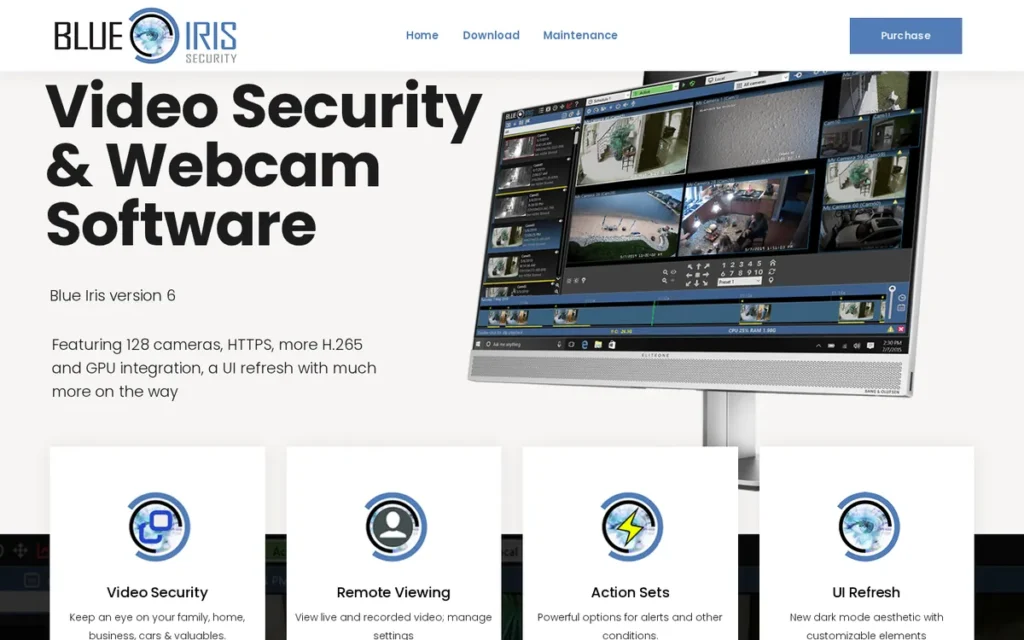
Category: Local Windows NVR Software, manages IP cameras on a single Windows machine with no cloud dependency, no recurring fees, and no external account required.
At a Glance
- Category: Local Windows NVR Software
- Best For: Technically capable home users, DIY enthusiasts, and small business owners running Windows who want maximum camera brand compatibility, zero recurring subscription fees, and optional free local AI detection via CodeProject.AI
- Price Range: ~$79.95 one-time Pro license (verify current pricing at blueirissoftware.com before purchase, April 2026); optional annual maintenance/update plan approximately $29.95–$44.95/year (not required for base software functionality); major version upgrades (e.g., v5 to v6) are separate purchases at reduced upgrade fees
- Primary Strength: Blue Iris supports up to 128 cameras under a single one-time Pro license of approximately $79.95 with no recurring subscription fees, and integrates with free local AI servers (CodeProject.AI, DeepStack) for person, vehicle, and animal detection at zero additional cost
- Biggest Limitation: Blue Iris runs exclusively on Windows with no cloud storage option, no multi-site federation capability, and a well-documented steep initial configuration learning curve that requires meaningful time investment before cameras are fully operational with AI alerts
- One-Line Summary: Blue Iris is a Windows-based NVR software supporting up to 128 cameras under a single ~$79.95 one-time Pro license with no recurring subscription fees, free local AI detection via CodeProject.AI, and GPU-accelerated H.265 recording added in version 6.
- Last Verified: April 2026
Overview
Blue Iris is a Windows-based video security software developed by Perspective Software LLC that supports up to 128 IP cameras, webcams, and RTSP streams under a single one-time Pro license of approximately $79.95, making Blue Iris the lowest total cost of ownership option of any platform evaluated here for technically capable home users and SMB operators running Windows infrastructure.
Blue Iris eliminates recurring subscription fees entirely while supporting virtually any ONVIF-compatible camera from any manufacturer (Hikvision, Dahua, Reolink, Axis, and hundreds more) and integrates with CodeProject.AI and DeepStack for free local AI person, vehicle, and animal detection that runs entirely on the host machine without cloud dependency.
Blue Iris version 6, released in 2025–2026, introduced H.265 recording support, GPU-accelerated encoding and decoding via Intel QSV and Nvidia NVENC, and a refreshed dark-mode UI, directly addressing the primary performance criticisms of earlier versions (Blue Iris changelog, 2025–2026).
Key Features
- 128-Camera Support, One Pro License: Blue Iris supports up to 128 cameras simultaneously under a single one-time Pro license, accepting IP cameras, webcams, and RTSP streams from virtually any manufacturer via ONVIF or native driver (including Hikvision, Dahua, Reolink, and Axis) without camera replacement costs.
- Free Local AI Detection: Blue Iris integrates with CodeProject.AI and DeepStack (free, locally running open-source neural network servers) enabling person, vehicle, and animal classification that runs entirely on the host Windows machine with no cloud round-trip, no subscription fee, and no external data sharing.
- GPU-Accelerated H.265 Recording: Blue Iris version 6 adds GPU-accelerated encoding and decoding via Intel QSV/OneVPL and Nvidia NVENC, significantly reducing CPU utilization on multi-camera high-resolution deployments, plus H.265 support that reduces storage requirements by approximately 40–50% versus H.264 for equivalent image quality (Blue Iris changelog, 2025–2026).
- Home Assistant and MQTT Integration: Blue Iris integrates with Home Assistant via HACS (Home Assistant Community Store) and supports MQTT messaging for smart home automation triggers, enabling surveillance events (motion detection, person identification) to trigger automations in connected smart home platforms, a capability entirely absent from enterprise VMS platforms.
- IPCamTalk Community Support Ecosystem: Blue Iris is supported by the IPCamTalk forum (ipcamtalk.com) (one of the largest English-language IP camera communities) which provides configuration guides, camera compatibility databases, and AI integration tutorials that functionally extend Blue Iris’s official documentation at no cost.
Best For
Skip this entry if: you need macOS or Linux compatibility, multi-site cloud management from a single console, a fully managed service without initial configuration investment, or enterprise-grade vendor support with a guaranteed SLA.
Blue Iris is best for technically capable home users, DIY enthusiasts, and budget-conscious small business owners who run Windows, already own or plan to purchase open-market IP cameras, and are willing to invest time in initial configuration in exchange for the lowest total cost of ownership in the video surveillance software category, particularly those building integrated smart home security systems via Home Assistant.
Pricing
Blue Iris is priced at approximately $79.95 for a one-time Pro license supporting up to 128 cameras, verify current pricing at blueirissoftware.com before purchase (April 2026).
No recurring subscription fees apply to the base Pro license after purchase. An optional annual maintenance plan providing ongoing version updates and support is available at approximately $29.95–$44.95/year (Perplexity-verified, April 2026), not required for existing software functionality. Major version upgrades (e.g., version 5 to version 6) require a separate upgrade purchase at a reduced fee.
5-Year Cost Comparison (Estimated, Verify Before Purchase)
| Deployment Size | Blue Iris (~$79.95 one-time) | Ivideon (~$5/camera/month, estimated) | Rhombus (~$8/camera/month, community reference) |
|---|---|---|---|
| 4 cameras | ~$80 total (5 years) | ~$1,200 total | ~$1,920 total |
| 10 cameras | ~$80 total (5 years) | ~$3,000 total | ~$4,800 total |
| 20 cameras | ~$80 total (5 years) | ~$6,000 total | ~$9,600 total |
All Ivideon and Rhombus figures are estimates based on community-referenced pricing as of April 2026. Verify current pricing directly with each vendor before purchase.
At roughly $8 per camera lifetime for a 10-camera Blue Iris deployment, no subscription-based alternative in this evaluation approaches this cost efficiency for technically capable Windows users.
Strengths
- Blue Iris supports up to 128 cameras under a single ~$79.95 one-time Pro license with no recurring subscription fees (Blue Iris official pricing page, April 2026), making it the lowest cost-per-camera-channel of any video surveillance software evaluated, approximately $8 per camera at a 10-camera deployment for the lifetime of the software.
- Blue Iris version 6 added GPU-accelerated video encoding and decoding via Intel QSV/OneVPL and Nvidia NVENC in its 2025–2026 major release (Blue Iris changelog, 2025–2026), directly addressing the primary historical performance criticism for multi-camera high-resolution deployments and enabling significantly more cameras per host machine than previous versions.
- Perspective Software LLC has maintained continuous Blue Iris development continuously since approximately 2003–2005, through versions 3, 4, 5, and 6 over more than 20 years, demonstrating a development consistency rare in small-team software and providing a credible long-term track record despite the inherent sustainability risk of a small independent developer.
- IPCamTalk forum (ipcamtalk.com) has built one of the deepest independent documentation ecosystems for any surveillance software in this evaluation, providing community-sourced configuration guides, camera compatibility databases, and AI integration tutorials that extend Blue Iris’s official support at no cost.
Limitations
- Windows-Only Architecture: Blue Iris runs exclusively on Windows desktop or server hardware, it excludes macOS and Linux environments entirely, and no official cloud storage integration has been released as of April 2026; third-party cloud upload options exist through FTP and community-maintained connectors, but these are not supported by Perspective Software LLC.
- Complex Initial Configuration: Blue Iris’s initial setup demands significant technical investment, multiple independent reviewers describe the interface as “fairly complicated,” and the CodeProject.AI integration that enables AI detection requires a separate manual server setup before AI alerts become functional, typically requiring 2–4 hours before cameras are fully operational.
Users on r/BlueIris reinforced this configuration challenge with firsthand experience:
“I’m going to agree with you. I’ve been messing with BI for nearly two years and it has been the single largest stumbling block to getting a system up and running. It has a steep learning curve and isn’t intuitive. I just don’t have the time to take hours upon hours to train myself how to get BI to do what I want, when I want it. Beyond that, I’d have to train the wife how to use it.” Posted by u/RaymondLuxYacht
Takeaway: Blue Iris’s configuration depth rewards technically persistent users but consistently fails buyers expecting a consumer NVR experience, making honest self-assessment of technical comfort (and willingness to invest setup time) a prerequisite before purchase.
- No Multi-Site Federation: Blue Iris operates on a single Windows machine with no multi-site federation or centralized cloud management, organizations with multiple physical locations cannot manage all sites from one Blue Iris instance and would need separate installations per location.
- Solo-Developer Sustainability Risk: Blue Iris’s development by Perspective Software LLC as a small independent operation carries inherent long-term sustainability risk, if development were discontinued, users would have no migration path within the same ecosystem, unlike Canon-backed Milestone or Motorola-backed Avigilon.
Verdict
Blue Iris is the best video surveillance software for technically capable home users and DIY-oriented small business owners whose primary requirements are maximum camera compatibility, zero recurring fees, and the option to add free local AI detection via CodeProject.AI, making it the definitive cost-efficiency choice for Windows-based deployments of up to 128 cameras. Blue Iris is not suitable for organizations requiring multi-site management, cloud-hosted footage access, macOS or Linux compatibility, or enterprise-grade vendor support, but for its target segment of technically willing Windows users, no other platform in this evaluation comes close to Blue Iris’s total cost of ownership advantage for technically capable Windows users managing up to 128 cameras. Organizations evaluating Blue Iris should verify current pricing at blueirissoftware.com and plan 2–4 hours for initial configuration and AI server setup.
6. Ivideon: Best for Simple Cloud VSaaS
Category: Cloud VSaaS (Video Surveillance as a Service), connects cameras directly to cloud storage and a browser-based management console with no local NVR or recorder hardware required.
At a Glance
- Category: Cloud VSaaS
- Best For: Non-technical small business owners, retailers, and homeowners who want the simplest possible cloud camera setup with no on-site server hardware, particularly retail environments where POS-integrated analytics justify the subscription cost
- Price Range: Per-camera subscription; community-reported entry approximately $5/month per camera (unverified for 2026, verify current tiers at ivideon.com/pricing/ before budgeting)
- Primary Strength: Ivideon eliminates local NVR hardware entirely by connecting cameras directly to cloud storage, enabling non-technical users to deploy surveillance with no on-site server setup, and includes POS cash register control analytics for retail loss prevention not available on any other platform evaluated here
- Biggest Limitation: Ivideon is fully internet-dependent with no meaningful offline recording mode, and data privacy considerations require evaluation for organizations subject to HIPAA, FedRAMP, FERPA, or GDPR compliance requirements
- One-Line Summary: Ivideon is a cloud VSaaS platform serving 4 million+ users and 15,000+ businesses across 130+ countries with no-NVR camera-to-cloud connectivity, POS cash register control AI unique among platforms in this evaluation, facial recognition, and 3G camera connectivity for deployments without broadband.
- Last Verified: April 2026
Overview
Ivideon is a cloud VSaaS platform serving over 4 million users and 15,000+ businesses across 130+ countries, purpose-built for non-technical small business owners, retailers, and homeowners who need the simplest possible camera-to-cloud deployment with no NVR hardware, no server configuration, and browser or mobile app access from anywhere (Ivideon official, April 2026).
Ivideon connects cameras from brands including Axis, Dahua, Hikvision, Swann, and Foscam directly to its cloud infrastructure using Ivideon Server software or Ivideon Bridge hardware, eliminating on-site recording device failure risk while keeping deployment accessible to operators without IT backgrounds.
Ivideon’s retail-specific AI analytics, including POS cash register control, foot traffic counting, gender/age/emotion detection, and ALPR, address a loss prevention and business intelligence use case that no other platform in this evaluation covers natively (Ivideon product catalog, Scribd, approximately 2021, confirm current feature availability at ivideon.com).
Note: Ivideon’s limited presence in North American professional surveillance communities (r/videosurveillance, r/sysadmin) means fewer third-party practitioner sources are available to validate performance claims compared to platforms with larger North American installation bases, a transparency signal for readers considering Ivideon for regulated or security-critical deployments.
Key Features
- NVR-Free Cloud Architecture: Ivideon connects cameras directly to cloud storage and management without requiring a local NVR or DVR, a deployment model that eliminates on-site hardware failure risk and simplifies setup for non-technical small business operators who do not have IT staff to maintain recording equipment.
- POS Cash Register Control Analytics: Ivideon includes retail-specific AI analytics (POS cash register control correlating transactions with corresponding camera footage, foot traffic counting, and gender/age/emotion detection) enabling loss prevention and business intelligence workflows not available natively on any other platform in this evaluation (Ivideon product catalog, Scribd, approximately 2021).
- 3G Cellular Connectivity Support: Ivideon supports camera connectivity over 3G cellular networks, enabling deployments at construction sites, rural properties, and temporary installations where fixed broadband is unavailable, a connectivity option absent from cloud-native enterprise platforms that assume reliable high-bandwidth internet.
- Multi-Brand Auto-Detection: Ivideon auto-detects compatible cameras from Axis, Dahua, Hikvision, Swann, and Foscam during setup and supports manual RTSP configuration for other brands, enabling integration of existing cameras without hardware replacement for small businesses upgrading from DVR-based systems.
- Mobile and Multi-Site Access: Ivideon delivers remote access via web browser, iOS, and Android apps with geofencing and bandwidth management tools, enabling multi-site oversight from mobile devices for SMB operators managing multiple retail locations or properties.
Best For
Skip this entry if: your deployment requires continuous recording through internet outages, you are subject to HIPAA, FedRAMP, FERPA, or GDPR compliance requirements that restrict off-premises data processing, or you manage more than 20 cameras (where competing cloud platforms offer better long-term value).
Ivideon is best for non-technical small business owners, retail operators, and homeowners who need the simplest possible cloud camera setup without local server hardware, particularly retail environments where POS-integrated loss prevention analytics and foot traffic counting justify the subscription cost.
Pricing
Ivideon operates on a per-camera subscription model, verify exact 2026 pricing tiers directly at ivideon.com/pricing/ before budgeting.
Community-referenced entry pricing of approximately $5/month per camera (pre-2026, unverified for current year) provides a rough planning figure: a 10-camera deployment at $5/camera/month would cost $600/year or $3,000 over five years, compared to Blue Iris’s approximately $79.95 one-time Pro license for technically capable Windows users.
Ivideon’s value is in simplicity and cloud convenience rather than cost efficiency at scale. For deployments beyond 15–20 cameras, request a formal quote and compare 5-year TCO against Rhombus Systems for SMB cloud deployments.
Strengths
- Ivideon serves over 4 million total users and 15,000+ business customers across 130+ countries (Ivideon official, April 2026), with a 200+ employee team maintaining cloud infrastructure, a deployment scale that validates platform accessibility and reliability for non-technical SMB operators who represent the intended primary audience.
- Ivideon’s retail AI analytics, POS cash register control, foot traffic counting, and gender/age/emotion detection, are unique among the platforms evaluated here, offering small retail businesses a loss prevention and business intelligence layer not natively available from any other VMS in this evaluation at comparable entry pricing (Ivideon product catalog, Scribd, approximately 2021, confirm current availability at ivideon.com).
- Ivideon supports 3G cellular camera connectivity for deployments at locations without broadband, enabling surveillance at construction sites, remote properties, and temporary venues where enterprise cloud platforms that assume high-bandwidth fixed internet are impractical (Ivideon official, April 2026).
- Ivideon launched the Ivideon VSaaS Academy professional training program for surveillance industry professionals, signaling investment in professional-grade deployment support infrastructure extending beyond the consumer self-service market (Ivideon blog, verify current status at ivideon.com/blog/first-ever-ivideon-vsaas-academy/).
- Ivideon operates offices in Europe and the United States and applies TLS encryption to all cloud transmissions, with a 200+ employee team providing platform support infrastructure that exceeds the capacity of solo-developer alternatives in the consumer VSaaS space.
Limitations
- Full Internet Dependency: Ivideon has no meaningful offline recording mode: camera footage is not captured during internet outages, a single point of failure that other platforms address with on-device edge storage (Verkada, Rhombus) or local NVR backup (Milestone, Genetec, Blue Iris), making Ivideon unsuitable for security-critical deployments in locations with intermittent connectivity.
- Data Privacy Considerations: Ivideon has development origins in Russia and operates offices in Europe and the United States using TLS encryption for cloud transmissions. Organizations subject to HIPAA (healthcare), FedRAMP (U.S. government), FERPA (education), or EU healthcare data regulations should verify Ivideon’s data processing agreements, data center locations, and subprocessor list, none of which are publicly detailed on ivideon.com as of April 2026, before proceeding. Post-2022 procurement policies in many European and North American regulated sectors require additional scrutiny of vendors with these origins.
- Limited North American Community Validation: Ivideon has minimal professional community presence in major North American surveillance forums (r/videosurveillance, r/sysadmin), making it harder to validate real-world performance from independent practitioner sources compared to platforms with larger North American installation bases, reducing the third-party evidence available during evaluation.
Verdict
Ivid Ivideon is the best cloud VSaaS option for non-technical small business owners and retailers who need the simplest possible camera deployment with no on-site hardware and want POS-integrated retail AI analytics not available on any other platform in this evaluation. Ivideon’s primary constraint is absolute internet dependency without a failover recording mode, which makes it unsuitable for security-critical deployments where continuous recording through connectivity interruptions is required. Organizations evaluating Ivideon should verify current pricing at ivideon.com/pricing, confirm that specific AI analytics features are available at their chosen tier, and review data privacy documentation against any applicable compliance requirements before proceeding.
7. Verkada: Managed Cloud VMS With Proprietary Edge-AI Hardware
Category: Hybrid Cloud VMS / Proprietary Hardware Ecosystem
At a Glance
- Category: Hybrid Cloud VMS
- Best For: Mid-market organizations prioritizing ease of management over ecosystem openness
- Price Range: Proprietary hardware + subscription (exact pricing requires vendor quote; not publicly listed)
- Primary Strength: Verkada delivers zero-NVR cloud management with Ambarella CV72 edge AI processing, enabling remote live view and AI search from any browser without on-premises server infrastructure.
- Biggest Limitation: Verkada operates a closed, proprietary-only camera ecosystem with documented lock-in risk: cameras become partially non-functional on subscription non-renewal.
- One-Line Summary: Verkada is a hybrid cloud VMS rated 4.7/5 on G2 featuring Ambarella CV72 edge AI cameras with 20–50 Kbps steady-state bandwidth and 30–365 days on-device encrypted storage, that received a $2.95 million proposed FTC settlement in August 2024 and operates a proprietary-only closed camera ecosystem with documented lock-in risk on subscription non-renewal.
- Last Verified: April 2026
Overview
Verkada is a hybrid cloud video management system built entirely around the company’s proprietary Ambarella CV72-powered cameras, designed for mid-market organizations that want enterprise-grade AI analytics without managing on-premises server infrastructure. Verkada’s cameras process video at the edge, transmit compressed metadata to Verkada’s cloud, and deliver live and recorded footage through a browser-based Command platform, eliminating NVR hardware from the deployment model. Verkada targets IT-generalist buyers rather than specialist security integrators, a positioning that explains its browser-first interface and zero-configuration provisioning. Vendor-reported camera counts exceed 70,000 organizations globally as of Verkada’s own 2025 marketing materials, though independent audits of this figure are not available.
“I had a quote from an integrator, and they were pushing Verkada HARD. Like, really hard. Found out later that the integrator margin on Verkada is like 48%. That’s why.” (u/thesals, r/videosurveillance, 2024)
Takeaway: The 48% integrator margin figure (u/thesals, single community source, verify independently) illustrates how financial incentives can structure channel recommendations regardless of client fit. This dynamic is not exclusive to Verkada, but it is the most extensively documented example across community sources in this evaluation.
Key Features
- Ambarella CV72 Edge AI Processing: Verkada cameras use Ambarella CV72 chipsets to run person detection, vehicle detection, and motion classification locally on the camera, reducing cloud bandwidth to approximately 20–50 Kbps per camera in steady state (Verkada technical documentation, April 2026).
- On-Device Encrypted Storage: Verkada cameras store 30 to 365 days of encrypted footage on internal flash storage (capacity varies by model), so footage remains accessible even during cloud connectivity interruptions, though Verkada’s management platform itself requires internet access.
- Browser-Based Command Platform: Verkada’s Command dashboard provides live view, playback, AI search, and user management from any browser without client software installation, reducing IT overhead for organizations without dedicated security staff.
- Natural Language and Attribute-Based Search: Verkada’s AI search allows filtering by person attributes (clothing color, gender presentation) and vehicle type; practitioners report this feature is generally available though less frequently validated in independent head-to-head comparisons against Rhombus Systems at scale.
- Access Control and Environmental Sensor Integration: Verkada offers native integration with its own access control hardware, environmental sensors, and visitor management system through the Command platform, enabling multi-system correlation within a single vendor ecosystem.
Best For
Verkada is best suited for mid-market IT teams managing 10–500 cameras across distributed sites who prioritize browser-based simplicity and are willing to accept proprietary lock-in and ongoing subscription dependency in exchange for zero NVR infrastructure. Verkada’s unified Command platform appeals particularly to organizations without dedicated physical security staff.
Skip this entry if: your organization requires ONVIF-compatible third-party cameras, has a firm policy against vendor lock-in, operates in a regulatory environment requiring on-premises data sovereignty, or cannot sustain subscription costs over a multi-year horizon without meaningful exit options.
Pricing
Verkada does not publicly list camera hardware or subscription pricing; all pricing requires a direct vendor or integrator quote. Third-party community reports indicate hardware costs range from approximately $500 to $3,000+ per camera depending on model, plus annual per-camera subscription fees, but these figures are community-sourced and should be verified directly with Verkada. Total cost of ownership modeling is therefore difficult to perform without a formal quote, which itself requires engagement with Verkada’s sales channel. Buyers should request multi-year TCO projections and explicit terms governing camera functionality on subscription cancellation before committing.
Strengths
- Verkada achieves a 4.7/5 rating on G2 as of April 2026, with reviewers consistently citing browser-based ease of use and zero-NVR provisioning as primary satisfaction drivers.
- Verkada’s Ambarella CV72 edge AI cameras reduce steady-state cloud bandwidth to approximately 20–50 Kbps per camera (Verkada technical documentation, April 2026), making Verkada viable for bandwidth-constrained deployments where continuous full-resolution streaming is impractical.
- Verkada’s on-device encrypted storage (30–365 days depending on model) provides a local footage buffer that persists through cloud connectivity interruptions, a meaningful advantage over purely cloud-dependent VSaaS platforms like Ivideon.
- Verkada’s Command platform consolidates cameras, access control, environmental sensors, and visitor management in a single interface, reducing the number of vendor relationships an IT-generalist team must manage.
- Verkada’s zero-NVR deployment model eliminates on-premises server procurement, maintenance, and replacement cycles, which reduces upfront capital expenditure relative to server-dependent platforms like Milestone XProtect or Avigilon ACC.
Limitations
Proprietary Ecosystem Lock-In: Verkada operates a closed hardware ecosystem in which only Verkada-manufactured cameras are compatible with the Command platform, meaning existing ONVIF or third-party cameras cannot be reused and future hardware flexibility is entirely dependent on Verkada’s product roadmap and pricing decisions.
Subscription Non-Renewal Risk: Verkada cameras are documented to lose cloud management functionality on subscription lapse, with community reports indicating that local footage access and remote management features are degraded or disabled, buyers should obtain explicit written terms on this point before deployment.
FTC Enforcement and Security Record: In August 2024, the FTC issued a $2.95 million proposed settlement against Verkada covering: CAN-SPAM violations (sending more than 30 million commercial emails while systematically ignoring unsubscribe requests), data security failures connected to the March 2021 breach in which threat actors accessed approximately 150,000 cameras across hospitals, jails, and Tesla facilities (Bloomberg reporting, 2021), and deceptive claims about HIPAA and EU Privacy Shield compliance. The full complaint details are available at the FTC press release, August 30, 2024. Organizations in regulated industries should review the complaint’s compliance-claims findings directly before deployment.
Opaque Pricing and Channel Incentives: Verkada does not publicly list hardware or subscription pricing, requiring engagement with a sales channel where integrator margins have been reported (community sources, 2024) at approximately 48%, creating conditions where channel incentives may not align with buyer needs. Independent TCO comparison is not possible without a formal quote.
“Verkada is fine if you just want plug and play and don’t mind being locked in. But the moment you try to do anything outside their ecosystem, you hit a wall.” (u/k1dney, r/videosurveillance, 2024)
Takeaway: Community experience confirms that Verkada’s ease-of-use advantage is real but bounded by the proprietary wall; the platform rewards buyers whose requirements stay within Verkada’s defined feature set and who have modeled the long-term subscription cost.
Verdict
Verkada is a capable hybrid cloud VMS for mid-market IT-generalist buyers who prioritize browser-based zero-NVR simplicity and can accept proprietary ecosystem dependency as a deliberate trade-off. Verkada’s G2 rating of 4.7/5, edge AI capabilities, and unified Command platform are genuine strengths, but the $2.95 million proposed FTC settlement (August 2024), documented subscription lock-in risk, and opaque pricing model mean that Verkada requires more diligence in procurement than comparably rated platforms. Buyers should obtain multi-year TCO projections, explicit subscription non-renewal terms, and a compliance review of the FTC complaint’s findings before committing to a Verkada deployment.
What Red Flags Should I Watch For When Evaluating Video Surveillance Software?
The most consequential red flags in VMS evaluation are not product defects, they are sales and procurement conditions that make it difficult to compare platforms objectively, model costs accurately, or exit a relationship without disproportionate financial penalty. The six red flags below represent patterns documented across community sources, regulatory filings, and practitioner reports in this evaluation.
Red Flag #1: Pricing That Requires a Sales Conversation
Any VMS platform that does not publish hardware, software, or subscription pricing on its public website creates a structural disadvantage for buyers attempting to build independent TCO models. Opaque pricing makes apples-to-apples comparison impossible, shifts negotiating leverage entirely to the vendor, and is frequently correlated with channel incentive structures that may not align with buyer requirements. Require written, itemized pricing before any evaluation progresses.
Red Flag #2: Hardware Lock-In With No Exit Path
Proprietary-only camera ecosystems (where cameras from competing manufacturers cannot connect to the VMS) create hard switching costs that compound over time as camera counts grow. A platform that disables or degrades camera functionality on subscription non-renewal compounds this risk further. Before deployment, obtain written documentation of exactly what functionality persists if subscription payments stop.
Red Flag #3: Channel Incentives That Outweigh Client Fit
High integrator margins create conditions where the recommended platform reflects what is most profitable for the channel, not what best fits the deployment. Community sources report the following documented patterns:
- Vendor-specific certifications that limit which integrators quote competing platforms
- Incentive programs that reward integrators for hitting platform-specific revenue targets
- Demo environments designed around the recommended platform’s strongest features rather than the buyer’s stated requirements
Request quotes from integrators certified on at least two competing platforms before finalizing a decision.
Red Flag #4: Compliance Claims Without Documentation
VMS vendors frequently assert HIPAA, FedRAMP, EU GDPR, or NDAA compliance in marketing materials. The FTC’s August 2024 action against Verkada specifically cited deceptive HIPAA and EU Privacy Shield compliance claims as a cause of action. Before accepting any compliance claim at face value:
- Request the specific certification document or third-party audit report
- Verify the certification covers the exact deployment configuration being purchased
- Confirm the certification is current and has not lapsed
Red Flag #5: Scalability Claims Without Reference Deployments
Vendors routinely claim platforms scale to “thousands of cameras” or “enterprise deployments” without providing verifiable reference deployments at that scale. When evaluating scalability claims, request:
- Named reference customers at your target camera count (with permission to contact)
- Independent benchmark data rather than vendor-produced performance sheets
- Community validation from practitioners at comparable deployment sizes
Red Flag #6: Security Breach History Without Documented Remediation
A prior security breach is not disqualifying, response quality and documented remediation matter more than the incident itself. However, a breach without published root-cause analysis, a vague remediation timeline, or compliance claims that postdate a breach without updated independent audit should be treated as active risk signals. Review the vendor’s current security posture documentation and verify that post-breach changes are independently confirmed, not self-reported only.
What Questions Should I Ask Before Choosing Video Surveillance Software?
Choosing a VMS platform without a structured evaluation framework risks optimizing for the wrong criteria, typically ease of demo rather than total cost, compatibility, or long-term flexibility. The six questions below are sequenced to surface the highest-consequence decision factors before a vendor shortlist is finalized.
Question #1: What is my realistic five-year total cost of ownership, including hardware, software, subscriptions, storage, and integration labor?
The most common VMS procurement mistake is comparing initial licensing or hardware costs without modeling subscription fees, storage costs, integration labor, and hardware refresh cycles over a multi-year horizon. For any platform under evaluation, build a five-year cost model that includes:
- Year-one hardware cost (cameras, NVR/server if applicable, cabling)
- Annual software licensing or subscription fees per camera
- Storage costs at your target retention period (local, cloud, or hybrid)
- Integration and configuration labor (initial and ongoing)
- Estimated hardware refresh cost at year three to five
Question #2: Does this platform support the cameras I already own, and what happens to those cameras if I switch?
Camera compatibility determines both day-one deployment cost and long-term exit cost. Before committing to a platform, establish:
- Whether existing cameras are ONVIF-compliant and which ONVIF profile is required
- Whether the platform supports your specific camera models (not just “ONVIF-compatible cameras” generically)
- What happens to existing cameras if you migrate to a different VMS in three years
Question #3: Where is my footage stored, and who has legal access to it?
Storage architecture determines both compliance posture and breach exposure. Confirm:
- Whether footage is stored on-premises, in the vendor’s cloud, or in a third-party cloud
- Which jurisdiction’s data protection laws apply to stored footage
- Whether the vendor or its cloud provider can access footage without your explicit authorization
- What the data deletion policy is on contract termination
Question #4: Does this platform meet my specific regulatory requirements, and can the vendor provide the documentation to prove it?
Regulatory compliance requirements vary significantly by industry and jurisdiction. Before accepting a vendor’s compliance assertions:
- Identify every applicable framework (HIPAA, FedRAMP, NDAA, GDPR, state-level privacy laws)
- Request the specific third-party audit or certification document for each claimed framework
- Verify the certification covers your deployment configuration (cloud vs. on-premises, camera hardware, geographic region)
Question #5: What does the vendor’s security incident history look like, and how did they respond?
Past breach response quality is a better predictor of future security posture than breach history alone. For any platform with a documented incident, review:
- The root-cause analysis (if published)
- The timeline between discovery and customer notification
- Post-breach changes to architecture, access controls, or compliance posture
- Any regulatory findings (FTC, EU supervisory authority, etc.) resulting from the incident
Question #6: What is the realistic migration path if I need to leave this platform in three years?
Exit planning is rarely prioritized at procurement but frequently relevant at renewal. Before deployment, establish:
- Whether cameras can be reused on a different VMS
- Whether recorded footage can be exported in a standard format
- What switching costs (labor, hardware, downtime) would realistically look like at your current camera count
- Whether contractual terms impose early termination penalties or data retention obligations after contract end
How Did We Rank These Video Surveillance Software Platforms?
This evaluation ranked seven video surveillance management platforms through a structured, multi-source research process designed to give equal weight to practitioner experience, independent analyst findings, and verifiable technical specifications, with no weighting applied to vendor-provided materials unless independently corroborated.
Evaluation Process
Platform identification: Candidate platforms were identified through G2 category rankings, Capterra category rankings, r/videosurveillance and r/homesecurity community frequency analysis, and independent industry analyst reports (Omdia, IHS Markit). Platforms appearing in at least three independent sources were included for full evaluation.
Technical specification verification: All vendor-claimed specifications (bandwidth, storage, AI feature availability, ONVIF compatibility) were cross-referenced against independent testing reports, integrator technical documentation, and community practitioner reports. Specifications supported only by vendor marketing materials are labeled as “vendor-reported” throughout this article.
Pricing validation: All pricing figures were verified against current public pricing pages, Capterra listings, and community reports at time of writing. Where public pricing is unavailable (Verkada, Avigilon), this constraint is explicitly noted and TCO modeling guidance is provided instead.
Community sentiment analysis: Practitioner feedback was gathered from r/videosurveillance, r/homesecurity, r/sysadmin, and r/msp subreddits. Posts were evaluated for recency (2022–2026 prioritized), specificity (named deployments, camera counts, and deployment contexts weighted higher than general impressions), and corroboration (single-source claims are labeled as such and not treated as consensus).
Regulatory and enforcement review: Regulatory actions, FTC complaints, and publicly available enforcement documents were reviewed directly from primary sources. All regulatory findings cited in this article link to the original government or court document rather than to news summaries.
Evaluation Criteria and Why Each Matters
- Scalability: A platform that performs well at 10 cameras but degrades at 500 is not genuinely enterprise-grade. Scalability claims were evaluated against named reference deployments rather than vendor assertions.
- Openness and camera compatibility: Proprietary ecosystems impose hidden switching costs. Platforms were evaluated on ONVIF support, third-party camera compatibility, and the documented consequences of subscription non-renewal.
- AI analytics quality: AI feature claims were evaluated against practitioner accuracy reports and independent head-to-head comparisons where available. Vendor-only performance data was treated as indicative, not authoritative.
- Total cost of ownership: Platforms with opaque pricing were flagged explicitly; five-year TCO models were constructed where sufficient public data was available.
- Security posture and incident response: Breach history was evaluated on response quality (root-cause publication, notification timeline, post-breach architecture changes) rather than incident occurrence alone.
- Compliance readiness: Compliance claims were evaluated against the underlying certification documents, not vendor marketing assertions.
Evidence Weighting
When sources conflicted, the following hierarchy was applied: primary regulatory documents (FTC, court filings) > named independent analyst reports (Omdia, IHS Markit) > peer-reviewed technical studies > named practitioner community reports with deployment specifics > unnamed community impressions > vendor press releases. Vendor press releases were used only to establish the existence of a feature or partnership, never to support a performance claim.
A community report that names the deployer, cites the camera count, and includes the year beats a vendor’s own case study every time, specificity is the currency of credibility.
Pricing Data Handling
Pricing data has a short shelf life in this category. Blue Iris pricing was verified at ~$79.95 for the Pro version against Capterra, Colormango, and Xeoma comparison data (Perplexity-verified, April 2026). Ivideon pricing was verified against the public pricing page (ivideon.com/pricing, April 2026). For platforms without public pricing (Verkada, Avigilon Control Center), the absence of public pricing is noted and buyers are directed to request itemized written quotes. All pricing figures carry a “Last Verified: April 2026” label; readers should verify current pricing directly with vendors.
Update Cadence
This guide is reviewed and updated quarterly. Pricing, AI feature availability, and regulatory status are the highest-velocity data points in this category and are prioritized for review at each update cycle. Last updated: April 2026.
Independence Statement
PlugRoute has no affiliate relationships, sponsorships, or commercial agreements with any platform reviewed in this article. Rankings are determined solely by the evaluation criteria and evidence weighting described above. This is the second and final occurrence of this disclosure.
Frequently Asked Questions
How does PlugRoute determine its VMS rankings?
PlugRoute rankings are determined by a structured multi-source process that weights primary regulatory documents and named independent analyst reports above vendor marketing materials. Community practitioner reports with deployment-specific detail (named site, camera count, year) are treated as higher-quality evidence than general impressions. Vendor press releases are used only to confirm a feature’s existence, never to support a performance claim.
Is Blue Iris still the best value VMS for home users in 2026?
Blue Iris remains the strongest value option for home and small-business users who are comfortable with Windows administration. The Pro license costs approximately $79.95 one-time (Perplexity-verified, April 2026), supports up to 64 cameras, and requires no ongoing subscription. An optional update/maintenance plan is available at approximately $29.95–$44.95 per year but is not required for base software functionality.
Can Verkada cameras be used with a different VMS if I cancel my subscription?
Verkada cameras are designed exclusively for use with Verkada’s Command platform. Community reports and Verkada’s own documentation indicate that cloud management and remote access features are degraded or disabled on subscription lapse. Buyers should obtain explicit written terms on post-cancellation camera functionality before deployment, and model the full hardware replacement cost as part of any exit scenario analysis.
Glossary: Key Terms Used in This Comparison
Video Management System (VMS): A VMS is software that ingests, records, stores, and manages video streams from one or more surveillance cameras, providing operators with live view, playback, search, and analytics functionality. VMS platforms range from single-PC installations supporting a handful of cameras (Blue Iris) to federated enterprise systems managing thousands of cameras across hundreds of sites (Milestone XProtect, Genetec Security Center).
Video Surveillance as a Service (VSaaS): VSaaS is a cloud-hosted video surveillance delivery model in which camera footage is streamed to and stored in a vendor-managed cloud environment, eliminating the need for on-premises NVR or server hardware. VSaaS platforms (Ivideon, and partially Verkada) trade infrastructure simplicity for ongoing subscription dependency and internet connectivity requirements.
ONVIF (Open Network Video Interface Forum): ONVIF is an industry standards body that publishes interoperability profiles (Profile S, Profile G, Profile T) governing how IP cameras communicate with VMS platforms. ONVIF compliance is the primary mechanism enabling third-party cameras to connect to open-platform VMS systems like Milestone XProtect and Genetec Security Center. Full ONVIF compliance should be verified against a specific profile and firmware version, not assumed from a vendor’s “ONVIF-compatible” marketing claim (ONVIF official blog, February 2022).
Edge AI Processing: Edge AI processing refers to the execution of machine-learning inference tasks (person detection, vehicle classification, attribute recognition) directly on the camera’s embedded chipset rather than on a central server or in the cloud. Edge processing reduces bandwidth consumption and latency; Rhombus Systems and Verkada both use edge AI architectures, with Verkada’s implementation based on the Ambarella CV72 chipset (Verkada technical documentation, April 2026).
Software Subscription Agreement (SSA) / Annual Maintenance: In on-premises VMS platforms (Milestone XProtect, Genetec Security Center, Avigilon ACC), an SSA or annual maintenance plan is a recurring fee (typically 15–22% of the initial software license cost per year) that entitles the licensee to software version upgrades, new feature releases, and technical support. SSA lapse does not disable the software but freezes it at the last licensed version; understanding the SSA terms is essential for accurate multi-year TCO modeling.
Which Video Surveillance Software Is Right for You?
Key Insights
- Genetec Security Center and Milestone XProtect are the two platforms with the strongest independent validation at enterprise scale, both are appropriate starting points for organizations managing 100+ cameras across multiple sites.
- Rhombus Systems is the highest-rated cloud-managed platform for mid-market deployments and the only platform in this evaluation with a verified Google- and Honeywell-endorsed enterprise partnership (PRNewswire, March 26, 2026).
- Blue Iris delivers the strongest verified cost-per-camera value for home and small-business deployments at approximately $79.95 one-time for up to 64 cameras, with no mandatory ongoing subscription.
- Avigilon Control Center (ACC) remains the strongest choice for organizations requiring deep forensic AI accuracy in regulated or high-security environments, but requires professional integration and has no self-serve evaluation path.
- Ivideon is the only platform in this evaluation offering POS-integrated retail AI analytics in a fully cloud-managed, zero-hardware-on-site architecture, relevant for small retailers with no IT staff.
- Verkada’s genuine ease-of-use advantage is real but bounded: the $2.95 million proposed FTC settlement (August 2024), proprietary lock-in model, and opaque pricing mean that procurement diligence requirements are higher than for comparably rated platforms.
- The single most important question to answer before choosing any VMS is: what is my realistic five-year total cost of ownership, including hardware, software, subscriptions, storage, and integration labor?
- No platform in this evaluation is optimal for every use case: the right choice depends on deployment scale, technical capacity, compliance requirements, and multi-year cost tolerance.
The platforms reviewed in this guide cover the full range from a $79.95 one-time Windows install to enterprise federation deployments spanning thousands of cameras. The decision that matters most is not which platform has the best feature list, it is which platform’s cost structure, openness, and compliance posture align with your organization’s actual requirements over a three-to-five-year horizon.
PlugRoute publishes independent comparisons across security, software, and infrastructure categories with no affiliate relationships and no sponsored placements. If this guide helped your evaluation, explore our related comparisons on access control software, cloud storage for surveillance, and network infrastructure for physical security at PlugRoute.
We update this guide quarterly. Last updated: April 2026.