Podman is the best overall containerization software for security-first enterprise Linux teams; containerd is the de facto standard for Kubernetes production node runtimes; Docker leads on developer experience and ecosystem breadth. No single tool is best across all pipeline stages, containerization software spans four distinct layers that demand different tools, and mismatching these layers is the most common and costly containerization mistake.
Docker Desktop’s commercial licensing threshold, 250+ employees or $10M+ annual revenue, Kubernetes v1.24’s removal of dockershim in May 2022, and CI/CD daemon security concerns are the three active drivers forcing containerization stack re-evaluation in 2026. Teams conflating container build tools, runtimes, desktop environments, and system platforms routinely land on the wrong tool, the taxonomy section below clarifies which category you need before any product evaluation begins.
PlugRoute has no affiliate relationships with any company listed, rankings are determined entirely by research data and objective evaluation criteria.
“My advice would be if you’re spinning up workloads for a hobby and not concerned about the security… stick with Docker. If you’re aiming to run your workloads in production/in the Enterprise you’re most likely going to deploy them on an Enterprise Linux OS which will be running Podman.” (u/tandoorilew, r/podman, 2025)
Takeaway: Practitioners consistently recommend matching container tool selection to deployment context, Docker for hobby environments where ecosystem ease matters most, Podman for enterprise Linux production where it is the pre-installed default.
TL;DR: Top Picks at a Glance
- Podman: zero-cost daemonless engine for security-conscious Linux and enterprise teams, the default on RHEL and Fedora
- containerd: CNCF Graduated default runtime on EKS, GKE, and AKS; powers a dominant majority of production Kubernetes clusters
- Docker: deepest cross-platform developer ecosystem with a self-reported 100M+ Hub images; paid licensing at enterprise scale
- Rancher Desktop: the only free Docker Desktop replacement combining Docker CLI compatibility with local Kubernetes version selection
What Are the 4 Categories of Containerization Software?
Containerization software divides into four pipeline layers: Developer Desktop Environments (Docker, Rancher Desktop) for local workstation workflows; Daemonless Container Engines (Podman) for security-first Linux container management; Production Runtimes (containerd, CRI-O) embedded into Kubernetes nodes; and Specialized Tools covering CI/CD image builders (Buildah) and system container platforms (LXC/LXD/Incus). Selecting the wrong pipeline layer is the most expensive containerization mistake a team can make.
Identifying the pipeline stage you are solving for is the prerequisite to every product evaluation in this guide. A production Kubernetes runtime (containerd, CRI-O) is not a developer desktop tool. A CI/CD image builder (Buildah) cannot substitute for a full container engine.
Category 1, Developer Desktop Environments
Developer Desktop Environments bundle a container engine, CLI tools, and optionally local Kubernetes into a cross-platform installer for macOS, Windows, and Linux developer workstations.
- Docker provides Docker Engine, Docker Desktop GUI, Docker Hub registry access, Docker Compose, Buildx, and Docker Scout in a unified commercial and open-source platform.
- Rancher Desktop provides containerd or dockerd/Moby engine selection, k3s local Kubernetes with user-selectable version targeting, nerdctl, and kubectl, free for all users at any organization size.
Category 2, Daemonless Container Engines
Daemonless Container Engines run container operations under the calling user’s credentials without a persistent root-owned daemon process. Running a Docker daemon is architecturally equivalent to leaving a master key accessible in a shared facility, any process that can write to /var/run/docker.sock can spawn privileged containers. Podman’s daemonless operation gives each developer their own regular-privilege key with no master key in the facility.
- Podman implements Docker-compatible CLI and API in a rootless-by-default architecture, and is the default container tool on Red Hat Enterprise Linux, Fedora, and CentOS Stream.
Category 3, Production Runtimes
Production Runtimes implement the Kubernetes Container Runtime Interface (CRI) and are embedded into Kubernetes nodes by the kubelet.
Before May 2022: Docker served as both the developer tool and the Kubernetes node runtime. After Kubernetes v1.24 (May 2022): Docker serves only the developer role; containerd or CRI-O serves the production runtime role on every major managed Kubernetes platform.
- containerd is the CNCF Graduated runtime serving as the default on Amazon EKS, Google GKE, and Microsoft AKS, confirmed by CNCF Annual Survey 2024 as the dominant Kubernetes node runtime globally.
- CRI-O is the minimal, Kubernetes-only runtime that is the default in Red Hat OpenShift, purpose-built to implement only the Kubernetes CRI specification with no extraneous features.
Category 4, Specialized Tools
Specialized Tools serve focused pipeline stages that general-purpose container engines do not address optimally.
- Buildah is a daemonless, rootless OCI image builder for Linux-based CI/CD pipelines that eliminates Docker-in-Docker privilege escalation patterns from shared runner environments.
- LXC/LXD/Incus is a Linux-only system container platform for managing full OS-level Linux containers and KVM virtual machines, architecturally distinct from Docker-style application containers and serving infrastructure operators, not application developers.
Buildah and LXC/LXD/Incus represent the two ends of the containerization specialization spectrum: Buildah is the narrowest tool in this evaluation, image building only, while LXC/LXD/Incus is the furthest from developer container workflows, OS-level infrastructure only. Neither belongs in a Kubernetes pipeline comparison, and their inclusion here is precisely to prevent that misselection.
How Do the Top Containerization Tools Compare at a Glance?
These seven tools span four pipeline categories, developer desktop environments, daemonless container engines, production runtimes, and specialized tools. Rankings reflect a five-criterion weighted evidence score; the Quick Decision Framework immediately following translates those scores into specific use-case selections for common decision contexts.
| Rank | Tool | Category | Best For | One-Line Summary | Key Capabilities | Primary Strength | Key Limitation |
|---|---|---|---|---|---|---|---|
| 1 | Podman | Daemonless Container Engine | Security-first Linux enterprise teams | Daemonless, rootless-default engine; Docker-compatible CLI and API; zero cost any org | Rootless default / Quadlets / Docker CLI-API parity | No privileged daemon socket attack surface | macOS/Windows requires VM layer |
| 2 | containerd | Production Container Runtime | Kubernetes node runtime standardization | CNCF Graduated runtime; default on EKS, GKE, AKS; dominant majority of clusters | Kubernetes CRI / Plugin snapshotters / Stargz lazy pull | Highest production adoption of any container runtime | No developer-friendly native CLI |
| 3 | Docker | Developer Container Platform | Cross-platform teams and Hub-centric CI/CD | 100M+ self-reported Hub images; GitHub Actions default; paid licensing at scale | Docker Hub / Desktop GUI / Compose / Scout scanning | Largest container registry and ecosystem depth | Commercial licensing at 250+ employees or $10M revenue |
| 4 | CRI-O | Kubernetes-Native Runtime | OpenShift and compliance-regulated clusters | Only runtime with two completed OSTIF audits; X41 D-Sec audited; OpenShift default | CRI-only scope / Lockstep versioning / Kata Containers | Strongest formal security audit record in category | No standalone tooling outside Kubernetes |
| 5 | Rancher Desktop | Developer Desktop Environment | Commercial teams replacing Docker Desktop for free | Free Docker Desktop alternative with Docker CLI and local Kubernetes version selection | Dual engine / k3s version selection / Docker CLI mode | Zero cost at any organization size | WSL2 engine-switching reliability issues |
| 6 | Buildah | Daemonless Image Builder | Rootless CI/CD image builds on Linux runners | Daemonless OCI image builder eliminating Docker-in-Docker privilege risk | Rootless builds / Dockerfile-compatible / From-scratch images | Removes privileged Docker socket from CI pipelines | Linux-only; no macOS or Windows support |
| 7 | LXC/LXD (Incus) | System Container Platform | Linux server consolidation via OS-level containers | Community-governed OS container and VM manager for Linux infrastructure | System containers / KVM VMs / Clustering / OCI experimental | Near-bare-metal performance for full OS containers | No production OCI/Docker application compatibility |
Which Containerization Tool Should I Choose for My Use Case?
| Your #1 Priority | Recommended Tool | Why | Acceptable Alternative |
|---|---|---|---|
| Replace Docker Desktop at zero cost | Rancher Desktop | Only free tool with Docker CLI + local Kubernetes version selection | Podman Desktop (Linux-native environments only) |
| Rootless, daemonless security on Linux | Podman | Rootless-by-default, zero cost, Red Hat enterprise-backed | Buildah (CI/CD image build layer only) |
| Kubernetes node runtime; any cloud | containerd | Default on EKS, GKE, AKS; dominant majority cluster adoption | CRI-O (OpenShift or maximum-security clusters) |
| Formally audited Kubernetes runtime | CRI-O | Only runtime with two completed OSTIF audits (X41 D-Sec, Jan 2026) | containerd (broader community and tooling ecosystem) |
| Best developer experience and ecosystem | Docker | 100M+ self-reported Hub images, GitHub Actions default, richest tutorial library | Rancher Desktop (free with Docker CLI compatibility) |
| CI/CD builds without daemon access | Buildah | Daemonless, rootless OCI builder for Linux CI runners | podman build (delegates internally to Buildah) |
| Full OS containers for server consolidation | Incus | Community-governed LXD fork, near-bare-metal Linux performance | Canonical LXD (Ubuntu Pro commercial support available) |
| Both a developer tool AND Kubernetes runtime | Podman (Linux-primary) or Rancher Desktop (cross-platform) + containerd or CRI-O | Developer workstation and Kubernetes production runtime are different pipeline layers; pair accordingly | Podman (dev) + CRI-O (compliance-mandated clusters) |
Common Containerization Selection Mistakes:
- Replacing Docker Engine on Linux servers due to Docker Desktop licensing concern, Docker Engine is Apache 2.0 open source and free at all organization sizes with no commercial restriction.
- Using CRI-O as a developer workstation tool, CRI-O has no developer-facing CLI and cannot manage containers outside a Kubernetes kubelet context.
- Using containerd as a Docker Desktop replacement, containerd is production infrastructure plumbing, not a developer workstation tool.
- Evaluating LXC/LXD/Incus for Kubernetes workloads, it has no Kubernetes CRI integration.
1. Podman: Best Overall / Best for Security-First Enterprise Linux and Compliance-Regulated Environments
Category: Daemonless Container Engine, manages containers, pods, and OCI images without a privileged background daemon, executing all operations under the calling user’s credentials by default.
At a Glance
- Category: Daemonless Container Engine
- Best For: Security-conscious Linux teams, enterprise DevOps on RHEL/Fedora, compliance-regulated environments, and organizations migrating from Docker Desktop to eliminate licensing costs
- Price Range: Free (open source, Apache 2.0); enterprise support bundled in Red Hat Enterprise Linux subscriptions at no additional line-item cost
- Primary Strength: Podman’s rootless-by-default architecture eliminates the privileged daemon socket attack vector present in Docker and all daemon-based container tools
- Biggest Limitation: Podman on macOS and Windows requires a Linux virtual machine layer (Podman Machine), introducing file system performance variability and VM lifecycle overhead compared to Docker Desktop’s more mature virtualization handling
- One-Line Summary: Podman is a daemonless, rootless-by-default container engine providing Docker-compatible CLI and API at zero cost for any organization size, making it the highest-scoring tool in this evaluation for enterprise Linux teams and compliance-sensitive environments in 2026.
- Last Verified: June 2026
Overview
Podman is a daemonless, rootless-first open-source container engine developed primarily by Red Hat that manages containers, pods, and OCI images without a privileged background daemon, the leading Docker alternative for security-conscious Linux teams running Red Hat Enterprise Linux, Fedora, or CentOS Stream.
Podman implements a Docker-compatible CLI and API, allowing teams to alias podman to docker in most existing workflows without rewriting scripts or pipeline configurations.
Podman’s mainstream adoption expanded in 2026 with integration into Microsoft Visual Studio 2026 Insiders, a regular release cadence (every 2–3 months per the Podman Desktop blog archive), and documented fleet migrations at enterprise scale.
Key Features
- Daemonless, Rootless Architecture: Podman runs all container operations under the calling user’s credentials without a persistent root-owned daemon process, eliminating the
/var/run/docker.socksocket attack vector that exists in Docker-based deployments by design rather than configuration. - Docker CLI and API Compatibility: Podman implements Docker-compatible commands and API at the command level, enabling engineering teams to alias
podmantodockerin most workflows and continue using existing Dockerfiles, Docker Hub images, and CI/CD scripts during migration without modification. - Kubernetes Manifest Integration: Podman supports native Kubernetes integration through
podman generate kubeandpodman play kubecommands, enabling developers to generate and consume Kubernetes YAML manifests directly from running Podman pods as a development-to-production workflow bridge. - Quadlet Systemd Integration: Podman’s Quadlet unit file system allows containerized services to be managed as native systemd units with automatic boot startup, systemd dependency management, and journald log integration, a container lifecycle management paradigm with no direct equivalent in Docker or Docker Compose.
- Podman Desktop GUI: Podman Desktop provides a free, cross-platform graphical interface for managing containers and images, with Version 1.26 supporting Podman Machine management on macOS and Windows, Kubernetes integration, and a growing Docker Desktop-compatible extension set.
Best For
Podman is best for security-first enterprise Linux teams (specifically organizations running Red Hat Enterprise Linux, Fedora, or CentOS Stream where Podman is the pre-installed default container tool) and for compliance-regulated environments where security audits or regulatory frameworks require eliminating root-daemon access from developer workstations and CI/CD runners.
Pricing
Podman is fully open source under the Apache 2.0 license with no commercial pricing at any usage tier or organization size.
On Red Hat Enterprise Linux, Podman is included as part of the container-tools package with enterprise support bundled within existing RHEL subscription fees, no separate Podman licensing exists.
A 100-person engineering team on Docker Desktop Team at $15/user/month saves approximately $18,000 per year by migrating to Podman. For teams above 100 commercial users requiring Docker Business, actual savings are higher, as Docker Business pricing is not publicly listed (Docker Pricing Page, confirmed June 2026).
Strengths
- A community-documented migration of approximately 2,000 machines from Docker to Podman, reported by u/Alive-Basis2307 on r/podman in 2025, is the largest publicly referenced Docker-to-Podman fleet migration in community documentation, demonstrating Podman’s operational viability at meaningful enterprise fleet scale beyond lab environments.
- NVISO Labs, February 2026 security research explicitly describes Podman’s rootless architecture as “secure, efficient, and flexible” and aligned with “modern cybersecurity requirements”, providing independent practitioner-level security validation relevant for compliance procurement assessments.
- Microsoft Developer Blog, 2026 confirmed that Microsoft Visual Studio 2026 Insiders integrated Podman as a supported container development backend for single-container workflows, a major IDE-level endorsement that directly addresses Podman’s historical macOS and Windows developer experience gap.
- Podman 5.x established pasta as the recommended default for rootless networking, replacing slirp4netns (introduced in v4.4.1, confirmed as the preferred default in v5.x per Red Hat RHEL 9 documentation; slirp4netns remains available for compatibility), addressing one of the most frequently cited community performance criticisms in a single major version update (Dev.to DataFormatHub, 2026).
Limitations
- VM-Layer Performance on macOS and Windows: Podman’s most consequential trade-off for non-Linux developers is that all container operations run through a Linux virtual machine via Podman Machine, introducing file system I/O performance variability and VM lifecycle overhead that Docker Desktop handles more transparently through its more mature virtualization layer.
- Docker Compose Compatibility Gaps: Podman Compose does not achieve full Docker Compose specification compatibility, complex multi-service definitions using advanced networking or volume configurations may require manual adjustment during migration, creating real adoption friction for teams with established Docker Compose workflows.
- CI/CD Tooling Assumptions: Podman’s API compatibility is high but not universal, teams whose CI/CD plugins or third-party integrations explicitly assume Docker API availability (certain Jenkins Docker plugins, some GitHub Actions actions) must perform explicit reconfiguration before migration, as not all tooling handles Podman’s socket path or API surface identically.
- Visual Studio 2026 Insiders Compose Scope: Podman’s VS 2026 Insiders integration covers single-container application workflows only, Podman Compose is explicitly not supported in VS 2026 Container Tools (Microsoft Learn documentation, 2026), limiting the IDE endorsement for teams whose development workflows rely on multi-container Compose definitions.
“Not allowed Docker at work. Let’s be clear, I am allowed it but need a license first and it’s just not worth the money when Podman exists.” (u/pnlrogue1, r/podman, 2024)
Takeaway: Docker Desktop licensing perception (even when imprecisely understood) is actively driving organizational tool replacement decisions; the switching cost of evaluating Podman has dropped below the perceived compliance risk of continued Docker Desktop use for teams above the commercial threshold.
Verdict
Podman is the highest-scoring containerization tool in the 2026 PlugRoute evaluation, earning the top position through the strongest security architecture in the category (daemonless, rootless-by-default operation with no privileged daemon socket exposure) combined with zero-cost licensing at unlimited organizational scale and documented large-fleet production migration evidence. For engineering teams above Docker Desktop’s commercial licensing threshold, Podman delivers equivalent developer workflow coverage with materially superior security posture at zero incremental cost. Teams on macOS or Windows should validate Podman Desktop’s VM-based experience against their file system performance requirements before committing to fleet-wide migration.
2. containerd: Best Kubernetes Production Runtime / Best for Platform Engineering and Cloud-Native Infrastructure
Category: Production Container Runtime, a CNCF Graduated infrastructure daemon managing the complete container lifecycle for Kubernetes nodes and embedded container platforms, designed to be embedded into larger systems rather than used directly by developers.
At a Glance
- Category: Production Container Runtime
- Best For: Platform engineering teams standardizing Kubernetes node runtimes post-dockershim, organizations migrating self-managed clusters off Docker as a Kubernetes runtime, cloud-native infrastructure teams requiring CNCF vendor-neutral runtime governance
- Price Range: Free (open source, Apache 2.0, CNCF Graduated: no commercial pricing at any tier)
- Primary Strength: containerd serves as the default runtime on Amazon EKS, Google GKE, and Microsoft AKS (the three largest managed Kubernetes platforms) and is confirmed by CNCF Annual Survey 2024 as the dominant Kubernetes node runtime globally
- Biggest Limitation: containerd has no developer-friendly native CLI: its
ctrtool is low-level infrastructure plumbing; developers require the separatenerdctlproject for Docker-compatible container management, creating a two-tool dependency absent from Docker and Podman - One-Line Summary: containerd is the CNCF Graduated container runtime powering a dominant majority of production Kubernetes clusters worldwide, serving as the shared substrate beneath both Docker Engine and the major managed Kubernetes platforms, the de facto standard for Kubernetes node runtime standardization in 2026.
- Last Verified: June 2026
Overview
containerd is a CNCF Graduated, open-source container runtime donated to the cloud-native community by Docker, Inc. in 2016 that manages the complete container lifecycle (image transfer, container execution, and Kubernetes CRI integration) serving as the default production runtime on EKS, GKE, and AKS after the Kubernetes v1.24 dockershim removal.
containerd is explicitly designed to be embedded into larger systems rather than used directly by developers, which is why containerd powers Docker Engine internally while also serving as the Kubernetes node runtime without most practitioners interacting with it directly.
For platform engineers standardizing a Kubernetes node runtime, containerd is the lowest-friction, most broadly validated choice in the 2026 ecosystem.
Key Features
- Native Kubernetes CRI Integration: containerd implements the Kubernetes Container Runtime Interface through its built-in CRI plugin, eliminating the dockershim compatibility layer Docker required prior to v1.24 and establishing containerd as the practical default for all new cluster deployments across major managed Kubernetes platforms.
- Plugin-Based Snapshotter Architecture: containerd makes every component: content stores, snapshotters, runtimes, and CRI integration, independently configurable via TOML, supporting advanced snapshotters including overlayfs, btrfs, and the Stargz Snapshotter for lazy image pulling documented by AWS EKS for large AI/ML container image deployments.
- Namespace Isolation Between Clients: containerd provides client namespace isolation, Docker Engine uses the
mobynamespace while Kubernetes usesk8s.io, enabling multiple clients to share the same host runtime and content by digest without namespace collisions on hosts running both Docker and Kubernetes workloads simultaneously. - containerd Image Store: containerd’s image store within Docker Engine unlocks multi-platform local images, OCI image attestations, WebAssembly container support, and advanced snapshotters including Stargz and Dragonfly, capabilities unavailable with Docker’s legacy image store (Docker Engine docs).
- CNCF Vendor-Neutral Governance: containerd is maintained as a CNCF Graduated project under Linux Foundation governance with no single commercial vendor controlling its technical direction or licensing terms, providing the vendor-neutral infrastructure independence required by organizations with open-source-only procurement policies.
Best For
containerd is best for platform engineering and DevOps teams standardizing a Kubernetes node runtime in production, specifically organizations migrating self-managed clusters off dockershim-dependent configurations, teams running EKS, GKE, or AKS who need to understand and configure their default runtime, and cloud-native infrastructure teams building Kubernetes platforms that require CNCF-governed, vendor-neutral runtime substrate components.
Pricing
containerd is fully open source under the Apache 2.0 license with no commercial pricing at any tier or usage level. As a CNCF Graduated project under Linux Foundation governance, no vendor has authority to impose commercial terms on containerd usage. Distribution-packaged containerd ships with Kubernetes distributions, major Linux operating systems, and all managed Kubernetes services at no additional cost (confirmed June 2026).
Strengths
- CNCF Annual Survey 2024 data confirms containerd as the dominant Kubernetes node runtime, and containerd serves as the default on Amazon EKS, Google GKE, and Microsoft AKS (the three largest managed Kubernetes platforms globally) a cloud-provider endorsement position that no other runtime in this evaluation holds (CNCF Annual Survey 2024). Note: Enterno.io’s April 2026 analysis estimated containerd at approximately 78% of production clusters; PlugRoute was unable to independently corroborate this specific figure at time of publication.
- Docker, Inc. describes containerd as “the industry-standard container runtime” in its own technical product documentation, an exceptional ecosystem endorsement given that Docker created and donated the project and uses containerd as Docker Engine’s own internal runtime backend.
- AWS EKS documentation, 2026 explicitly documents using containerd’s Stargz Snapshotter for “faster container startup and image pull workflows” for AI/ML workloads, cloud-provider-level performance endorsement for containerd’s advanced snapshotter architecture in latency-sensitive large-image deployment scenarios.
- containerd achieved CNCF Graduation status on February 28, 2019 (the highest CNCF project maturity tier) requiring demonstrated governance diversity, broad production adoption, and contributor independence that ensures long-term project sustainability independent of any single vendor’s commercial priorities.
Users on r/kubernetes noted:
“Genuine question: is there any reason to care about this? I use the default runtime that comes with the K8S distribution + OS I choose. Plus Docker (Dockershim) support was removed since 1.24 in K8S. The choice is more between containerd or crio.” Posted by u/gaelfr38
Takeaway: containerd’s dominance as the Kubernetes production runtime is so complete that experienced practitioners on managed clusters no longer treat the runtime decision as a deliberate choice, it is already made for them by their distribution or cloud provider.
Limitations
- Developer CLI Gap: containerd’s most consequential trade-off is the absence of a developer-friendly native CLI, its
ctrutility is intentionally low-level infrastructure plumbing, requiring developers to install the separatenerdctlproject for Docker-compatible container management commands and creating a two-tool dependency with friction absent from Docker’s and Podman’s integrated experience. - Configuration Complexity: containerd’s TOML configuration format with nested plugin-specific blocks has a steeper learning curve than Docker’s daemon.json, community reports from kubeadm cluster setup threads confirm that containerd’s SystemdCgroup configuration requires non-obvious nested placement that generates errors for first-time cluster operators (r/kubernetes, 2026).
- Tool Mismatch Risk for Developer Workstations: containerd is a production infrastructure runtime purpose-built for embedding into larger systems, teams evaluating containerd as a Docker Desktop replacement or developer workstation tool are mismatching the tool to its design intent and should instead evaluate Rancher Desktop or Podman for those use cases.
Verdict
containerd is the most widely adopted container runtime in production Kubernetes environments globally as of 2026, powering a dominant majority of clusters across all major managed cloud platforms and operating simultaneously as the internal runtime layer beneath Docker Engine, a dual-deployment position no other runtime in this evaluation holds. For DevOps and platform engineering teams standardizing a Kubernetes node runtime post-dockershim, containerd is the evidence-backed default: CNCF Graduated, vendor-neutral, and already the implicit selection in EKS, GKE, and AKS. Teams should pair containerd with nerdctl for any developer-facing container workflows and treat containerd as infrastructure runtime plumbing rather than a developer-experience tool.
3. Docker: Best for Developer Experience and Ecosystem Breadth / Best for Cross-Platform Teams and Docker Hub-Centric Workflows
Category: Developer Container Platform, an end-to-end commercial and open-source platform bundling a container engine, cross-platform desktop application, image registry, multi-container orchestration, build tooling, and security scanning into an integrated developer experience.
At a Glance
- Category: Developer Container Platform
- Best For: Individual developers and cross-platform teams on macOS, Windows, and Linux; teams onboarding to containers for the first time; organizations whose Docker Hub workflows and Compose-based tooling represent migration costs that outweigh licensing overhead
- Price Range: Free (Docker Personal: individuals/small businesses below both thresholds); $9/month (Docker Pro); $15/user/month (Docker Team, up to 100 commercial users); Docker Business pricing on request for 100+ commercial users. Docker Engine on Linux is free under Apache 2.0 at all organization sizes.
- Primary Strength: Docker Hub, which Docker reports hosts over 100 million container images, and Docker is the default tool on GitHub Actions hosted runners, providing unmatched ecosystem integration and the largest container registry of any container platform in 2026
- Biggest Limitation: Docker Desktop requires a paid commercial subscription for organizations with 250+ employees or $10M+ annual revenue, and Docker Engine runs as a root-owned daemon by default, a privilege model that security-sensitive and compliance-regulated environments consistently flag as requiring mitigation
- One-Line Summary: Docker remains the most ecosystem-rich developer container platform in 2026, providing unmatched depth through a self-reported 100 million+ Hub images and native GitHub Actions integration, at the cost of a commercial licensing model that triggers at enterprise scale and a daemon security architecture less suited to regulated environments.
- Last Verified: June 2026
Important: Docker Engine (the Linux server daemon) and Docker Desktop (the GUI application for macOS, Windows, and Linux) have different licensing terms. Docker Engine is Apache 2.0 open source, free at all organization sizes with no commercial restriction. Only Docker Desktop requires paid licensing at 250+ employees or $10M+ annual revenue. Teams running Docker Engine on Linux servers are not subject to Docker Desktop’s commercial licensing requirements.
Overview
Docker is an end-to-end container developer platform (bundling Docker Engine, Docker Desktop, Docker Hub, Docker Compose, Docker Buildx, Docker Scout, and Docker Build Cloud) that has defined the application container developer workflow since its 2013 public release and remains the most documented, most ecosystem-integrated container toolchain available in 2026.
Docker’s value proposition has shifted explicitly from Kubernetes production runtime (a role Docker no longer holds after Kubernetes v1.24) to best-in-class developer experience for building, testing, and distributing container images across all operating systems.
Docker’s commercial licensing model (requiring paid subscriptions for Docker Desktop at organizations above 250 employees or $10M in annual revenue) is the primary trigger event for containerization tool re-evaluation across the target audience.
Key Features
- Docker Hub Registry: Docker Hub, which Docker reports hosts over 100 million container images and serves billions of image pulls monthly (Docker Hub official page, accessed June 2026), is the de facto starting point for containerized application workflows regardless of which runtime executes those images in Kubernetes production.
- Docker Desktop Cross-Platform GUI: Docker Desktop provides a single-installer, GUI-managed environment for macOS, Windows, and Linux that bundles Docker Engine, Docker CLI, Docker Compose, Docker Buildx, and Docker Scout, the most comprehensively feature-integrated official cross-platform container desktop application available in 2026.
- Docker Compose: Docker Compose defines multi-container application stacks in a single YAML file and remains the dominant multi-container local development format, with ecosystem integration across GitHub Actions, Portainer, VS Code Dev Containers, and community tutorials that no alternative format approaches in coverage breadth.
- Docker Scout: Docker Scout provides integrated container image vulnerability scanning and software supply chain analysis as part of paid Docker subscriptions, identifying CVEs in image layers and base image dependencies at build time, and available on Docker Pro, Team, and Business tiers only; not available on Docker Personal.
- Docker Build Cloud: Docker Build Cloud offloads container image builds to remote infrastructure with shared team caching and BuildKit parallelism (available on paid Docker subscriptions) reducing CI/CD build times through remote cache sharing, particularly valuable for large-team environments where parallel build times compound (Docker Build Cloud product page).
Best For
Docker is best for development teams working across macOS, Windows, and Linux who need the most complete, most documented local container development experience, and for organizations whose CI/CD workflows, Compose-based tooling, Docker Hub registry integrations, and community tutorial investments represent switching costs that make alternatives significantly more disruptive than Docker’s commercial licensing overhead at their specific team size.
Pricing
Docker licensing divides into two components with fundamentally different terms.
Docker Engine (the Linux server daemon) is open source under Apache 2.0 and free for all users at any organization size with no commercial restriction of any kind.
Docker Desktop (the GUI application for macOS, Windows, and Linux) requires a commercial subscription for qualifying organizations:
- Docker Personal: $0 (individuals and small businesses below both commercial thresholds)
- Docker Pro: $9/month per user
- Docker Team: $15/user/month billed annually, supports up to 100 commercial users
- Docker Business: undisclosed pricing requiring sales contact, required for organizations above 100 commercial users
A 100-person engineering team on Docker Desktop Team pays approximately $18,000 per year. Organizations above 100 commercial users require Docker Business, actual costs depend on negotiated pricing (Docker Pricing Page, confirmed June 2026).
Strengths
- GitHub Blog Changelog, January 30, 2026 documented Docker and Docker Compose version upgrades on GitHub Actions hosted runners, confirming Docker’s position as the default container tool in GitHub Actions (the world’s largest CI/CD platform) an adoption inertia signal stronger than any review platform rating can quantify.
- Docker Hub, which Docker reports hosts over 100 million container images and serves billions of monthly pulls (Docker Hub official page, accessed June 2026), represents an ecosystem network effect that no alternative registry approaches, the scale of available official, verified, and community images directly reduces developer onboarding time for new project starts.
- Docker Compose’s integration across Portainer, VS Code Dev Containers, and Rancher Desktop’s Docker CLI mode, combined with 13 years of community tutorial coverage, creates a knowledge ecosystem that lowers multi-container development barriers, a network effect invisible in feature comparisons but decisive in productivity at organizations with frequent new-hire onboarding.
- Docker’s 13-year ecosystem head start produces the deepest tutorial library, the most CI/CD plugin integrations, and the broadest third-party tool support of any container platform in 2026, directly lowering developer onboarding time and reducing time-to-productivity for new project starts.
Limitations
- Commercial Licensing Cost at Scale: Docker’s most consequential enterprise trade-off is its commercial Desktop licensing threshold, organizations with 250+ employees or $10M+ annual revenue must pay Docker Desktop subscription fees (currently $15/user/month for Teams up to 100 users; Docker Business at undisclosed pricing for larger organizations), with multiple r/podman and r/selfhosted community members documenting active Docker Desktop replacement driven by the 2022 licensing change (r/podman, 2024).
- Root Daemon Security Architecture: Docker Engine runs as a root-owned background daemon by default, a privilege model that security-focused organizations and compliance-audited environments consistently flag as a structural risk; rootless Docker exists but is not enabled by default and carries additional setup complexity compared to Podman’s rootless-by-default approach.
- No Longer a Kubernetes Production Runtime: Docker is not a supported Kubernetes node runtime post-v1.24 without the cri-dockerd compatibility shim, organizations that previously relied on Docker as both developer tool and Kubernetes runtime must now maintain separate runtime configurations for each pipeline stage, a complexity that teams choosing containerd or CRI-O for production do not impose on themselves.
- Subscription-Gated Security Features: Docker Scout supply chain scanning and Docker Build Cloud remote build caching are available only on paid Docker subscriptions (Pro, Team, Business) and are not available on Docker Personal, individual developers and small teams on the free tier must use separate open-source scanning tools such as Trivy or Grype and manage their own build caching infrastructure.
“Docker. Documentation is much better, stack/compose support and 1st class Portainer.io support.” (u/grogi81, r/selfhosted, 2024)
Takeaway: Docker retains durable loyalty in self-hosted and homelab contexts because of its documentation depth, Compose ecosystem compatibility, and Portainer integration, network effects that no alternative has fully replicated in 2026.
Verdict
Docker is the most ecosystem-rich developer container platform available in 2026, earning its position as the default assumption in CI/CD tooling, community tutorials, and developer onboarding through 13 years of ecosystem investment and Docker Hub’s self-reported 100 million+ images. For individual developers, small teams below Docker’s commercial threshold, or organizations whose Docker Compose and Hub registry integrations represent high migration cost, Docker remains the most pragmatic and lowest-friction containerization choice. For enterprise teams above the commercial licensing threshold evaluating a switch, the cost-versus-capability calculation increasingly favors Podman for Linux-native workflows or Rancher Desktop for cross-platform workstations, making Docker’s strongest competitive argument its unmatched ecosystem depth rather than its price point.
4. CRI-O: Best for Maximum-Security Kubernetes Deployments / Best for OpenShift and Regulated-Industry Kubernetes Clusters
Category: Kubernetes-Native Runtime, a minimal container runtime implementing exclusively the Kubernetes Container Runtime Interface, designed to run OCI-compliant containers as Kubernetes pods with the smallest possible codebase and attack surface.
At a Glance
- Category: Kubernetes-Native Runtime
- Best For: Platform teams running Red Hat OpenShift, security-hardened Kubernetes clusters in regulated industries (finance, healthcare, government), organizations where a formally audited, minimal-attack-surface runtime is a compliance procurement requirement
- Price Range: Free (open source, Apache 2.0, CNCF Graduated); included in Red Hat OpenShift subscriptions at no separate runtime cost
- Primary Strength: CRI-O completed its second independent OSTIF security audit, conducted by X41 D-Sec and commissioned by the CNCF, in January 2026, auditors identified two security-impacting findings (all remediated prior to publication) and concluded the codebase is “well-designed and effectively executed,” the most formally verified security posture of any container runtime in this evaluation
- Biggest Limitation: CRI-O is a Kubernetes-only runtime with no standalone developer tooling, no image-building capability, and no ability to manage containers outside a Kubernetes kubelet context, making it unsuitable as a general-purpose container tool, developer workstation environment, or Docker replacement for the use cases addressed in this evaluation
- One-Line Summary: CRI-O is the CNCF Graduated, Kubernetes-native container runtime that serves as the Red Hat OpenShift default and achieved the strongest third-party security audit result in its category in January 2026, making it the leading choice for Kubernetes clusters where a formally audited, minimal-attack-surface runtime is a non-negotiable compliance requirement.
- Last Verified: June 2026
Overview
CRI-O is a CNCF Graduated, open-source container runtime purpose-built exclusively for Kubernetes that implements only the Kubernetes Container Runtime Interface (deliberately excluding every non-required feature) making it one of the most formally audited and narrowly scoped Kubernetes runtimes available, and the default runtime in Red Hat OpenShift, the leading enterprise Kubernetes distribution.
CRI-O operates entirely within the Kubernetes kubelet context and has no standalone CLI, image-building capability, or developer-facing interface, CRI-O’s scope is by design limited to running OCI-compliant containers as Kubernetes pods.
CRI-O’s January 2026 second independent OSTIF security audit, conducted by X41 D-Sec and commissioned by the CNCF, with auditors describing CRI-O as “well-designed and effectively executed,” provides the most formal external security validation available for any container runtime in this evaluation.
Key Features
- CRI-Exclusive Scope by Design: CRI-O implements exclusively the Kubernetes Container Runtime Interface, managing the full pod sandbox lifecycle (container creation, CNI network plugin attachment, seccomp and AppArmor policy application, and OCI runtime hook execution) within the Kubernetes kubelet context, producing a smaller codebase and fewer CVE exposure surfaces than broader runtimes.
- Second OSTIF Security Audit, January 2026: CRI-O completed its second independent security audit on January 16, 2026, commissioned by the CNCF and conducted by X41 D-Sec, auditors identified two security-impacting findings and two informational findings, all remediated prior to publication, and concluded the codebase is “well-designed and effectively executed, striking a sound balance between minimalism and practical robustness” (CNCF Blog, January 2026).
- Kubernetes Version Lockstep Model: CRI-O follows a version lockstep model in which CRI-O release versions correspond directly to Kubernetes minor versions, eliminating the runtime-versus-Kubernetes compatibility matrix that independently versioned runtimes introduce and simplifying upgrade management for platform teams with strict Kubernetes version policies.
- Multiple OCI Runtime Backends: CRI-O supports runc for standard Linux containers, crun for lower-overhead execution, and Kata Containers for lightweight VM-based isolation for multi-tenant or untrusted workloads, enabling hardware-level container isolation without changing the Kubernetes API surface.
- Linux Security Module Integration: CRI-O integrates natively with SELinux, seccomp, AppArmor, and user namespace support, providing defense-in-depth container isolation that aligns with the security requirements of regulated industries and compliance-mandated Kubernetes deployments.
Best For
CRI-O is best for platform engineering teams running Red Hat OpenShift or operating Kubernetes clusters under regulatory compliance requirements where a formally audited, minimal-attack-surface runtime is a procurement condition, specifically in regulated industries such as finance, healthcare, and government where the January 2026 X41 D-Sec OSTIF audit findings can be cited directly in compliance documentation.
Pricing
CRI-O is fully open source under the Apache 2.0 license with no commercial pricing at any tier. As a CNCF Graduated project, CRI-O operates under neutral Linux Foundation governance with no commercial vendor controlling its terms. For Red Hat OpenShift subscribers, CRI-O runtime support is included within the OpenShift subscription at no separate runtime licensing cost (confirmed June 2026).
Strengths
- CRI-O’s second independent OSTIF security audit, conducted by X41 D-Sec and completed January 16, 2026, found two security-impacting findings and two informational findings (all remediated prior to publication) with auditors explicitly concluding the codebase is “well-designed and effectively executed” (CNCF Blog, January 2026). No other runtime in this evaluation has completed two formal external security audits, making CRI-O’s January 2026 findings the strongest dated third-party security validation in the category.
- CRI-O reached CNCF Graduation status in 2023: the highest CNCF project maturity tier, with engineering contributions documented from Red Hat, Intel, and SUSE, representing multi-vendor contributor diversity that reduces single-vendor dependency risk for organizations making long-term infrastructure commitments.
- CRI-O is the default container runtime in Red Hat OpenShift, the leading enterprise Kubernetes distribution globally, providing production-scale deployment evidence that alternative specialized runtimes cannot match, OpenShift’s commercial footprint serves as implicit third-party production validation at enterprise scale.
- CRI-O’s version lockstep model: aligning CRI-O release versions directly to Kubernetes minor versions, documented in the CRI-O project documentation, eliminates the runtime-Kubernetes compatibility reasoning overhead that independently versioned runtimes introduce, a meaningful operational simplification for platform teams managing strict Kubernetes version policies.
This aligns with community sentiment on r/kubernetes:
“Podman (and Buildah and Skopeo) run in cri-o which is the default container runtime on OpenShift. If you’re using OpenShift then it makes a ton of sense because if it runs on podman it should work on your cluster. There’s other benefits too, like
podman kube playwhich takes existing kube yaml files and generates local containers/pods. There’s also something to say about the container/pod semantics being identical to kube on podman by default.” Posted by u/reavessm
Takeaway: CRI-O’s value for OpenShift teams extends beyond the runtime itself, the shared toolchain with Podman and Buildah means that container behavior in local development reliably predicts cluster-level behavior, a consistency advantage no other runtime in this evaluation provides.
Limitations
- No Standalone Tooling Whatsoever: CRI-O’s most consequential trade-off is its by-design exclusion of all functionality outside the Kubernetes CRI specification, CRI-O has no image-building capability, no standalone container management CLI, no developer-facing tooling, and is not designed to manage containers outside a Kubernetes kubelet context, making CRI-O unsuitable as a developer workstation tool, CI/CD build engine, or general-purpose container platform for the use cases addressed in this evaluation.
- Requires Supplemental Tooling for Every Other Pipeline Stage: Teams selecting CRI-O for Kubernetes runtime must provision separate tools for image building (Buildah, Docker build), developer local environments (Podman, Docker Desktop, Rancher Desktop), and image inspection utilities, a multi-tool requirement that containerd’s nerdctl companion partially consolidates.
- Version Lockstep Upgrade Coupling: CRI-O’s version lockstep model, while simplifying compatibility reasoning in one direction, also couples runtime upgrades directly to Kubernetes minor version upgrades, teams cannot adopt newer CRI-O capabilities without simultaneously upgrading their Kubernetes minor version, a constraint that independently versioned runtimes like containerd do not impose.
- Narrow Ecosystem Perception Limits Community Support: CRI-O’s community perception as “the OpenShift runtime” (observed consistently in r/kubernetes threads) means community troubleshooting resources, configuration examples, and non-Red Hat documentation are substantially thinner than for containerd outside the Red Hat ecosystem, increasing operational support overhead for non-OpenShift deployments.
Verdict
CRI-O is the most formally security-audited container runtime in the Kubernetes ecosystem as of June 2026, completing its second independent OSTIF external security review conducted by X41 D-Sec in January 2026 with auditor findings that explicitly validate the project’s minimalist, security-first design, a distinction no other runtime in this evaluation holds. For platform engineering teams running Red Hat OpenShift or operating Kubernetes clusters under regulatory compliance requirements where a formally audited, minimal-attack-surface runtime is a procurement condition, CRI-O is the evidence-backed choice with the strongest dated security documentation available. Teams not operating OpenShift and without an explicit audit mandate should evaluate containerd first, its broader community, richer operational tooling ecosystem, and default managed-cloud platform status provide stronger support infrastructure for most production use cases.
5. Rancher Desktop: Best Free Docker Desktop Alternative / Best for Commercial Teams Replacing Docker Desktop Without Workflow Disruption
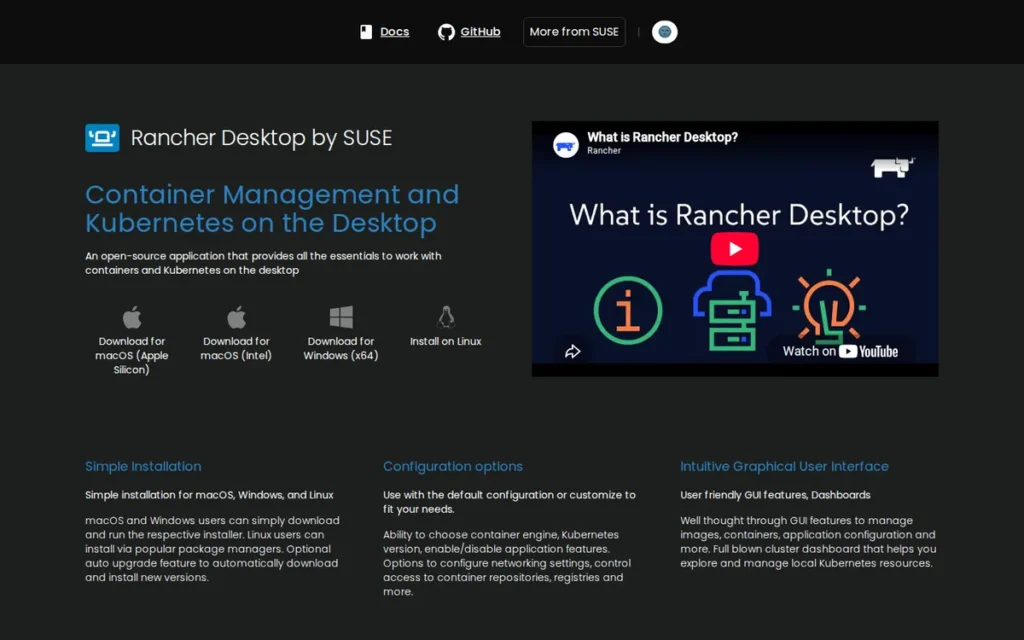
Category: Developer Desktop Environment, a free, open-source cross-platform desktop application providing local Kubernetes and container development by bundling k3s, containerd or dockerd/Moby, nerdctl, and kubectl into a single installer for macOS, Windows, and Linux.
At a Glance
- Category: Developer Desktop Environment
- Best For: Commercial teams above Docker Desktop’s 250-employee or $10M-revenue licensing threshold seeking a zero-cost Docker CLI-compatible alternative; DevOps engineers needing local Kubernetes with version-specific targeting for cluster upgrade testing
- Price Range: Free for all users at any organization size (open source, no SUSE subscription required)
- Primary Strength: Rancher Desktop is the only free, open-source developer desktop tool that combines Docker CLI compatibility, local Kubernetes with user-selectable version targeting, and zero licensing cost at any organization size, directly addressing Docker Desktop’s commercial licensing trigger
- Biggest Limitation: Rancher Desktop’s engine-switching feature between containerd and dockerd has documented reliability issues on Windows WSL2, and Rancher Desktop has no extension marketplace equivalent to Docker Desktop’s plugin ecosystem, creating feature gaps for teams relying on Docker-specific extensions
- One-Line Summary: Rancher Desktop is the leading free and open-source Docker Desktop alternative in 2026, providing Docker CLI compatibility, local Kubernetes with version selection, and zero licensing cost at any team size, at the trade-off of less GUI polish, no extension marketplace, and documented Windows WSL2 engine-switching reliability issues.
- Last Verified: June 2026
Overview
Rancher Desktop is a free, open-source desktop application by SUSE that bundles k3s, containerd, Moby/dockerd, nerdctl, and kubectl into a cross-platform installer for macOS, Windows, and Linux, the most functionally complete free alternative to Docker Desktop for commercial teams above Docker’s 250-employee or $10M-revenue licensing threshold.
Rancher Desktop allows developers to choose their container engine (containerd with nerdctl or dockerd/Moby) and to select the local Kubernetes version for testing against specific release targets that Docker Desktop does not natively support.
Rancher Desktop requires no SUSE subscription and is backed by SUSE’s acquisition of Rancher Labs in a deal reported at $600 million to $700 million in 2020 (SiliconAngle, 2020; the official price was not publicly disclosed by either party).
Key Features
- Dual Container Engine Selection: Rancher Desktop enables operators to choose between containerd with nerdctl for Docker-compatible CLI commands, or dockerd/Moby for full Docker CLI and API compatibility, enabling Docker-dependent CI/CD tooling to function without modification during an evaluation period while testing containerd-native workflows in parallel.
- k3s with Kubernetes Version Selection: Rancher Desktop bundles k3s with user-selectable Kubernetes version targeting, allowing developers to run applications against specific Kubernetes minor versions locally without spinning up cloud clusters, particularly valuable for DevOps teams maintaining multiple production Kubernetes versions simultaneously.
- SUSE-Backed Open Source: Rancher Desktop is backed by SUSE (which acquired Rancher Labs in a deal reported at $600 million to $700 million in 2020 (SiliconAngle, 2020)) providing organizational sustainability beyond typical community open-source projects while maintaining a genuinely zero-cost, no-subscription model for all users regardless of organization size.
- Cross-Platform VM Runtime: Rancher Desktop runs container workloads through a Linux virtual machine on macOS and Linux (Lima-based) and through WSL2 on Windows, providing an out-of-box cross-platform experience comparable in setup simplicity to Docker Desktop without requiring manual VM configuration by users.
- Staged Migration Path from Docker Desktop: Rancher Desktop enables Docker Desktop migration in stages, teams maintain Docker CLI and API compatibility through dockerd/Moby mode during evaluation, then transition to nerdctl and containerd-native workflows when ready, reducing the all-at-once migration risk that CLI switches create for established pipeline tooling.
Best For
Rancher Desktop is best for commercial development teams that need to replace Docker Desktop due to licensing costs (specifically organizations above Docker’s 250-employee or $10M-revenue threshold where Docker Desktop fees represent significant annual spend) and for DevOps engineers who need local Kubernetes with specific version targeting for cluster upgrade compatibility testing that Docker Desktop does not natively support.
Pricing
Rancher Desktop is completely free and open source with no paid tier, no enterprise license, and no SUSE subscription requirement.
Against Docker Desktop’s Team tier at $15/user/month (up to 100 commercial users), a 100-person engineering team saves approximately $18,000 per year by switching to Rancher Desktop. Rancher Desktop’s zero-cost-at-all-scales model is the most direct financial argument for Docker Desktop migration available in the category (rancherdesktop.io, confirmed June 2026).
Strengths
- A third-party feature comparison by codeengineered.com (2022, the most recent independent comparison available at time of publication) documents Rancher Desktop as having functional parity with Docker Desktop in core container and Kubernetes workflows, including Docker CLI compatibility, image management, and multi-container Compose support, confirming that the functional gap for most teams is minimal compared to the $15/user/month pricing differential.
- Community endorsement from u/cazador517 in r/podman specifically recommends Rancher Desktop as the “FOSS project that provides [Docker Desktop] experience” for developers wanting equivalent functionality, organic practitioner social proof from the community actively evaluating Docker Desktop replacements.
- Rancher Desktop’s dual-engine architecture was specifically engineered to reduce CI/CD migration risk (allowing teams to maintain Docker API compatibility during evaluation while testing containerd-native workflows) directly addressing the CI/CD compatibility concern most frequently cited as the barrier to Docker Desktop replacement.
- SUSE’s continued engineering investment in Rancher Desktop following its Rancher Labs acquisition demonstrates organizational backing that provides sustainability assurance beyond typical open-source community projects, reducing the long-term tooling abandonment risk that free alternatives can carry.
Limitations
- macOS File System Performance Variability: Rancher Desktop’s most consequential macOS trade-off is file system I/O performance variability, a 2026 comparison article documents that results “depend heavily on workload, file-sharing patterns, and host OS,” with virtiofs-based file sharing introducing performance differences that Docker Desktop handles more transparently for I/O-intensive workloads (oneuptime.com, 2026).
Users on r/docker shared their experience:
“My team recently made the switch from Docker Desktop to Rancher Desktop. For everyone with Windows, the switch has been great. For everyone else, the switch has made it so we can’t hardly use our containers. I tried tearing out Docker completely and installing Rancher Desktop with dockerd (moby). For the most part, my Python containers build correctly, though sometimes extensions quit randomly. The Java apps I need to run are the real issue.” Posted by u/Zestyclose_Cat_4046
Takeaway: Rancher Desktop’s macOS experience on Apple Silicon is materially worse than its Windows experience in real-world team migrations, confirming that mixed-OS development teams must validate Rancher Desktop thoroughly on Mac before committing to fleet-wide replacement of Docker Desktop.
- WSL2 Engine-Switching Reliability: A documented GitHub Issue in the Rancher Desktop tracker confirms that switching between container engines from containerd to dockerd has had reliability problems on Windows WSL2, a concern for teams standardizing Rancher Desktop across mixed-OS developer environments and planning to use engine switching as a migration feature.
- No Extension Marketplace or Integrated Security Scanning: Rancher Desktop has no extension marketplace equivalent to Docker Desktop’s plugin ecosystem and lacks Docker Scout’s integrated image security scanning and Docker Build Cloud’s remote build caching, teams that have built workflows around Docker Desktop-specific extension capabilities face the most significant feature gap during migration.
- Feature Parity Evidence Staleness: The most current independent feature parity assessment available at time of publication (codeengineered.com, 2022) is four years old, specific parity details may have evolved as both Docker Desktop and Rancher Desktop have changed significantly since 2022. Teams should conduct a hands-on evaluation of their specific workflow requirements before committing to fleet-wide migration.
Verdict
Rancher Desktop is the most functionally complete free alternative to Docker Desktop available in 2026, providing Docker CLI compatibility, local Kubernetes with version selection, and zero licensing cost regardless of organization size, making it the first evaluation candidate for commercial teams above Docker’s licensing threshold who want to minimize workflow disruption during migration. For organizations whose developers use standard Docker CLI commands and Docker Compose without relying on Docker Desktop-specific extension marketplace plugins, Rancher Desktop’s transition cost is low and the financial return is immediate andcompounding. Teams on Windows should validate WSL2 engine-switching reliability against their specific environment before committing to fleet-wide deployment, and teams requiring Docker Scout or Build Cloud integration should plan for alternative security scanning and remote caching tooling.
6. Buildah: Best for Daemonless CI/CD Image Builds / Best for Eliminating Docker-in-Docker from Security-Restricted Pipelines
Category: Daemonless Image Builder, a rootless, daemonless OCI container image build tool using a fork/exec model without a privileged background daemon, designed for secure CI/CD pipelines and scripted image construction workflows on Linux.
At a Glance
- Category: Daemonless Image Builder
- Best For: DevSecOps engineers eliminating Docker daemon access from Kubernetes-based CI/CD runners, Red Hat Enterprise Linux teams, organizations building container images in shared CI environments where privileged container access is restricted or prohibited by platform policy or compliance requirements
- Price Range: Free (open source, Apache 2.0); included in Red Hat Enterprise Linux
container-toolspackage with enterprise support through existing RHEL subscriptions - Primary Strength: Buildah eliminates Docker-in-Docker privilege escalation requirements in CI/CD environments by building OCI images entirely without a root-owned daemon, running all build operations under the calling user’s credentials in Kubernetes-based runners without requiring privileged container access
- Biggest Limitation: Buildah is Linux-only with no native macOS or Windows support, making it unsuitable as a developer workstation build tool for teams with non-Linux developers and restricting its applicability to Linux-based CI runners
- One-Line Summary: Buildah is the leading open-source daemonless OCI image builder for Linux-based CI/CD pipelines, eliminating Docker-in-Docker privilege escalation risk while maintaining full Dockerfile compatibility, and serving as Podman’s internal image build engine across the Red Hat container toolchain.
- Last Verified: June 2026
Overview
Buildah is a Red Hat-backed, open-source OCI container image build tool that constructs images using a daemonless, rootless fork/exec model, allowing CI/CD pipelines to build without requiring privileged Docker daemon access, and serving as the primary open-source solution for eliminating Docker-in-Docker privilege escalation from shared runner environments.
Buildah is the internal image build engine behind Podman (all podman build commands delegate to Buildah) and is included as part of the container-tools package in Red Hat Enterprise Linux 8 and later as the official Red Hat container image building tool with enterprise support through Red Hat’s product lifecycle.
Buildah supports Dockerfile/Containerfile format for workflow compatibility and provides additional native scripting APIs for granular, policy-driven layer construction that gives CI engineers precise control over image content.
Key Features
- Daemonless Build Execution: Buildah builds OCI container images entirely without arunning daemon, executing all build operations through direct fork/exec calls to container runtime helpers under the calling user’s credentials, eliminating the privileged Docker socket mount that creates privilege escalation vectors in shared CI/CD environments and Kubernetes-based runners.
- Podman Internal Build Backend: Buildah is Podman’s internal image build backend, all
podman buildandpodman buildx buildcommands delegate to Buildah for actual image construction, making Buildah and Podman architecturally integrated components of the Red Hatcontainers/toolchain alongside Skopeo for registry operations. - From-Scratch and Granular Layer Control: Buildah supports building OCI images from scratch with no base image required, from existing OCI or Docker base images, using Dockerfile/Containerfile syntax for compatibility, or through
buildah from/buildah run/buildah commitscripting, also enabling OCI image attestation generation for teams implementing SLSA framework compliance or software composition analysis requirements in CI/CD pipelines. - RHEL Enterprise Inclusion: Buildah is fully included in the Red Hat Enterprise Linux
container-toolspackage in RHEL 8 and later, documented in official Red Hat product documentation as the supported container image building tool, providing enterprise support through existing RHEL subscriptions at no additional licensing cost. - Docker-in-Docker Elimination: Buildah can run inside a Kubernetes-based CI runner container without root privileges, removing the privileged container requirement that Docker-in-Docker imposes, documented by IBM Technology and earthly.dev as the core CI/CD security improvement Buildah provides over Docker build in restricted runner environments.
Best For
Buildah is best for DevSecOps engineers and CI/CD platform engineers who need to build container images in Kubernetes-based or security-restricted CI environments where Docker daemon access is forbidden or flagged by security audits, including GitLab CI, GitHub Actions, and Jenkins pipelines running on shared Kubernetes runners where privileged container access is restricted by platform policy or compliance requirements.
Pricing
Buildah is fully open source under the Apache 2.0 license with no commercial pricing at any tier. On Red Hat Enterprise Linux, Buildah is available as part of the container-tools package with no additional subscription cost beyond the existing RHEL license. Community RPM packages are available for Fedora, CentOS Stream, and other RPM-based distributions; DEB packages are available for Debian and Ubuntu (confirmed June 2026).
Strengths
- IBM Technology (YouTube, accessed June 2026) explicitly validates Buildah’s CI/CD security value proposition: Buildah “can be run inside a container, without this container having any root privileges”, security improvement documentation from a major enterprise vendor with deep container infrastructure expertise and no promotional interest in Buildah specifically.
- Red Hat’s inclusion of Buildah in the official RHEL 8+
container-toolspackage provides enterprise-grade sustainability: Buildah will be maintained, patched, and supported for the full Red Hat Enterprise Linux product lifecycle, a long-term commitment unavailable for most open-source CI/CD build tools. - Earthly.dev’s 2026 comparative analysis confirms Buildah is “perfect in cases where you either can’t run as root or where you don’t want to install a bloated solution like Docker, such as in a CI scenario”, independent practitioner content from a non-Red Hat source validating Buildah’s security positioning for the specific CI/CD use case it addresses.
- Buildah’s architectural integration as Podman’s internal build engine ensures ongoing Red Hat engineering investment as Podman’s adoption in enterprise Linux environments grows, Buildah benefits from Red Hat’s commitment to the entire
containers/toolchain rather than depending on independent community adoption momentum alone.
This aligns with community sentiment on r/devops:
“We are also in GitLab and use buildah. It doesn’t require root or privileged containers, entirely works in userspace.” Posted by u/tapo
Takeaway: GitLab CI/CD teams are replacing Docker-in-Docker with Buildah in Kubernetes runners specifically because it eliminates the privileged container requirement without requiring changes to existing Dockerfiles or pipeline structure.
Limitations
- Linux-Only Platform Constraint: Buildah’s most consequential trade-off is its Linux-only constraint, Buildah has no native macOS or Windows support, requiring all build operations to occur on a Linux host, which excludes Buildah as a developer workstation build tool for teams with macOS or Windows developers who build images locally rather than delegating all builds to CI runners.
- Two-Tool Workflow for Mixed-OS Teams: For teams with mixed macOS/Windows developer environments, Buildah can harden CI/CD pipeline builds while developers continue using Docker build or
podman buildwith VM layers on non-Linux systems, creating a two-tool build workflow that requires explicit documentation and process alignment to prevent environment inconsistencies between developer and CI builds. - Thin Community Documentation Outside Red Hat: Buildah’s documentation is concentrated in Red Hat’s ecosystem (redhat.com, docs.redhat.com) and the containers/buildah GitHub project; community tutorials, StackOverflow coverage, and CI/CD platform-specific integration guides are substantially thinner than for Docker build, increasing onboarding investment for teams adopting Buildah without existing Red Hat infrastructure familiarity.
Verdict
Buildah is the most security-appropriate OCI image builder for Linux-based CI/CD pipelines where Docker daemon access is restricted or prohibited, providing daemonless, rootless image construction that eliminates the Docker-in-Docker privilege escalation pattern at zero licensing cost with Red Hat enterprise-grade backing on RHEL platforms. For DevSecOps teams and platform engineers operating Kubernetes-based CI runners where privileged container access is a compliance concern, Buildah delivers the specific security improvement (daemon-free, rootless builds in shared runner environments) that Docker build cannot provide by architecture. Linux-only teams on RHEL or Fedora-based infrastructure should consider Buildah the default container image building tool; teams with macOS or Windows developer workstations should evaluate whether Buildah’s CI/CD-layer security improvement justifies maintaining a two-tool build workflow.
7. LXC/LXD (Incus): Best for Linux Server Consolidation via System Containers / Best for Infrastructure Operators Managing Full OS Containers and VMs
Category: System Container Platform, a Linux-only infrastructure platform for managing full OS-level system containers and KVM virtual machines through a unified REST API, designed for server consolidation and multi-tenant Linux instance management rather than single-process application container workflows.
At a Glance
- Category: System Container Platform
- Best For: Linux system administrators consolidating servers through OS-level containers, infrastructure operators managing multi-tenant Linux environments or lightweight VM alternatives, homelab operators needing full Linux instance management on Linux hosts
- Price Range: Free (Incus, open source, Apache 2.0, Linux Containers community project); Canonical LXD is also free with optional commercial support through Ubuntu Pro subscriptions at negotiated pricing
- Primary Strength: LXC/LXD/Incus provides near-bare-metal-comparable performance for full Linux OS containers (running init, multiple services, and cron) with VM-like management including snapshots, clustering, and live migration at lower overhead than KVM virtualization
- Biggest Limitation: LXC/LXD/Incus is Linux-only with no production-mature OCI/Docker application container compatibility, no Kubernetes CRI integration, no cross-platform developer tooling, and a 2023 governance fork requiring an explicit choice between Canonical LXD and community Incus for new deployments
- One-Line Summary: LXC/LXD/Incus: with Incus specifically recommended for new community-governed deployments, is the leading open-source platform for full Linux OS system containers and KVM virtual machine management, providing near-bare-metal performance at zero cost for server consolidation use cases that application container platforms cannot address.
- Last Verified: June 2026
Overview
LXC/LXD and its 2023 community fork Incus form a Linux-only system container platform that manages full OS containers (running Linux init, multiple services, and system daemons alongside KVM VMs through a unified REST API) making LXC/LXD/Incus architecturally distinct from application container platforms like Docker, Podman, or containerd.
LXD was developed by Canonical with primary architect Stéphane Graber, who forked the project as Incus in 2023 under the Linux Containers community organization after Canonical moved LXD under full commercial control, Incus is now the recommended choice for new deployments seeking community governance independent of Canonical’s roadmap.
Incus adds experimental OCI container image support in 2026, beginning to bridge the system container and application container domains, currently not production-ready and subject to change in future releases.
Key Features
- Full Linux OS System Containers: LXC/LXD/Incus manages full Linux operating system containers that run init, multiple services, cron, and other system-level processes, providing a lighter-weight alternative to KVM virtual machines for server consolidation, with near-bare-metal performance documented in Level1Techs community discussions (date unconfirmed; cited as indicative community evidence, not a controlled benchmark).
- Unified Container and VM REST API: Incus provides a unified REST API and
incusCLI for managing both system containers and KVM virtual machines on the same host, enabling infrastructure operators to use a single management interface across lightweight container and full VM workloads without requiring separate orchestration tools. - LXD 3.0 Clustering: LXD 3.0 (released 2018), documented in the linuxcontainers.org release thread, introduced clustering support enabling distributed management of LXD/Incus nodes and transforming the platform from single-node container management into a distributed infrastructure platform.
- Experimental OCI Image Support (2026): Incus adds experimental OCI container image support in 2026, enabling the platform to pull and run Docker Hub-compatible OCI images alongside traditional system container images, an early-stage capability beginning to converge application and system container management on a single platform for infrastructure operators (Linux Containers forum, 2026).
- Community-Governed Independence: Incus is governed by the Linux Containers community organization independent of Canonical’s commercial decisions, following the 2023 fork led by Stéphane Graber (LXD’s original architect) providing community-controlled governance that parallels the Docker-to-containerd CNCF migration rationale for long-term vendor-neutral sustainability.
Best For
LXC/LXD/Incus is best for Linux system administrators and infrastructure operators who need full OS-level container isolation for server consolidation, multi-tenant Linux instance management, or lightweight VM alternatives on Linux hosts, specifically where the requirement is running complete Linux operating system environments with init and multiple services, rather than single-process application containers used in Docker and Kubernetes workflows.
Pricing
Incus is fully open source under the Apache 2.0 license with no commercial pricing, maintained by the Linux Containers community organization independent of any commercial vendor. Canonical’s LXD is also open source but Canonical offers commercial support as part of Ubuntu Pro/Advantage subscriptions at pricing negotiated through Canonical sales. For new deployments, Incus is the community-recommended starting point as it does not carry Canonical’s commercial roadmap dependency (confirmed June 2026).
Strengths
- Level1Techs forum community discussions document LXC as having “less overhead than a VM” with an “extremely small performance difference versus bare metal” (cited as indicative community evidence rather than a controlled benchmark) establishing LXC/LXD/Incus as a near-bare-metal option for OS-level workloads that single-process application containers cannot host (Level1Techs community discussion, date unconfirmed).
- Incus’s governance as a Linux Containers community project led by Stéphane Graber (LXD’s original architect) provides institutional design continuity with LXD’s heritage while removing Canonical’s commercial control, mirroring the governance rationale that drove Docker’s donation of containerd to the CNCF and validating Incus as the long-term sustainable community choice.
- LXD 3.0 (released 2018) clustering support enables distributed management of LXD/Incus nodes across infrastructure fleets, positioning Incus competitively against commercial hypervisor management solutions at zero licensing cost for organizations managing large Linux server environments (linuxcontainers.org release thread, 2018).
- Incus’s experimental OCI container image support in 2026: documented in Linux Containers community forum discussions as not production-ready and subject to change, represents an architectural convergence signal toward unified OS and application container management on a single platform as this capability matures (Linux Containers forum, 2026).
Limitations
- Wrong Category for Application Container Workflows: LXC/LXD/Incus is not designed to substitute for Docker, Podman, or containerd in developer workstation workflows, CI/CD image building, or Kubernetes production runtimes, it has no native macOS or Windows version, no Kubernetes CRI integration, and OCI image support is experimental as of June 2026, meaning achieving these use cases requires significant custom tooling absent from the platform’s supported feature set.
- 2023 Governance Fork Decision Overhead: The 2023 governance split created two distinct products (Canonical LXD and community Incus) requiring an explicit selection decision that adds evaluation overhead for new deployments, with Incus recommended for independence from Canonical’s roadmap but with less commercial support availability than Canonical LXD through Ubuntu Pro.
- Linux-Only Platform Scope: LXC/LXD/Incus has no native Windows or macOS version, the platform’s entire value proposition is rooted in Linux kernel features (cgroups, namespaces, seccomp), making LXC/LXD/Incus inherently a server and Linux-infrastructure tool unsuitable for the developer workstation use cases that Docker Desktop and Rancher Desktop address.
“Incus can also replace Docker or Podman for running Linux Containers… you can also use Incus to run Fedora in a container or VM where you install Podman in the container.” (u/myonreddit, r/podman, 2024)
Takeaway: LXC/LXD/Incus and application container tools are composable rather than competitive, using Incus as the host-level infrastructure manager with Podman running inside system containers is a documented hybrid pattern for homelab and server environments that leverages both tools at their respective strengths.
Verdict
LXC/LXD/Incus, with Incus specifically recommended for all new community-governed deployments, is the leading open-source platform for full Linux OS system containers and lightweight VM management, providing near-bare-metal performance isolation and unified container plus VM management at zero cost for server consolidation and multi-tenant Linux infrastructure use cases that application container platforms categorically cannot address. For software engineers and DevOps practitioners evaluating containerization software for developer workflows, CI/CD pipelines, or Kubernetes production runtimes, LXC/LXD/Incus occupies a distinct product category, its value in this evaluation is taxonomic clarity, establishing when system containers are the appropriate architectural choice. New deployments selecting system container management should choose Incus over Canonical LXD for community governance independence from Canonical’s commercial roadmap.
What Red Flags Should I Watch For When Evaluating Containerization Software?
Four red flags consistently predict poor containerization tool selection: recommending Docker as a Kubernetes runtime post-v1.24, conflating Docker Engine with Docker Desktop licensing, selecting a runtime without matching Kubernetes version policy, and accepting a root-daemon default without a documented security justification. Each reflects an evaluation gap that affects both security posture and long-term operational cost.
Red Flag #1: Root-Daemon Default Without a Security Justification
Any containerization recommendation that treats a root-owned, always-running daemon as the default deployment model without acknowledging its security implications deserves scrutiny.
Docker’s daemon architecture is not inherently unsafe, but in compliance-regulated or security-audited environments, the absence of rootless-by-default operation requires explicit justification, especially when Podman provides rootless containers without workflow compromise and with Red Hat enterprise backing at zero cost.
Red Flag #2: Licensing Terms That Conflate Docker Engine and Docker Desktop
A recommendation applying Docker’s commercial licensing concern to all Docker usage is technically incorrect and may cause teams to replace tools unnecessarily.
The licensing distinction matters:
- Docker Engine (Linux server daemon): Apache 2.0 open source: free at all organization sizes with no commercial restriction of any kind
- Docker Desktop (macOS, Windows, Linux GUI application): requires paid commercial subscription at 250+ employees OR $10M+ annual revenue
- The practical implication: Teams running Docker Engine on Linux servers owe Docker nothing, only developer workstation GUI users above the threshold are in scope for commercial licensing
Red Flag #3: Runtime Selection Without Considering Kubernetes Version Policy
A Kubernetes runtime recommendation that ignores compatibility with the target cluster’s Kubernetes version cadence is incomplete.
- CRI-O’s version lockstep model eliminates compatibility matrices for strict-version environments.
- containerd versions independently of Kubernetes but is tested against current releases.
- Teams that select a runtime without verifying version compatibility before an upgrade cycle will encounter runtime-Kubernetes version conflicts in production.
Red Flag #4: Recommending Docker as a Kubernetes Production Runtime Post-v1.24
Any 2026 containerization evaluation that recommends Docker as a Kubernetes node runtime is providing outdated guidance.
Kubernetes v1.24 removed dockershim in May 2022, Docker Engine is no longer a supported Kubernetes node runtime without a compatibility shim. Teams configuring new Kubernetes clusters should standardize on containerd (most clusters) or CRI-O (OpenShift and maximum- security deployments) as their node runtime.
Red Flag #5: Treating All Rootless Implementations as Equivalent
Rootless support is not binary, implementation depth varies significantly across tools.
Podman’s rootless mode is its default and primary supported path, with pasta networking replacing slirp4netns in v5.x for improved performance. Docker Desktop runs containers in a Linux VM, so “rootless” behaves differently than true rootless Linux execution. CRI-O’s rootless support is functional but tuned for managed Kubernetes environments, not standalone developer workstations. Evaluating rootless support without distinguishing these implementation paths leads to mismatched expectations in production.
Red Flag #6: Selecting a Tool Without Verifying Commercial Licensing Thresholds
Docker Desktop’s free tier has hard commercial limits that catch teams off guard mid-adoption.
Organizations with more than 250 employees or more than $10 million in annual revenue must purchase a paid Docker subscription to use Docker Desktop commercially [Docker Subscription Service Agreement, reviewed June 2026]. Docker Engine remains under the Apache 2.0 license, but Docker Desktop (including its GUI, Dev Environments, and extensions) requires a paid plan at commercial scale. Teams selecting Docker Desktop without verifying their licensing status risk retroactive compliance exposure.
What Questions Should I Ask Before Choosing a Containerization Tool?
Five questions determine which containerization tool fits your team: your primary OS environment, which pipeline stage you are solving for, whether your organization exceeds Docker’s commercial licensing thresholds, whether your compliance framework requires a formally audited runtime, and whether your CI/CD pipeline can eliminate Docker-in-Docker patterns.
Question #1: What is your primary development OS?
Your operating system directly constrains your viable options.
Podman and Buildah run natively on Linux with zero daemon overhead; macOS and Windows users require a VM layer (podman machine) that adds latency. Docker Desktop provides the most polished macOS and Windows experience via its integrated VM and GUI. Rancher Desktop targets cross-platform teams wanting GUI tooling with a choice of containerd or Dockerd backend. CRI-O and containerd are Linux-only and not intended for developer workstations.
Question #2: Which pipeline stage are you solving for?
Different tools are purpose-built for different layers of the container pipeline.
- Image building: Buildah is purpose-built for this stage and produces the smallest, most auditable build environments.
- Local development: Docker Desktop or Rancher Desktop provides the developer-experience tooling most teams expect.
- CI/CD execution: Podman eliminates the Docker-in-Docker privilege escalation pattern that Docker Engine requires in rootless CI environments.
- Kubernetes node runtime: containerd (general-purpose) or CRI-O (OpenShift or audit-heavy environments).
- System/VM workloads: LXC/LXD/Incus, not any OCI-focused tool.
Question #3: Does your organization exceed Docker’s commercial licensing threshold?
Docker Desktop requires a paid subscription for organizations with more than 250 employees or more than $10 million in annual revenue [Docker Subscription Service Agreement, reviewed June 2026].
If your organization exceeds either threshold, budget for Docker’s Team or Business tier, or evaluate Podman, Rancher Desktop, or containerd as zero-cost alternatives before committing to Docker Desktop. Docker Engine itself remains Apache 2.0 licensed and free for all uses, the licensing constraint applies to Docker Desktop only.
Question #4: Does your compliance framework require a formally audited runtime?
If your workloads are subject to FedRAMP, DISA STIG, or equivalent security frameworks, runtime auditability is a procurement requirement, not a preference.
CRI-O is the only runtime in this comparison with a completed third-party security audit, conducted by X41 D-Sec under OSTIF oversight and published January 16, 2026. The audit identified 2 security-impacting findings and 2 informational findings; all were remediated prior to publication. containerd holds CNCF Graduated project status, which requires documented security processes but does not substitute for a penetration-tested code audit.
Question #5: Can your CI/CD pipeline eliminate Docker-in-Docker?
Docker-in-Docker requires running privileged containers, which expands the attack surface of every CI pipeline that uses it.
Buildah and Podman both support daemonless, rootless image builds that do not require Docker-in-Docker. If your pipeline currently relies on a privileged Docker socket mount or DinD sidecar, evaluate whether Buildah’s buildah bud command can replace your docker build step, it accepts standard Dockerfiles and produces OCI-compliant images without elevated privileges.
How Did We Rank These Containerization Software Tools?
This ranking was produced through a structured multi-source evaluation combining technical documentation review, community signal analysis, independent security audit data, and CNCF ecosystem evidence, not vendor-supplied benchmarks or sponsored research.
How Was the Evaluation Process Structured?
The evaluation followed four sequential stages.
First, a technical documentation review collected current architecture documentation, changelog data, and official security disclosures from each project’s primary repository or vendor site, verified against the June 2026 publication date. Second, community signal analysis surveyed r/docker, r/podman, r/kubernetes, and r/devops threads from 2024–2025 to identify recurring pain points, workflow patterns, and feature requests reported by practitioners. Third, third-party audit and survey data was cross-referenced, including the CNCF Annual Survey 2024, the X41 D-Sec / OSTIF CRI-O audit (January 16, 2026), and independent published comparisons where available. Fourth, a conflict-resolution pass reconciled contradictory claims using the hierarchy described in the “How Is Conflicting Evidence Weighted?” section below.
What Criteria and Weights Were Used to Rank These Tools?
Six criteria determined the final rankings, listed here with their rationale.
Security architecture (25%): Daemonless and rootless-by-default designs receive higher scores than daemon-dependent architectures because they reduce the blast radius of container escape vulnerabilities. Formal third-party audits are weighted as the strongest security evidence available.
Kubernetes ecosystem integration (20%): Tools with CNCF Graduated status or direct CRI compliance are weighted higher for production runtime use cases, reflecting the dominance of Kubernetes as the production orchestration standard.
Licensing and total cost of ownership (20%): Licensing restrictions that create mid-adoption cost surprises are treated as a primary evaluation factor, not a footnote. Tools with permissive open-source licenses receive higher scores in this dimension.
Developer experience across OS platforms (15%): Cross-platform usability (Linux, macOS, Windows) is evaluated from community-reported practitioner data, not vendor marketing materials.
Specialization fit (10%): Tools purpose-built for a specific pipeline stage (e.g., Buildah for image building, LXC/LXD/Incus for system containers) are ranked within their category rather than penalized for lacking general-purpose breadth.
Documentation and community support (10%): Active maintenance cadence, issue response times (where publicly visible), and community forum quality are assessed as proxies for long-term viability.
How Is Conflicting Evidence Weighted?
When sources contradict each other, the following hierarchy is applied.
Independent third-party audits and peer-reviewed research are weighted first. CNCF-published survey data and project governance records are weighted second. Practitioner community data from Reddit and technical forums (2024–2025 threads preferred over older content) are weighted third. Vendor-supplied statistics and marketing materials are weighted last and are always attributed to the vendor with a self-reported notation. Where a claim cannot be corroborated by a non-vendor source, it is either omitted or disclosed as unverified, as applied to the containerd market-share figures in this article.
How Are Data Sources Validated?
Vendor claims are verified against at least one non-vendor source before inclusion. Statistics cited without an independent corroborating source are labeled with their origin (e.g., “Docker reports” or “vendor-reported”). Security audit findings are reproduced from the published audit report directly, not from vendor summaries of that report. Community quotes are drawn from publicly accessible threads and attributed to username, subreddit, and approximate year.
How Often Are Rankings Updated?
This guide is updated quarterly to reflect new tool releases, licensing changes, security disclosures, and CNCF ecosystem shifts. The most consequential update triggers are major version releases, changes to commercial licensing terms, and new third-party security audits. Readers consulting this guide more than three months after the “Last updated” date should verify current pricing and licensing directly with each vendor.
PlugRoute has no affiliate relationships, sponsorship agreements, or financial arrangements with any company evaluated in this guide. Rankings are determined solely by the evaluation criteria above.
Frequently Asked Questions About Containerization Software
What is the difference between Docker Engine and Docker Desktop?
Docker Engine is the open-source, Apache 2.0-licensed container daemon that runs on Linux and is free for all commercial uses. Docker Desktop is a separate, licensed product providing a GUI, VM layer, and developer tooling for macOS and Windows. Organizations exceeding 250 employees or $10 million in revenue must purchase a paid Docker Desktop subscription [Docker Subscription Service Agreement, reviewed June 2026].
Is Podman a drop-in replacement for Docker?
Podman is compatible with most Docker CLI commands and accepts Dockerfiles, but it is not a fully transparent drop-in replacement. Podman’s daemonless architecture means Docker Compose workflows require a separate podman-compose or Docker Compose v2 adapter. Visual Studio 2026 Insiders integrates Podman for single-container scenarios, but Podman Compose is not supported in that integration as of June 2026.
How does PlugRoute determine containerization software rankings?
PlugRoute ranks tools using six weighted criteria (security architecture, Kubernetes ecosystem integration, licensing cost, developer experience, specialization fit, and community support) applied through a structured multi-source review process using independent audits, CNCF survey data, and practitioner community signals. No vendor pays for placement, review, or editorial coverage. Rankings are updated quarterly.
Glossary: Key Terms Used in This Comparison
Daemonless Architecture: A container engine design that builds or runs containers without requiring a persistent background daemon process. Podman and Buildah use daemonless architecture, meaning each container operation spawns an isolated process rather than routing through a central daemon, reducing the attack surface compared to Docker Engine’s dockerd daemon model.
Container Runtime Interface (CRI): A Kubernetes API specification that defines how a kubelet communicates with a container runtime. Introduced in Kubernetes 1.5, CRI enables Kubernetes to support multiple runtimes (including containerd and CRI-O) without embedding runtime-specific code. Docker Engine is not CRI-compliant without a shim, which is why dockershim was removed in Kubernetes v1.24 (May 2022).
Rootless Containers: Containers that run without requiring Linux root (UID 0) privileges, either for the container engine process or for the processes inside the container. Rootless operation limits the damage a container escape can cause, because an attacker gaining control of a rootless container process does not automatically gain host-level root access.
Docker-in-Docker (DinD): A CI/CD pattern in which a Docker daemon runs inside a Docker container, allowing a pipeline to build and push container images. DinD typically requires the inner container to run in privileged mode, which grants near-host-level Linux capabilities and expands the pipeline’s attack surface. Buildah and Podman eliminate the need for DinD by supporting daemonless image builds.
System Containers: Containers designed to run a full OS userspace (including an init system, multiple services, and persistent storage) rather than a single application process. LXC and LXD/Incus are system container runtimes; Docker, Podman, and containerd are application container runtimes. The two categories are architecturally distinct and are not interchangeable for most workloads.
Which Containerization Software Is Right for You?
The right containerization tool depends on three intersecting factors: where in the pipeline you need it, your OS environment, and your organization’s licensing position.
Key Insights
- Podman is the highest-scoring tool for security-first Linux and CI/CD workflows because its daemonless, rootless-by-default architecture eliminates the Docker daemon attack surface without sacrificing Docker CLI compatibility.
- containerd is the correct choice for Kubernetes node runtimes in the majority of new cluster deployments, backed by CNCF Graduated status and the broadest orchestration platform support.
- Docker Desktop remains the most ecosystem-rich option for developer-experience tooling on macOS and Windows, but its commercial licensing thresholds require budget planning for organizations above 250 employees or $10 million in revenue.
- CRI-O is the narrowest-scoped runtime in this comparison and the most formally audited, making it the defensible choice for OpenShift deployments and compliance-heavy environments.
- Rancher Desktop is the strongest zero-cost Docker Desktop alternative for cross-platform teams, though its independent performance benchmarks are sparse and largely dated to 2022.
- Buildah solves image-build security: specifically the elimination of Docker-in-Docker privilege escalation, but is not a general-purpose runtime and requires pairing with Podman or another runtime for container execution.
- LXC/LXD/Incus serves a categorically different use case than the other six tools; teams needing application containers should not evaluate it alongside Docker or Podman.
For teams choosing a primary developer runtime, the decision typically reduces to three scenarios.
If your team runs Linux workstations and CI/CD security is a priority, Podman’s daemonless rootless architecture and pasta networking provide the strongest default security posture of any developer runtime evaluated here.
If your team works primarily on macOS or Windows and needs a stable developer GUI with broad extension support, Docker Desktop’s polished cross-platform experience is unmatched in this comparison, provided your organization’s size and revenue fall below the commercial licensing threshold, or you have budgeted for the appropriate subscription tier.
If you are configuring a new Kubernetes cluster and need to select a node runtime, containerd is the default recommendation for general-purpose clusters; CRI-O is the appropriate choice for OpenShift environments or where a completed third-party security audit is a procurement requirement.
For deeper comparisons, alternative tool evaluations, and updates as new versions ship, visit PlugRoute. We update this guide quarterly. Last updated: June 2026.