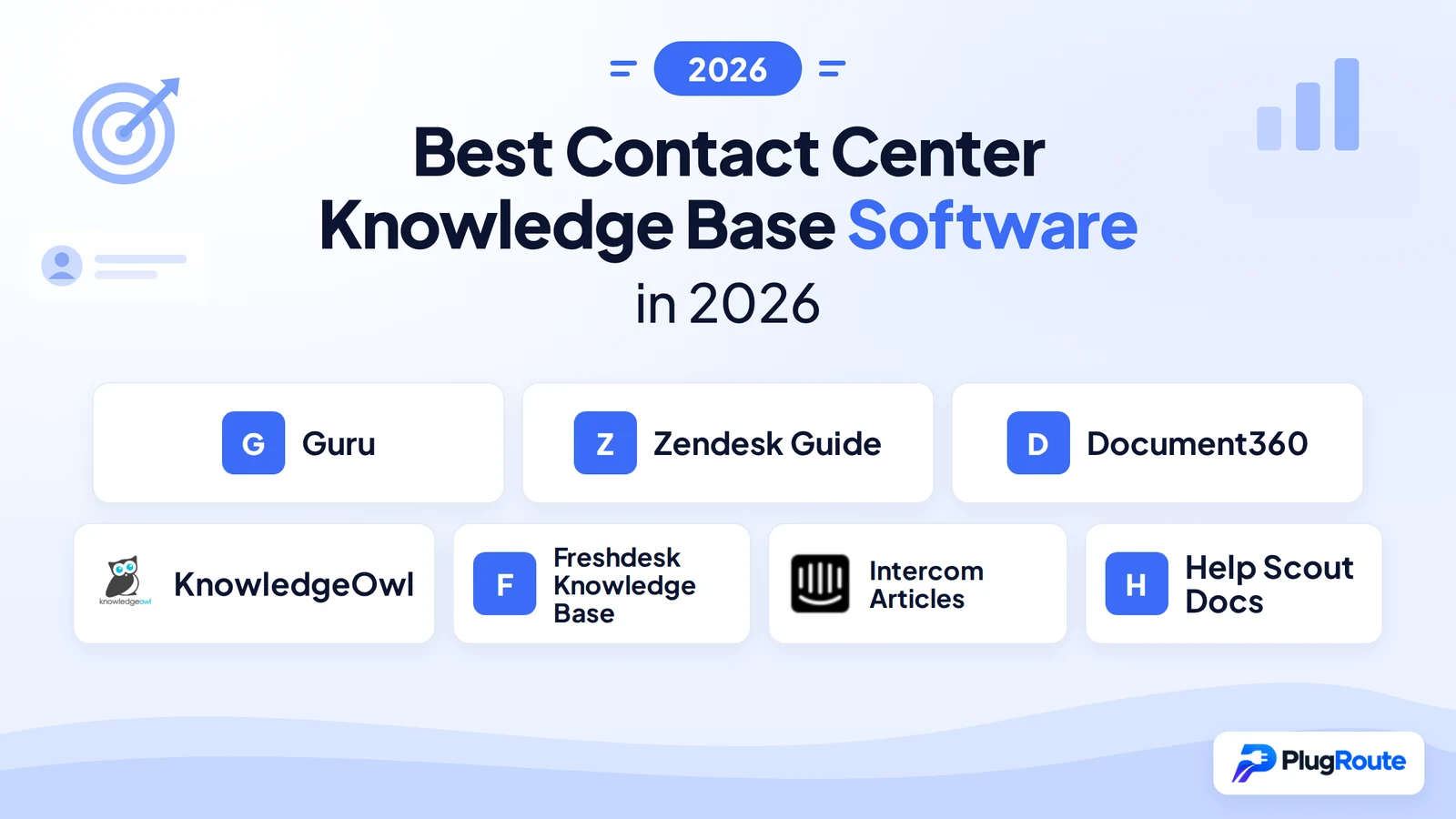
Guru is the best contact center knowledge base software for enterprise agent enablement and knowledge governance, delivering verified knowledge cards in-workflow without requiring agents to leave their primary application. Zendesk Guide leads for enterprise teams that need unified omnichannel coverage (including voice via Amazon Connect) on one platform. Document360 and KnowledgeOwl are the strongest platform-agnostic standalone options. The core trade-off is in-workflow delivery versus ecosystem breadth.
Contact center teams face a compounding knowledge problem: agents waste live interaction time hunting for accurate answers, knowledge bases grow stale without governance, and new hires ramp slowly because institutional knowledge is scattered across siloed tools. Choosing the wrong platform solves one of these problems while amplifying the others. If you have experienced a failed KB implementation, read the Red Flags section before comparing platforms.
PlugRoute has no affiliate relationships with any company in this comparison. Rankings are determined exclusively by review platform data, documented user sentiment, pricing transparency, AI capability, and integration depth.
“The most important pre-condition for any knowledge base tool is high-quality, well-organized, current content. AI features cannot compensate for poor underlying content.”, Recurring practitioner observation across r/Zendesk, r/SaaS, and r/sysadmin (May 2026 research)
Takeaway: AI capability is a ceiling, not a floor, the floor is content quality, and no platform in this comparison changes that equation.
TL;DR: Top Picks at a Glance
- Guru is best for enterprise contact center teams that need in-workflow agent knowledge delivery with verified, governed knowledge cards, without requiring agents to leave their primary application.
- Zendesk Guide is best for enterprise omnichannel contact centers already running on Zendesk Suite that need unified ticketing, knowledge, and voice on one platform.
- Document360 is the strongest standalone platform for contact center knowledge operations teams that need analytics-driven content governance and the flexibility to integrate with any helpdesk.
- KnowledgeOwl is best for contact center teams that prioritize AI reliability: constrained, citation-based answers with no hallucination risk, and outstanding vendor support included at every plan tier.
What Are the Three Categories of Contact Center Knowledge Base Software?
Contact center knowledge base platforms fall into three architectural categories: suite-embedded platforms (Zendesk Guide, Freshdesk, Intercom, Help Scout) that bundle KB with ticketing and chat; governed knowledge layers (Guru) that overlay any existing stack with verified in-workflow delivery; and standalone dedicated knowledge bases (Document360, KnowledgeOwl) that offer best-in-class KB features without helpdesk lock-in.
Category 1, Suite-Embedded Knowledge Bases bundle KB functionality inside a broader support platform. These are the right choice when a single vendor for ticketing, knowledge, and contact handling is the priority. This category includes:
- Zendesk Guide: Enterprise suite KB with Amazon Connect voice integration and Content Cues governance
- Freshdesk Knowledge Base: Mid-market suite KB with Freddy AI Copilot and ticket-to-article conversion
- Intercom Articles: AI-native suite KB powering Fin AI, agent Copilot, and Help Center from one Knowledge Hub
- Help Scout Docs: Email-primary suite KB with Beacon pre-ticket self-service deflection
Category 2, Governed Knowledge Layers are standalone knowledge platforms designed to sit on top of any existing support stack, delivering verified in-workflow knowledge to agents wherever they work. This category includes:
- Guru: Verification-first governed knowledge layer with browser extension, Slack/Teams delivery, and 40+ helpdesk integrations
Category 3, Standalone Dedicated Knowledge Bases provide best-in-class KB authoring, analytics, and self-service delivery without being tied to any ticketing or CRM ecosystem. This category includes:
- Document360: Analytics-driven standalone KB with zero-result search tracking and multi-helpdesk integrations
- KnowledgeOwl: Constrained AI standalone KB with multiple-KB-per-subscription architecture and white-glove vendor support
The most common category mismatch in contact center KB procurement is buying a suite-embedded platform when the team’s primary pain is content governance, or buying a standalone KB when the team’s primary pain is agent workflow integration. Getting the category right eliminates most post-purchase frustration documented in practitioner community research.
How Do the Top 7 Contact Center Knowledge Base Platforms Compare?
These seven contact center knowledge base platforms span three architectural categories, four AI philosophy positions, and price points from $0 to $169/agent/month, covering every contact center profile from small email-primary teams to enterprise omnichannel operations. All ratings, pricing, and capabilities were verified in May 2026.
| Rank | Company | Category | Best For | One-Line Summary | Key Capabilities | Primary Strength | Key Limitation |
|---|---|---|---|---|---|---|---|
| 1 | Guru | Governed Knowledge Layer | Enterprise agent enablement with content governance | Guru delivers verified knowledge cards in-workflow via browser extension, Slack, and 40+ integrations; the platform purpose-built to eliminate mid-call tab-switching in contact centers. | Verification system, browser extension, Slack/Teams delivery, semantic search, Salesforce/Zendesk/Freshdesk integrations | In-workflow knowledge delivery that eliminates tab-switching during live customer interactions | Pricing not fully public; no publicly disclosed funding since a 2021 Series C round |
| 2 | Zendesk Guide | Suite-Embedded KB | Enterprise omnichannel contact centers on Zendesk Suite | Zendesk Guide is the enterprise contact center knowledge base for teams that need unified ticketing, AI-assisted governance, and omnichannel delivery; including voice via Amazon Connect; on one platform. | Content Cues, AI Agents, semantic search, Amazon Connect telephony, 1,500+ integrations | Broadest omnichannel coverage including native voice via Amazon Connect | Advanced AI features gated to higher-cost tiers; highest per-agent cost in this comparison |
| 3 | Document360 | Standalone Dedicated KB | Platform-agnostic teams needing analytics-driven KB management | Document360 is the standalone knowledge base with the deepest content analytics for contact centers; zero-result search tracking, article performance metrics, and self-service gap detection. | Eddy AI search, Smart Bar widget, versioning, content gap analytics, Zendesk/Freshdesk/Salesforce integrations | Best-in-category content analytics: gap detection, article performance, zero-result search tracking | Pricing moved to quote-only in late 2024; per-KB limits can constrain multi-product contact centers |
| 4 | KnowledgeOwl | Standalone Dedicated KB | Teams prioritizing AI reliability, multi-KB management, and vendor support | KnowledgeOwl is among the highest-rated knowledge base platforms on service quality in this comparison; 4.9/5 for customer service on Capterra; driven by constrained, citation-based AI and white-glove vendor support included at every plan tier. | Constrained AI chatbot (KB-only, cites sources), multiple KBs per subscription, Owl Analytics, SSO/HIPAA on Business plan | Highest customer service scores in this comparison (Capterra 4.9/5, 236 reviews) driven by AI reliability and exceptional vendor responsiveness | Per-author and per-KB add-on pricing escalates quickly at scale; limited enterprise automation depth |
| 5 | Freshdesk Knowledge Base | Suite-Embedded KB | Mid-market contact centers needing value and AI assist | Freshdesk Knowledge Base delivers strong omnichannel knowledge functionality at the most competitive price point among suite-embedded platforms, with a free tier for teams getting started. | Freddy AI Copilot (add-on ~$29/agent/month), ticket-to-article conversion, omnichannel Help Widget, multilingual support | Best price-to-value ratio in this comparison; free tier available for initial KB deployment | Feature-gating after plan changes has surprised existing customers; Freddy AI requires active governance configuration |
| 6 | Intercom Articles | Suite-Embedded KB (AI-Native) | AI-native teams prioritizing autonomous resolution and conversational support | Intercom Articles is the only platform in this comparison where one content repository simultaneously powers autonomous AI resolution, agent assist, and customer self-service; eliminating three-way content governance overhead. | Knowledge Hub, Fin AI ($0.99/resolution), Copilot agent assist (~$35/seat add-on), public/internal articles, past-conversation training | Single Knowledge Hub powering autonomous AI, agent assist, and self-service simultaneously; eliminating three-way content duplication | Per-resolution Fin pricing plus Copilot add-on creates unpredictable costs at scale; limited structured ticketing depth |
| 7 | Help Scout Docs | Suite-Embedded KB | Small and email-primary contact center teams needing simplicity | Help Scout Docs delivers clean, accessible knowledge base functionality for email-dominant contact center teams that need self-service deflection without platform complexity. | Beacon widget, AI Answers, AI Assist for agents, article-level analytics, embedded self-service | Lowest total cost of ownership; bootstrapped ownership model supports long-term pricing stability | Limited omnichannel depth (voice and social require third-party tools); outgrown by high-complexity contact centers |
Which Contact Center Knowledge Base Tool Fits Your Specific Use Case?
The decision framework below maps each primary operational priority to the recommended contact center knowledge base platform and an acceptable alternative. Contact center teams with 60–90 day procurement timelines should plan for a pilot deployment using a 10–20% sample of KB content, followed by agent testing with real contact scenarios, before committing to any full migration.
Typical procurement milestones: 2 weeks for demos and RFP completion across 3–4 finalist platforms, 2 weeks for pilot deployment, 2 weeks for agent testing with real contact scenarios, and 2 weeks for contract review. Platforms with included onboarding support (KnowledgeOwl) reduce pilot setup time; platforms requiring partner implementation (Zendesk) extend it.
| Your #1 Priority | Recommended Tool | Why | Acceptable Alternative |
|---|---|---|---|
| In-workflow agent knowledge during live calls | Guru | Guru’s browser extension surfaces verified cards on any page the agent is viewing; no tab-switching or application changes required during live interactions | Document360 with Smart Bar widget |
| Full omnichannel platform (voice + digital + KB) | Zendesk Guide | Zendesk Guide is the only platform in this comparison with documented native voice telephony via Amazon Connect, making it the strongest choice for contact centers where phone volume is significant | Freshdesk KB (lower cost, fewer telephony features) |
| Analytics-driven knowledge gap detection | Document360 | Document360’s zero-result search tracking and article performance metrics are the most analytics-mature offering among all seven platforms reviewed | Guru (strong search but less article-level analytics depth) |
| Safest AI; no hallucination risk | KnowledgeOwl | KnowledgeOwl’s AI chatbot is designed to answer only from KB content, cite its sources, and say “I don’t know” rather than generating off-base responses | Guru (verification-first governance prevents stale AI responses) |
| Best price-to-value for mid-market teams | Freshdesk KB | Freshdesk offers a free tier and paid tiers from ~$19/agent/month (Growth) with Freddy AI Copilot available as an add-on at approximately $29/agent/month | Help Scout Docs (~$25/user/month, email-primary) |
| Autonomous AI resolution at scale | Intercom Articles | Intercom’s Fin AI is the only platform in this comparison where autonomous resolution is the primary product; priced at $0.99 per resolved conversation, trained on the Knowledge Hub | Zendesk AI Agents (requires higher-tier Suite plan) |
| Simplicity for small email-primary teams | Help Scout Docs | Help Scout Docs delivers the Beacon + Docs combination with the lowest implementation complexity and total cost of ownership in this comparison | Freshdesk Growth (~$19/agent/month) |
| Migrating from a failed KB implementation | KnowledgeOwl | KnowledgeOwl includes free migration assistance, 1-on-1 onboarding, and custom theme support at all plan tiers; reducing re-migration risk; constrained AI prevents repeating AI governance failures | Document360 (request a migration pilot with sample content before committing) |
Each platform below is analyzed with equal depth across the same criteria, overview, features, pricing, independently documented strengths, genuine limitations, and a verdict tied to a specific buyer profile.
1. Guru: Best for Enterprise Agent Knowledge Enablement and Governance
Category: Governed Knowledge Layer, sits on top of existing support tools to deliver verified knowledge in every agent workflow.
At a Glance
- Category: Governed Knowledge Layer
- Best For: Enterprise contact center teams that need verified, in-workflow knowledge delivery across agents without changing existing helpdesk infrastructure
- Price Range: ~$10–$15/user/month (All-in-One, estimated); Enterprise: contact for quote
- Primary Strength: Verification system ensures every knowledge card has an owner and a review cadence, structurally preventing stale content
- Biggest Limitation: Pricing not fully transparent publicly; no publicly disclosed funding since a 2021 Series C round
- One-Line Summary: Guru is the governed knowledge platform purpose-built for contact centers, delivering verified knowledge cards in-workflow via browser extension, Slack, and 40+ integrations, without requiring agents to switch applications during live customer interactions.
- Last Verified: May 2026
Overview
Guru is a governed knowledge management platform that organizes company knowledge into Cards (short, focused knowledge units with assigned owners and verification cadences) built for enterprise contact center and revenue teams that need accurate knowledge delivered in workflow, not in a separate tab.
Guru ranks first in this comparison because its browser extension and Slack/Teams delivery directly solve the contact center’s highest-cost knowledge failure: agents leaving their working environment mid-call to search a separate KB.
Consider the arithmetic: a 500-call-per-day contact center where each agent spends 45 seconds switching to a knowledge portal loses approximately 6.25 agent-hours of productive time daily, roughly one full shift dedicated entirely to tab-switching. Guru’s browser extension eliminates this cost without requiring content changes or platform replacement.
Guru holds a strong rating in the knowledge management category on G2 with hundreds of verified reviews, consistently praised for ease of use, search quality, and the verification system. [G2 Guru reviews, 2026.]
Key Features
- Verification System: Guru assigns every knowledge card an owner and a review cadence, when a card’s review date passes without confirmation, Guru flags it as potentially outdated and prompts the assigned owner to re-verify accuracy, directly preventing the content staleness that undermines agent confidence during live calls.
- Staleness Prevention by Design: Unlike shared wikis where outdated content hides until an agent uses it incorrectly, Guru’s verification flags surface content health issues proactively, before agents rely on expired information during customer interactions. Collections can have a designated owner responsible for all cards within that grouping, creating team-level accountability.
- Browser Extension Delivery: Guru’s browser extension surfaces relevant verified cards on any page an agent is currently viewing, eliminating tab-switching and reducing the time agents spend searching for answers mid-interaction across any tool they use.
- Slack and Microsoft Teams Integration: Guru allows agents to query the knowledge base and receive verified card answers directly inside Slack or Teams, the channels where distributed contact center teams already operate throughout the day.
- AI-Powered Semantic Search: Guru’s AI search retrieves knowledge based on intent rather than exact keyword matching, reducing failed searches when agents phrase queries differently than the content was written.
- 40+ Tool Integrations: Guru connects natively with Salesforce, Zendesk, Freshdesk, Confluence, and other tools, allowing contact centers to add governed knowledge delivery to their existing stack without replacing existing helpdesk infrastructure. [Guru features and integrations page, 2026.]
Best For
Guru is best for enterprise contact center and customer support teams (particularly in SaaS, financial services, and healthcare) that have distributed agent populations working across multiple tools simultaneously and need a centralized, governed knowledge layer that travels with agents rather than requiring agents to navigate to it.
Pricing
Guru offers an All-in-One plan (primarily self-serve and SMB) and an Enterprise tier (custom/quote-based). Third-party comparison sources reference All-in-One pricing in the approximate range of $10–$15/user/month, with enterprise pricing negotiated by volume and feature requirements. Guru’s pricing is not fully listed on the public pricing page, procurement teams should contact Guru sales to confirm current pricing before budgeting. [Siit review, 2025; pricing aggregator data, 2025.]
For a 50-agent contact center at approximately $15/user/month, Guru would cost approximately $750/month ($9,000/year), significantly below Zendesk Suite Professional ($69,000/year) for the same team size, without the ticketing layer. Verify current pricing directly with Guru sales before budgeting.
Strengths
- Verified Knowledge Architecture: Guru’s card verification system: where every card has an owner and must be periodically confirmed, directly addresses the content staleness problem that causes incorrect agent answers and compliance risk, at the structural level rather than through manual auditing. [G2 Guru reviews, 2026.]
- In-Workflow Delivery Without Tab-Switching: Guru’s browser extension and Slack/Teams integrations eliminate the most common cause of AHT (average handle time) inflation during live calls: agents leaving their primary interface to search a separate knowledge portal.
- Strong Review Satisfaction: Guru holds a strong rating in the knowledge management software category on G2 with hundreds of verified reviews, consistently praised by teams that have successfully adopted the platform for its verification system and in-workflow delivery design. [G2 Guru reviews, 2026.]
- Broad Integration Compatibility: Guru’s 40+ integrations: including Salesforce, Zendesk, Freshdesk, and Confluence, allow contact centers to adopt Guru as an additive knowledge layer without replacing existing ticketing or CRM infrastructure. [Guru features page, 2026.]
Users on r/ProductManagement shared their experience:
“We use Guru cards for knowledge base. Super handy for knowledge base and playbooks sharing, especially with their chrome extension. Best part can be used for knowledge sharing across different deps, not just CS so can turn out to be quite a good investment of org budget.” Posted by u/Original-Toe-7392
Takeaway: Guru’s chrome extension and Cards architecture deliver practical, cross-team knowledge-sharing value that practitioners describe as a genuine organizational investment, extending well beyond the customer support function alone.
Limitations
- Pricing Opacity: Guru does not publish full pricing on its public-facing pages, requiring a sales conversation to confirm plan costs, adding friction to procurement cycles compared to vendors like Help Scout or Freshdesk, which post clear pricing tiers publicly.
- Vendor Financial Trajectory: Guru’s last publicly announced funding round was a 2021 Series C; no subsequent funding announcement has been made publicly. [Crunchbase, 2026.] Community-level concerns about financial trajectory (while informal and not confirmed by public reporting) represent a real consideration for enterprise teams committing to long-term contracts. Standard vendor financial due diligence is warranted before signing multi-year agreements.
- Adoption Requires an Internal Governance Champion: Guru’s verification system delivers value only when card owners actively maintain their assigned content. Contact centers without a dedicated knowledge operations leader often find the verification cadence lapses over time, degrading the platform’s core governance benefit.
- Search Quality at Scale: G2 reviews note that Guru’s search relevance can degrade as the knowledge base grows large, requiring periodic content audits and card consolidation to maintain retrieval quality for large enterprise KB libraries. [G2 Guru reviews, 2026.]
This aligns with concerns raised by practitioners on r/sales:
“I would stick with a more reliable product. I don’t think guru is going to survive as a company and it would be more of a headache to migrate your knowledge base. I would look into glean if you want a more robust knowledge base or notion if you want a dumping ground for documentation. Glean is a nicer version of guru basically.” Posted by u/plzdi-e
Takeaway: Community-level concerns about Guru’s long-term financial viability are a real procurement risk for enterprise teams weighing the cost and disruption of a future knowledge base migration.
Verdict
Guru is the strongest choice for contact center teams whose primary pain is agents finding the right, accurate answer fast without leaving their working environment. Guru ranks first in this comparison because in-workflow delivery, not portal-based search, is the primary structural driver of AHT reduction for live contact center agents, and Guru is the only platform in this comparison purpose-built to deliver it. KnowledgeOwl earns higher ease-of-use and customer service scores on Capterra, but as a passive portal-based platform, KnowledgeOwl does not address in-workflow agent delivery during live interactions. Teams with distributed agent populations, multiple tool integrations, and internal knowledge operations ownership will extract the most value. Guru is not the right choice for contact centers that need ticketing, omnichannel routing, or a customer-facing self-service portal, Guru is a knowledge delivery layer, not a support platform.
2. Zendesk Guide: Best for Enterprise Omnichannel Contact Centers
Category: Suite-Embedded Knowledge Base, KB functionality is fully embedded within the Zendesk Suite platform.
At a Glance
- Category: Suite-Embedded KB
- Best For: Enterprise contact centers already on Zendesk Suite needing unified KB, ticketing, and voice
- Price Range: Suite Team $55 | Suite Growth $89 | Suite Professional $115 | Suite Enterprise $169/agent/month (annual billing, published rate; volume pricing available); Advanced AI add-on ~$50/agent/month
- Primary Strength: Broadest omnichannel contact center coverage including native voice via Amazon Connect integration
- Biggest Limitation: Advanced AI features gated to higher plan tiers and inconsistent in real-world deployments; highest per-agent cost in this comparison
- One-Line Summary: Zendesk Guide is the enterprise contact center knowledge base for teams that need unified ticketing, AI-assisted knowledge governance, and omnichannel delivery (including voice via Amazon Connect) on a single platform.
- Last Verified: May 2026
Overview
Zendesk Guide is the knowledge base component of Zendesk Suite, supporting article creation, AI-assisted content curation, customer self-service, and agent-facing knowledge delivery through the Agent Workspace. Zendesk Guide is designed for large, omnichannel contact centers that need knowledge delivery to be native to their ticketing and telephony environment, not an add-on.
Zendesk’s Contact Center is built on Amazon Connect as its infrastructure foundation, meaning voice-channel agents handling phone contacts share the same knowledge base as agents handling chat, email, and social tickets. This architectural integration is the primary enterprise differentiator that positions Zendesk Guide above other suite-embedded options for contact centers with significant phone volume. [Zendesk Contact Center documentation, 2026.]
Zendesk Suite generally holds approximately 4.3/5 on G2 across tens of thousands of reviews, reflecting a product valued for its breadth and criticized for its price and implementation complexity. [G2 Zendesk reviews, 2026.]
Key Features
- Content Cues: Zendesk Guide’s AI analyzes unresolved ticket trends to automatically identify knowledge gaps and suggest article creation or updates, giving knowledge managers a data-driven signal about where the KB is failing before AHT (average handle time) spikes occur, rather than discovering gaps after agents have been improvising.
- Semantic Search with Knowledge Graph: Zendesk Guide’s search uses intent-based retrieval rather than keyword matching, connecting related topics via a Knowledge Graph that surfaces relevant articles even when agents phrase queries differently than content was authored.
- Amazon Connect Voice Integration: Zendesk’s Contact Center builds on Amazon Connect infrastructure, enabling voice-channel agents to access the same Zendesk Guide knowledge base as digital-channel agents, creating a unified knowledge layer across phone, chat, email, and social simultaneously. [Zendesk Contact Center documentation, 2026.]
- AI Agents: Zendesk’s autonomous and semi-autonomous AI Agents can resolve customer queries end-to-end using Guide content, with configurable escalation paths when AI confidence is insufficient for resolution.
- Agent Workspace Native Delivery: Zendesk Guide articles surface directly within the Agent Workspace during active ticket or conversation handling, agents do not need to leave the ticketing interface to access knowledge during live interactions.
- 1,500+ Marketplace Integrations: Zendesk’s integration ecosystem allows contact centers to connect Guide with existing CRM, workforce management, analytics, and telephony tools across a broad partner network. [Zendesk marketplace, 2026.]
Best For
Zendesk Guide is best for enterprise contact centers (particularly in financial services, e-commerce, travel, and SaaS) already deployed on Zendesk Suite and handling high volumes across voice, chat, email, and social channels simultaneously. Zendesk Guide delivers the most complete knowledge management for teams where rebuilding around a new platform would cost more than upgrading within the existing ecosystem.
Pricing
Zendesk Suite pricing (annual billing, per agent/month, verified May 2026): Suite Team, $55 | Suite Growth, $89 | Suite Professional, $115 | Suite Enterprise, $169 (published annual rate; volume pricing available at enterprise scale, contact Zendesk sales). An Advanced AI add-on (~$50/agent/month) includes deeper Content Cues and AI Agent capabilities and is priced separately from all Suite tiers. [Zendesk pricing page, verified May 2026; desk365.io pricing analysis, 2026.]
At $115/agent/month for Professional, a 50-agent contact center spends approximately $69,000/year before AI add-ons, implementation, or enterprise customization costs. At the Enterprise tier ($169/agent/month), that same team spends approximately $101,400/year before add-ons.
Strengths
- Most Complete Omnichannel Coverage: Zendesk Guide’s Amazon Connect-based Contact Center is the only platform in this comparison that natively integrates voice telephony infrastructure with the knowledge base, the strongest option for contact centers where phone remains a primary channel. [Zendesk Contact Center documentation, 2026.]
- Proactive Knowledge Gap Detection: Content Cues identifies knowledge gaps based on unresolved ticket trends, a structural governance feature that allows knowledge managers to create content before gaps compound into AHT problems, rather than discovering them after agents have already been improvising answers.
- Largest Partner and Integration Ecosystem: Zendesk’s marketplace of 1,500+ integrations and global partner network means enterprise contact centers have access to certified implementation support and custom integration options that smaller platforms cannot match. [Zendesk marketplace, 2026.]
- Established Enterprise Track Record: Zendesk’s customer roster includes large-scale organizations across e-commerce, SaaS, and financial services, reflecting a platform with documented performance at enterprise contact center scale. [G2 Zendesk reviews, 2026.]
Limitations
- Advanced AI Is Gated and Inconsistent: Zendesk’s AI features: including Content Cues and macro recommendations, are gated to higher plan tiers and have received mixed real-world assessments. One practitioner reported: “We tried Advanced AI for 6 months. Useless. Never recommended a single macro. I think Content Cues was only for higher level plan.” [u/ToastyPasta, r/Zendesk, 2024.]
- High Cost at Scale: Zendesk Suite Professional at $115/agent/month is the most expensive suite-embedded option in this comparison for mid-tier features, a 50-agent team spends approximately $69,000/year before AI add-ons, implementation, or enterprise customization costs.
- Implementation Complexity: Zendesk’s scale is also its complexity driver. Multiple practitioners note that frustration with Zendesk often traces to poor configuration rather than product limitations, and that partner implementations can be expensive and variable: “Third party vendors… will charge a lot and will just be in a hurry to help you launch it and move on.” [u/BrandonTidd, r/Zendesk, 2024.]
- Suite Lock-In: Zendesk Guide’s full capability is realized only within the Zendesk Suite environment, teams that want best-in-class knowledge management alongside a non-Zendesk helpdesk will find Guide’s standalone value limited compared to Document360 or Guru.
Verdict
Zendesk Guide is the right choice for enterprise contact centers already invested in the Zendesk ecosystem that need voice, digital, and knowledge management under one platform without stitching together multiple vendors. Zendesk Guide’s Amazon Connect integration and Content Cues make it uniquely suited for omnichannel environments at scale. Teams should model the full cost (including Advanced AI add-ons (~$50/agent/month additional), implementation partner fees, and multi-year contract terms) before comparing against Guru or Document360 as complementary or alternative approaches. Zendesk Guide is not the right choice for contact centers that are not already on Zendesk Suite or that need best-in-class knowledge management independent of their helpdesk platform.
3. Document360: Best Standalone KB for Analytics-Driven Knowledge Management
Category: Standalone Dedicated Knowledge Base, platform-agnostic, best-in-class KB authoring and analytics without bundled helpdesk.
At a Glance
- Category: Standalone Dedicated KB
- Best For: Platform-agnostic contact centers needing deep content analytics, gap detection, and multi-helpdesk integrations
- Price Range: Quote-based (reference estimates: ~$199–$499/project/month at mid-to-enterprise tiers as of late 2024)
- Primary Strength: Best-in-category content analytics: zero-result search tracking, article performance metrics, and self-service gap detection
- Biggest Limitation: Pricing moved to quote-only in late 2024; per-KB limits create constraints for large multi-product contact centers
- One-Line Summary: Document360 is the standalone knowledge base with the deepest content analytics for contact centers (zero-result search tracking, article performance metrics, and self-service gap detection) and the flexibility to integrate with any helpdesk without platform lock-in.
- Last Verified: May 2026
Overview
Document360 is a dedicated, standalone knowledge base platform (not bundled with ticketing or CRM) built specifically for knowledge base creation, management, analytics, and self-service delivery. Document360 is built for knowledge operations teams that need to see exactly how their KB is performing: which articles drive resolution, which searches return zero results, and where content gaps are actively causing customer effort to increase.
Document360’s bidirectional integrations with Freshdesk, Intercom, Zendesk, and Salesforce allow the platform to serve as the knowledge layer for contact centers running any major helpdesk system. A contact center already on Salesforce Service Cloud can use Document360 for superior knowledge management while keeping their ticketing system, something that is impossible with Zendesk Guide or Freshdesk Solutions.
Document360 was founded in 2017 by Saravana Kumar, who also founded BizTalk360. [Document360 company resources, verified May 2026.] Document360 holds approximately 4.7/5 on G2 with hundreds of verified reviews, consistently praised for authoring interface quality, search capability, and integration breadth. [G2 Document360 reviews, 2026.]
Key Features
- Zero-Result Search Analytics: Document360’s analytics dashboard tracks searches that return no results, giving knowledge managers a prioritized list of content gaps to close, directly preventing those gaps from driving unnecessary agent contacts or AHT increases before they compound.
- Eddy AI-Powered Search: Document360’s Eddy AI search uses semantic retrieval to return relevant articles based on query intent, reducing failed searches when customers or agents phrase questions inconsistently with the terminology used in content.
- Smart Bar Embedded Help Widget: Document360’s Smart Bar embeds article suggestions and AI search directly into product interfaces or websites, enabling pre-ticket self-service deflection without requiring customers to navigate to a separate help center.
- Article Versioning and Content Rollback: Document360 supports full version history and content rollback, allowing knowledge operations teams to audit change history, restore previous article versions, and maintain compliance documentation for regulated industries.
- Bidirectional Helpdesk Integrations: Document360 connects bidirectionally with Freshdesk, Intercom, Zendesk, and Salesforce, meaning agents in any of these platforms can insert Document360 articles directly into tickets or conversations without switching applications.
- Category Manager with Hierarchical Structure: Document360’s Category Manager supports deep, nested content hierarchies, allowing contact centers managing complex multi-product knowledge to organize articles in ways that mirror the support taxonomy agents actually use.
Best For
Document360 is best for mid-market and enterprise contact center teams (particularly in SaaS, healthcare IT, and multi-product B2B companies) that are not locked into a single helpdesk platform and need a best-of-breed knowledge base with analytics-grade visibility into KB performance.
Pricing
Document360 transitioned to quote-based pricing in late 2024, discontinuing its public price list. Third-party references indicate historical pricing of approximately $199/project/month (Professional), $299/project/month (Business), and $499/project/month (Enterprise). [docsio.co, 2025; checkthat.ai, 2025.] The legacy free plan has been discontinued. Contact Document360 sales directly for current pricing.
A contact center using Document360 Business (estimated ~$299/month) alongside an existing Freshdesk Pro account (~$55/agent/month for 50 agents) would pay approximately $3,049/month total, compared to approximately $5,750/month for Zendesk Suite Professional alone for the same team.
Strengths
- Best Content Analytics in This Comparison: Document360’s combination of article-level performance metrics and zero-result search tracking is the most analytics-mature offering among all seven platforms reviewed, giving knowledge managers data infrastructure for active knowledge operations, not passive content publishing. [Document360 features, 2026.]
- Platform-Agnostic Architecture: Document360’s standalone design means contact centers can adopt the platform regardless of which helpdesk, CRM, or telephony system they use, and can retain Document360 when migrating between support platforms, avoiding KB migration costs.
- Strong Review Satisfaction for Authoring Quality: G2 reviewers consistently praise Document360’s authoring interface, search quality, and integration breadth, reflecting genuine satisfaction among knowledge management teams. [G2 Document360 reviews, 2026.]
- Cloud-Native Architecture with Modern AI Integration: Document360’s 2017 SaaS-native design enables faster AI feature iteration compared to older platforms that must retrofit AI capabilities onto legacy infrastructure. [Document360 resources, 2026.]
Limitations
- Pricing Opacity: Document360’s move to quote-only pricing in late 2024 prevents procurement teams from budgeting without a sales conversation, adding time and friction to evaluations compared to KnowledgeOwl or Help Scout, which maintain transparent public pricing.
- Per-KB Limits Can Constrain Multi-Product Contact Centers: Real-world user feedback describes Document360’s KB count per pricing tier as a constraint: “our main complaints are… the limitation our pricing model has on the number of knowledge bases we can create.” [u/Purple_Manner_4335, r/technicalwriting, 2025.] Contact centers managing multiple product lines need to model per-KB costs carefully before committing.
- Migration Complexity Is Underestimated: Community discussions specifically about Document360 migrations document “nested content that doesn’t map cleanly, internal links that break silently, formatting that looks fine in preview and then renders weird in production” as common migration pain points. [u/Character_Estate_332, r/KnowledgeBaseSoftware, 2025.] Request a migration pilot with a sample of actual content before committing to a full migration contract.
- Learning Curve for Category Management: G2 reviewers note that Document360’s hierarchical category management and permission structure carry a learning curve, teams without a dedicated knowledge operations manager may find the initial configuration challenging. [G2 Document360 reviews, 2026.]
Verdict
Document360 is the strongest choice for contact center knowledge operations teams that need data to drive content decisions, specifically, the ability to see what customers searched for and couldn’t find, and close those gaps before they compound into support volume increases. Document360’s platform-agnostic architecture makes it the preferred option for organizations that have made or anticipate making helpdesk changes. Teams should request current pricing directly, model per-KB costs before committing, and request a migration pilot if moving content from an existing platform. Document360 is not the right choice for contact centers that need ticketing, omnichannel routing, or a fully managed vendor migration experience.
4. KnowledgeOwl: Best for AI Reliability and Outstanding Vendor Support
Category: Standalone Dedicated Knowledge Base, designed for branded help centers and internal agent KBs with a safety-first AI approach.
At a Glance
- Category: Standalone Dedicated KB
- Best For: Contact center teams that need constrained AI with no hallucination risk and exceptional implementation support at every plan tier
- Price Range: $79/month (Flex, 1 author, 1 KB) to ~$299–$500/month (Business, SSO, HIPAA/GDPR); additional authors ~$25/month; additional KBs ~$50/month
- Primary Strength: Among the highest-rated knowledge base platforms on service quality in this comparison, 4.9/5 for customer service on Capterra, driven by constrained, citation-based AI and white-glove vendor support included at every plan tier
- Biggest Limitation: Per-author and per-KB add-on pricing escalates quickly at scale; limited out-of-the-box enterprise automation depth
- One-Line Summary: KnowledgeOwl is among the highest-rated knowledge base platforms on service quality in this comparison, earning 4.9/5 for customer service and 4.8 for ease of use on Capterra from users who value an AI that only answers from KB content, cites its sources, and declines to speculate, plus white-glove implementation support included at every plan tier.
- Last Verified: May 2026
Overview
KnowledgeOwl is a standalone knowledge base platform built for publishing branded, customer-facing help centers and internal agent knowledge bases. KnowledgeOwl’s defining feature is its AI chatbot design: the bot is configured to answer only from the company’s own KB content, show its sources for every answer, and respond “I don’t know” when the KB lacks coverage rather than generating plausible-sounding but potentially incorrect responses from general AI training data.
KnowledgeOwl’s multiple-KB-per-subscription model allows contact centers managing several product lines, languages, or audience segments to maintain distinct KBs without separate accounts. KnowledgeOwl celebrated its 10th anniversary in 2026, reflecting a decade of customer-driven product development without venture capital pressure. [PR Newswire, 2026.]
KnowledgeOwl earns approximately 4.6/5 on G2 (129 reviews, 2026) and standout dimension scores on Capterra, 4.8 for ease of use and 4.9 for customer service across 236 reviews (last updated March 2026). [G2 KnowledgeOwl reviews; Capterra KnowledgeOwl reviews, March 2026.]
Key Features
- Constrained, Citation-Based AI Chatbot: KnowledgeOwl’s AI chatbot is designed to answer only from the company’s own KB content, cite the specific articles used for each response, and say “I don’t know” when no KB match exists, providing a stronger AI predictability guarantee than open-domain AI systems for customer-facing deployments. Teams should verify current AI behavior through a pilot before relying on this constraint in regulated industry deployments.
- Multiple Knowledge Bases Per Subscription: KnowledgeOwl allows contact centers to maintain separate KBs for different products, languages, or audiences under a single subscription (with additional KBs available at approximately $50/month each) without requiring separate administrative accounts or plan upgrades.
- Owl Analytics: KnowledgeOwl’s Owl Analytics module tracks article views, search behavior, and content performance, giving knowledge managers data on which articles drive resolution and where content gaps are causing search failures.
- White-Glove Support Included at Every Tier: KnowledgeOwl includes free 1-on-1 onboarding sessions, migration assistance, and custom theme help for all plan tiers (not charged as professional services) reducing implementation risk for contact centers without dedicated IT resources.
- SSO and Compliance on Business Plan: KnowledgeOwl’s Business plan includes Single Sign-On, HIPAA/GDPR compliance agreements, and a 99.5% SLA, features typically reserved for enterprise-tier pricing at larger platforms, making KnowledgeOwl competitive for regulated industries.
Best For
KnowledgeOwl is best for mid-size contact center teams (particularly in healthcare, financial services, and regulated industries) that need to deploy customer-facing and internal knowledge bases with reliable, auditable AI behavior, and that value responsive vendor support over a broad enterprise automation feature surface.
Pricing
KnowledgeOwl pricing (verified via G2 pricing and support documentation, May 2026): Flex, $79/month (1 author, 1 KB, all support included) | Pro, approximately $100–$250/month (custom domain, API access, HTML/CSS customization) | Business, approximately $299–$500/month (SSO, HIPAA/GDPR compliance, 99.5% SLA, priority support). Additional authors: ~$25/month. Additional KBs: ~$50/month. [support.knowledgeowl.com/help/plans-pricing-trials, verified May 2026.]
Example configuration, 5 authors, 3 KBs, Business plan with SSO:
- Base (Business): ~$500/month
- Additional authors (4 × $25): $100/month
- Additional KBs (2 × $50): $100/month
- Total: approximately $700/month
Strengths
- Exceptional Service Ratings in This Comparison: KnowledgeOwl earns approximately 4.6/5 on G2 (129 reviews) and standout Capterra dimension scores, 4.8 for ease of use and 4.9 for customer service (236 reviews, March 2026). [G2 KnowledgeOwl reviews; Capterra KnowledgeOwl reviews, March 2026.] Users migrating from Zendesk Guide directly describe KnowledgeOwl as “the easiest and most comfortable to use by far.”
- AI Safety-First Design: KnowledgeOwl’s constrained AI reduces the hallucination risk that practitioners consistently describe as their primary concern with deploying AI in live customer interactions, a meaningful differentiator for regulated industries where an incorrect AI-generated response creates legal or compliance exposure.
- White-Glove Onboarding Included: KnowledgeOwl includes migration assistance, 1-on-1 onboarding, and custom theme support at no additional charge, removing the professional services cost that makes Zendesk and Intercom onboarding expensive for mid-size teams without dedicated IT resources.
- Stable, Customer-Driven Roadmap: KnowledgeOwl’s bootstrapped, employee-owned model and 10-year operating history provide procurement confidence that the platform’s pricing and feature set will evolve in customer interest rather than investor-driven growth mandates. [PR Newswire, 2026.]
Users on r/SaaS described their experience migrating to KnowledgeOwl:
“Also a Help Scout customer 🙌 with the same problem. Help Scout support was super helpful (they always are) and gave me a few suggestions at ways to make their KB work for our needs, but ended up having to go with an external product. We settled on KnowledgeOwl. It is a fantastic KB and setting up customer logins/access was simple. Full control over CSS and ability to make JavaScript ‘snippets’ than can be used within articles. We really liked the look of our Help Scout Docs, so duplicated the style within KnowledgeOwl.” Posted by u/crankyolditguy
Takeaway: Practitioners migrating from simpler suite KB tools to KnowledgeOwl consistently find the transition manageable and the customization depth sufficient for needs that built-in help center solutions cannot address.
Limitations
- Per-Author and Per-KB Pricing Escalates at Scale: KnowledgeOwl’s add-on model (approximately $25/additional author, $50/additional KB) can significantly increase total cost for large contact centers managing many product-specific KBs across large author teams, requiring detailed scenario modeling before purchase.
- Limited Enterprise Automation Depth: KnowledgeOwl does not offer the workflow automation, multi-queue management, or advanced AI resolution capabilities that Zendesk Suite or Intercom provide, contact centers that need KB plus comprehensive routing, SLA management, and workforce tools must pair KnowledgeOwl with a separate helpdesk platform.
- API and SSO Gated to Higher Tiers: KnowledgeOwl’s API access and SSO capabilities require Pro or Business plan subscriptions, teams on the Flex plan cannot integrate KnowledgeOwl into broader enterprise authentication or custom workflow automation without upgrading.
- Limited Native Telephony Integration: KnowledgeOwl does not offer native voice IVR or Amazon Connect integration, meaning phone-channel agents access KnowledgeOwl through a separate browser interface rather than within a telephony workflow, a structural gap for contact centers where phone represents a significant share of contact volume.
Verdict
KnowledgeOwl is the right choice for contact center teams that need a knowledge base with a clear conscience about AI behavior, where citations, source transparency, and predictable “I don’t know” responses matter more than autonomous resolution scope. KnowledgeOwl ranks fourth, below Guru, Zendesk Guide, and Document360, not because of product quality deficiencies, but because KnowledgeOwl’s portal-based architecture does not address in-workflow agent knowledge delivery during live interactions. Contact centers whose primary pain is agents leaving their environment mid-call will find Guru or Zendesk Guide more directly aligned to that need. KnowledgeOwl is the superior choice when AI reliability, vendor support quality, and multi-KB management are the primary purchase criteria.
5. Freshdesk Knowledge Base: Best Value for Mid-Market Contact Centers
Category: Suite-Embedded Knowledge Base, fully integrated with Freshdesk ticketing, Freddy AI Copilot, and omnichannel workspace.
At a Glance
- Category: Suite-Embedded KB
- Best For: Mid-market contact centers needing omnichannel knowledge delivery with AI assist at competitive price points
- Price Range: Free tier; paid tiers at ~$19–$89/agent/month (annual billing, Growth to Enterprise); Freddy AI Copilot add-on ~$29/agent/month additional on Pro and above
- Primary Strength: Best price-to-value ratio among suite-embedded options, with a free tier for initial KB deployment
- Biggest Limitation: Feature-gating after plan changes has frustrated existing customers; Freddy AI requires active governance configuration to prevent unexpected routing behavior
- One-Line Summary: Freshdesk Knowledge Base delivers omnichannel knowledge management and Freddy AI Copilot agent assist at the most competitive price point among suite-embedded platforms, making it the strongest value option for mid-market contact centers managing 30,000+ monthly contacts.
- Last Verified: May 2026
Overview
Freshdesk Knowledge Base (called “Solutions” internally) is integrated directly into the Freshdesk ticketing platform, enabling agents to insert approved KB articles into ticket replies, convert successful ticket resolutions into new knowledge articles, and deliver self-service content via the Help Widget embedded on websites and in apps.
Freshdesk Knowledge Base is designed for mid-market contact centers that need omnichannel knowledge delivery (spanning email, live chat, SMS, Facebook, and WhatsApp) without the price point of Zendesk Suite. Freddy AI Copilot (available as an add-on at approximately $29/agent/month on Pro and above) assists agents by drafting or suggesting replies, summarizing conversation threads, and recommending relevant KB articles during live interactions.
Freshdesk holds approximately 4.4/5 on G2 with thousands of verified reviews, reflecting a product valued for omnichannel workflow and price-to-value ratio. [G2 Freshdesk reviews, 2026.]
Key Features
- Ticket-to-Article Conversion: Freshdesk Knowledge Base allows agents and managers to convert successful ticket resolutions into new KB articles directly from the ticket interface, creating a continuous improvement loop that grows KB coverage from real customer interactions without requiring a separate content creation workflow.
- Freddy AI Copilot: Freshdesk’s Freddy AI Copilot (available as an add-on at approximately $29/agent/month on Pro and above) assists agents by drafting replies based on KB content, summarizing long ticket threads, recommending relevant articles during live interactions, and surfacing next-best actions, reducing handle time and improving response consistency across agents.
- Omnichannel Help Widget: Freshdesk’s Help Widget surfaces relevant KB articles across email, live chat, SMS, Facebook, and WhatsApp interactions from a single integrated workspace, ensuring agents see the same knowledge base regardless of which channel a customer contact arrives through.
- Freddy AI Self-Service: Freshdesk’s AI chatbot can resolve common customer queries directly from KB content before escalating to agents, reducing inbound contact volume on repetitive query types when properly governed.
- Multilingual Knowledge Management: Freshdesk Knowledge Base supports multilingual article management, allowing contact centers serving global customer bases to maintain localized KB content with translation workflow support.
- Free Tier for Initial Deployment: Freshdesk’s free plan includes basic knowledge base functionality, enabling contact center teams to test KB deployment and content structure before committing to paid AI or advanced analytics tiers.
Best For
Freshdesk Knowledge Base is best for mid-market contact centers (particularly in e-commerce, logistics, and SaaS customer success) handling 10,000 to 100,000+ monthly contacts across email and chat channels, where price-to-feature value and a continuous KB improvement loop are prioritized over best-of-breed knowledge governance or multi-KB architecture.
Pricing
Freshdesk pricing (per agent/month, annual billing, verified May 2026): Free, $0 | Growth, ~$19 | Pro, ~$55 | Enterprise, ~$89. Freddy AI Copilot is available as a separate add-on at approximately $29/agent/month on Pro and above, making a Pro + Copilot configuration approximately $84/agent/month. [Freshworks pricing page; clearfeed.ai Freshdesk pricing analysis, May 2026.]
Note: the jump from Growth ($19) to Pro ($55) is significant, and advanced knowledge analytics and governance features are gated to Pro and above. A 50-agent team on Pro + Copilot would pay approximately $4,200/month. Verify current pricing at freshworks.com/freshdesk/pricing before budgeting, Freshworks has a documented history of pricing tier changes.
Strengths
- Most Competitive Price-to-Value in Suite-Embedded Category: A high-volume practitioner reported: “We switched from Zendesk 18 months ago and handling chats, calls, and tickets on Freshdesk is a breeze. We handle about 30k tickets a month.” [u/moscatoxoxo, r/Zendesk, 2024.] Freshdesk delivers comparable omnichannel workflow at significantly lower cost than Zendesk Suite.
- Free Tier Enables Risk-Free Testing: Freshdesk’s $0 free plan allows contact center teams to build out initial KB content and test article delivery before committing budget, reducing evaluation risk compared to platforms with no free access.
- Continuous KB Improvement Loop: Freshdesk’s ticket-to-article conversion directly addresses the content creation bottleneck that causes knowledge bases to fall behind support volume, making KB growth a natural byproduct of daily support work rather than a separate editorial project.
- Freddy AI Copilot at Mid-Market Price: Freshdesk’s Freddy AI Copilot is available at approximately $84/agent/month (Pro + Copilot add-on), significantly below Intercom’s Expert plan ($132/seat) plus Intercom’s separately priced Copilot add-on (~$35/seat/month) for comparable agent-assist functionality. [Freshworks pricing, 2026; gleap.io Intercom pricing, 2026.]
Limitations
- Feature-Gating After Plan Changes: Freshworks has faced significant user backlash for retroactively moving previously available features behind higher plan tiers. One documented thread with 28 upvotes reported: “They are ‘deprecating’ legacy reports in favor of analytics, the result, a bunch of stuff that was easy and simple to do is being taken away and put into the pro plan!” [u/WhistleWhistler, r/msp, 2023.] This represents a governance risk for contact centers budgeting on current feature availability.
- Freddy AI Requires Active Governance: An IT administrator reported discovering that Freddy AI autonomously routed customers to the wrong team without anyone knowing it was enabled: “Today, our team learned the reason we were getting so many phone tickets recently was because ‘Freddy AI’ kept suggesting that escalation to our service desk.” [u/ilovejayme, r/sysadmin, 2025.] Teams must actively configure and monitor AI behavior before and after deployment.
- Advanced KB Analytics Gated to Pro and Above: Knowledge management features sufficient for governance (deeper article analytics, advanced reporting, and multilingual management) require the Pro (~$55/agent/month) or above tier, limiting the Growth plan’s usefulness for mid-size teams needing data-driven KB operations.
- Limited Standalone KB Depth vs. Dedicated Platforms: Freshdesk Knowledge Base, as a suite-embedded component, does not match Document360’s analytics depth or KnowledgeOwl’s multi-KB flexibility, contact centers whose primary need is knowledge management (rather than ticketing) will find dedicated KB platforms more capable.
Verdict
Freshdesk Knowledge Base is the strongest value recommendation for mid-market contact center teams that are not already on Zendesk and want a proven omnichannel support platform with integrated knowledge delivery, AI Copilot agent assist, and clear pricing headroom below $100/agent/month. Teams should scrutinize Freshworks’ feature-gating history when contracting (request written confirmation that current tier features will not be moved to higher plans) and actively configure Freddy AI governance before enabling any customer-facing AI features. Freshdesk Knowledge Base is not the right choice for contact centers that need best-in-class content analytics, multi-KB architecture, or verifiable AI source-citing behavior.
6. Intercom Articles: Best for AI-Native, Conversational-First Contact Centers
Category: Suite-Embedded Knowledge Base, AI-first unified content system powering Fin AI, agent Copilot, and Help Center from one Knowledge Hub.
At a Glance
- Category: Suite-Embedded KB (AI-Native)
- Best For: AI-native contact center teams prioritizing autonomous resolution, conversational support, and unified content management
- Price Range: $29–$132/seat/month (Essential to Expert); Fin AI Agent: $0.99/resolved conversation (usage-based, additional); Copilot: ~$35/seat/month (separate add-on, additional)
- Primary Strength: Single Knowledge Hub powers autonomous AI resolution, agent assist, and customer self-service simultaneously, eliminating content duplication across three surfaces
- Biggest Limitation: Per-resolution Fin pricing plus Copilot add-on creates unpredictable costs at scale; limited structured ticketing depth for complex B2B workflows
- One-Line Summary: Intercom Articles is the only platform in this comparison where one content repository simultaneously powers autonomous AI resolution, agent Copilot assistance, and customer self-service (eliminating the three-way content governance burden) but the combined pricing model requires careful financial modeling before deployment.
- Last Verified: May 2026
Overview
Intercom’s Knowledge Hub is a unified content system that drives three simultaneous outputs from a single content repository: the Fin AI Agent (autonomous customer resolution at $0.99/resolution), the Copilot (agent assist during live conversations, available at approximately $35/seat/month as a separate add-on), and the Help Center (customer self-service portal).
Most contact centers maintain three separate content repositories that drift apart over time: a chatbot script, an agent reference guide, and a help center article, all describing the same process but with inconsistent details. When a product changes, all three must be updated independently. Intercom’s Knowledge Hub eliminates this by design, one article update propagates to Fin AI, Copilot, and the Help Center simultaneously, removing the three-way drift problem that causes agents and AI to give conflicting answers on the same day.
Intercom holds approximately 4.5/5 on G2 with over 3,000 verified reviews. [G2 Intercom reviews, 2026.]
Key Features
- Knowledge Hub: One Source for All Surfaces: Intercom’s Knowledge Hub stores all content types (public articles, internal articles, snippets, past conversations, webpages) in one location, with changes automatically propagating to Fin AI, Copilot, and the Help Center, eliminating the three-way content governance burden that plagues fragmented knowledge ecosystems.
- Fin AI Agent: Per-Resolution Autonomous AI: Fin is Intercom’s autonomous AI resolution agent, trained on Knowledge Hub content to resolve customer queries end-to-end at $0.99 per resolved conversation, meaning Intercom earns more only when Fin successfully resolves queries.
- Copilot Agent Assist: Intercom Copilot (available at approximately $35/seat/month as a separate add-on to any seat plan) surfaces relevant Knowledge Hub articles and suggests responses to agents during live customer conversations, ensuring Intercom Copilot’s responses remain consistent with approved Knowledge Hub content.
- Multi-Format Knowledge Ingestion: Fin AI can be trained on public articles, internal articles, conversation history, external URLs, and custom snippets, providing broader AI grounding than platforms that limit AI training to a single article format.
- Help Center Self-Service Portal: Intercom’s Help Center provides a customer-facing self-service portal powered by Knowledge Hub content, with Fin AI available inline for guided resolution when articles don’t fully resolve the query.
- Conversational UX Quality: Intercom’s native conversational interface is recognized by practitioners who tested multiple AI customer support platforms as delivering “probably the most stable conversational quality.” [u/Far_Character4888, r/CRM, 2025.]
Best For
Intercom Articles is best for tech-forward contact center and customer success teams (particularly in SaaS, digital health, and fintech) that have made AI-first resolution the core of their support strategy, handle predominantly chat and messaging contacts, and have the volume modeling discipline to forecast per-resolution Fin costs and per-seat Copilot costs accurately before deployment.
Pricing
Intercom seat-based pricing (per seat/month): Essential, $29 | Advanced, $85 | Expert, $132. Fin AI Agent adds $0.99 per resolved conversation (usage-based, additional). Copilot adds approximately $35/seat/month (separate add-on, not included in any seat plan tier).
A 50-agent contact center on Advanced ($85/seat) with Copilot ($35/seat) and 5,000 Fin resolutions/month would pay approximately $11,950/month: $4,250 (seats) + $1,750 (Copilot) + $4,950 (Fin), before enterprise features or volume discounts. [gleap.io Intercom Fin pricing 2026; clearfeed.ai Intercom pricing, 2026.]
One practitioner documented the cost trajectory: “The initial sticker price looked reasonable. Six months later the bill had climbed because of seat additions, the AI resolution charges, and a couple of add-ons we didn’t realize were optional at signing. Finance was not pleased.” [u/TigerAnxious9161, r/SaaS, 2025.]
Strengths
- Most Unified AI-to-Knowledge System in This Comparison: Intercom’s Knowledge Hub is the only platform in this review where one content repository simultaneously powers autonomous AI resolution, agent assist, and customer self-service, Zendesk and Freshdesk require content to be configured separately for their AI agent and help center layers. [Intercom Knowledge Hub documentation, 2026.]
- Conversational AI Quality: Practitioners who tested multiple AI customer support platforms rated Intercom’s Fin as delivering “probably the most stable conversational quality”, a meaningful differentiator for teams where AI resolution quality, not just cost, is the primary metric. [u/Far_Character4888, r/CRM, 2025.]
- Incentive-Aligned Pricing Model: Fin’s $0.99/resolution pricing means Intercom earns more only when Fin successfully resolves customer queries, aligning vendor incentives with customer outcomes in a way that flat-seat pricing does not.
- Faster Onboarding vs. Legacy Platforms: Multiple practitioners who migrated from Zendesk or Freshdesk to Intercom reported faster team onboarding, cleaner UI, and improved multichannel conversation management for teams primarily handling chat and messaging contacts.
Limitations
- Unpredictable Cost at Scale: Intercom’s combined per-resolution Fin pricing and per-seat Copilot add-on create significant budget forecasting risk at high contact volumes. One contact center practitioner abandoned Fin directly: “Oh god, we just got rid of Fin. Cost way too much and didn’t even work the way we needed it to. Now we’re paying almost half as much with [an alternative] and it’s way better.” [u/Dull-Acanthaceae4601, r/customerexperience, 2025.]
- Limited Structured Ticketing Depth: Intercom’s conversational/chat-native design creates friction for contact centers that need structured B2B ticketing, complex SLA management, or multi-queue workflow routing. Practitioners describe it as: “Intercom felt sleek but lacked the depth we needed for structured B2B support, especially around workflows and agent management.” [u/Character-Hornet-945, r/SaaS, 2025.]
- Ecosystem Lock-In: Intercom’s unified Knowledge Hub delivers maximum value within the Intercom ecosystem, teams with established CRM, telephony, or workforce management outside Intercom encounter integration frictionthat offsets the single-hub governance advantage. [u/Far_Character4888, r/CRM, 2025.]
- Weaker KB Analytics vs. Standalone Platforms: Intercom’s knowledge base reporting provides primarily keyword-level search data (what users searched, clicked, or couldn’t find) without the article-performance analytics depth that Document360 or Guru deliver for knowledge operations teams. [HelpCrunch comparison analysis, 2025.]
Verdict
Intercom Articles is the right choice for contact center teams that have committed to AI-first resolution as their primary support strategy, specifically, teams where chat is the dominant contact channel, autonomous resolution rate is the primary KPI, and finance teams can accurately model per-resolution Fin costs and per-seat Copilot costs before deployment. Intercom Articles is not the right choice for B2B contact centers with complex workflow requirements, structured SLA management needs, or budget environments where month-to-month cost predictability is essential.
7. Help Scout Docs: Best for Small and Email-Primary Contact Center Teams
Category: Suite-Embedded Knowledge Base, lightweight KB integrated with Help Scout’s shared inbox and Beacon self-service widget.
At a Glance
- Category: Suite-Embedded KB
- Best For: Small contact centers (10–30 agents) with email-primary channels needing simplicity and low cost
- Price Range: ~$25/user/month (Standard); additional Docs sites: ~$20/site/month
- Primary Strength: Lowest total cost of ownership in this comparison; Beacon widget enables pre-ticket self-service deflection; bootstrapped ownership model supports stable pricing
- Biggest Limitation: Limited omnichannel depth (voice and social channels require third-party integration); not suited for high-complexity contact centers with structured SLA, workforce management, or multi-queue routing needs
- One-Line Summary: Help Scout Docs is the simplest and most affordable knowledge base in this comparison, best suited for email-dominant contact center teams that need Beacon-powered self-service deflection and clean shared inbox integration without platform complexity.
- Last Verified: May 2026
Overview
Help Scout Docs is the knowledge base product embedded within Help Scout’s shared inbox platform, operating primarily through the Beacon widget, an embeddable support tool that surfaces relevant Docs articles on-page as customers browse, before they open a support ticket or start a chat.
Help Scout Docs is built for contact center teams where email is the primary channel and self-service deflection is the primary KB goal. Help Scout’s AI capabilities are intentionally lightweight: AI Answers provides automated customer responses from Docs content, AI Assist helps agents improve reply quality and tone, and AI Agents handle lightweight ticket automation. All three features are grounded entirely in Docs content.
Help Scout holds approximately 4.4/5 on G2 with hundreds of verified reviews, praised for clean UI, email-first workflow simplicity, and Beacon’s self-service integration. [G2 Help Scout reviews, 2026.] Help Scout was founded in 2011 in Boston and operates as a bootstrapped, employee-owned company, meaning the platform’s product roadmap is not subject to external investor pressure.
Key Features
- Beacon Widget Pre-Ticket Interception: Help Scout’s Beacon widget surfaces contextually relevant Docs articles on-page before customers open a ticket, intercepting common queries at the point of customer frustration and reducing inbound volume before it reaches agents.
- AI Answers from Docs Content: Help Scout’s AI Answers feature provides automated responses to customer queries using only Docs content as its source, maintaining content control while enabling lightweight autonomous deflection without complex AI configuration or per-resolution charges.
- AI Assist for Agents: Help Scout’s AI Assist helps agents improve reply grammar, tone, and length, and supports translation, directly benefiting contact center teams with multilingual customer bases or agents who are non-native speakers.
- Shared Inbox with Knowledge Integration: Help Scout’s shared inbox allows agents to insert Docs articles directly into email replies from the ticket interface, no tab-switching required for knowledge retrieval during email-based customer interactions.
- Customer-Centric Ownership Model: Help Scout is bootstrapped and employee-owned, meaning Help Scout’s product roadmap is not subject to external investor pressure, a structural difference from VC-backed competitors that translates to stable pricing, conservative feature change cadence, and a consistent focus on user experience quality in Help Scout’s product development.
- Responsive Vendor Support: G2 reviewers and Reddit community members consistently highlight Help Scout’s own customer support quality as a differentiator, practitioners seeking a vendor who responds promptly to support requests find Help Scout exceptional relative to larger platforms. [G2 Help Scout reviews, 2026.]
Best For
Help Scout Docs is best for small contact center teams (10–30 agents) in B2C e-commerce, SMB SaaS, and professional services (with email as the primary or dominant contact channel) that need a well-executed Beacon-powered self-service deflection layer and clean shared inbox integration without enterprise support platform cost or complexity.
Pricing
Help Scout offers three plan tiers (Standard, Plus, Pro) billed per user/month with annual billing discounts. Community references confirm the Standard plan at approximately $25/user/month. Additional Docs sites beyond the first included site cost approximately $20/site/month. [Help Scout pricing page; Help Scout Docs pricing note, verified May 2026.]
A 15-agent team on Standard pays approximately $375/month, significantly below Zendesk Professional (~$1,725/month for the same team) and Intercom Advanced without Copilot (~$1,275/month). Help Scout’s own product pages state the Docs + Beacon combination can reduce email volume by approximately 30% when content is well-maintained, a self-reported product claim from Help Scout’s own marketing materials; no independently verified contact center case study was found to confirm this figure during May 2026 research. Teams should request customer references with deflection metrics during evaluation. [Help Scout knowledge base product page, 2026.]
Strengths
- Lowest Total Cost of Ownership in This Comparison: Help Scout Standard at approximately $25/user/month delivers shared inbox, Docs knowledge base, Beacon widget, and AI Answers, the most accessible option for contact center teams budget-constrained below enterprise platform price points.
- Pre-Ticket Deflection Model: Help Scout’s Beacon widget addresses contact center volume reduction at the structural level, surfacing relevant Docs content before customers open tickets or initiate chats, rather than only after contacts arrive. [Help Scout knowledge base product page, 2026.]
- Stable, Non-VC Ownership: Help Scout’s bootstrapped and employee-owned structure means the company does not face growth-at-all-costs pressure from investors, translating to conservative pricing changes and a product roadmap driven by customer requests rather than investor growth mandates.
- Outstanding Vendor Support Quality: Community practitioners consistently describe Help Scout’s customer support as exceptional: “HelpScout, clean UX, email first but scales well, less ‘support theater.'” [u/kikisupreme, r/Zendesk, 2024.] This vendor support quality is a consistent differentiator in practitioner discussions across multiple communities.
Limitations
- Limited Omnichannel Depth: Help Scout’s strongest channel is email: the platform was designed email-first and scales to chat, but voice, social media, and SMS channels require third-party integrations. Contact centers where phone or social represent significant contact volume will find Help Scout insufficient as a primary platform.
- Not Designed for High-Complexity Contact Centers: Help Scout’s deliberately simplified feature set means it lacks structured SLA management, multi-queue routing, complex workflow automation, and the advanced analytics that enterprise contact centers handling tens of thousands of monthly contacts require.
- Outgrown at Scale: A practitioner’s real-world journey through five support tools concluded with Help Scout as the right choice for a small team, while explicitly acknowledging the ceiling: “Tool hopping is one of the biggest time sinks for small teams and most people way overbuy on features they’ll never touch.” [u/erickrealz, r/SaaS, 2025.] That ceiling is real for growing contact centers approaching 30+ agents with multichannel complexity.
- Limited Content Governance Depth: Help Scout Docs does not offer a verification system comparable to Guru, content gap analytics comparable to Document360, or multi-author workflow governance suitable for large contact center KB teams managing hundreds of articles across multiple product lines.
Verdict
Help Scout Docs is the right-sized choice for contact center teams that have correctly diagnosed their need, clean Beacon-powered KB, shared inbox integration, and the lowest total cost of ownership in this comparison. Help Scout’s ownership model, price point, and vendor support quality make it the most trustworthy option for small teams. Help Scout Docs is not the right choice for contact centers at or approaching 30+ agents with multichannel complexity, those teams should evaluate Freshdesk or Guru before committing to Help Scout as a long-term platform.
What Red Flags Should I Watch For When Evaluating Contact Center Knowledge Base Software?
The six most documented failure modes in contact center knowledge base procurement are: AI claims without content quality prerequisites, pricing opacity that prevents budget modeling, feature-gating after contract signing, AI autonomy without governance controls, migration complexity understated by vendors, and vendor financial viability risk, each documented by practitioners across r/Zendesk, r/SaaS, r/msp, r/sysadmin, and r/customerexperience.
Red Flag #1: AI Claims Without Content Quality Prerequisites
Every practitioner consensus across r/Zendesk, r/SaaS, r/sysadmin, and r/customerexperience repeated one warning: “Garbage in, garbage out.” Vendors that lead with AI capabilities without asking about your current content quality, taxonomy structure, and governance process are selling AI as a substitute for knowledge operations discipline.
The most expensive contact center knowledge failure is not a search that takes 30 seconds, it is an agent who finds an outdated article in 5 seconds and gives the customer incorrect information confidently. The governance problem is not about speed; it is about the credibility of whatever the agent finds.
Ask every vendor: “What does your AI do when the underlying article is wrong or outdated?” A vendor that answers confidently (with a specific description of content quality checks they can demonstrate in a live demo) is a vendor that has thought about what happens after deployment. A vendor that pivots to AI capability features is a vendor that hasn’t.
As practitioners on r/CustomerSuccess consistently confirmed:
“Results can be great but what I’ve seen is fully dependent on how good the knowledge is and if you can get the AI any other relevant data (order tracking info, scheduling services, product catalogues). Otherwise it’s garbage in/garbage out.” Posted by u/SBWNxx_
Takeaway: Contact center AI performance is entirely bounded by the quality and completeness of the underlying knowledge base, a structural constraint that no vendor’s AI features can compensate for.
Red Flag #2: Pricing Opacity That Prevents Budget Modeling
Multiple platforms in this comparison (including Document360 (quote-only since late 2024) and Guru (non-public full pricing)) require sales conversations before procurement teams can model total cost. Additional watch points include:
- Per-resolution pricing (Intercom Fin at $0.99/resolution) without clear usage caps
- Per-author and per-KB add-ons that compound unpredictably at scale (KnowledgeOwl: ~$25/author, ~$50/KB)
- Advanced AI add-ons priced separately from all base plan tiers (Zendesk: ~$50/agent/month additional; Intercom Copilot: ~$35/seat/month additional)
Build a usage scenario with realistic contact volume, agent count, and KB size before accepting any vendor’s “starting at” pricing claim.
Red Flag #3: Feature-Gating After Contract Signing
Freshworks users on r/msp documented a real pattern: features available at contract signing were subsequently moved to higher plan tiers, requiring unexpected upgrades or loss of functionality. [u/WhistleWhistler, r/msp, 2023.]
Before signing any annual or multi-year knowledge base contract, document exactly which features are included at your tier, request contractual protection for current feature availability, and review the vendor’s change history for retroactive feature gating.
Red Flag #4: AI Autonomy Without Governance Controls
An IT administrator described discovering (after significant customer impact) that Freshdesk’s Freddy AI was autonomously routing customers to the wrong team without anyone knowing it was enabled. [u/ilovejayme, r/sysadmin, 2025.]
Vendors should provide transparent AI configuration dashboards, audit logs of AI decisions, and the ability to disable specific AI behaviors without turning off the entire AI layer. Ask every vendor: “How do I see exactly what your AI has done in the last 30 days, and how do I roll back a decision it made incorrectly?”
Red Flag #5: Migration Complexity Understated by the Vendor
Community discussions about Document360 and Zendesk Guide migrations documented “nested content that doesn’t map cleanly, internal links that break silently, formatting that looks fine in preview and then renders weird in production.” [u/Character_Estate_332, r/KnowledgeBaseSoftware, 2025.]
Any vendor that describes migration as a simple export/import process is understating the real work. Request a migration pilot with a sample of your actual content (including deeply nested articles, internal links, and custom formatting) before committing to a full migration contract.
Red Flag #6: Vendor Financial Viability for Long-Term Commitment
Community-level concerns about Guru’s financial trajectory (including informal comments about layoffs and runway) represent a minority view but highlight a real procurement risk. Knowledge base migrations are expensive and disruptive; teams invest 6–18 months of content migration and authoring effort.
For any KB platform receiving this level of investment, vendor financial due diligence is warranted. Review publicly available funding status (Guru’s last announced funding round was a 2021 Series C [Crunchbase, 2026]), ask vendors for customer retention metrics, and build contract terms that protect your data export rights if vendor circumstances change.
What Questions Should I Ask Before Choosing a Contact Center Knowledge Base Tool?
The six most critical vendor questions for contact center knowledge base selection address content staleness prevention, in-workflow knowledge delivery during live interactions, AI failure behavior when content is missing, total cost modeling across all pricing dimensions, voice channel knowledge parity, and implementation support scope, the dimensions that vendor feature tables routinely obscure and that determine whether a platform performs in a live contact center environment.
Question #1: How does the platform prevent knowledge content from becoming stale?
Ask for a specific description of the content lifecycle management system, not a general answer about “AI-powered content management.” A strong answer includes owner assignment per article, automated expiry or review reminders, a dashboard showing all articles that have exceeded their review cadence, and a governance workflow for approving updates.
Guru’s verification system and Document360’s article analytics are the strongest answers in this comparison. Platforms that cannot describe a specific content governance process (only a content creation workflow) will eventually accumulate stale knowledge that degrades AI quality and first-call resolution (FCR) rates.
Question #2: Where exactly is knowledge surfaced to agents during a live customer interaction?
Ask for a demonstration showing an agent in their primary ticket or call interface searching for and finding a KB article without leaving that screen. A platform that requires agents to open a separate browser tab will not reduce average handle time (AHT) in practice. The three strongest answers in this comparison are:
- Guru: Browser extension surfaces verified cards on any page the agent is viewing: no tab switching required
- Zendesk Guide: Agent Workspace delivers Knowledge articles inside the active ticket or conversation interface
- Freshdesk Freddy Copilot: Suggests relevant KB articles within the Freshdesk ticket interface during live interactions
Question #3: What happens when a customer or AI agent queries the KB and there is no matching article?
A strong answer includes one of two specific behaviors: the AI explicitly declines to answer and escalates (KnowledgeOwl’s configured “I don’t know” behavior), or the failed query surfaces in an analytics dashboard that alerts knowledge managers to create missing content (Document360’s zero-result search tracking).
A weak answer is that the AI provides a “best effort” response from general training data, which creates hallucination risk in customer-facing contexts and damages trust in the knowledge system.
Question #4: What is the total cost for our specific team configuration?
Provide every vendor with your exact configuration:
- Agent count and author count
- Number of distinct knowledge bases required
- Expected AI resolution or Copilot usage volume per month
- Required integration connectors (CRM, telephony, workforce management)
Request a written total cost quote for both Year 1 and Year 3. Platforms with add-on pricing models (KnowledgeOwl per-author and per-KB fees, Intercom per-resolution Fin charges plus Copilot, Zendesk Advanced AI add-on) can produce very different totals from the same base tier.
Question #5: How does the platform handle knowledge delivery across voice channels?
Contact centers with significant phone volume often discover after signing that their knowledge base does not natively surface content to voice-channel agents at parity with digital-channel agents. Ask specifically: “How does an agent handling a phone call access the knowledge base differently from an agent handling an email ticket?”
Zendesk’s Amazon Connect integration is the only platform in this comparison with documented native voice + KB integration. All other platforms require third-party integration work to surface KB content to voice-channel agents at the same depth as digital channels.
Question #6: What implementation support is included, and what is charged additionally?
Implementation support ranges from completely included (KnowledgeOwl: free 1-on-1 onboarding, migration assistance, and custom theme help on all plans) to partner-dependent with significant cost (Zendesk: certified partner implementations can be expensive and variable in quality).
Ask: “What is included in my subscription for onboarding and migration? What do you charge for professional services? Do you have customer references for teams of our size who migrated from our current platform?”
How Did We Rank These Contact Center Knowledge Base Platforms?
These seven contact center knowledge base platforms were ranked across seven criteria: review platform ratings and volume, in-workflow knowledge delivery capability, content governance and staleness prevention, AI philosophy and safety, pricing transparency and total cost predictability, real-world practitioner sentiment from community forums, and integration depth and architecture flexibility, each criterion weighted for the contact center operations manager evaluating or replacing a knowledge management system.
PlugRoute has no affiliate relationships, sponsorship arrangements, or commercial agreements with any of the seven companies reviewed in this article. No vendor paid for inclusion, ranking, or any form of editorial consideration. Rankings are determined exclusively by the criteria and evidence documented in this section.
How Was the Data Collected?
The research for this comparison was conducted across five parallel workstreams:
- AI Engine Queries: Multiple AI search and answer engines were queried using the terms “best contact center knowledge base software,” “contact center knowledge base software with AI decision trees,” “best contact center knowledge base software for enterprise teams,” and related queries. LLM response patterns were analyzed to identify which platforms AI systems currently recommend and how they characterize each platform’s differentiation.
- Vendor Website and Documentation Review: Each vendor’s product pages, pricing pages, feature documentation, and integration documentation were reviewed and cross-referenced. All pricing and feature claims in this article were traced to a specific vendor URL or named third-party source.
- Third-Party Review Platform Analysis: G2 and Capterra review profiles for each platform were analyzed for overall rating, review volume, common praise themes, and common criticism themes. Reviews from 2024–2026 were weighted more heavily than generic reviews from 2022 or earlier.
- Reddit and Community Sentiment Research: Active discussions across r/Zendesk, r/SaaS, r/msp, r/sysadmin, r/customerexperience, r/technicalwriting, r/sales, r/CRM, and r/KnowledgeBaseSoftware were analyzed. Practitioner posts describing real-world deployment experiences (especially those reporting negative outcomes) were prioritized as the most unfiltered available signal.
- Market Data Cross-Reference: Market sizing and CAGR projections from Business Research Insights, Grand View Research, and OpenPR were reviewed to contextualize each platform’s positioning within the broader contact center knowledge management market.
What Criteria Were Used and Why?
- Review Platform Ratings and Volume: Higher ratings across larger review bases provide stronger evidence of user satisfaction at scale. G2 and Capterra ratings are imperfect but represent the largest available independent signal on user satisfaction.
- In-Workflow Knowledge Delivery: Whether the platform delivers knowledge to agents during live interactions without requiring tab-switching. Eliminating mid-call search friction is the single largest structural driver of AHT reduction in contact centers.
- Content Governance and Staleness Prevention: The presence and quality of verification systems, review cadences, expiry workflows, and gap detection analytics. Stale knowledge creates incorrect agent answers, damages customer trust, and undermines AI quality.
- AI Philosophy and Safety: The spectrum from constrained KB-only AI (KnowledgeOwl) to fully autonomous resolution AI (Intercom Fin). AI governance is the defining risk variable in contact center knowledge deployment, hallucination and misconfiguration have documented real-world customer impacts.
- Pricing Transparency and Total Cost Predictability: Whether pricing is fully public, how add-on fees compound at realistic team configurations, and whether the pricing model creates budget forecasting risk. Budget surprises from per-resolution charges or retroactive feature gating are the most common financial failure modes in this category.
- Real-World User Sentiment: The pattern of practitioner experience reports, including abandonment stories, migration regrets, and deployment failures. Reddit discussions from practitioners with 6–24+ months of deployment experience provide unfiltered signal that vendor case studies cannot supply.
- Integration Depth and Architecture Flexibility: Whether the platform works only within its own ecosystem or independently across any helpdesk stack. Contact centers with existing CRM, telephony, or workforce management investments need a knowledge platform that fits their stack without requiring wholesale platform migration.
How Were Conflicting Sources Handled?
When review platform ratings conflicted with Reddit community sentiment, recency and specificity of community evidence was weighted more heavily. A detailed 2025 Reddit post from a practitioner describing a specific deployment failure outweighs a generic 5-star G2 review from 2022.
Vendor-reported statistics and self-reported case study metrics are labeled as such throughout this article. Only claims corroborated by at least one independent source are stated as fact without qualification.
When Is This Article Updated?
This article was last updated and verified in May 2026. Pricing, ratings, and AI feature availability in this category change frequently, contact center teams are advised to verify current pricing directly with each vendor before budgeting. PlugRoute aims to refresh this comparison on a semi-annual basis.
Frequently Asked Questions About Contact Center Knowledge Base Software
What is the most important factor to evaluate in contact center knowledge base software?
Content governance is the most critical factor, specifically, how the platform prevents knowledge from becoming stale and surfaces gaps before they damage agent performance. Every AI feature, every search quality improvement, and every self-service deflection rate depends on underlying content quality. Platforms with built-in verification systems (Guru) or content gap analytics (Document360) address this structural requirement directly.
How does PlugRoute determine its rankings?
PlugRoute ranks contact center knowledge base platforms across seven criteria, review ratings, in-workflow delivery capability, content governance depth, AI philosophy and safety, pricing transparency, real-world practitioner sentiment from community forums, and integration architecture, with no vendor paying for placement or editorial consideration of any kind. The full methodology is documented in the “How Did We Rank These Platforms?” section above.
Should I choose an AI-autonomous knowledge platform or a governed, safety-first platform?
The choice depends on your risk tolerance and current KB content quality. AI-autonomous platforms (Intercom Fin, Zendesk AI Agents) deliver the highest deflection potential but require well-governed content to avoid hallucination. Constrained platforms (KnowledgeOwl, Guru) limit AI to verified KB sources and deliver more predictable behavior. Practitioners consistently recommend starting AI as internal agent-assist before any customer-facing deployment, regardless of platform.
What Do These Contact Center Knowledge Base Terms Mean?
Knowledge Governance: Knowledge governance is the organizational process and platform mechanisms that ensure knowledge base content remains accurate, current, and consistently applied across all channels. Knowledge governance includes ownership assignment, review cadences, approval workflows, expiry management, and content gap detection. Platforms with built-in governance tools (such as Guru’s verification system and Document360’s zero-result analytics) reduce the manual discipline required to maintain content quality at scale.
Content Gap Detection: Content gap detection is a platform feature that automatically identifies topics or query types that the knowledge base does not currently cover, typically by tracking searches that return zero results or tickets that cannot be resolved using existing KB articles. Content gap detection is a critical proactive governance tool; without it, knowledge managers discover gaps only after agents have already improvised incorrect answers or average handle time (AHT) has already increased.
In-Workflow Knowledge Delivery: In-workflow knowledge delivery is the capability to surface relevant knowledge base content to agents within the applications they are already using, without requiring them to switch to a separate KB interface, open a new browser tab, or interrupt a live customer interaction to search. Guru’s browser extension and Zendesk Guide’s Agent Workspace integration are the strongest implementations of in-workflow delivery in this comparison.
Autonomous AI Resolution: Autonomous AI resolution is a contact center AI mode where the system handles a customer query end-to-end (identifying the question, retrieving relevant knowledge, composing an answer, and resolving the interaction) without human agent involvement. Intercom Fin is the primary example in this comparison, priced at $0.99 per resolved conversation. Autonomous AI resolution delivers maximum deflection potential but requires high-quality KB content and active AI governance to prevent hallucination and misrouting.
Self-Service Deflection: Self-service deflection is the reduction in inbound agent contacts achieved when customers successfully resolve their own queries through a help center, knowledge base, or AI chatbot, before or instead of contacting a live agent. Self-service deflection is typically measured as a percentage reduction in ticket or contact volume, and is directly tied to the quality, coverage, and discoverability of knowledge base content.
Glossary: Key Terms Used in This Comparison
Knowledge Governance: Knowledge governance is the organizational process and platform mechanisms that ensure knowledge base content remains accurate, current, and consistently applied across all channels. It includes ownership assignment, review cadences, approval workflows, expiry management, and content gap detection.
In-Workflow Knowledge Delivery: In-workflow knowledge delivery is the capability to surface relevant knowledge base content to agents within the applications they are already using, without requiring them to switch to a separate interface, open a new browser tab, or interrupt a live customer interaction to search for answers.
Content Gap Detection: Content gap detection is a platform feature that automatically identifies topics or query types the knowledge base does not currently cover (typically by tracking searches that return zero results or tickets that cannot be resolved using existing articles) enabling proactive knowledge maintenance before gaps compound into handle time increases.
Autonomous AI Resolution: Autonomous AI resolution is a contact center AI mode where the system handles a customer query end-to-end (identifying the question, retrieving relevant knowledge, composing an answer, and closing the interaction) without human agent involvement, as exemplified by Intercom Fin’s $0.99-per-resolved-conversation model.
Self-Service Deflection: Self-service deflection is the reduction in inbound agent contacts achieved when customers successfully resolve their own queries through a help center, knowledge base, or AI chatbot before or instead of reaching a live agent, and is directly tied to the quality, coverage, and discoverability of knowledge base content.
Which Contact Center Knowledge Base Tool Is Right for You?
Key Insights
- Guru is the strongest choice for enterprise contact center teams whose primary pain is agents spending live call time hunting for the right answer, its verified card system and browser extension deliver governed knowledge in any workflow without tab-switching, and this in-workflow delivery design is the primary reason Guru ranks first in this comparison.
- Zendesk Guide is the best fit for enterprise teams already on Zendesk Suite that need unified ticketing, knowledge, and voice (via Amazon Connect) under one platform, but the total cost for large teams with Advanced AI add-ons requires careful modeling before committing.
- Document360 is the right choice for knowledge operations teams that need to see the analytics (specifically, which KB searches fail and which articles aren’t driving resolution) to make data-informed content decisions independent of any single helpdesk ecosystem.
- KnowledgeOwl is the best option for contact centers where AI reliability matters more than AI autonomy: its constrained chatbot cites sources, declines to speculate, and earns the highest customer service scores in this comparison on Capterra (4.9/5).
- Freshdesk Knowledge Base delivers the best price-to-value in the suite-embedded category (particularly for teams handling 30,000+ monthly contacts who need omnichannel KB delivery and AI Copilot agent assist below $100/agent/month) but Freshworks’ feature-gating history requires contractual diligence before signing.
- Intercom Articles is best for AI-native teams whose support strategy centers on autonomous resolution via Fin, but only for teams who have accurately modeled both per-resolution Fin costs and per-seat Copilot costs, and who have built KB content quality sufficient to avoid hallucination at the customer-facing level.
- Help Scout Docs is the right-sized choice for small, email-primary teams that have correctly diagnosed their need: a clean Beacon-powered KB, shared inbox integration, and the lowest total cost of ownership in this comparison.
If your primary problem is agents not finding the right answer fast enough during live interactions, start with Guru. If you are already running Zendesk Suite and need the most complete omnichannel platform, invest in Zendesk Guide’s higher tiers. If your contact center is not locked into a single helpdesk and you need to measure KB performance with analytics-grade precision, Document360 is the strongest standalone option.
The knowledge base software market, using a narrower product-category definition focused specifically on KB platforms, is projected at approximately $2.02 billion in 2025, growing to $7.68 billion by 2034 at a 16% CAGR Business Research Insights, 2025. Note: broader knowledge management software market estimates from Mordor Intelligence place the category at approximately $13.70 billion in 2025 at an 18.34% CAGR, differences reflect scope definitions across analyst methodologies. The platforms that will define this growth are not those with the most features, they are the ones that solve the governance problem: ensuring that the right knowledge reaches the right agent at the right moment, reliably, every time.
We update this guide semi-annually. Last updated: May 2026.
For independent comparisons updated as vendor capabilities and pricing evolve, visit PlugRoute.