HoneyBook has the strongest evidence for small service businesses, Rocketlane leads for B2B SaaS teams that need professional-services automation, and GUIDEcx is strongest when customers must complete tasks without a portal login. The right client onboarding software depends on which onboarding job you need done and its true cost at your team size.
“Client onboarding” covers several kinds of post-sale work. Most teams buy a tool to stop three problems:
- Teams chase clients over email for documents and signatures.
- Teams lose context when sales hands a new client to onboarding.
- Teams find seat minimums and plan limits only after a demo.
As one user on r/b2bmarketing described:
“I am about 3 months into building my marketing agency and have acquired 3 clients. My onboarding process involves, sending stripe links, docusigns, and google docs. Im curious as to how other successful agency owners make this process seamless and professional?” Posted by u/Octonow-co
Takeaway: Many new agencies onboard clients by stitching together separate payment, e-signature, and document tools, which is exactly the fragmentation client onboarding software is meant to fix.
The other four ranked tools each lead a narrower job:
- Content Snare leads for document collection.
- Dubsado leads for budget and international workflows.
- Moxo leads for regulated multi-party approvals.
- Arrows leads for HubSpot-native onboarding.
PlugRoute has no affiliate relationships with any company listed, and rankings are determined entirely by research data and objective evaluation criteria.
What Are the 5 Categories of Client Onboarding Software Tools?
Client onboarding software falls into five categories. Each one solves a different post-sale problem, from running B2B implementation projects to collecting client documents. Pick the category that matches your bottleneck before you compare products, because tools in different categories don’t replace one another.
The five categories are:
- Implementation Platform: Rocketlane and GUIDEcx run multi-step B2B onboarding projects with shared timelines, tasks, and internal delivery tracking.
- Client Workflow Suite: HoneyBook and Dubsado take a small-business client from proposal and contract through intake and payment.
- Client Portal & Process Orchestrator: Moxo runs multi-step, multi-party client workflows with approvals, files, e-signatures, and messaging.
- Document Collector: Content Snare gathers client documents and information through structured requests with automated reminders.
- CRM-Embedded Onboarding: Arrows builds onboarding plans inside HubSpot, so the sales-to-onboarding handoff stays in one system.
B2B SaaS teams usually call this work customer onboarding or implementation management. Service firms usually call it client intake. Both aim to shorten time to value after the sale.
In-app product-tour tools such as Appcues and Userpilot are a separate category and are not ranked here. Product-tour tools guide users through a software interface. They don’t manage the documents, approvals, contracts, and handoffs that follow a sale.
How Do the Top Client Onboarding Software Tools Compare at a Glance?
HoneyBook ranks first with a weighted evidence score of 4.01/5, narrowly ahead of Rocketlane at 3.96/5. Arrows ranks seventh at 2.99/5. The rank measures strength of evidence, not fit for every reader, so use the Category and Best For columns to match a tool to your situation.
| Rank | Company | Category | Best For | One-Line Summary | Key Capabilities | Primary Strength | Key Limitation |
|---|---|---|---|---|---|---|---|
| 1 (4.01) | HoneyBook | Client Workflow Suite | Solo and small service businesses in supported countries | HoneyBook is an all-in-one clientflow platform that lets small service businesses send proposals, collect e-signatures, invoice, and take payment in a single client file. | Proposals, contracts, invoices, payments, scheduler, portal, AI workflows | Largest review volume (Capterra 4.7/5, 694 reviews) | Built-in payment processing only; no automations on Starter |
| 2 (3.96) | Rocketlane | Implementation Platform | B2B SaaS and professional-services teams of 5+ | Rocketlane is a customer onboarding and professional-services automation platform for B2B SaaS implementation teams. | Branded portal, templates, timesheets, resource planning, CSAT, Nitro AI | Portal plus PSA; G2 4.7/5 on 881 reviews | Five-seat minimum; steep learning curve |
| 3 (3.84) | GUIDEcx | Implementation Platform | Implementations with many external stakeholders | GUIDEcx is an onboarding operations platform that lets customers complete implementation tasks from email without a login. | Gantt/list/board views, task automation, no-login links, white-label portal | No-login email tasks; G2 4.6/5 on 463 reviews | Quote-only pricing |
| 4 (3.84) | Content Snare | Document Collector | Accounting firms and agencies chasing documents | Content Snare is a client document and information collection tool that automates reminders and field-level approvals. | Structured requests, reminders, field approvals, no-login access | Highest Capterra score (4.9/5, 102 reviews) | No payments or full e-signature layer |
| 5 (3.59) | Dubsado | Client Workflow Suite | Budget-conscious and international small businesses | Dubsado is a customizable small-business client management platform with forms, contracts, invoicing, and automated workflows. | CSS-styled forms, contracts, payment plans, portals, conditional workflows | Lowest-cost automation plan ($525/yr) | Lowest ease-of-use score (Capterra 3.7/5) |
| 6 (3.10) | Moxo | Client Portal & Process Orchestrator | Regulated firms running multi-party approvals | Moxo is a client portal and process-orchestration platform for regulated firms running multi-party onboarding. | Forms, file requests, approvals, e-signatures, messaging, mobile apps | SOC 2 Type II, SOC 3, and audit trails (vendor-stated) | $5,000/yr last-listed entry price; lowest Capterra rating |
| 7 (2.99) | Arrows | CRM-Embedded Onboarding | HubSpot-based SaaS teams with repeatable onboarding | Arrows is a HubSpot-native onboarding tool that links shared customer plans to HubSpot deals and tickets. | HubSpot-linked plans, 40+ synced data points, reminders, no-login access | Highest G2 rating (4.8/5, 49 reviews) | HubSpot-only; quote-only pricing |
Within each category, the scores rank as follows:
- In the Client Workflow Suite category, HoneyBook (4.01) ranks above Dubsado (3.59).
- In the Implementation Platform category, Rocketlane (3.96) ranks above GUIDEcx (3.84).
- Content Snare, Moxo, and Arrows are each the only ranked tool in their category.
If you run B2B implementations, you can skip ranks #1 and #5. Your shortlist is Rocketlane, GUIDEcx, and Arrows, ranked in that order.
Which Client Onboarding Software Should I Choose for My Use Case?
Choose client onboarding software by your top priority, not by overall rank. Each row below pairs one common buying priority with a recommended tool and a fallback. That way, readers with very different team sizes, budgets, and CRM stacks can each find a fit in one scan before reading the full entries.
| Your #1 Priority | Recommended Tool | Why | Acceptable Alternative |
|---|---|---|---|
| Easiest setup for a solo or small US/CA service business | HoneyBook | Proposal, contract, and payment in one client file | Dubsado |
| Operating outside North America or using your own payment processor | Dubsado | Supports Stripe, Square, and PayPal internationally | HoneyBook (confirm country eligibility) |
| Team of 1–2 people spending under $600/yr | Content Snare Basic ($420/yr) | Lowest published two-user cost | HoneyBook Essentials ($588/yr) |
| B2B SaaS team of 5+ needing PSA and resource planning | Rocketlane | Portal plus timesheets and resource planning | GUIDEcx (PSA on upper tiers) |
| Many external stakeholders who won’t log in | GUIDEcx | Customers act on tasks from email links | Arrows (HubSpot teams only) |
| Agency or accounting firm whose bottleneck is chasing documents | Content Snare | Automated reminders and field-level approvals | Moxo (larger, regulated firms) |
| Regulated firm with multi-party approvals and audit needs | Moxo | SOC 2 Type II, audit trails, multi-party flows | Content Snare (collection-only needs) |
| HubSpot-based SaaS team with repeatable onboarding | Arrows | Plans built on HubSpot deals and tickets | Rocketlane |
| Salesforce-based B2B implementation team | GUIDEcx | Salesforce handoff integration | Rocketlane |
| Lowest budget that still includes automations | Dubsado | Premier at $525/yr | HoneyBook Essentials ($588/yr) |
What Are the Best Client Onboarding Software Tools in 2026?
PlugRoute ranks seven client onboarding software tools for 2026, from HoneyBook at #1 to Arrows at #7, using a weighted score across six published criteria. Every entry below follows the same structure, so you can compare any two tools section by section without hunting for missing details.
1. HoneyBook: Best Overall for Small Service Businesses and Solo Professionals
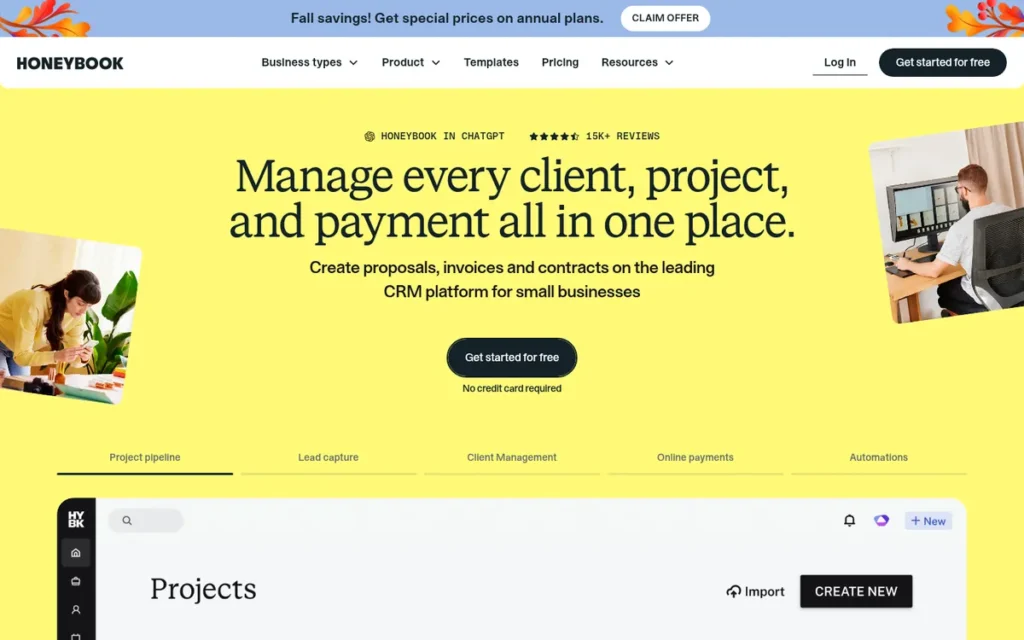
Category: Client Workflow Suite, takes a small-business client from proposal and contract through intake and payment.
At a Glance
- Category: Client Workflow Suite
- Best For: Solo professionals and small service businesses (1–10 people) in the US, Canada, UK, or Australia (confirm eligibility)
- Price Range: $29–$109/month billed annually ($36–$129 monthly), plus payment processing fees
- Primary Strength: HoneyBook combines proposals, e-signature contracts, invoicing, payments, scheduling, and a client portal in one client-facing flow, backed by the largest review volume in this comparison.
- Biggest Limitation: HoneyBook runs client payments through its own built-in processing, leaves automations off its Starter plan, and draws user complaints about workflow reliability and support.
- One-Line Summary: HoneyBook is an all-in-one clientflow platform that lets small service businesses send proposals, collect e-signatures, invoice, and take payment in a single client file, starting at $29/month billed annually as of November 2026.
- Last Verified: November 2026
Overview
HoneyBook is an all-in-one client management platform for solo professionals and small service businesses. HoneyBook moves clients from proposal and contract through e-signature, invoicing, payment, and a branded client portal without separate tools, with plans starting at $29 per month billed annually.
HoneyBook was founded in 2013 in San Francisco and reports more than 100,000 businesses on the platform (vendor-reported, HoneyBook, 2026).
Key Features
- HoneyBook combines proposals, service selection, contract e-signature, and payment in one client-facing file.
- HoneyBook includes a client portal, invoicing, and online payments starting on the Starter plan.
- HoneyBook makes automations, scheduling, and the QuickBooks Online integration available on Essentials and higher.
- HoneyBook AI can build a workflow from a plain-language description of the onboarding process.
- HoneyBook connects with 40+ tools, including Gmail, QuickBooks, Squarespace, Mailchimp, Zoom, and Calendly.
Best For
HoneyBook is best for solo operators and small creative or professional-service teams in supported countries. It suits buyers who want an easy proposal-to-payment flow and are comfortable running payments through HoneyBook’s own processing.
Pricing
- HoneyBook Starter costs $29/month billed annually ($36 monthly) and includes no automations (HoneyBook, November 2026).
- HoneyBook Essentials costs $49/month billed annually ($59 monthly) and adds automations, a scheduler, QuickBooks, and 2 team members. At $588/year, Essentials is HoneyBook’s cheapest plan with automations.
- HoneyBook Premium costs $109/month billed annually ($129 monthly) and allows unlimited team members.
- HoneyBook charges 2.7% + $0.10 per card payment and 1.5% per ACH payment on top of the subscription (HoneyBook, November 2026).
- FirmTools reported that HoneyBook raised prices in February 2025 (third-party report, unverified).
Strengths
- HoneyBook holds a 4.7/5 Capterra rating across 694 reviews, the largest review volume in this comparison (Capterra, November 2026).
- HoneyBook also holds a 4.5/5 G2 rating across roughly 250 reviews (G2, 2026).
- HoneyBook ties with Dubsado for the broadest native small-business workflow coverage in this comparison: proposal, contract, invoice, payment, scheduler, and portal.
- HoneyBook publishes full monthly and annual pricing for every plan (HoneyBook, November 2026).
- HoneyBook reports more than $5B in business booked on the platform (vendor-reported, FeaturedCustomers, 2026).
Limitations
HoneyBook trades flexibility for simplicity. The built-in flow that makes HoneyBook easy to set up also ties payments to its own processor and leaves automations off the entry plan.
- HoneyBook runs client payments through its own built-in processing, and third-party comparisons report no option to use Stripe, Square, or PayPal directly (Coachful, 2026).
- HoneyBook’s own pages disagree on availability: one lists the US, Canada, UK, and Australia, and another lists only the US and Canada (HoneyBook, 2026).
- HoneyBook’s Trustpilot summaries sit at roughly 3.5–4.1, and one complaint says workflows “never work, as intended” even after AI setup (Trustpilot via Prospeo, 2026).
- HoneyBook users also report mobile app bugs, no phone support, and having to rebuild “from scratch” when migrating away (Trustpilot via Prospeo, 2026).
- HoneyBook offers no implementation project management or PSA features for B2B SaaS teams.
Users on r/freelance noted:
“One woman though told me that she switched from Dubsado to Honeybook because she had an issue with Dubsado one day and they COMPLETELY dropped the ball customer service-wise, and it made her angry enough for her to do the work and switch everything over and leave.
(Then she found out that Honeybook invoices don’t show up properly in Safari or something, and was thinking she would have to switch back, but Honeybook said they’re actively working on this.)” Posted by u/PrincessSephora
Takeaway: Moves between HoneyBook and Dubsado tend to come from service and reliability failures rather than missing features, and in this secondhand account, HoneyBook invoice bugs almost pushed a new switcher back to Dubsado.
Verdict
HoneyBook ranks #1 of seven (4.01/5) and is the client onboarding tool with the strongest evidence for small service businesses that want proposals, e-signatures, invoicing, and payments in one flow.
HoneyBook scored 4.0 or higher on five of six criteria. Its weakest criterion is documented outcomes (2.5/5), because only aggregate vendor claims exist. Budget for Essentials if you need automations, confirm country eligibility, and consider Dubsado if you need your own payment processor.
2. Rocketlane: Best for B2B SaaS Implementation and Professional-Services Teams Needing PSA
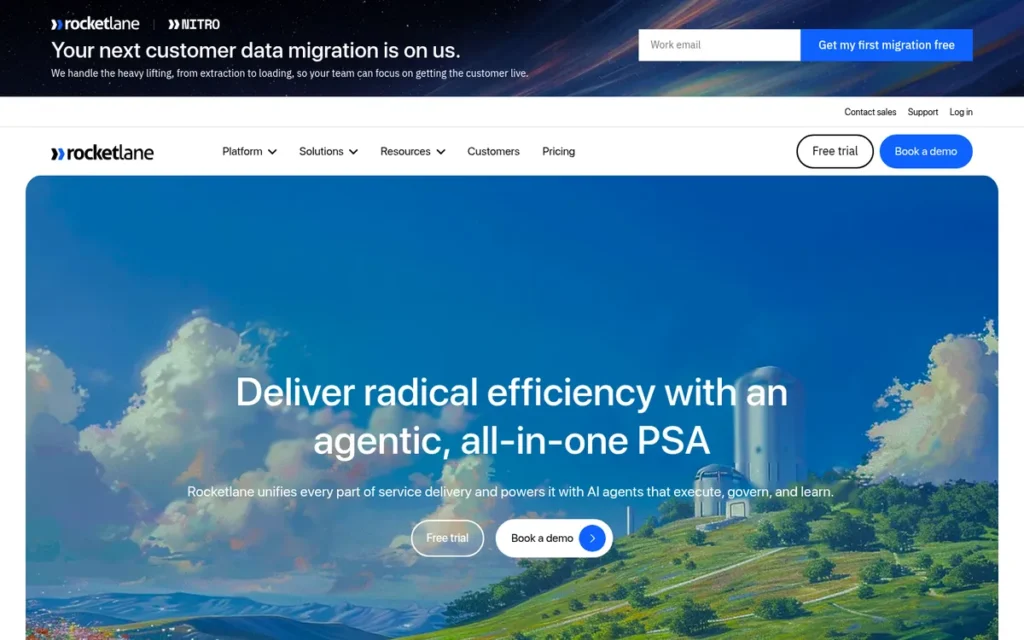
Category: Implementation Platform, project-based tools for multi-step B2B onboarding with shared timelines and internal delivery tracking.
At a Glance
- Category: Implementation Platform
- Best For: B2B SaaS implementation and professional-services teams of 5+
- Price Range: $49–$69/user/month billed annually ($59–$79 monthly), 5-seat minimum (from $2,940/year); Enterprise pricing on request
- Primary Strength: Rocketlane pairs a branded customer onboarding portal with professional-services automation, so one tool tracks both customer milestones and internal delivery capacity.
- Biggest Limitation: Rocketlane’s five-seat minimum, weeks of template setup, and reported trouble getting customers to use the portal make it a poor fit for small teams.
- One-Line Summary: Rocketlane is a customer onboarding and professional-services automation platform for B2B SaaS implementation teams, priced from $49 per user per month with a five-seat minimum as of November 2026.
- Last Verified: November 2026
Overview
Rocketlane is a customer onboarding and professional-services automation platform for B2B SaaS and services teams that run multi-step implementations. Rocketlane puts a branded customer portal, project templates, time tracking, and resource planning in one system, priced from $49 per user per month with a five-seat minimum.
Rocketlane was founded in April 2020 by the team behind FreshChat and raised a $24M Series B led by 8VC in June 2024, bringing total funding to about $45M (Rocketlane press, 2024). Rocketlane now claims 750+ customers (vendor-reported, Rocketlane, 2026).
Key Features
- Rocketlane provides a branded customer portal where clients see the milestones, tasks, and owners for their implementation.
- Rocketlane includes project and dynamic templates, timesheets, resource planning, CSAT surveys, and a partner portal.
- Rocketlane offers native HubSpot, Jira, and Slack integrations plus an API from the Standard plan, and Rocketlane also supports Salesforce.
- Rocketlane markets its Nitro AI as able to turn statements of work into project plans and flag at-risk accounts.
- Rocketlane reserves Snowflake, role-based access control, and SAML single sign-on for its Enterprise plan.
Best For
Rocketlane is best for implementation and professional-services teams of five or more who run repeatable B2B onboarding projects. Rocketlane fits teams that need to track capacity, time, and margins alongside customer-facing progress.
Pricing
- Rocketlane Standard costs $49/user/month billed annually or $59 billed monthly, with a five-seat minimum of $2,940/year (G2 pricing, November 2026).
- Rocketlane Premium costs $69/user/month billed annually or $79 billed monthly, with a five-seat minimum of $4,140/year (G2 pricing, November 2026).
- Rocketlane Enterprise pricing is custom and adds Snowflake, role-based access control, and SAML single sign-on.
- A $19 Rocketlane Essential tier appears only in third-party reports and may have been discontinued (third-party report, unverified).
- A 10-person Rocketlane Standard team pays about $5,880/year on annual billing.
Strengths
- Rocketlane holds a 4.7/5 G2 rating from 881 reviews, the largest G2 review volume in this comparison (G2, November 2026).
- Rocketlane holds a 4.7/5 Capterra rating from 128 reviews, with sub-scores of 4.6 for ease of use and 4.7 for support, and 90% of reviewers recommend it (Capterra, 2026).
- Rocketlane includes timesheets, resource planning, CSAT surveys, and a partner portal on its published Standard and Premium plans. GUIDEcx offers comparable PSA features only on upper, quote-only tiers (Rocketlane pricing page, November 2026).
- Rocketlane reported 500+ customers at its 2024 Series B, including OpenGov, Fivetran, and Personio (vendor-reported, Rocketlane, 2024).
- Rocketlane publishes per-seat list prices, which GUIDEcx, its closest implementation-platform competitor, does not.
A consultant on r/consulting shared their first impression:
“I’ve just come across Rockletlane and wanted to know if anybody else had used it? I’ve been looking for a tool like this for years and I’m really excited to start providing my clients with complete access to their case. I’m not affiliated with Rocketlane but I seriously think this could be a game changing app.” Posted by u/oz2usa
Takeaway: Consultants who want clients to see their own project status get excited about Rocketlane’s client-facing portal, but this Reddit signal is a pre-purchase impression, not a long-term usage report.
Limitations
Rocketlane trades simplicity for depth. The PSA features that suit delivery teams of five or more also bring a seat minimum and a setup burden that small teams struggle to absorb.
- Rocketlane’s five-seat minimum means a two-person team still pays at least $2,940/year.
- Rocketlane reviewers describe a steep learning curve that “may need dedicated resources,” plus weeks spent standardizing templates (G2, 2026).
- Rocketlane AWS Marketplace reviewers report HubSpot and Linear sync failures and trouble getting customers to use the portal (AWS Marketplace, 2026).
- Rocketlane reviewers also cite limited dashboard and filter customization and slow performance on large projects (G2, 2026).
- Rocketlane reserves SSO and role-based access control for its custom-priced Enterprise plan.
Verdict
Rocketlane ranks #2 of seven (3.96/5) and is the choice with the strongest evidence for B2B SaaS implementation teams that need customer onboarding and professional-services automation in one platform.
Rocketlane scored highest on reviews (4.75) and integrations (4.5) but lost points for its seat minimum (pricing, 3.5) and setup burden (3.0). Smaller teams pay for capacity they won’t use, so test CRM sync and portal adoption on a real project before buying.
3. GUIDEcx: Best for Implementations With Many External Stakeholders Who Won’t Log Into a Portal
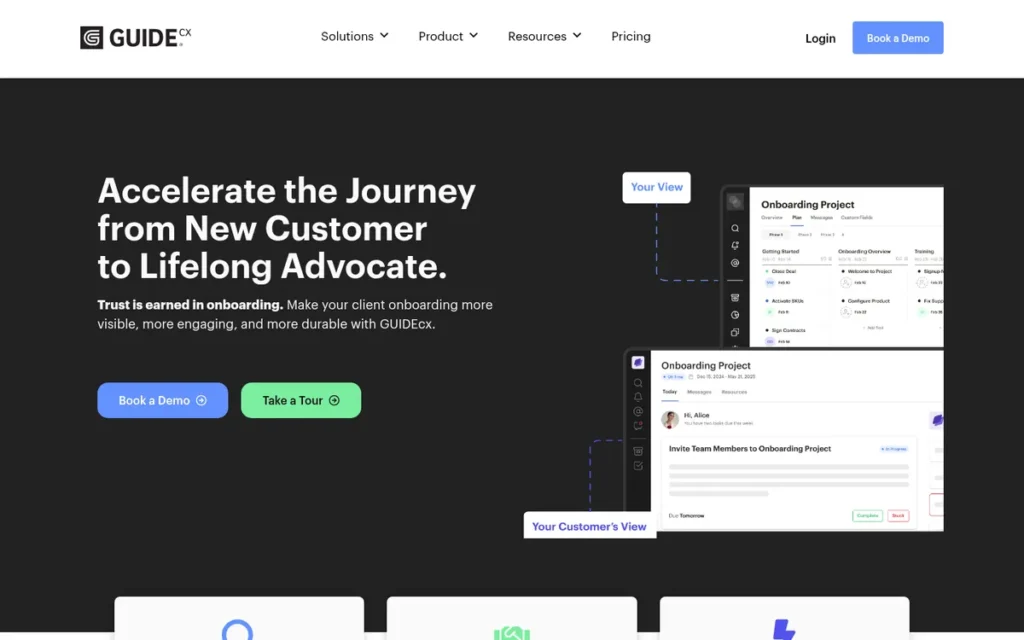
Category: Implementation Platform.
At a Glance
- Category: Implementation Platform
- Best For: Mid-size B2B SaaS onboarding teams with many external customer stakeholders
- Price Range: Pricing on request (Starter, Premium, Advanced; billed per project manager; customers free)
- Primary Strength: GUIDEcx lets external customers act on implementation tasks straight from email without logging in, which reduces portal-adoption friction.
- Biggest Limitation: GUIDEcx publishes no dollar pricing, and users report long setup, slow loading on large projects, and less intuitive reporting after the V2 redesign.
- One-Line Summary: GUIDEcx is a customer onboarding operations platform for B2B implementation teams that lets customers complete tasks from email without a login, with quote-only pricing billed per project manager as of November 2026.
- Last Verified: November 2026
Overview
GUIDEcx is a customer-facing implementation management platform for B2B SaaS onboarding teams that need shared project timelines, task automation, and a white-label portal. GUIDEcx also lets external customers complete tasks from email links without creating an account, and it uses quote-only pricing billed per project manager.
GUIDEcx was founded in 2017 in Utah and positions itself as “Onboarding Operations” software. GUIDEcx’s upper tiers add PSA, resource management, and AI features.
Key Features
- GUIDEcx offers Gantt, list, and board views with project templates, task and email automation, and end-date forecasting.
- GUIDEcx lets customers act on tasks through a secure link without logging in, alongside a white-label portal and threaded inbox.
- GUIDEcx integrates with Salesforce and HubSpot for the sales-to-implementation handoff, and its higher tiers use Workato-based integrations.
- GUIDEcx’s upper tiers add SSO, SMS, resource management, margin tracking, advanced time tracking, and Tempo AI.
- GUIDEcx includes unlimited projects and customers on every tier.
Best For
GUIDEcx is best for mid-size B2B onboarding teams whose customers include many occasional stakeholders. For those teams, GUIDEcx’s per-project-manager billing and email-driven participation keep both cost and client friction low.
Pricing
- GUIDEcx lists three tiers (Starter, Premium, Advanced) with no public dollar amounts (GUIDEcx, November 2026).
- GUIDEcx bills per project-manager user, and external customers take part for free.
- GUIDEcx’s G2 pricing data suggests that time tracking and resource management require upper tiers (G2, 2026).
- GUIDEcx buyers should ask sales five questions before budgeting:
- Does GUIDEcx require a minimum number of project-manager seats?
- How much more does GUIDEcx cost on monthly billing than on annual billing?
- Which GUIDEcx tier includes Salesforce automation?
- What Workato task limits apply on each GUIDEcx tier?
- Which GUIDEcx tier includes SSO?
Strengths
- GUIDEcx holds a 4.6/5 G2 rating from 463 reviews and a 4.7/5 Capterra rating from 64 reviews (G2, November 2026; Capterra, 2026).
- GUIDEcx case studies report that Kount cut onboarding time 43% and increased capacity by up to 70% (vendor-reported, GUIDEcx, 2026).
- GUIDEcx case studies also report that Follett Software cut time to value 55% and Order.co cut implementation churn 45% (vendor-reported, GUIDEcx, 2026).
- GUIDEcx’s no-login email tasks address the portal-adoption problem reviewers report with portal-first tools.
- GUIDEcx’s free external participation suits implementations with many stakeholders.
Limitations
GUIDEcx trades pricing transparency for custom quotes. Buyers get flexible packaging but can’t estimate true cost, or know which tier unlocks key features, without a sales call.
- GUIDEcx publishes no dollar pricing, and deeper PSA features are locked to upper tiers.
- GUIDEcx reviewers report slow loading on large projects and long setup, and Capterra reviewers say GUIDEcx has no starter templates (Capterra, 2026).
- One G2 reviewer said the GUIDEcx V2 redesign made reporting “less intuitive” and phase-based templates less flexible (G2, 2026).
- GUIDEcx users describe early Salesforce automations as difficult and say the product doesn’t connect to the financial side of projects (Software Advice, 2026).
Verdict
GUIDEcx ranks #3 of seven (3.84/5) and is the implementation platform with the strongest evidence for teams whose customers need to complete onboarding tasks without logging into a portal.
GUIDEcx tied Content Snare on total score and ranks higher on the review-ratings tie-break. Its quote-only pricing (2.0/5) is the main reason it trails Rocketlane. Request a quote, confirm which tier includes your required features, and compare GUIDEcx with Rocketlane’s published prices.
4. Content Snare: Best for Agencies and Accounting Firms Chasing Client Documents
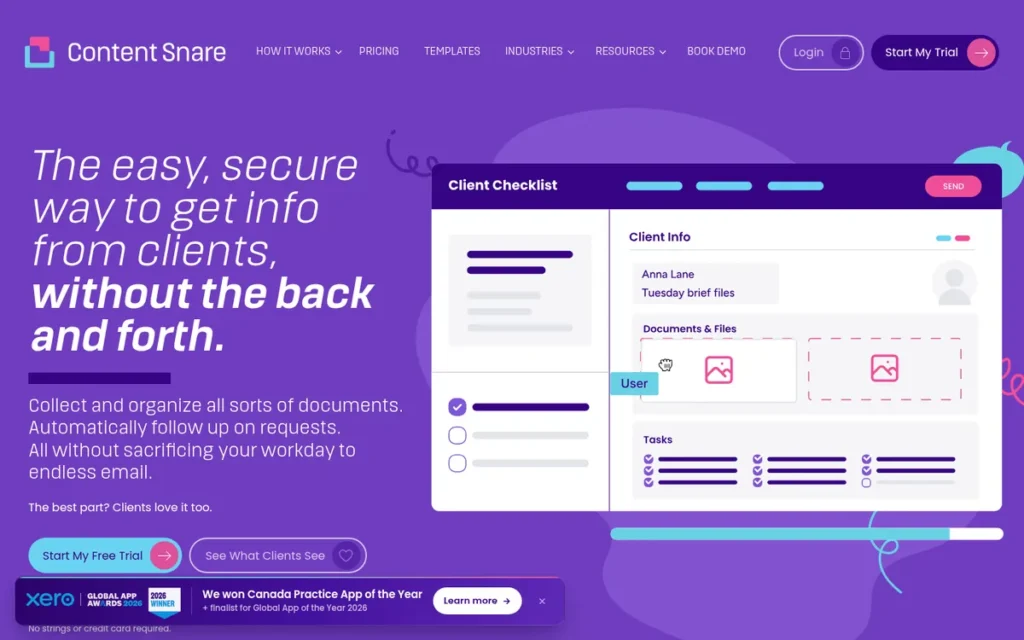
Category: Document Collector, gathers client documents, files, and information through structured requests with automated reminders.
At a Glance
- Category: Document Collector
- Best For: Accounting firms, agencies, law firms, and mortgage brokers that lose time chasing clients for documents
- Price Range: $35–$119/month billed annually ($42–$143 monthly); custom plans above 100 active requests
- Primary Strength: Content Snare automates document and information collection with reminders, save-as-you-go forms, and field-level approvals that clients complete without logging in.
- Biggest Limitation: Content Snare does not handle payments or full e-signature contracts, so firms need separate tools for contracts and billing.
- One-Line Summary: Content Snare is a client document and information collection tool that automates reminders and field-level approvals for accounting firms and agencies, priced from $35 per month billed annually as of November 2026.
- Last Verified: November 2026
Overview
Content Snare is a client information and document collection platform for accounting firms, agencies, and other professional-service businesses. Content Snare replaces email back-and-forth with structured requests, automatic reminders, and field-level approvals for gathering files and data, and clients respond through a no-login link.
Content Snare was founded in 2017 in Brisbane, Australia, by James Rose and Mark Beljaars. Content Snare was originally built for web designers, shifted its main focus to accounting firms in 2021, and reports 1,900+ companies in 103 countries (vendor-reported, Content Snare, 2026).
Key Features
- Content Snare combines questions and file-upload areas in one structured request, and clients can save progress as they go.
- Content Snare sends automatic reminders until each requested item is supplied.
- Content Snare lets reviewers approve or reject individual fields and lets clients respond without a login.
- Content Snare integrates with Zapier, Make, Xero, Google Drive, Dropbox, OneDrive, and SharePoint.
- Content Snare describes KYC and AML checks, identity verification, and document signing features, and reports ISO 27001 certification.
Best For
Content Snare is best for accounting firms and agencies whose biggest onboarding cost is chasing clients for documents. Content Snare suits firms that already use, or will add, separate tools for contracts and invoicing.
Pricing
- Content Snare Basic costs $35/month billed annually ($42 monthly) for 20 active requests and 2 users (Content Snare, November 2026).
- Content Snare Plus costs $71/month billed annually ($85 monthly) for 50 requests and 5 users, and adds branding and free migration.
- Content Snare Pro costs $119/month billed annually ($143 monthly) for 100 requests and 10 users.
- Content Snare offers custom plans above 100 active requests. A previously listed $215/month Custom tier did not appear in the November 2026 listing, so confirm it with the vendor.
- Content Snare includes unlimited clients, reminders, templates, approvals, and Zapier on every plan.
Strengths
- Content Snare holds a 4.9/5 Capterra rating from 102 reviews, the highest Capterra score in this comparison (Capterra, November 2026).
- Content Snare also holds a 4.7/5 G2 rating from 54 reviews (G2, November 2026).
- Content Snare case studies report that Accountancy Digital took on 15% more clients in a year while working 3 fewer hours per week (vendor-reported, Content Snare, 2026).
- Content Snare case studies also report that Sadler Advisory saved about one week of admin time per year and that Breathe Accounting’s AML review now takes minutes per client (vendor-reported, Content Snare, 2026).
- Content Snare reviewers say it helped “save time and reduce back and forth followup with clients” (Capterra, 2026).
Limitations
Content Snare trades breadth for depth. The narrow focus that makes Content Snare fast at document collection also leaves contracts and billing to other tools.
- Content Snare lacks payments and a full e-signature layer, according to Software Advice and third-party comparisons, so firms need separate contract and invoicing tools (Software Advice, 2026).
- Content Snare reviewers report confusing reminder setup, slow template building, and an interface that “can be buggy” (Capterra, 2026).
- G2 reviewers say Content Snare sends too many notifications with no daily digest, and recurring requests must be set up manually each month (G2, 2026).
- Content Snare users report integration gaps with Xero Practice Manager and Salesforce (Software Advice, 2026).
- Content Snare caps plans by active requests, so seasonal firms can hit the limit during peaks such as tax season.
Verdict
Content Snare ranks #4 of seven (3.84/5) and is the highest-rated tool on Capterra in this comparison for collecting client documents and information without chasing clients over email.
Content Snare earned top marks for pricing transparency and client adoption (4.5 each) but the lowest workflow-coverage score (2.5). Budget for separate e-signature and invoicing tools, and check the active-request cap against your peak season.
5. Dubsado: Best Value for Customizable Small-Business Workflows and International Users
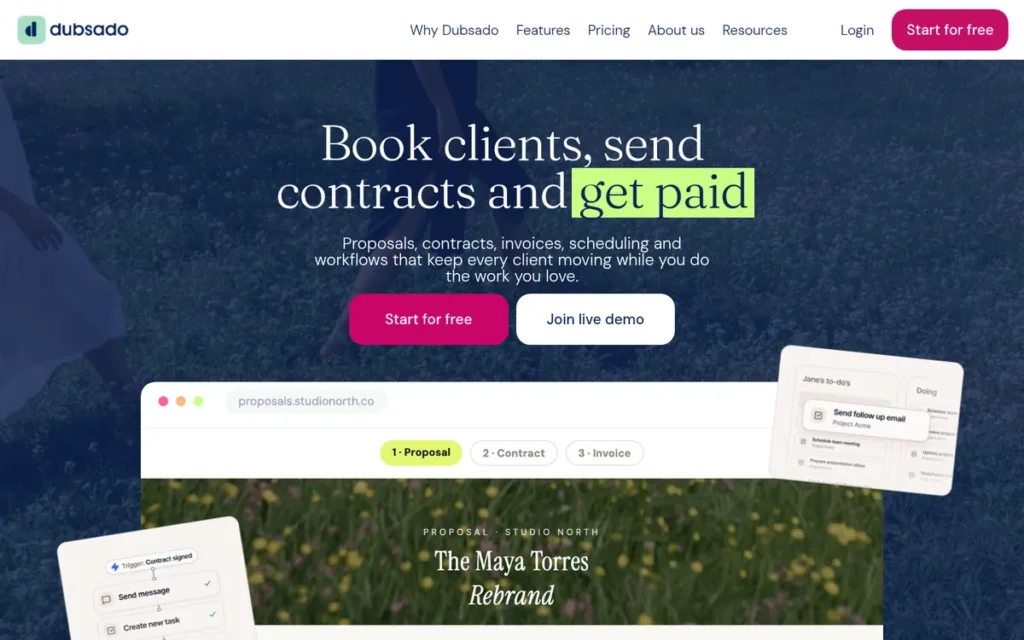
Category: Client Workflow Suite.
At a Glance
- Category: Client Workflow Suite
- Best For: Small service businesses and freelancers (1–10 people), including those outside North America
- Price Range: $335–$525/year billed annually ($35–$55/month monthly); extra users $25–$60/month beyond the 3 included
- Primary Strength: Dubsado offers the lowest-cost automation plan in this comparison and supports Stripe, Square, and PayPal for international businesses.
- Biggest Limitation: Dubsado has the lowest ease-of-use score in this comparison (Capterra 3.7/5), and some users hire certified specialists to set it up.
- One-Line Summary: Dubsado is a customizable small-business client management platform with forms, e-signature contracts, invoicing, and automated workflows, priced from $335 per year with automations on the $525-per-year Premier plan as of November 2026.
- Last Verified: November 2026
Overview
Dubsado is a client management platform for freelancers and small service businesses. Dubsado provides branded forms, e-signature contracts, invoices with payment plans, scheduling, client portals, and conditional workflows, all running through the business’s own Stripe, Square, or PayPal account, starting at $335 per year.
Dubsado was founded in 2015 by Becca and Jake Berg and is bootstrapped with no venture capital. Dubsado’s typical customers are teams of 1–10 people.
Key Features
- Dubsado provides branded forms with CSS-level styling, proposals, and contracts with e-signature.
- Dubsado supports invoices, payment plans, and autopay through Stripe, Square, or PayPal.
- Dubsado includes client portals and unlimited clients on both plans.
- Dubsado’s Premier plan adds conditional workflows, a scheduler, Zapier, and QuickBooks and Xero integrations.
- Dubsado offers a 21-day free trial of Premier with no credit card required.
Best For
Dubsado is best for budget-conscious small service businesses, especially outside the US and Canada, that want full control over their onboarding workflow. Dubsado suits owners who can put in setup time or hire a specialist.
Pricing
- Dubsado Starter costs $35/month or $335/year (Dubsado, November 2026).
- Dubsado Premier costs $55/month or $525/year and is required for workflows and accounting integrations (Dubsado, November 2026).
- Dubsado includes three extra users free, then charges $25/month per user for users 4–10, $45/month for users 11–20, and $60/month for users 21–30.
- Dubsado Premier at $525/year costs less than HoneyBook Essentials at $588/year, and Dubsado lets you use your own payment processor.
Strengths
- Dubsado holds a 4.3/5 G2 rating from 76 reviews and a 4.2/5 Capterra rating from 61 reviews (G2, 2026; Capterra, November 2026).
- Dubsado Premier, at $525/year, is the lowest-cost plan with automated workflows among the products evaluated (Dubsado, November 2026).
- Dubsado supports Stripe, Square, and PayPal and is available internationally, unlike HoneyBook’s built-in processing (Coachful, 2026).
- Dubsado has been bootstrapped since 2015, and its Facebook user community has 30,000+ members (vendor-reported, Dubsado, 2026).
- Dubsado’s 21-day no-card Premier trial gives buyers enough time to test a full client journey.
Limitations
Dubsado trades ease of use for customization. The depth that lets Dubsado users design almost any workflow also makes setup slow for non-technical owners.
- Dubsado’s Capterra ease-of-use sub-score of 3.7/5 is the lowest in this comparison, and reviewers say workflows needed “multiple drafts” (Capterra, 2026).
- Dubsado reviewers describe the scheduler and form builder as clunky and the interface as dense and dated (Capterra and Assembly, 2026).
- Dubsado has a network of certified setup specialists, which shows how much configuration it can need (Coachful, 2026).
- Dubsado has no dedicated native mobile app, and its Zapier and accounting integrations are locked to Premier (Assembly, 2026).
- Dubsado’s extra-user fees rise to $45–$60 per user per month above 10 users, which adds up for growing teams.
A long-term user on r/freelance shared their experience:
“I’ve been using Dubsado for about two years – I’m mostly happy with it. It’s great for time tracking and invoicing. I have yet to dig deeply into workflows and get all that set up – mostly it just feels like that’s a little more power than I actually need.
The one feature that’s lacking for me is that I often have multiple contacts at a company – a project manager that I work with throughout the project, an accounts person to whom I need to send invoices, and perhaps one or two others. Until recently, Dubsado was limited to one contact per project. Now you can add a second, so I’ll add the PM and the accounts person – they both get invoices, which is fine, because the PM generally needs to approve those.” Posted by u/NatalieMac
Takeaway: Long-term Dubsado users rely on its invoicing and time tracking but find its workflow engine more than a solo freelancer needs, and its support for several contacts per client project has historically been limited.
Verdict
Dubsado ranks #5 of seven (3.59/5) and is the lowest-cost client workflow suite with automations in this comparison. That makes Dubsado the strongest option for small businesses that need their own payment processor or operate outside North America.
Dubsado matches HoneyBook on workflow coverage (4.5) and beats it on price, but it scores lower on reviews (3.25) and setup burden (2.5). Use the 21-day trial to build one complete client workflow before you pay.
6. Moxo: Best for Regulated Firms Running Multi-Party Approval Workflows
Category: Client Portal & Process Orchestrator, branded portals that run multi-step, multi-party client workflows with approvals, files, and messaging.
At a Glance
- Category: Client Portal & Process Orchestrator
- Best For: Financial, legal, and other regulated firms running multi-party onboarding with audit requirements
- Price Range: Team plan last listed at $5,000/year (100 flows, unlimited seats); current pricing may be quote-based
- Primary Strength: Moxo runs multi-step, multi-party client workflows with forms, file requests, approvals, e-signatures, and secure messaging under vendor-stated SOC 2 Type II controls.
- Biggest Limitation: Moxo has the highest last-published entry price in this comparison ($5,000/year) and the lowest Capterra rating (4.0/5).
- One-Line Summary: Moxo is a client portal and process-orchestration platform for regulated firms that run multi-party onboarding with approvals and e-signatures, with a Team plan last listed at $5,000 per year as of November 2026.
- Last Verified: November 2026
Overview
Moxo is a branded client portal and process-orchestration platform for regulated professional-service firms. Moxo runs multi-step onboarding workflows that combine forms, file requests, approvals, e-signatures, and secure messaging across clients, reviewers, compliance teams, and partners. Its Team plan was last listed at $5,000 per year.
Moxo offers iOS and Android apps and Magic Link access for external parties. Moxo’s founding history, funding, and customer names could not be verified for this review.
Key Features
- Moxo builds multi-step workflows that combine forms, file requests, approvals, e-signatures, and secure messaging.
- Moxo gives external parties Magic Link access and offers iOS and Android mobile apps.
- Moxo provides templates for client onboarding, vendor onboarding, and loan applications, and Moxo can generate workflows from a text description.
- Moxo states SOC 2 Type II and SOC 3 certification, GDPR compliance, SAML SSO, audit trails, encryption, and role-based access.
- Moxo includes AI agents within workflows, with an AI allowance on the Team plan.
Best For
Moxo is best for finance, legal, and other regulated firms whose onboarding and client due diligence involve several internal and external parties, audit trails, and approvals. Moxo fits firms whose volume justifies a $5,000/year entry price.
Pricing
- Moxo last publicly listed its Team plan at $5,000/year, about $417/month (Moxo, 2026).
- Moxo Team includes 100 flows per year, unlimited seats, and an AI allowance.
- Moxo’s Team plan works out to about $50 per onboarding flow, so a firm onboarding 20 clients a year pays about $250 per client.
- Moxo’s current pricing may now be quote-based, and Moxo does not publish other tier prices, so confirm with Moxo sales (Automation Atlas, 2026).
- A G2 reviewer reports that Moxo’s base plan can’t use CRM or Google Drive connectors (G2, 2026).
Strengths
- Moxo states SOC 2 Type II and SOC 3 certification plus GDPR, SAML SSO, and audit trails, the most extensive security documentation found for any product in this comparison (vendor-stated, Moxo, 2026).
- Moxo holds a 4.5/5 G2 rating across 161+ reviews, and reviewers praise its support and customizable workflows (third-party summary of G2, 2026).
- Moxo covers forms, file requests, approvals, e-signatures, messaging, and mobile apps natively in one portal.
- Moxo’s unlimited-seat, per-flow pricing favors large teams with many internal participants.
Limitations
Moxo trades accessibility for depth and compliance. The multi-party controls that suit regulated firms also bring a high entry price and heavy setup.
- Moxo’s last-listed $5,000/year entry price and per-flow model work against small firms, and a third-party review says users find the pricing better suited to larger firms (Assembly, 2026).
- Moxo’s Team plan caps usage at 100 flows per year, so high-volume firms may need a higher, unpublished tier.
- Moxo’s Capterra rating of 4.0/5 from 24 reviews is the lowest in this comparison, with 4.0 sub-scores for ease of use, support, and value and a 70% recommend rate (Capterra, 2026).
- Moxo reviewers describe “heavy” initial setup, less tech-savvy clients slow to move off email, and file-upload delays (Capterra, 2026).
- Moxo reviewers report “excessive emails for required actions but no notification when a milestone is reached,” and no way to preview the portal as a client (G2, 2026).
Verdict
Moxo ranks #6 of seven (3.10/5) and is the most compliance-focused client portal in this comparison for regulated firms running multi-party onboarding workflows.
Moxo’s broad workflow coverage (4.5) is offset by a single published price tier, gated CRM connectors, and no named-client outcome data (1.5). Before signing, confirm CRM connectors by plan, notification controls, and HIPAA business associate agreement status.
7. Arrows: Best for HubSpot-Based SaaS Teams With Repeatable, Lightweight Onboarding
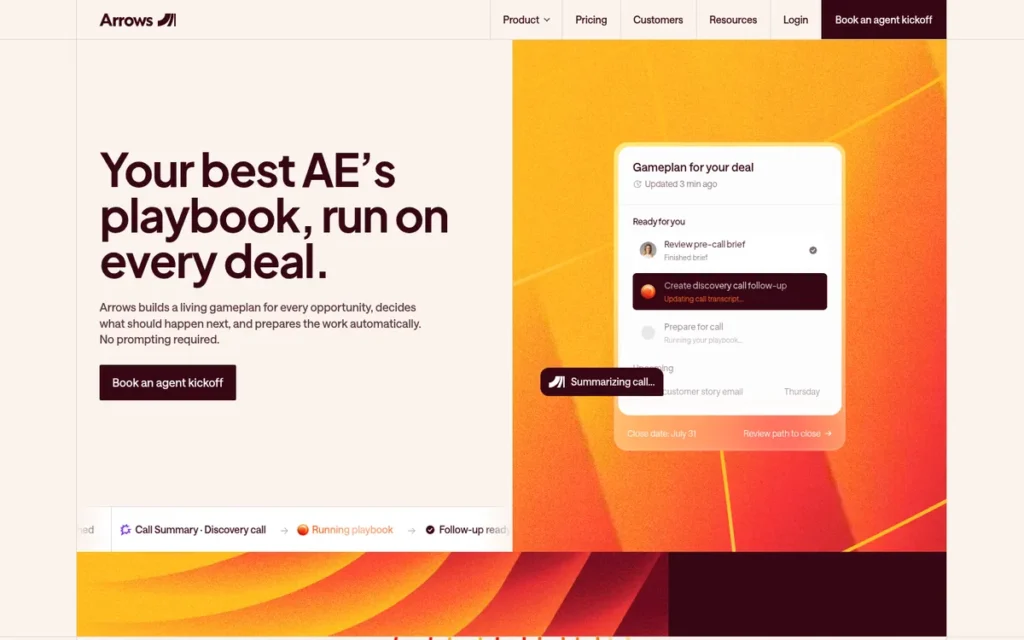
Category: CRM-Embedded Onboarding, onboarding plans built inside the CRM so the sales-to-onboarding handoff stays in one system.
At a Glance
- Category: CRM-Embedded Onboarding
- Best For: HubSpot-based B2B SaaS teams with repeatable onboarding that don’t need resource management
- Price Range: Custom quote based on active deals monitored (no public pricing as of November 2026)
- Primary Strength: Arrows builds customer onboarding plans directly on HubSpot deals and tickets, keeping the sales-to-onboarding handoff inside the CRM.
- Biggest Limitation: Arrows supports only HubSpot for onboarding, publishes no prices, and lacks advanced branching, relative due dates, resource management, and time tracking.
- One-Line Summary: Arrows is a HubSpot-native customer onboarding tool that links shared onboarding plans to HubSpot deals and tickets, holding the highest G2 rating in this comparison at 4.8/5 on 49 reviews as of November 2026.
- Last Verified: November 2026
Overview
Arrows is a HubSpot-native customer onboarding tool for B2B SaaS teams that run repeatable onboarding inside HubSpot. Arrows provides shared customer plans, automated reminders, and reusable templates linked to deals and tickets, without asking customers to log in, under custom quote-based pricing.
Arrows was founded in July 2020 by Daniel Zarick and Benedict Fritz and raised a $2.75M seed round led by Gradient Ventures (Arrows, 2021). Arrows has since expanded into AI sales rooms.
Key Features
- Arrows creates customer-facing onboarding plans linked to HubSpot deals and tickets.
- Arrows syncs 40+ data points back to HubSpot in real time.
- Arrows sends automated reminders and lets customers work on plans without a login.
- Arrows provides reusable templates and customer portals.
- Arrows has expanded into AI-powered sales rooms for HubSpot and Salesforce teams, but it is unclear whether Arrows onboarding supports Salesforce.
Best For
Arrows is best for small-to-mid-size SaaS teams that run their customer lifecycle in HubSpot. Arrows fits teams that need repeatable onboarding plans that are quick to set up, rather than complex implementation project management.
Pricing
- Arrows does not publish prices (Arrows pricing page, November 2026).
- Arrows quotes custom pricing based on the number of active deals monitored, workflows, and connected systems, rather than per seat.
- Arrows offers a free trial, according to its G2 listing (G2, November 2026).
- Arrows buyers should get a written quote at their expected deal volume before comparing Arrows with per-seat tools.
Strengths
- Arrows holds a 4.8/5 G2 rating, the highest G2 score in this comparison, though on a small sample of 49 reviews (G2, October 2026).
- Arrows keeps the sales-to-onboarding handoff inside HubSpot by syncing 40+ data points to deals and tickets (Capterra product listing, 2026).
- G2 reviewers describe Arrows as “so simple to set up,” with “super responsive” support (G2, 2026).
- Arrows lets customers take part without a login, which lowers client friction.
- Arrows received a strategic investment that included HubSpot Ventures in March 2023, and Arrows reports that HubSpot uses Arrows for its own global onboarding program (vendor-reported, Arrows, 2023).
Limitations
Arrows trades depth and CRM neutrality for simplicity. The HubSpot-native design that makes Arrows fast to set up also limits it to HubSpot teams with straightforward onboarding plans.
- Arrows is built for HubSpot, and third parties list “no Salesforce” as a limitation for onboarding (RevOps.tools, 2026).
- Arrows reviewers cite no advanced branching and no relative due dates, which one reviewer called their “main gripe” (G2, 2026).
- Arrows has limited reporting and template editing, and no resource management, time tracking, e-signature, or payments (G2 and Supademo, 2026).
- Arrows publishes no prices, so buyers can’t compare its true cost without a sales conversation.
- Arrows had an estimated 12 employees in February 2024, which raises a vendor-risk question, though its 2023 HubSpot Ventures investment partly offsets that concern (Aventure, 2024).
Verdict
Arrows ranks #7 of seven (2.99/5) and is the highest-rated option on G2 in this comparison for HubSpot teams that want onboarding plans built directly into their CRM.
Arrows’ rank reflects evidence depth, not product quality for HubSpot teams: its 4.8/5 rating rests on 49 reviews, and its pricing is quote-only. Salesforce teams and teams with complex implementations should look at Rocketlane or GUIDEcx instead.
What Will Client Onboarding Software Actually Cost at My Team Size?
The real cost of client onboarding software depends on the pricing model more than the list price. The same headcount can cost $420 a year with one tool and $5,000 with another. At ten users, the cheapest published option in this comparison is HoneyBook Premium at $1,308 a year, before processing fees.
At ten users, the annual cost of ownership compares as follows:
- HoneyBook Premium costs $1,308/year for up to 10 users, plus processing fees.
- Content Snare Pro costs $1,428/year for 10 users, subject to a 100-active-request cap.
- Dubsado costs about $2,325/year for 10 users on Premier, including extra-user fees.
- Rocketlane Standard costs $5,880/year for 10 users and at least $2,940/year for any team under five seats.
- Moxo’s Team plan was last listed at $5,000/year at any team size.
- GUIDEcx and Arrows provide custom quotes only.
| Tool | Pricing Model | 1 User | ~3–5 Users | 10 Users | Hidden Cost to Watch |
|---|---|---|---|---|---|
| HoneyBook | Per plan, team-member limits | $588/yr (Essentials) | $1,308/yr (Premium) | $1,308/yr (Premium) | 2.7% + $0.10 card fees |
| Dubsado | Per account + extra users | $525/yr (Premier) | $525/yr (4 users) | ~$2,325/yr (verify tier boundaries) | Integrations require Premier |
| Rocketlane | Per seat, 5-seat minimum | $2,940/yr | $2,940/yr | $5,880/yr | SSO/RBAC Enterprise-only |
| GUIDEcx | Per project manager | Quote | Quote | Quote | Upper tiers for PSA features |
| Content Snare | Per plan by requests and users | $420/yr (Basic, 2 users) | $852/yr (Plus, 5 users) | $1,428/yr (Pro, 10 users) | Active-request caps |
| Moxo | Per flow, unlimited seats | $5,000/yr (last listed) | $5,000/yr (last listed) | $5,000/yr (last listed) | 100 flows/year on Team |
| Arrows | Custom quote by active deals monitored | Quote | Quote | Quote | No public pricing |
All client onboarding software costs in this table assume annual billing (vendor pricing pages, November 2026, unless labeled otherwise). Monthly billing costs more. HoneyBook Essentials, for example, costs $59 per month billed monthly versus $49 billed annually.
For a two-person team, the cheapest client onboarding option in this comparison costs $420 a year (Content Snare Basic). HoneyBook Essentials costs $588. Rocketlane’s seat minimum puts it at $2,940, about seven times more than Content Snare for the same headcount.
Which Plan Unlocks the Integrations I Need?
Most client onboarding tools gate integrations by plan, so the cheapest tier often can’t connect to your CRM or accounting system. Check which plan each connection requires before you compare list prices. An integration on a marketing page may only be available two or three tiers above the plan you planned to buy.
The most important plan gates are:
- HoneyBook requires Essentials ($49/month billed annually) for QuickBooks Online.
- Dubsado requires Premier ($525/year) for QuickBooks, Xero, and Zapier.
- Rocketlane reserves SAML SSO, role-based access control, and Snowflake for Enterprise.
- Moxo’s base plan reportedly lacks CRM and Google Drive connectors (G2 reviewer, 2026).
| Tool | CRM | Accounting | Automation and Other | SSO | Reported Sync Issues |
|---|---|---|---|---|---|
| HoneyBook | Built-in CRM (no HubSpot/Salesforce sync documented) | QuickBooks (Essentials+) | 40+ tools incl. Gmail, Zoom, Calendly | Not documented | Workflow reliability complaints |
| Dubsado | Built-in CRM (no HubSpot/Salesforce sync documented) | QuickBooks, Xero (Premier) | Zapier (Premier) | Not documented | None documented |
| Rocketlane | HubSpot (Standard+), Salesforce | Not documented | Jira, Slack, API (Standard+); Snowflake (Enterprise) | Enterprise only | HubSpot and Linear sync failures |
| GUIDEcx | Salesforce, HubSpot | Not documented | Workato (higher tiers) | Upper tiers | Early Salesforce automations difficult |
| Content Snare | Salesforce gaps reported | Xero; Xero Practice Manager gaps | Zapier (all plans), Make, cloud storage | Not documented | Xero Practice Manager, Salesforce |
| Moxo | Not on base plan (G2 reviewer) | Not documented | Google Drive not on base plan | SAML SSO | Calendar-sync gaps |
| Arrows | HubSpot native | Not documented | Limited beyond HubSpot | Not documented | Limited beyond HubSpot |
Which Client Onboarding Tools Include a Client Portal and E-Signatures?
Three of the seven tools in this comparison document both a client portal and native e-signatures. All three are built for small service firms or regulated workflows, not B2B implementations. The implementation platforms provide portals or shared plans but don’t document native e-signatures or payments.
The tools with both a portal and native e-signatures are:
- HoneyBook documents a client portal, e-signatures, and payments through its own processing.
- Dubsado documents a client portal, e-signatures, and payments through Stripe, Square, or PayPal.
- Moxo documents a branded portal and e-signatures but does not document payments.
| Tool | Client Portal | E-Signature | Payments | Document Collection | Shared Project Plans | PSA | Client Access |
|---|---|---|---|---|---|---|---|
| HoneyBook | Yes | Yes | Yes (own processing) | Forms | No | No | Portal |
| Dubsado | Yes | Yes | Yes (Stripe, Square, PayPal) | Forms | No | No | Portal |
| Rocketlane | Yes (branded) | Not documented | No | Not documented | Yes | Yes | Portal |
| GUIDEcx | Yes (white-label) | Not documented | No | Not documented | Yes | Upper tiers | No-login email links |
| Content Snare | Request pages | Partial | No | Yes (field-level approvals) | No | No | No login |
| Moxo | Yes (branded) | Yes | Not documented | Yes (file requests) | Multi-step workflows | No | Magic Link + apps |
| Arrows | Yes | No | No | Not documented | Yes | No | No login |
Most B2B onboarding teams will need two or three tools:
- None of the three B2B implementation tools in this comparison (Rocketlane, GUIDEcx, Arrows) documents native invoicing or payments.
- Content Snare covers document collection but needs separate tools for contracts and billing.
- HoneyBook and Dubsado come closest to a single-tool setup, but only for simple service businesses.
Typical client onboarding stacks look like this:
- An accounting firm might pair Content Snare with an e-signature tool and its accounting system’s invoicing.
- A B2B SaaS team might pair Rocketlane or GUIDEcx with billing in its CRM or finance system.
- A solo service business can often run HoneyBook or Dubsado alone.
What Red Flags Should I Watch For When Evaluating Client Onboarding Software?
The biggest red flags in client onboarding software are costs and limits that only show up after you sign, from seat minimums to portals clients ignore. The seven warning signs below come from patterns in pricing pages and user reviews across the seven tools PlugRoute evaluated in 2026.
Red Flag #1: Seat Minimums That Exceed Your Team A seat minimum makes small teams pay for capacity they never use. Rocketlane’s five-seat minimum means a two-person team pays at least $2,940/year, about seven times Content Snare Basic’s $420/year (vendor pricing pages, November 2026).
Red Flag #2: Automations Locked Above the Entry Plan An entry plan without automations doesn’t fix the chasing problem that drives most purchases. HoneyBook Starter and Dubsado Starter both leave out automated workflows, so the realistic starting prices are $588/year and $525/year.
Red Flag #3: Quote-Only Pricing With No Published Tiers Quote-only pricing hides the true cost until a sales call and makes side-by-side comparison impossible. GUIDEcx and Arrows publish no dollar amounts, and Moxo has published only one tier, which may now be quote-based.
Red Flag #4: Integrations Listed but Gated to Higher Plans An integration on a vendor’s marketing page may not be included in the plan you can afford. Rocketlane keeps SSO for Enterprise, and Moxo’s base plan reportedly lacks CRM connectors (G2, 2026).
Red Flag #5: A Portal Your Clients Must Log Into With a login portal, a client has to find the invite, create a password, and remember to come back. With an email link, the client clicks once and finishes the task. AWS Marketplace reviewers reported trouble getting customers to use Rocketlane’s portal (AWS Marketplace, 2026).
An agency owner on r/Legalmarketing described the same client-side friction:
“We’ve used Gather Content, but it’s not great for the client side and also slows down the content creation process. I don’t think there’s anything on the market that solves this, and Google Docs seems to be the best bad solution.” Posted by u/Own_Formal5732
Takeaway: When a client approval tool is awkward on the client side, agencies abandon it for familiar shared documents, so client-side usability decides whether onboarding software gets adopted.
Red Flag #6: Notification Overload With No Digest Too many notifications teach clients to ignore every reminder, including the important ones. G2 reviewers raised this complaint about both Moxo and Content Snare, and Content Snare users specifically asked for a daily digest (G2, 2026).
Red Flag #7: High Ratings on Tiny Review Samples A high rating on a small sample is less reliable than a slightly lower rating on hundreds of reviews. Arrows’ 4.8/5 G2 rating rests on 49 reviews, while GUIDEcx’s 4.6/5 rests on 463 (G2, November 2026).
What Questions Should I Ask Before Choosing Client Onboarding Software?
Before choosing client onboarding software, ask each vendor the six questions below. They turn the most common hidden costs and adoption risks into checks you can make before signing. A vendor that answers all six in writing has given you enough to compare total cost of ownership fairly.
Question #1: What pricing model applies, and what will my team size actually pay? A clear answer gives one annual total for your exact headcount with every hidden fee included. Get that total in writing, because pricing models diverge sharply as teams grow. Rocketlane, for example, goes from $2,940 to $5,880 between five and ten Standard seats.
Question #2: Which plan includes my CRM, accounting, and SSO integrations? A clear answer names the specific plan for each integration you need, not just whether the integration exists. Ask for a customer reference who uses the same CRM, since reviewers report Rocketlane sync failures and early Salesforce difficulty with GUIDEcx.
Question #3: Can clients complete tasks without logging in? A clear answer explains exactly how an external client acts on a task without creating a password. Among the tools reviewed, no-login or link-based access is documented for these four:
- GUIDEcx lets customers complete tasks from secure email links.
- Content Snare lets clients fill in requests without a login.
- Arrows lets customers work on plans without a login.
- Moxo gives external parties Magic Link access.
Question #4: Do you handle e-signatures and payments natively, or do I need separate tools? A clear answer lists which onboarding steps are native and which need another product. In this comparison, only HoneyBook and Dubsado document both native e-signatures and payments. Budget for extra tools if a vendor’s answer covers only part of your flow.
Question #5: What does migration in and out cost? A clear answer covers both directions, including whether templates and client records export cleanly. HoneyBook users report rebuilding “from scratch” after migrating away (Trustpilot via Prospeo, 2026). Content Snare’s Plus plan includes free migration in.
Question #6: Can I run one real client journey during the trial? A clear answer gives you a trial long enough to build and test a full workflow. Dubsado offers 21 days on Premier with no card, and Arrows offers a free trial according to G2.
During any trial, take one real client through every step from intake to handoff. Note where the client drops back to email, because that is where adoption will fail after purchase.
How Did We Rank These Client Onboarding Software Tools?
PlugRoute scored seven client onboarding tools from 1 to 5 on six weighted criteria. Review ratings and volume carry the most weight (25%) and documented outcomes the least (10%). The overall rank is the weighted total of dated public evidence, and ties are broken by the review-ratings score (C1).
The six ranking criteria and their weights are:
- C1 – Verified Review Ratings and Volume (25%): This criterion matters most because count-weighted ratings are the most independent signal available.
- C2 – Onboarding Workflow Coverage (20%): This criterion rewards tools that cover more of the onboarding flow natively, which means less stitching tools together.
- C3 – Pricing Transparency and True Cost (20%): This criterion penalizes seat minimums, quote-only pricing, and fees that hide the real cost.
- C4 – Integration Depth and Reliability (15%): This criterion matters because weak CRM and accounting connections leave data in silos.
- C5 – Setup Burden and Client Adoption (10%): This criterion matters because heavy setup or a portal clients ignore can make a tool fail.
- C6 – Documented Outcomes and Vendor Stability (10%): This criterion carries the lowest weight because most outcome data is vendor-published.
| Rank | Company | C1 | C2 | C3 | C4 | C5 | C6 | Weighted Total |
|---|---|---|---|---|---|---|---|---|
| 1 | HoneyBook | 4.25 | 4.5 | 4.0 | 4.0 | 4.0 | 2.5 | 4.01 |
| 2 | Rocketlane | 4.75 | 4.0 | 3.5 | 4.5 | 3.0 | 3.0 | 3.96 |
| 3 | GUIDEcx | 4.75 | 4.0 | 2.0 | 4.0 | 4.0 | 4.5 | 3.84 |
| 4 | Content Snare | 4.25 | 2.5 | 4.5 | 3.5 | 4.5 | 4.0 | 3.84 |
| 5 | Dubsado | 3.25 | 4.5 | 4.5 | 3.5 | 2.5 | 2.0 | 3.59 |
| 6 | Moxo | 3.5 | 4.5 | 2.5 | 2.5 | 3.0 | 1.5 | 3.10 |
| 7 | Arrows | 3.75 | 3.0 | 2.0 | 3.0 | 4.5 | 1.5 | 2.99 |
This score table reflects re-verification in November 2026. Rocketlane’s C1 rose from 4.5 to 4.75 after G2 showed 881 reviews. Arrows’ C3 fell from 2.5 to 2.0 after Arrows moved to quote-only pricing, which matches the score given to GUIDEcx.
GUIDEcx and Content Snare both scored 3.84. GUIDEcx ranks higher on the C1 review-ratings tie-break (4.75 vs. 4.25), because its 4.6/5 G2 rating rests on 463 reviews, compared with Content Snare’s 4.7/5 on 54 G2 reviews.
PlugRoute applied three sampling rules when scoring reviews:
- PlugRoute discounted ratings based on fewer than about 60 reviews, which is why Content Snare’s G2 rating and Arrows’ 4.8/5 on 49 reviews earned lower C1 scores than their stars alone suggest.
- PlugRoute ignored Trustpilot samples under 10 reviews, including Dubsado’s single Trustpilot review.
- PlugRoute treats a 4.8-star rating on 49 reviews as weaker evidence than a 4.6-star rating on 463 reviews, which is why volume is weighted alongside the score.
The top four tools sit within 0.17 points of each other, so a different weighting can reorder them. HoneyBook leads Rocketlane by 0.05 points, and a reader who weights integrations or PSA depth more heavily may see Rocketlane come out ahead.
Evidence in this article carries these labels:
- Vendor-reported: This label marks customer counts and case-study results published by the vendor itself.
- Vendor-stated: This label marks certifications and capabilities a vendor claims but PlugRoute did not audit.
- User review: This label marks G2, Capterra, Trustpilot, and AWS Marketplace feedback, shown with its capture year.
- Third-party report, unverified: This label marks figures PlugRoute could not confirm against a primary source.
PlugRoute excluded several products and sources:
- Dock, Clustdoc, ClickUp, Bonsai, and SuiteDash were considered but not ranked, because comparable rating and pricing evidence was not gathered at equal depth.
- Product-tour tools such as Appcues and Userpilot were excluded as a separate category.
- Reddit searches returned no relevant community discussion, so this article claims no community consensus.
PlugRoute has no affiliate relationships with any company listed, and rankings are determined entirely by research data and objective evaluation criteria.
What Do Buyers Most Often Ask About Client Onboarding Software?
What is the best client onboarding software for a small business?
HoneyBook is the best-evidenced client onboarding software for small service businesses in supported countries, with a 4.7/5 Capterra rating across 694 reviews (Capterra, November 2026). Dubsado is better value for international businesses or those wanting their own payment processor. Content Snare suits firms focused on document collection, and Moxo suits regulated firms with larger budgets.
What is the best client onboarding software for B2B SaaS in 2026?
Rocketlane is the strongest choice for B2B SaaS teams of five or more that need professional-services automation, starting at $49 per user per month with a five-seat minimum (G2 pricing, November 2026). GUIDEcx is better when many customer stakeholders must act without logging in. Arrows suits HubSpot-based teams with repeatable, lightweight onboarding and quote-based pricing.
How does PlugRoute determine its client onboarding software rankings?
PlugRoute ranks client onboarding software with a published weighted score across six criteria, led by review ratings and volume at 25%. Every score uses dated public evidence, and vendor claims are labeled. The full score table is published so readers can re-weight the criteria and see whether a different priority changes the order.
What Do Key Client Onboarding Software Terms Mean?
Client Onboarding: The post-sale work of getting a new client set up, including collecting documents, signing contracts, taking payment and handing the account from sales to the onboarding team. B2B SaaS teams often call it customer onboarding or implementation management, and service firms call it client intake. Knowing which onboarding job you need done tells you which category of tool to compare.
Time to Value: How long it takes a new client to start getting results after the sale. Shortening it is the main goal of client onboarding software, so outcome claims about reducing it are worth asking vendors to back up.
Professional-Services Automation (PSA): Features that track a delivery team’s internal work, such as timesheets, resource planning, capacity and margins, alongside the customer-facing project. PSA matters to implementation teams that need to manage staff workload, and some vendors include it only on upper tiers.
Client Portal: A branded online space where clients see milestones, tasks, files and messages for their onboarding. A portal only helps if clients use it, and reviewers report that getting customers to log in can be hard.
No-Login Access: A way for clients to complete tasks or fill in requests from an email link or magic link, without creating an account or password. It lowers client friction and reduces the risk that clients drift back to email.
Seat Minimum: The smallest number of paid user licenses a vendor requires, whatever your actual team size. A small team on a tool with a seat minimum pays for capacity it never uses, so check this before you compare list prices.
Active Request Cap: A plan limit on how many open document or information requests you can run at once. Firms with seasonal peaks, such as tax season, can hit the cap and be pushed onto a more expensive plan.
Per-Flow Pricing: A pricing model that charges by the number of onboarding workflows run per year instead of by user. It suits large teams with many internal participants, but low-volume firms can end up paying a high cost per client.
Quote-Only Pricing: A vendor publishes no dollar prices and gives a custom quote after a sales conversation. It makes side-by-side comparison impossible until you get a written total for your exact team size or deal volume.
Plan Gating: Locking features or integrations, such as automations, accounting connections, CRM sync or SSO, to higher-priced plans. An integration listed on a marketing page may only come with a tier two or three levels above the one you planned to buy.
Single Sign-On (SSO): A login method, often based on the SAML standard, that lets staff reach the tool with their company credentials, usually paired with role-based access control that sets what each user can see. Both are often reserved for enterprise or upper tiers, so confirm the plan if your security policy requires them.
SOC 2 Type II: A security certification covering how a vendor controls and protects data over time, often listed with audit trails and encryption. It matters most to regulated firms running multi-party onboarding, but treat vendor-stated certifications as claims to verify, not audited facts.
Which Client Onboarding Software Tool Is Right for You?
Key Insights
PlugRoute’s 2026 evaluation of seven client onboarding tools produced five key insights. The most important is that the onboarding job you need done matters more than any overall rank. The bullets below sum up what every buyer should check before committing to a tool or a stack.
- Client onboarding software covers five distinct categories, so identifying your onboarding job comes before comparing products.
- True cost depends on the pricing model, and seat minimums, request caps, and processing fees can outweigh list prices.
- Integrations are frequently gated by plan, so buyers should confirm which tier unlocks their CRM, accounting, and SSO connections.
- No-login client access, documented for GUIDEcx, Content Snare, and Arrows, reduces the risk of clients drifting back to email.
- Most B2B onboarding teams will need two or three tools, because none of the three B2B implementation tools in this comparison documents native invoicing or payments.
If you’re a solo professional who needs proposal-to-payment in one place, consider HoneyBook or Dubsado. If you run implementations with internal capacity planning, consider Rocketlane. If your customers won’t log into a portal, consider GUIDEcx.
Client onboarding vendors are adding AI workflow builders and PSA features quickly, so pricing and plan gating will keep changing. Read PlugRoute’s full methodology and our other independent SaaS reviews to recheck these rankings as new evidence comes in.
We update this guide quarterly. Last updated: November 2026.