Slido is the best overall audience response software for business meetings and hybrid events, Vevox is best for Microsoft-centric teams that need anonymous Q&A, and Wooclap is the best free option for large audiences and higher-education classes. The right choice depends on how each plan counts participants, which integrations it supports, and which tier unlocks moderation.
The seven tools reviewed here look alike on their homepages, but their free plans are very different. Each plan counts something different: participants per month, participants per event, responses per poll or active questions. A hidden limit can stall a live session, and attendees drop off when they are asked to download an app.
As one user on r/Professors described:
“Hi all, can you recommend some free or cheap online software for online polling during classes (like PollEverywhere)? I’m looking for functionality like multiple choice questions, anonymous text entry, and maybe word clouds, ideally allowing more than 100 people.” Posted by u/seabee314
Takeaway: Buyers looking for audience response software often start with a free plan that can handle more than 100 people, so each tool’s free-plan counting unit is the first thing to check.
PlugRoute has no affiliate relationships with any company listed, and rankings are determined entirely by research data and objective evaluation criteria.
For webinars and hybrid meetings, Slido fits Webex and general business settings, and Vevox fits Microsoft Teams organizations. Poll Everywhere fits presenters on Zoom, Teams, Webex or Slack who want to keep their existing slide deck.
What Are the 5 Categories of Audience Response Software Tools?
Audience response software is also called an audience response system (ARS) or live polling software. It replaces hardware clickers with browser-based, bring-your-own-device voting. The tools fall into five categories, and your category matters more than overall rank, because a gamified quiz tool and a moderated Q&A tool solve different problems.
- Meeting & Event Q&A Platform (Q&A): Slido and Vevox focus on anonymous, moderated, upvotable Q&A plus live polls for meetings, town halls and conferences.
- Interactive Presentation Builder (Builder): AhaSlides and Mentimeter let presenters build the whole deck inside the tool, with polls, quizzes and word clouds embedded in the slides.
- Slide-Native Polling Add-in (Add-in): Poll Everywhere adds live polls and Q&A into the PowerPoint, Keynote or Google Slides deck a presenter already uses.
- Learning & Assessment Platform (Assessment): Wooclap provides varied live question types, formative checks and LMS-connected results for classes and training.
- Gamified Quiz Platform (Quiz): Kahoot! runs competitive, game-show-style quizzes for review, training and energizers.
How Do the Top Audience Response Software Tools Compare at a Glance?
Slido leads the seven tools with 37.5 out of 45, half a point ahead of Vevox. Wooclap and Poll Everywhere tie for third and fourth place at 34.0. Each tool wins a different use case, so the table shows each tool’s category, best-fit audience and main trade-off side by side. All figures were checked in November 2026.
| Rank | Company | Category | Best For | One-Line Summary | Key Capabilities | Primary Strength | Key Limitation |
|---|---|---|---|---|---|---|---|
| 1 (37.5/45) | Slido | Q&A | Business meetings, town halls, webinars | Slido scored highest overall in this review (37.5/45) and is built around moderated, upvotable Q&A with native Webex integration. | Anonymous Q&A, upvoting, moderation, polls, quizzes, sentiment analytics | Most complete moderated Q&A; G2 4.8/5 | Free plan allows 3 polls and 1 quiz per event; moderation starts at Professional ($75/month, billed annually) |
| 2 (37.0/45) | Vevox | Q&A | Microsoft 365 organizations and universities | Vevox is an anonymous, moderated Q&A and polling platform with PowerPoint and Teams integration on a free plan for 100 participants per session. | Anonymous moderated Q&A, polls, quizzes, surveys, LMS/SSO on custom plans | Free-plan PowerPoint and Teams integration | One active session per login; reported VPN issues; moderation tier unconfirmed |
| 3 (34.0/45) | Wooclap | Assessment | Higher-ed instructors; large free audiences | Wooclap is a learning-focused platform with 21 question types and a free plan supporting 1,000 participants per event. | 21 question types, attendance, LMS, Keynote support | Highest free audience cap (1,000 per event) | Free plan allows 5 active questions per 30-day period; business plans start at 6 presenters |
| 4 (34.0/45) | Poll Everywhere | Add-in | Presenters keeping existing decks; compliance-gated institutions | Poll Everywhere adds polls and Q&A to existing PowerPoint, Keynote and Google Slides decks and publishes the most transparent pricing in this review. | Slide add-ins, Canvas LMS, event plans, LaTeX | Slide add-ins plus complete public pricing | Free plan allows 40 responses per poll; 700 participants on most paid business plans |
| 5 (33.0/45) | AhaSlides | Builder | Budget-conscious trainers and small teams | AhaSlides is a budget interactive presentation tool whose $15.95/month Pro plan adds moderated Q&A for up to 2,500 participants. | Polls, quizzes, upvoted Q&A, spinner wheel, AI maker | Lowest paid entry price; lowest-priced confirmed moderation | Reported lag and mobile glitches; no public API |
| 6 (31.5/45) | Mentimeter | Builder | Design-led speakers and facilitators | Mentimeter builds polls, quizzes and word clouds into polished slides that scale to about 20,000 participants on paid plans. | Interactive slides, Menti AI, quiz leaderboards | Polished presentation editor; large paid capacity | 50 participants per month on free; annual-only billing |
| 7 (27.0/45) | Kahoot! | Quiz | Classroom review and training energizers | Kahoot! turns classroom review and knowledge checks into game-show competitions, with teacher plans from $36 per year. | Speed-scored quizzes, leaderboards, self-paced challenges | Largest independent review base | Weak for moderated Q&A; confusing plan lines |
Which Audience Response Software Should I Choose for My Use Case?
Choose by your top priority, not by overall rank. Slido or Vevox fits moderated Q&A, and Wooclap fits free large audiences. Poll Everywhere fits existing decks, Mentimeter fits polished keynotes, AhaSlides fits tight budgets and Kahoot! fits gamified review. The table maps each priority to a recommended tool and an acceptable alternative.
| Your #1 Priority | Recommended Tool | Why | Acceptable Alternative |
|---|---|---|---|
| Moderated Q&A for meetings or town halls | Slido | Most complete anonymous, upvotable, moderated Q&A; up to 10,000 attendees in Webex | Vevox (Microsoft 365 organizations) |
| Moderated Q&A on a budget | AhaSlides Pro | Q&A moderation included at $15.95/month | Vevox Business Pro (about $24.95/month; confirm moderation tier) |
| Free plan for one large audience | Wooclap | 1,000 participants per event; 5 active questions per 30 days | Slido (about 100 free participants, 3 polls per event) |
| Keep my existing PowerPoint or Keynote deck | Poll Everywhere | Add-ins for PowerPoint, Keynote and Google Slides | Wooclap |
| Polished, design-led keynote | Mentimeter | Presentation-first editor with visual results | AhaSlides |
| Lowest paid price for mixed activities | AhaSlides | Essential plan from $7.95/month | Vevox Engage (about $11.95/month) |
| Gamified classroom review | Kahoot! | Speed-scored quizzes with leaderboards; teacher plans from $36/year | AhaSlides |
| Graded higher-ed courses with LMS | Wooclap | Moodle, Canvas and Blackboard on Campus plans | Poll Everywhere (Canvas on Campus-wide) |
| One-off 1,000-person event | Poll Everywhere Events ($499) | Published one-time pricing | Slido one-time plans (pricing unconfirmed; verify) |
What Do Free Plans Really Allow?
Wooclap is the best free option for one large event, allowing 1,000 participants per event but only 5 active questions per 30 days. The other free plans are smaller or count differently:
- Mentimeter allows 50 participants per month.
- Poll Everywhere allows 40 responses per poll.
- Slido allows about 100 participants, with 3 polls and 1 quiz per event.
| Tool | Headline Free Cap | Counting Unit | Hidden Limit | Source Type | Date |
|---|---|---|---|---|---|
| Wooclap | 1,000 participants | Per event (unlimited events) | 5 active questions per 30-day period; a question becomes active once 3+ unique participants respond | First-party docs | Nov 2026 |
| Slido | About 100 participants | Per event | 3 polls and 1 quiz per event; moderation not included | Capterra and first-party plan pages | Nov 2026 |
| Vevox | 100 participants | Per session | One user; basic multiple-choice polling, quizzing and Q&A | First-party pricing page | Nov 2026 |
| AhaSlides | 50 live participants | Per presentation | 5 quiz and 3 poll questions per presentation | First-party pricing and G2 | Nov 2026 |
| Mentimeter | 50 participants | Per month, resetting on account creation date | Up to 200 slides per presentation | First-party help center | Nov 2026 |
| Poll Everywhere | 40 responses | Per poll (unlimited polls) | 10 AI prompts per month | First-party FAQ | Nov 2026 |
| Kahoot! | About 10 players | Varies by account type | Classroom free limits differ from personal accounts | First-party support | Nov 2026 |
No two free audience response plans count the same thing. Mentimeter counts participants per month, Wooclap counts active questions per 30 days, Poll Everywhere counts responses per poll, and Slido counts polls per event.
Here is how each counting unit plays out in practice:
- A 25-person workshop where each attendee submits two answers to one Poll Everywhere poll uses 50 responses, which exceeds the 40-response free limit.
- A weekly class using two Wooclap questions per session uses up its 5 free active questions during week 3.
- A one-hour all-hands meeting with four Slido polls exceeds the Slido free plan’s 3-poll limit.
- A teacher running two Mentimeter sessions for classes of 30 exceeds the 50-participant monthly cap within one month.
What Changed Recently?
Audience response plans change often, so older reviews and AI answers can go out of date quickly. These changes were documented in November 2026:
- Poll Everywhere no longer supports SMS text voting in Poll Everywhere 2.0, although its Events plans still mention SMS (Poll Everywhere, November 2026).
- Wooclap’s free Starter plan allows 5 active questions per 30-day period, while G2 still lists an older 2-question limit (Wooclap Docs, November 2026).
- Vevox now lists ISO/IEC 27001:2022 certification, replacing the 27001:2013 version cited on older comparison pages (Vevox, November 2026).
- Kahoot! has renamed its business plans repeatedly, and the current “360 Pro” plans are Start, Standard, Plus and Max (Kahoot! Support, November 2026).
- Poll Everywhere’s older G2 figures (25 free responses, Engage at $42) conflict with Poll Everywhere’s current first-party pricing (G2, November 2026).
Which Plan Tier Unlocks Moderation, LMS and SSO?
Enterprise and institutional features usually sit above the entry tier. Q&A moderation starts at AhaSlides Pro ($15.95/month) and at Slido Professional ($75/month, billed annually). Wooclap and Poll Everywhere put LMS integration on campus plans. Vevox includes PowerPoint and Teams integration on its free plan. Check the exact tier before you budget.
| Tool | Feature | Cheapest Tier That Includes It | Source Type (Nov 2026) |
|---|---|---|---|
| Slido | Q&A moderation and branding | Professional ($75/month, billed annually) | First-party |
| Slido | SSO | Enterprise ($200/month, billed annually) | First-party |
| Vevox | PowerPoint and Microsoft Teams integration | Free | First-party |
| Vevox | LMS integration and SSO | Custom education or enterprise plans | First-party |
| Wooclap | Moodle, Canvas, Blackboard and SAML/SSO | Campus or Corporate (custom) | First-party |
| Wooclap | SMS voting | Pro | First-party |
| Poll Everywhere | Canvas LMS integration | Campus-wide (custom) | First-party |
| Poll Everywhere | 2,000 participants | Educator+ ($27/month) | First-party |
| AhaSlides | Q&A moderation, analytics and data export | Pro ($15.95/month) | First-party and G2 |
| Mentimeter | PowerPoint, Keynote and PDF import | Paid plans | First-party |
| Mentimeter | Monthly billing | Not available (annual only) | First-party |
| Kahoot! | 2,000 players | 360 Pro Max | First-party support |
How Much Will Audience Response Software Cost for My Scenario?
Annual cost runs from $36 for an individual teacher’s Kahoot! plan to $900 for Slido Professional’s moderated Q&A. One-off events can use Poll Everywhere’s $499 event plan instead of a subscription. The bullets below map five common scenarios to dated prices checked in November 2026. Verify each price before you buy.
- Individual teacher: Kahoot! Bronze ($36/year, 50 players) suits review games, Wooclap Basic Education ($8/month) suits varied assessment, and Poll Everywhere Lecture ($9/month) suits recurring lectures.
- Solo trainer: AhaSlides Essential ($7.95/month, 100 participants) is the lowest paid entry, and Vevox Engage (about $11.95/month) suits Microsoft environments.
- One-off 1,000-person event: Poll Everywhere Events costs $499 (first-party), while Slido one-time plan pricing is unconfirmed.
- Recurring conference or town-hall program: Slido Professional costs $900/year for 1,000 participants with moderation, and Vevox Business Pro costs about $239.52/year.
- University department: Poll Everywhere and Wooclap both offer campus quotes with LMS integration and SSO, so request both before deciding.
Users on r/Professors noted:
“There’s a lot of good stuff out there, but most of it comes with cost to the student that I can’t justify given the realities of most of my students. I have a friend who loves TopHat, but it’s the price of another course book.” Posted by u/SerHyra
Takeaway: In classroom polling, cost often decides the tool before features do, so instructor-paid and free tiers matter more than the feature list.
What Are the 7 Best Audience Response Software Tools in 2026?
The seven best audience response software tools in 2026 are Slido, Vevox, Wooclap, Poll Everywhere, AhaSlides, Mentimeter and Kahoot!, ranked by a weighted six-criterion score out of 45. Every entry below uses the same structure, dated source labels and genuine limitations, so you can compare the tools directly.
1. Slido: Best Overall, and Best for Moderated Q&A in Meetings, Webinars and Hybrid Events
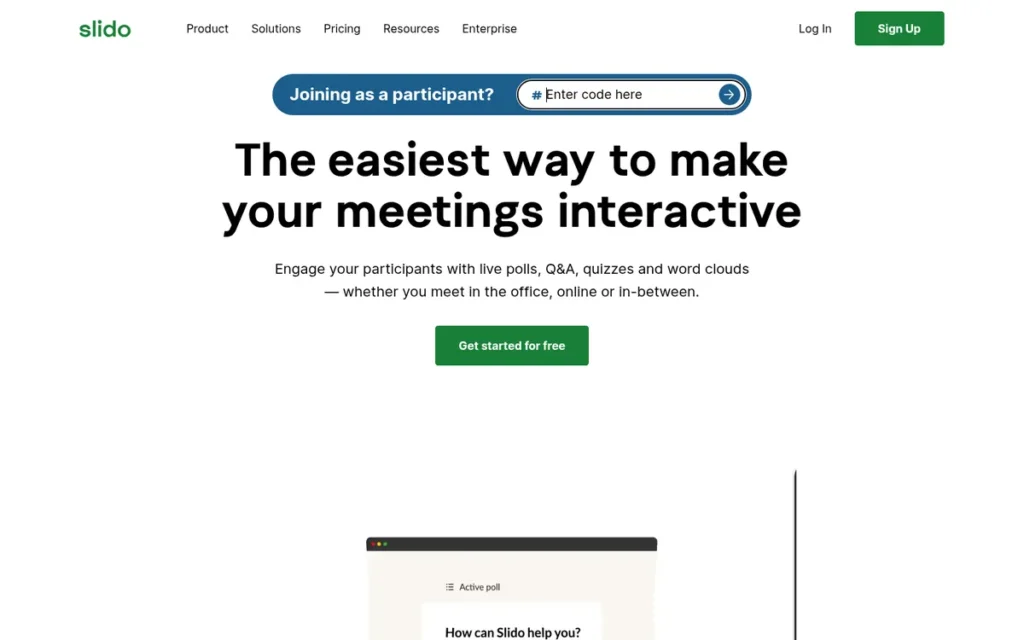
Category: Meeting & Event Q&A Platform, moderated audience Q&A plus live polls for meetings, webinars and conferences.
At a Glance
- Category: Meeting & Event Q&A Platform
- Best For: Corporate meeting hosts, town-hall organizers and webinar producers who need moderated, upvotable Q&A
- Price Range: Free (about 100 participants) to $200/month Enterprise, billed annually (slido.com, November 2026)
- Primary Strength: Slido offers the most complete anonymous, upvotable and moderated Q&A of any tool reviewed.
- Biggest Limitation: Slido’s free plan limits each event to 3 polls and 1 quiz, and Q&A moderation starts at the $75/month Professional tier, billed annually.
- One-Line Summary: Slido scored highest overall in this review (37.5/45) and is built around moderated, upvotable Q&A with native Webex integration.
- Last Verified: November 2026
Overview
Slido is a Cisco-owned audience interaction platform for corporate meeting hosts, webinar producers and event planners. Slido combines anonymous, upvotable and moderated Q&A with live polls, quizzes and surveys. Slido participants join in a browser with an event code and do not need to download an app.
Key Features
- Slido lets attendees submit questions anonymously or by name and upvote other questions, and hosts can moderate questions before they appear on screen.
- Slido runs live polls, quizzes with leaderboards and surveys alongside Q&A in the same event.
- Slido is built natively into Webex, where it supports polls and Q&A for up to 10,000 attendees and quizzes for up to 5,000 (Webex Help Center, November 2026).
- Slido integrates with PowerPoint, Google Slides, Microsoft Teams and Zoom, so presenters can stay in their existing setup.
- Slido Analytics reports participation, Q&A activity and Q&A sentiment, and the depth of analytics depends on the plan.
Best For
Slido is best for business meeting facilitators, town-hall organizers and hybrid conference teams that need moderated Q&A at scale. Slido is a particularly good fit for Webex- or Microsoft-standardized organizations.
Pricing
Slido’s paid prices below come from Slido’s own plan pages, checked in November 2026, and all paid plans are billed annually:
- Slido Basic is free for about 100 participants, with 3 polls and 1 quiz per event (Capterra, November 2026).
- Slido Engage costs $17.50/month ($210/year) for 200 participants with unlimited polls.
- Slido Professional costs $75/month ($900/year) for 1,000 participants and is the first tier with Q&A moderation and branding.
- Slido Enterprise costs $200/month ($2,400/year) for 5,000 participants and adds SSO.
Slido’s education and one-time event pricing is unconfirmed as of November 2026, so verify it on the vendor site.
Strengths
- Slido holds the highest G2 rating in this review at 4.8/5 from roughly 757–794 reviews, matched by 4.8/5 from 255 reviews on Capterra (G2 and Capterra, November 2026).
- Slido supports polls and Q&A for up to 10,000 attendees inside Webex, the highest documented ceiling in this review for a tool running natively inside a meeting platform (Webex Help Center, November 2026).
- Slido combines anonymity, upvoting, moderation and labels, the most complete answer to large-conference Q&A needs in this review.
- Slido’s customer stories name Cisco, Zapier and Transport for London as users for all-hands and employee feedback sessions, though the stories are vendor-selected and report no measured outcomes (Slido, November 2026).
- Slido’s Trustpilot sample is too small to interpret (4.2/5 from 6 reviews), so it was not used in scoring (Trustpilot, November 2026).
Limitations
Slido’s free plan is generous on audience size but tight on interaction, because it allows only 3 polls and 1 quiz per event (Capterra, November 2026). Slido reserves Q&A moderation, the feature most conference organizers need, for the $75/month Professional tier.
- Slido bills paid plans annually (Engage $210/year, Professional $900/year), which penalizes occasional users the same way Mentimeter’s annual billing does (slido.com, November 2026).
- Slido draws Capterra complaints that pricing is high for infrequent, nonprofit and single users, and that presenting while monitoring incoming polls is difficult (Capterra, November 2026).
- Slido’s security certifications could not be confirmed in this research, and EU users raised GDPR concerns about hosted tools such as Slido (Reddit r/selfhosted, 2023).
Verdict
Slido is the best overall audience response software for business meetings, webinars and hybrid events in 2026, because it pairs the most complete moderated Q&A in the category with the highest independent review ratings.
Slido leads Vevox by 0.5 points, the narrowest gap among the top four, mainly because of its Q&A depth and larger review volume. Buyers who need moderation should budget for the Professional tier.
Classroom instructors who need graded assessment will find better-fitting tools in Wooclap and Poll Everywhere, which offer LMS integration on campus plans.
2. Vevox: Best for Microsoft-Centric Organizations and Anonymous Town Halls
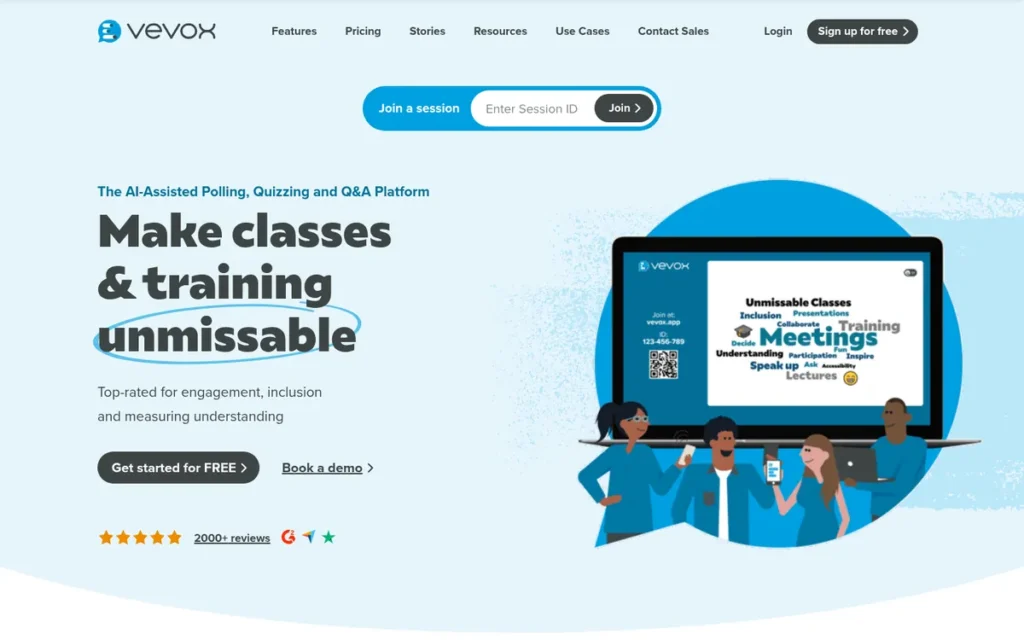
Category: Meeting & Event Q&A Platform.
At a Glance
- Category: Meeting & Event Q&A Platform
- Best For: Microsoft 365 organizations and universities running anonymous town halls, lectures and feedback sessions
- Price Range: Free (100 participants per session) to about $24.95/month Business Pro; Enterprise and campus pricing custom (vevox.com, November 2026)
- Primary Strength: Vevox includes PowerPoint and Microsoft Teams integrations on its free plan alongside moderated anonymous Q&A.
- Biggest Limitation: Vevox limits each login to one active session, and reviewers report problems on VPN or high-security networks.
- One-Line Summary: Vevox is an audience response platform for anonymous, moderated Q&A and polling that offers PowerPoint and Microsoft Teams integration on a free plan for 100 participants per session.
- Last Verified: November 2026
Overview
Vevox is an audience response platform for polls, quizzes, surveys and anonymous, host-moderated Q&A. Vevox is built for enterprise town-hall organizers, L&D teams and university lecturers who work in PowerPoint and Microsoft Teams. Vevox offers separate business and education plans, with LMS integration and SSO on custom tiers.
Key Features
- Vevox provides anonymous Q&A that hosts can moderate, publish and label, and hosts can switch anonymity on or off for each session.
- Vevox includes PowerPoint and Microsoft Teams integrations on its free plan and also supports Zoom.
- Vevox runs live polls, quizzes and surveys in the same session as Q&A.
- Vevox offers LMS integration and SSO on custom education and enterprise plans.
- Vevox maintains separate business and education pricing tracks for corporate and academic buyers.
Best For
Vevox is best for Microsoft-centric organizations and universities that want anonymous, moderated Q&A for town halls and lectures without leaving PowerPoint or Teams.
Pricing
Vevox’s prices below come from Vevox’s first-party pricing pages, checked in November 2026:
- Vevox Free allows up to 100 participants per session for one user, with basic multiple-choice polling, quizzing and Q&A.
- Vevox Business Engage/Starter costs about $11.95/month ($143.40/year).
- Vevox Business Pro costs about $24.95/month ($239.52/year), and Enterprise pricing is custom.
- Vevox Education Starter costs about $12.95/month ($143.52/year), and Education Pro and Enterprise pricing was not fully shown.
Third-party euro prices conflict with these USD figures, so treat the vendor page as authoritative.
Strengths
- Vevox holds a 4.7/5 rating on G2 from roughly 449–459 reviews, and one reviewer says Vevox’s anonymity lets students “participate without fear” (G2, November 2026).
- Vevox includes PowerPoint and Microsoft Teams integrations on its free plan, which is unusual in a category where integrations are often paywalled (Vevox, November 2026).
- Vevox’s anonymous Q&A can be switched on or off per session, which suits employee town halls where psychological safety affects participation.
- Vevox’s operating company, Auga Technologies Ltd, lists ISO/IEC 27001:2022 certification for its information security management system (Vevox, November 2026).
Limitations
Vevox gains easy Microsoft integration but loses some live-session robustness. Capterra reviewers report authentication-code problems and failures on VPN or high-security networks (Capterra, November 2026).
- Vevox limits each login to one active session, and Capterra reviewers also mention an early renewal-decision deadline (Capterra, November 2026).
- Vevox reviewers say it can be unclear whether a poll has launched or how to stop it, and they want deeper Teams integration to avoid switching screens.
- Vevox’s pricing pages do not make clear which tier unlocks Q&A moderation, so buyers must confirm it before purchasing.
- Vevox’s own pages disagree on its self-reported review average (4.8 vs 4.9), and no named customer case studies with metrics were found.
Users on r/MicrosoftTeams noted:
“However, when I make a call within a Team, there is no + symbol at the top of my screen and I can’t seem to set up a poll within the chat. I could just have a poll externally outside the chat but it would be useful to have a poll embedded within the chat.” Posted by u/dinoxmattJ
Takeaway: Vevox’s Teams integration depends on the meeting type: users who can embed polls in standalone meetings lose that option in calls held inside a Team.
Verdict
Vevox is the best audience response tool for Microsoft-centric organizations that need anonymous, moderated Q&A, because it puts PowerPoint and Teams integration on a free plan that supports 100 participants per session.
Vevox Business Pro costs about $24.95/month, roughly a third of Slido Professional’s $75/month (first-party, November 2026). Buyers should confirm which Vevox tier includes moderation before buying.
IT-restricted organizations should test Vevox on their corporate network and VPN before a high-stakes town hall.
3. Wooclap: Best Free Option for Large Audiences, and Best for Higher-Education Active Learning
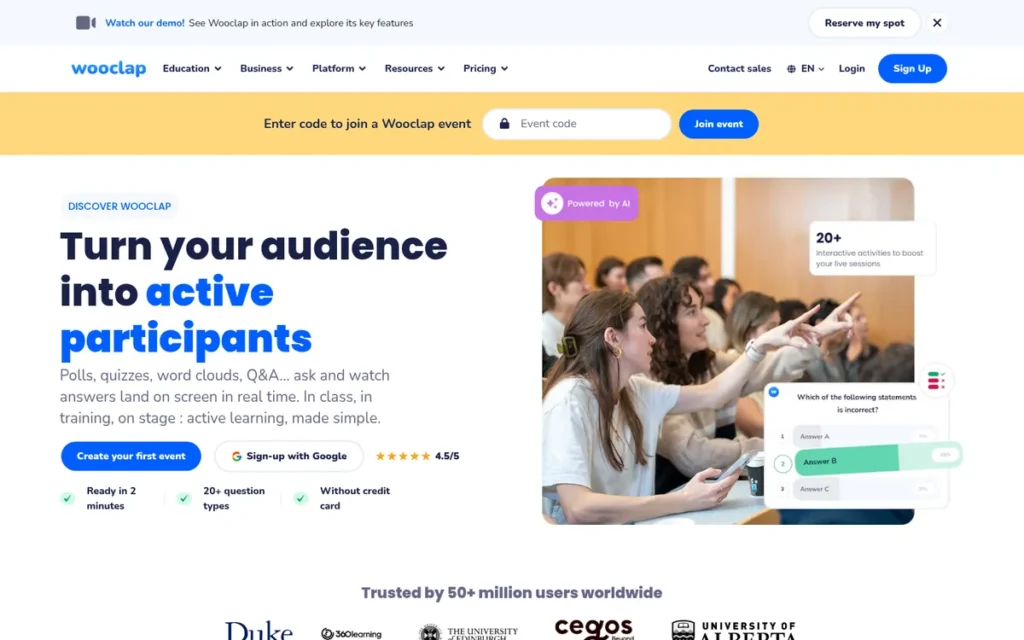
Category: Learning & Assessment Platform, live questions, formative checks and LMS-connected results for classes and training.
At a Glance
- Category: Learning & Assessment Platform
- Best For: University instructors, trainers and organizers who need a free plan for one large audience
- Price Range: Free (1,000 participants per event, 5 active questions per 30 days); Education $8–15/user/month; Business $13–25/user/month from six presenters; Campus/Corporate custom (wooclap.com, November 2026)
- Primary Strength: Wooclap allows up to 1,000 participants per event on its free Starter plan, the highest free audience cap among the tools reviewed.
- Biggest Limitation: Wooclap’s free plan allows only 5 active questions per 30-day period, and its business plans start at six presenters.
- One-Line Summary: Wooclap is a learning-focused audience response platform with 21 question types and LMS integration, and its free plan supports up to 1,000 participants per event.
- Last Verified: November 2026
Overview
Wooclap is a formative assessment and active-learning platform with 21 live question types, attendance tracking and LMS integration. Wooclap is aimed at university instructors and corporate trainers who want knowledge checks inside their slides. Wooclap’s free Starter plan supports 1,000 participants per event but caps active questions.
Key Features
- Wooclap offers 21 question types, including matching, sorting, fill-in-the-blank, clickable image, audio/video, numeric, drawing, word cloud, brainstorm and Q&A.
- Wooclap integrates with PowerPoint, Google Slides, Keynote, Microsoft Teams and Zoom, which makes it one of two reviewed tools with a confirmed native Keynote integration.
- Wooclap connects to Moodle, Canvas and Blackboard and supports SAML, SSO and CAS on Campus and Corporate plans.
- Wooclap provides attendance tracking and participant-paced questionnaires for asynchronous review.
- Wooclap offers SMS voting on its Pro plan, a feature Poll Everywhere no longer supports in version 2.0.
Best For
Wooclap is best for higher-education instructors who need varied assessment formats and LMS connectivity. Wooclap also suits organizers who need a free plan for one audience of up to 1,000 people with only a few questions.
Pricing
Wooclap’s prices below come from Wooclap’s documentation and pricing pages, checked in November 2026:
- Wooclap Starter is free, with 1,000 participants per event, unlimited events and 5 active questions per 30-day period.
- Wooclap Basic costs $8/user/month for education or $13 for business.
- Wooclap Pro costs $15/user/month for education or $25 for business.
- Wooclap Campus and Corporate pricing is custom.
Wooclap’s business pricing page states that business subscriptions start from six presenters. Wooclap is free for K-12 teachers in France and Belgium. AI answers that describe the free plan as having “unlimited participants” do not match Wooclap’s own documentation.
Strengths
- Wooclap’s free Starter plan supports up to 1,000 participants per event with unlimited events, the highest free audience cap in this review (Wooclap Docs, November 2026).
- Wooclap offers 21 question types, the broadest question-type set of the seven tools, including specialist formats such as matching, sorting and drawing (Wooclap, November 2026).
- Wooclap confirms integrations with PowerPoint, Google Slides, Keynote, Teams and Zoom, plus Moodle, Canvas and Blackboard on campus plans (Wooclap, November 2026).
- Wooclap is rated 4.4–4.6/5 on Trustpilot (about 75 reviews) and 4.4–4.5/5 on G2 (73–78 reviews), and reviewers praise its question variety and LMS integration (Trustpilot and G2, November 2026).
Limitations
Wooclap trades corporate polish for classroom depth. Wooclap’s education-first design is weaker for branded corporate events and town halls (G2, November 2026).
- Wooclap’s free limit of 5 active questions per 30-day period counts a question once 3 or more people respond, so a weekly class runs out by week 3 (Wooclap Docs, November 2026).
- Wooclap’s six-presenter minimum on business plans suits solo corporate facilitators poorly.
- Wooclap’s many question types make it harder to learn, and branding is limited to higher tiers (G2, November 2026).
- Wooclap drew a Capterra review reporting Wi-Fi strain when more than 100 students joined at once, and Wooclap’s 4.6/5 Capterra figure (187 reviews) is vendor-reported (Wooclap, November 2026).
- Wooclap’s “neuroscience-backed” marketing refers to established techniques such as retrieval practice, not to evidence that Wooclap itself improves outcomes.
Verdict
Wooclap is the best free audience response option for large single-session audiences and the strongest choice in this review for higher-education active learning, combining a 1,000-participant free cap with 21 question types.
Wooclap ties Poll Everywhere at 34.0 and places third on the primary-criteria tiebreak. Instructors who need LMS integration should budget for a Campus plan.
Corporate buyers should plan around Wooclap’s six-presenter business minimum before committing.
4. Poll Everywhere: Best for Polling Inside Existing PowerPoint, Keynote and Google Slides Decks
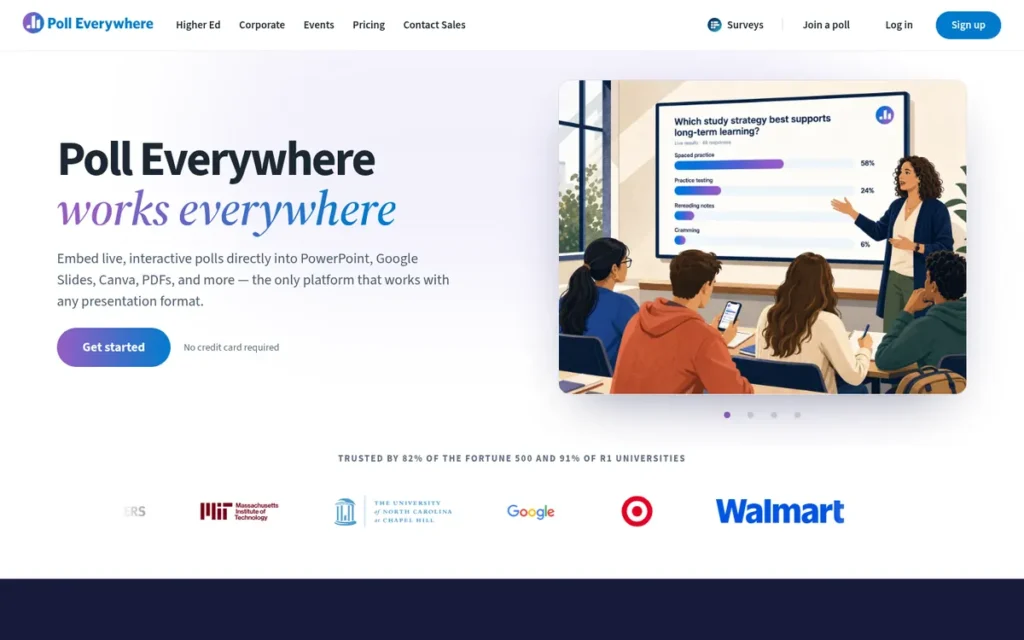
Category: Slide-Native Polling Add-in, adds live polls and Q&A into the presentation deck you already use.
At a Glance
- Category: Slide-Native Polling Add-in
- Best For: Lecturers and presenters who want to keep their existing deck, and institutions with strict compliance requirements
- Price Range: Free (40 responses per poll); Higher Ed $9–27/month; Business $10–84/month; Events $499–$4,999+ (polleverywhere.com, November 2026)
- Primary Strength: Poll Everywhere embeds polls in PowerPoint, Keynote and Google Slides through add-ins, so presenters can run polls without leaving their deck.
- Biggest Limitation: Poll Everywhere’s free plan allows only 40 responses per poll, and most standard paid business plans top out at 700 participants.
- One-Line Summary: Poll Everywhere is a slide-native audience response tool that adds polls and Q&A to existing PowerPoint, Keynote and Google Slides decks and publishes the most transparent pricing in this review.
- Last Verified: November 2026
Overview
Poll Everywhere is a slide-native audience response tool that embeds polls, Q&A, surveys and competitions into existing PowerPoint, Keynote and Google Slides presentations. Poll Everywhere is built for lecturers and business presenters who do not want to rebuild their decks, and it publishes education compliance credentials.
Key Features
- Poll Everywhere provides add-ins for PowerPoint, Keynote and Google Slides, so polls run inside the presenter’s existing deck.
- Poll Everywhere integrates with Microsoft Teams, Zoom, Webex and Slack for remote and hybrid sessions.
- Poll Everywhere supports Q&A, surveys, competitions, clickable images, word clouds and LaTeX for STEM content.
- Poll Everywhere offers attendance tracking, archived results and Canvas LMS integration with grade passback on its Campus-wide plan.
- Poll Everywhere sells one-time event plans, from $499 for 1,000 participants up to Events Pro for 5,000+.
Best For
Poll Everywhere is best for higher-education instructors running recurring graded lectures that need attendance and grade passback. Poll Everywhere also suits business presenters who want to add polls to an existing PowerPoint or Keynote deck.
Pricing
Poll Everywhere’s prices below come from its first-party plan pages, checked in November 2026:
- Poll Everywhere Business runs from Intro (free, 40 responses per poll) to Present ($10/month, 700 participants), Engage ($49/month) and Teams ($84/month), with Enterprise custom.
- Poll Everywhere Higher Ed runs from Free to Lecture ($9/month), Educator ($16/month) and Educator+ ($27/month, 2,000 participants), with Campus-wide custom.
- Poll Everywhere Events costs $499 for 1,000 participants, with Events Plus from $999 and Events Pro from $4,999.
Poll Everywhere’s free unit is responses per poll, not people, so 20 attendees answering twice reach the limit (Poll Everywhere, November 2026). Older G2 figures (25 free responses, Engage at $42) are out of date.
Strengths
- Poll Everywhere lists SOC 2 Type 2, ISO 27001 and ISO 27701 certifications plus FERPA and COPPA compliance, the strongest published compliance profile in this review (Poll Everywhere security page, November 2026).
- Poll Everywhere publishes complete USD pricing for business, higher-education and one-time event plans, the most transparent pricing of the seven tools (Poll Everywhere, November 2026).
- Poll Everywhere has one of the broadest confirmed integration lists in this review and is the only tool with confirmed Webex and Slack integrations alongside slide add-ins.
- Poll Everywhere’s Educator+ plan supports 2,000 participants and its Events Pro plan supports 5,000+, which covers large lectures and one-off conferences (Poll Everywhere, November 2026).
This aligns with community sentiment on r/Professors:
“It’s simple to set up. I found the “click on a graph” setting to be the most visually appealing. The result can be displayed live. It doesn’t require a separate app. Web browser is sufficient.” Posted by u/Bugfrag
Takeaway: Instructors value Poll Everywhere for easy setup, live results and browser-only joining, which removes the app-download hurdle that makes attendees drop off.
Limitations
Poll Everywhere keeps presenters in their deck but has the tightest free capacity in this review, at 40 responses per poll (Poll Everywhere, November 2026). Poll Everywhere caps most standard paid business plans at 700 participants.
- Poll Everywhere’s 700-participant business ceiling sits below Slido Professional’s 1,000 participants (slido.com, November 2026).
- Poll Everywhere no longer supports SMS voting in version 2.0, so older reviews that praise SMS voting are out of date (Poll Everywhere, November 2026).
- Poll Everywhere’s PowerPoint add-in is described as unstable in some comparisons, but these sources are competitor-authored, so the claim was not used in scoring (Mentimeter and rankite, November 2026).
- Poll Everywhere’s G2 base of 63 reviews (4.5/5) is small and provisional (G2, November 2026).
Verdict
Poll Everywhere is the best audience response tool for presenters who want to keep their existing PowerPoint, Keynote or Google Slides deck, and it publishes the clearest pricing and strongest compliance credentials in this review.
Poll Everywhere’s free plan, capped at 40 responses per poll, is too small for most real sessions.
Instructors and institutions that require procurement or compliance approval get the most value from Poll Everywhere’s paid education tiers and one-time event plans.
5. AhaSlides: Best Budget All-in-One for Trainers and Small Teams
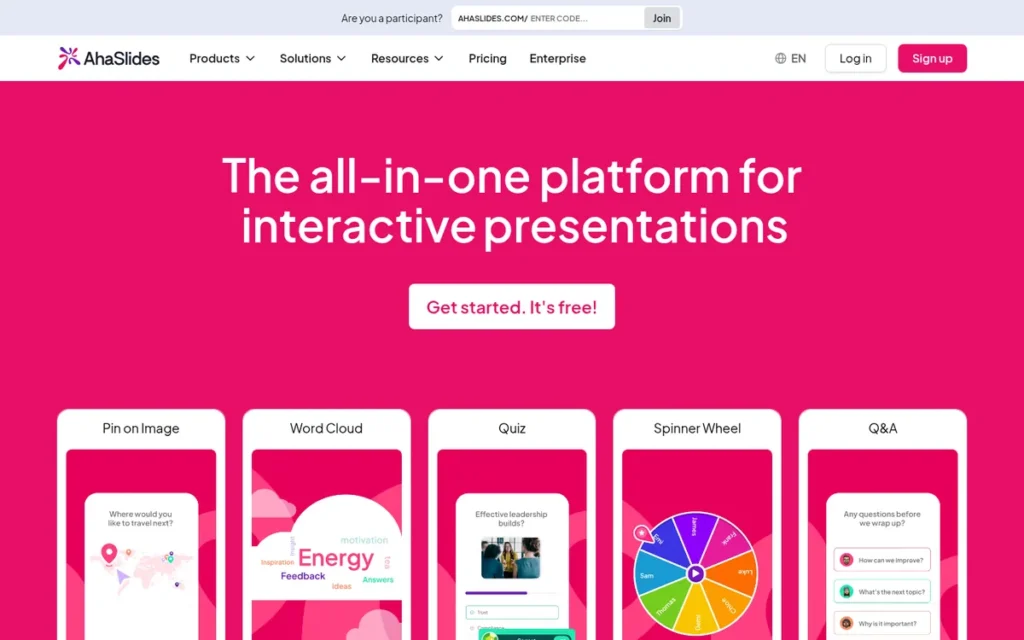
Category: Interactive Presentation Builder, build the whole deck inside the tool with polls, quizzes and word clouds embedded in the slides.
At a Glance
- Category: Interactive Presentation Builder
- Best For: Budget-conscious trainers, facilitators and small teams who want a mix of business and fun activities
- Price Range: Free (50 live participants); Essential from $7.95/month; Pro $15.95/month (up to 2,500 participants); Enterprise custom (ahaslides.com, November 2026)
- Primary Strength: AhaSlides combines business and casual activity types at the lowest paid entry price in this review, and its Pro plan includes Q&A moderation.
- Biggest Limitation: AhaSlides reviewers report lag without high-speed internet and glitches on mobile, and AhaSlides has no public API.
- One-Line Summary: AhaSlides is a budget interactive presentation tool that combines polls, quizzes, upvoted Q&A and games, with a $15.95/month Pro plan that adds moderation for up to 2,500 participants.
- Last Verified: November 2026
Overview
AhaSlides is an all-in-one interactive presentation tool that combines polls, leaderboard quizzes, upvoted Q&A, word clouds, a spinner wheel and an AI presentation maker. AhaSlides is built for budget-conscious trainers and small teams. AhaSlides participants join by browser or QR code without an app or account.
Key Features
- AhaSlides combines polls, leaderboard quizzes, word clouds, rating, ranking and a categorize question type in a single deck.
- AhaSlides includes Q&A with audience upvoting, and its Pro plan adds Q&A moderation, analytics and data export.
- AhaSlides offers a spinner wheel and game-style activities for energizers and team events.
- AhaSlides lets participants join by browser or QR code without downloading an app or creating an account.
- AhaSlides provides an AI presentation maker, a PowerPoint integration, and Zoom and Microsoft Teams integrations on Pro.
Best For
AhaSlides is best for solo trainers, workshop facilitators and small teams who need a mix of professional and casual activities at the lowest paid price point.
Pricing
AhaSlides’ prices below come from its first-party pricing page and G2, checked in November 2026:
- AhaSlides Free allows 50 live participants, with 5 quiz and 3 poll questions per presentation.
- AhaSlides Essential starts at $7.95/month for up to 100 participants (AhaSlides compare page, November 2026).
- AhaSlides Pro costs $15.95/month for up to 2,500 participants, with Q&A moderation, analytics, data export and Zoom and Teams integrations.
- AhaSlides Enterprise pricing is not public.
AhaSlides education and one-time plan prices are unconfirmed as of November 2026, so verify them on the vendor site.
Strengths
- AhaSlides holds a 4.7/5 rating on G2 from about 424 reviews and 4.6/5 on Capterra from 61 verified reviews (G2 and Capterra, November 2026).
- AhaSlides has the lowest paid entry price in this review at $7.95/month, and a G2 reviewer says AhaSlides offers “all the essential engagement features” at “a far more affordable and fair price” (G2, November 2026).
- AhaSlides Pro is the lowest-priced tier with confirmed Q&A moderation in this review, at $15.95/month for up to 2,500 participants (AhaSlides, November 2026).
- AhaSlides combines business formats (polls, upvoted Q&A, ranking) with casual formats (spinner wheel, games), a mix that suits both training sessions and team events.
Limitations
AhaSlides trades proven large-scale reliability for low price. G2 reviewers report lag without a “stable, high-speed internet connection” (G2, November 2026).
- AhaSlides’ free plan allows only 5 quiz and 3 poll questions per presentation, which limits longer free sessions (AhaSlides and G2, November 2026).
- AhaSlides’ Categorize question is described as “extremely wonky” on mobile by a G2 reviewer, and AhaSlides has no offline or save-and-resume option.
- AhaSlides draws Capterra complaints about occasional glitches, export limits, slow support and the lack of a public API (Capterra, November 2026).
- AhaSlides’ claim to be “more corporate-ready than Kahoot” is vendor marketing, and its security certifications and the 4 million presenters it reports could not be independently confirmed.
Verdict
AhaSlides is the best budget audience response tool for trainers and small teams, and its $15.95/month Pro plan is the lowest-priced tier with confirmed Q&A moderation in this review.
AhaSlides moved ahead of Mentimeter after first-party checks confirmed its Pro plan’s capacity and moderation. AhaSlides’ free and Essential caps of 50 and 100 participants suit small sessions.
Organizers expecting hundreds of attendees should run an AhaSlides load test on the venue network before going live.
6. Mentimeter: Best for Polished, Design-Led Interactive Presentations
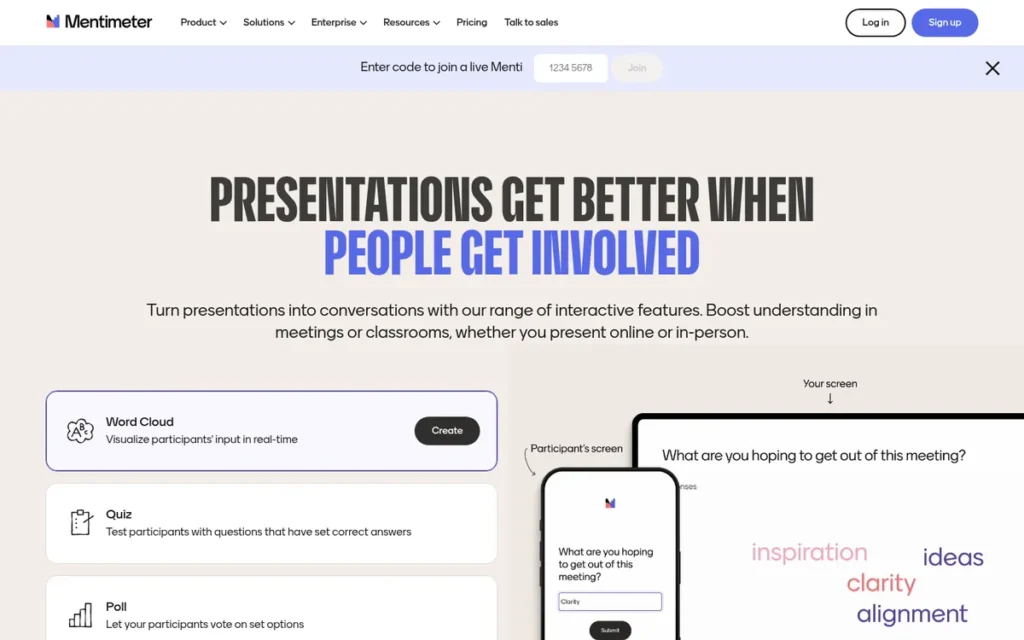
Category: Interactive Presentation Builder.
At a Glance
- Category: Interactive Presentation Builder
- Best For: Keynote speakers, workshop facilitators and educators who prioritize visually polished interactive slides
- Price Range: Free (50 participants/month); about €14–28 per presenter/month billed annually (kinescope, November 2026); Enterprise custom
- Primary Strength: Mentimeter builds polls, quizzes and word clouds directly into a polished slide deck, and its paid plans scale to about 20,000 participants per presentation.
- Biggest Limitation: Mentimeter’s free plan allows only 50 participants per month, and paid plans are billed annually with no monthly option.
- One-Line Summary: Mentimeter is a presentation-first audience response tool that builds polls, quizzes and word clouds into polished slides, with paid plans that scale to large audiences but cap quiz slides at 2,000 participants.
- Last Verified: November 2026
Overview
Mentimeter is a presentation-first interactive slide builder that embeds polls, word clouds, rankings, Q&A and leaderboard quizzes in the deck itself. Mentimeter is aimed at speakers, facilitators and educators who care most about visual polish. Mentimeter participants join at menti.com with a code, with no app or account required.
Key Features
- Mentimeter builds multiple choice, scale, ranking, open-ended, image choice, word cloud, Q&A and quiz slides directly into the presentation.
- Mentimeter includes Menti AI on the free plan to generate presentations, suggest questions and group live responses.
- Mentimeter lets participants join in a browser at menti.com with a code, without an app download or account.
- Mentimeter’s paid plans can import PowerPoint, Keynote and PDF decks to add interactivity to existing slides.
- Mentimeter’s paid plans have no general participant cap and support about 20,000 participants per presentation, while quiz slides are capped at 2,000.
Best For
Mentimeter is best for design-conscious presenters, keynote speakers and workshop facilitators who want visually polished interactive slides and are comfortable with annual billing.
Pricing
Mentimeter’s paid prices below come from a third-party source (kinescope, in euros) and were checked in November 2026:
- Mentimeter Free costs $0 and allows 50 participants per month and up to 200 slides per presentation.
- Mentimeter Basic costs about €14 per presenter per month, billed annually.
- Mentimeter Pro costs about €28 per presenter per month, billed annually.
- Mentimeter Enterprise pricing is custom, and education plans are listed separately.
Mentimeter’s USD prices could not be read from mentimeter.com and are unconfirmed as of November 2026, so verify them on the vendor site. Mentimeter’s free cap resets monthly on the account creation date.
Strengths
- Mentimeter’s paid plans support about 20,000 participants per presentation, with quiz slides capped at 2,000 (Mentimeter Help Center, November 2026).
- Mentimeter holds a 4.7/5 rating on G2 from roughly 788 reviews, and reviewers praise how “completely interactive” Mentimeter makes presentations (G2, November 2026).
- Two users in one r/selfhosted thread used Mentimeter as their benchmark: one asked for PowerPoint interactivity “like mentimeter,” and another said an open-source rival was “not good enough to switch from Mentimeter” (Reddit r/selfhosted, 2022–2025).
- Mentimeter includes its Menti AI presentation and question generator on the free plan (Mentimeter, November 2026).
Users on r/Professors shared their experience:
“It is real time (students love Word Clouds….you just have to be careful LOL). Anyway, it may be worth getting the free version and checking it out. The way I typically use it is I project the poll, and students use their laptop or phone to participate. It can be a lot of fun.” Posted by u/leon_gonfishun
Takeaway: Instructors see Mentimeter’s real-time word clouds and phone-based participation as an easy way to make class polling engaging, though open-text word clouds need watching.
Limitations
Mentimeter delivers polish at the cost of a useful free tier, because its free plan counts 50 participants per month rather than per session. Mentimeter bills paid plans annually with no monthly option, which reviewers say penalizes occasional presenters.
- Mentimeter’s Trustpilot reviewers (3.9/5) report unexpected recurring charges and automatic billing (Trustpilot, November 2026).
- Mentimeter’s G2 and Capterra reviewers cite limited customization and advanced features locked to paid tiers, and Capterra rates Mentimeter 4.4/5 from 101 reviews (Capterra, November 2026).
- Mentimeter’s GetApp reviewers note dependence on a stable internet connection (GetApp, November 2026).
- Mentimeter’s Google Slides, Teams and Zoom integrations and its ISO 27001 claim are unconfirmed as of November 2026, so verify them on the vendor site.
Verdict
Mentimeter is the best audience response tool for presenters who prioritize visually polished interactive slides, and its paid plans scale to about 20,000 participants per presentation.
Mentimeter ranks sixth mainly because of the lowest pricing-transparency and billing score in this review. Mentimeter’s 50-participants-per-month free cap and annual-only billing suit occasional users poorly.
Large-event organizers running Mentimeter quizzes should plan around the 2,000-participant quiz-slide limit.
7. Kahoot!: Best for Gamified Quizzes and Classroom Review
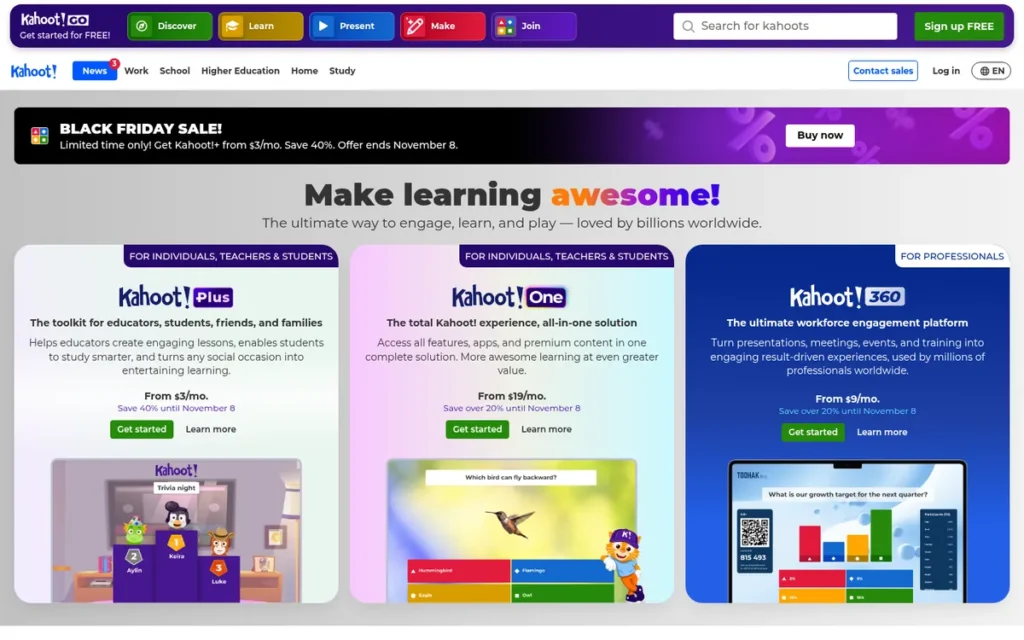
Category: Gamified Quiz Platform, competitive, game-show-style quizzes for review, training and energizers.
At a Glance
- Category: Gamified Quiz Platform
- Best For: K-12 and university teachers running review games, and trainers running knowledge-check energizers
- Price Range: Free cap varies by account (about 10 players on personal free accounts); teacher plans $36–108/year; business from about $17/user/month (Capterra, November 2026)
- Primary Strength: Kahoot! runs competitive game-show quizzes and has the largest independent review base of any tool reviewed.
- Biggest Limitation: Kahoot! is weak for moderated Q&A, and its many plan lines make free player limits and business pricing hard to compare.
- One-Line Summary: Kahoot! is a gamified quiz platform that turns classroom review and training knowledge checks into game-show competitions, with teacher plans starting at $36 per year.
- Last Verified: November 2026
Overview
Kahoot! is a gamified quiz platform that runs live game-show-style quizzes with countdown timers, speed-based scoring, leaderboards and music. Kahoot! is built for teachers and corporate trainers who want energetic knowledge checks rather than business Q&A.
Key Features
- Kahoot! runs live quizzes with countdown timers, more points for faster correct answers, leaderboards, podiums and music.
- Kahoot! offers self-paced assigned challenges so learners can complete quizzes outside live sessions.
- Kahoot! can be hosted inside Zoom meetings, and its Microsoft Teams integration tracks participation across multiple kahoots.
- Kahoot! can import PowerPoint slides to build kahoots, though availability depends on the plan tier (Kahoot!, November 2026).
- Kahoot! includes polls, word clouds and an AI question generator alongside its quizzes, and its business 360 Pro plans scale from 50 to 2,000 players.
Best For
Kahoot! is best for teachers running competitive classroom review and for trainers who want game-style energizers. Kahoot! is not suited to business meetings that need moderated Q&A.
Pricing
Kahoot! teacher prices below come from kahoot.com (first-party), and business pricing comes from Capterra (third-party), checked in November 2026:
- Kahoot! Bronze costs $36/year ($3/month) for up to 50 players.
- Kahoot! Silver costs $84/year ($7/month) for 100 players.
- Kahoot! Gold costs $108/year ($9/month) for 200 players, or $25/month if billed monthly.
- Kahoot! business plans start “from $17/user/month,” and 360 Pro caps run Start 50, Standard 200, Plus 1,000 and Max 2,000 players.
Kahoot! free player limits vary by account type, starting at about 10 players on personal free accounts (Kahoot! Support, November 2026). One-time Kahoot! event plans allow 100 to 2,000 players.
Strengths
- Kahoot! has the largest independent review base in this review, with 4.7/5 on Capterra from 2,892 reviews and 4.6/5 on G2 from 405 reviews (Capterra and G2, November 2026).
- Kahoot! holds a 4.6/5 App Store rating from 47,960 US ratings, which shows mass reach among students and casual users (kinescope, November 2026).
- Kahoot! teacher plans are the lowest-cost individual educator option in this review, starting at $36/year for 50 players (Kahoot!, November 2026).
- Kahoot! business and event plans scale to 2,000 players and run inside Zoom and Microsoft Teams (Kahoot! Support, November 2026).
Limitations
Kahoot! maximizes energy at the expense of business versatility, because Kahoot! is weak for moderated Q&A. Kahoot!’s personal, school, business and event plan lines are confusing, and Kahoot!’s business USD pricing could not be read from the vendor site.
- Kahoot! holds 3.6/5 on Trustpilot from 1,131 reviews, a sharply polarized result that a third-party summary links to billing and auto-renewal complaints (Trustpilot and kinescope, November 2026).
- Kahoot! Capterra reviewers say the free version “feels limited and not sufficiently useful” (Capterra, November 2026).
- Kahoot!’s speed-based scoring is criticized in several comparisons for rewarding reaction time over reasoning, but these sources are competitor-authored, so the critique was not used in scoring (Mentimeter and AhaSlides, November 2026).
Verdict
Kahoot! is the best audience response tool for gamified classroom review and training energizers, backed by the largest independent review base in this review.
Kahoot! ranks last overall because Kahoot! is not built for moderated Q&A or business meetings.
Buyers should confirm the Kahoot! player cap for their specific plan line before purchasing.
What Red Flags Should I Watch For When Evaluating Audience Response Software?
The biggest red flags are participant caps with hidden counting units and question-type caps below the headline limit. Others include moderation locked above the entry tier, annual-only billing, unverified engagement claims and tools never tested on your venue’s network. Each red flag below can derail a live session or a budget.
Red Flag #1: Caps Counted Per Month, Not Per Session
A free plan that counts participants per month or per question runs out much faster than one that counts per event. Mentimeter’s free plan allows 50 participants per month, so a teacher with two classes of 30 exceeds it within a month (Mentimeter Help Center, November 2026).
Other free plans use their own hidden units:
- Poll Everywhere’s free plan counts 40 responses per poll, not 40 people (Poll Everywhere, November 2026).
- Wooclap’s free plan counts 5 active questions per 30-day period (Wooclap Docs, November 2026).
- AhaSlides’ free plan allows 5 quiz and 3 poll questions per presentation (AhaSlides, November 2026).
“My girlfriend was panicking because she had planned a slido project for a big party only to realise the limit of 7 paticipent” (Reddit r/selfhosted, 2023). The “7” figure does not match Slido’s current free cap of about 100.
Takeaway: Confirm a plan’s counting unit and cap in the vendor’s help center before the event, because a surprise limit discovered on the day forces a last-minute tool switch.
Red Flag #2: Question-Type Caps Lower Than the Headline Cap
A headline participant cap may not apply to every question type. Mentimeter’s paid plans reach about 20,000 participants per presentation, but quiz slides stop at 2,000 (Mentimeter Help Center, November 2026). In Webex, Slido quizzes stop at 5,000 while polls and Q&A reach 10,000 (Webex Help Center, November 2026).
Red Flag #3: Moderation Paywalled Above the Entry Tier
Q&A moderation is often missing from free and entry plans, even when Q&A itself is included. Confirmed moderation tiers range from AhaSlides Pro at $15.95/month to Slido Professional at $75/month, a 4–5× price difference (first-party, November 2026). Price the tier that includes moderation, not the entry tier.
Red Flag #4: Annual-Only Billing and Auto-Renewal Complaints
Annual-only billing and auto-renewal hurt occasional presenters more than missing features do. Mentimeter and Slido both bill paid plans annually (vendor sites, November 2026). Mentimeter’s Trustpilot reviewers report unexpected recurring charges, and Kahoot!’s Trustpilot complaints reportedly center on billing and auto-renewal (Trustpilot, November 2026).
Red Flag #5: Unverified Engagement-Lift Claims
Treat any vendor claim of a specific engagement increase with caution. None of the seven vendors had retrievable case studies with quantified outcomes as of November 2026. Customer stories from Slido, Vevox and Poll Everywhere name clients or quote users but publish no measured results.
Red Flag #6: Untested on Venue Wi-Fi or Corporate VPN
A tool that works in a demo can fail on crowded venue Wi-Fi or a locked-down corporate network. Reviewers report strain above about 100 simultaneous Wooclap users and lag in AhaSlides without high-speed internet (Capterra and G2, November 2026). They also report Vevox problems on VPN networks and Mentimeter’s dependence on stable internet (Capterra and GetApp, November 2026).
Run this three-step test before any high-stakes session:
- Join the session from a phone on the venue network or corporate VPN.
- Run one poll for each question type you plan to use, at the expected audience volume.
- Confirm what happens when the participant or response cap is reached.
What Questions Should I Ask Before Choosing Audience Response Software?
Before choosing audience response software, ask how the participant cap is counted and which tier includes moderation. Ask whether attendees can join without an app, and whether the tool works inside your slides and meeting platform. Also ask for security certificates and whether monthly or one-time billing exists. These six questions expose most hidden costs.
Question #1: How is the participant cap counted, and what happens when it is reached live?
Ask the vendor whether the cap applies per month, per event, per poll or per question type. A strong answer names the unit and explains whether late joiners are blocked or the session continues. Vendor help centers are usually more precise than pricing pages.
Question #2: Which tier is the cheapest one that includes moderation, branding and exports?
Ask for the lowest plan that includes every feature you need on the day of the event, not just the plan that matches your audience size. Slido’s moderation starts at Professional, and AhaSlides’ starts at Pro (first-party, November 2026). Wooclap and Poll Everywhere place LMS integration on custom campus plans.
Question #3: Can attendees join without an app or account?
Attendees should be able to join in a browser with a code or QR code, without a download or sign-up. Mentimeter, Slido and AhaSlides document browser joining without an app (vendor sites and G2, November 2026). This review did not separately verify the join flow for Vevox, Wooclap, Poll Everywhere or Kahoot!, so test it from a phone.
Question #4: Does it work inside my PowerPoint, Keynote, Google Slides, Teams, Zoom or LMS, and will animations survive?
Confirm the exact integration for your setup and test whether slide animations survive. Native Keynote integration was confirmed for Poll Everywhere and Wooclap in November 2026, and Mentimeter’s paid plans can import Keynote decks. One user specifically asked for a tool that keeps PowerPoint “effects and animation” intact (Reddit r/selfhosted, 2025).
Question #5: Can you send your SOC 2/ISO certificate and data-processing agreement?
Request the actual certificate and data-processing agreement rather than relying on marketing pages. Poll Everywhere lists SOC 2 Type 2, ISO 27001/27701, FERPA and COPPA, and Vevox lists ISO/IEC 27001:2022 (vendor sites, November 2026). Mentimeter’s ISO claim and the certifications of Slido, Wooclap, AhaSlides and Kahoot! could not be confirmed.
Question #6: Is monthly or one-time event billing available?
Ask whether you can pay monthly or per event instead of committing to a full year. Poll Everywhere publishes one-time event plans from $499 for 1,000 participants (Poll Everywhere, November 2026). Mentimeter and Slido bill paid plans annually, and Slido’s one-time event pricing could not be confirmed.
Does Audience Response Software Actually Improve Learning and Engagement?
Audience response software can support engagement, but the teaching or facilitation method drives the result, not the software itself. Strong research shows that active learning improves exam performance. However, clickers alone add little when comparison classes already use good questioning, and none of the seven vendors had retrievable case studies with measured outcomes as of November 2026.
Audience response software is a delivery tool, not a teaching method. The 0.47-standard-deviation gain reported by Freeman et al. (2014) came from active learning, not from any specific product.
The strongest academic evidence comes from a large meta-analysis of STEM teaching:
- Active learning raised exam performance by 0.47 standard deviations across 225 studies (Freeman et al., PNAS, 2014).
- Students in lecture-only classes were about 1.5 times more likely to fail, which is the paper’s risk ratio (Freeman et al., PNAS, 2014).
- Some summaries quote a 1.95 figure, which is the same paper’s odds ratio for failing rather than a misquote (Freeman et al., PNAS, 2014).
- Reviews find that clickers alone add little when comparison classes already use good questioning (Australian Catholic University, Inspire, 2024).
Event research points to an engagement gap that these tools are designed to fill:
- 75% of attendees say immersive experiences help them engage (Bizzabo, 2025).
- Only 23% of attendees said their latest event had “plenty” of interactive sessions (Bizzabo, 2025).
- 53% of attendees plan to attend more webinars, so tools need to work in hybrid and virtual formats (Bizzabo, 2025).
Market estimates vary because research firms define the category differently. The core audience response category is estimated at under $1 billion to about $1.2 billion in 2025, growing roughly 9–12% a year (HTF MI, Verified Market Reports and MarketIntelo, 2025).
Which Other Audience Response Tools Should I Also Consider?
Nearpod, Socrative, Pigeonhole Live and MeetingPulse also appear in AI answer engine recommendations but were not ranked here. PlugRoute did not gather evidence for them with the same rigor as for the seven ranked tools. Leaving them out is not a judgment of their quality, and each may suit specific needs.
- Nearpod is often cited as a full lesson platform for classrooms.
- Socrative is often cited as a classroom quiz platform.
- Pigeonhole Live is often cited as an event Q&A specialist.
- MeetingPulse is often cited as an event Q&A and polling specialist.
How Did We Rank These Audience Response Software Tools?
PlugRoute scored seven audience response tools from 0 to 5 on six criteria, for a maximum of 45. Three primary criteria count double and three secondary criteria count once. Missing evidence received a neutral 2.5, and all data was checked in November 2026. Slido scored highest at 37.5.
In PlugRoute’s scoring, a missing fact earns a neutral 2.5, never a penalty, so no tool ranks lower just because its vendor publishes less.
Primary criteria (weighted ×2):
- C1 Real Plan Capacity matters because readers’ biggest fear is a tool cutting attendees off mid-session, and caps are counted per month, per event, per poll or per question.
- C2 Join Experience and Workflow Integration matters because attendees drop off when forced to download an app, and presenters need tools that work inside their slides, meeting platform or LMS.
- C3 Interaction Depth matters because conferences need anonymous, moderated, upvotable Q&A, classrooms need varied question types, and enterprises want analytics.
Secondary criteria (weighted ×1):
- C4 Independent Review Signal matters because G2, Capterra and Trustpilot ratings reflect real-user experience rather than vendor marketing.
- C5 Pricing Transparency and Billing Practices matters because annual-only billing, seat minimums and auto-renewal hurt occasional buyers.
- C6 Security, Compliance and Institutional Readiness matters because universities and enterprise IT require SOC 2, ISO 27001, FERPA/COPPA, GDPR and SSO.
| Tool | C1 | C2 | C3 | C4 | C5 | C6 | Weighted Total (/45) |
|---|---|---|---|---|---|---|---|
| Slido | 4.0 | 4.5 | 5.0 | 5.0 | 3.0 | 2.5 | 37.5 |
| Vevox | 4.0 | 4.5 | 4.5 | 4.0 | 3.5 | 3.5 | 37.0 |
| Wooclap | 4.0 | 4.5 | 4.0 | 3.0 | 3.5 | 2.5 | 34.0 |
| Poll Everywhere | 2.5 | 5.0 | 3.5 | 2.5 | 5.0 | 4.5 | 34.0 |
| AhaSlides | 3.5 | 3.5 | 4.5 | 4.0 | 3.5 | 2.5 | 33.0 |
| Mentimeter | 4.0 | 3.5 | 4.0 | 4.0 | 2.0 | 2.5 | 31.5 |
| Kahoot! | 3.0 | 3.5 | 2.5 | 4.0 | 2.5 | 2.5 | 27.0 |
Scores were updated in November 2026 after first-party verification of plan details:
- Slido’s C5 rose to 3.0 because its prices are confirmed on slido.com, though billed annually.
- Vevox’s C1 rose to 4.0 (100 participants per session) and its C6 rose to 3.5 (ISO/IEC 27001:2022).
- Wooclap’s C1 fell to 4.0 (questions per 30 days), and Poll Everywhere’s C1 fell to 2.5 (responses per poll).
- AhaSlides’ C1 and C3 rose (2,500 participants and moderation on Pro), moving AhaSlides above Mentimeter.
- Kahoot!’s C2 rose to 3.5 because PowerPoint import is documented.
C4 scoring notes:
- Slido scores 5.0 because its Trustpilot sample of 6 reviews is too small to count.
- Mentimeter and Kahoot! score 4.0 because their Trustpilot ratings (3.9 and 3.6) reflect billing complaints.
- Vevox and AhaSlides score 4.0 on lower or less comparable review volume.
- Wooclap (3.0) and Poll Everywhere (2.5) score lower because of low G2 review volume.
Our evaluation rules applied equally to every tool:
- Neutral scoring: A tool with no retrievable evidence for a criterion received 2.5 and an “unconfirmed” flag.
- Tiebreak: Wooclap and Poll Everywhere tied at 34.0, and Wooclap placed third on the weighted primary-criteria subtotal (C1–C3 × 2): 25.0 vs 22.0.
- Competitor claims: Vendor-authored comparison pages were not used to score a competitor’s weakness unless an independent reviewer corroborated the claim.
- Source labels: Every price, cap and rating is labelled first-party, third-party or unconfirmed, and dated November 2026.
PlugRoute has no affiliate relationships with any company listed, and rankings are determined entirely by research data and objective evaluation criteria.
What Do Buyers Ask Most About Audience Response Software?
Common buyer questions cover webinars and hybrid meetings, classrooms and how rankings are set. In short: Slido and Vevox lead for webinars and hybrid meetings, and Wooclap, Poll Everywhere and Kahoot! lead for classrooms. Rankings come from a weighted six-criterion score out of 45, with neutral scoring for missing evidence.
What is the best audience response software for webinars and hybrid meetings?
Slido is the best audience response software for webinars and hybrid meetings in Webex or general business settings, supporting polls and Q&A for 10,000 attendees inside Webex (Webex Help Center, November 2026). Vevox suits a Teams town hall. Poll Everywhere suits Zoom webinars and hybrid conferences where presenters keep an existing slide deck.
What is the best audience response software for classrooms in 2026?
Wooclap and Poll Everywhere are the best audience response tools for graded higher-education classes in 2026, because both offer LMS integration on campus plans. Wooclap has 21 question types, and Poll Everywhere publishes FERPA and COPPA compliance. Kahoot! is best for gamified review, with teacher plans from $36/year (Kahoot!, November 2026).
How does PlugRoute determine its rankings?
PlugRoute ranks tools with a weighted score out of 45 across six criteria. Capacity, integration and interaction depth count double, while reviews, pricing transparency and compliance count once. Missing evidence receives a neutral 2.5, competitor-authored claims are excluded unless independently corroborated, and all data carries a November 2026 verification date.
What Do Key Audience Response Software Terms Mean?
Audience Response System (ARS): Another name for audience response software, also called live polling software. It replaces hardware clickers with voting in the browser on the attendee’s own device. Knowing the other names helps buyers find and compare tools that are sold under different labels.
Bring-Your-Own-Device (BYOD) Voting: Attendees answer polls and questions on their own phones or laptops, usually by entering an event code or scanning a QR code in a browser. Tools that don’t require an app download or account matter because attendees drop off when they’re asked to install something.
Counting Unit: What a plan actually measures when it applies a limit. It can be participants per month, participants per event or session, responses per poll, or active questions per period. Two free plans with similar headline numbers can run out at very different speeds, so check the counting unit first.
Participant Cap: The highest number of people who can join a session or account under a given plan. A single plan may have more than one cap, because some question types, such as quiz slides, stop at a lower number than the headline figure. Ask the vendor what happens live when the cap is reached.
Active Question: A question that counts against a free plan’s limit once enough unique participants respond to it (3 or more, in the article’s example). A per-period limit on active questions can run out within a few weeks of regular classes, even when the audience cap is large.
Moderated Q&A: A question-and-answer feature where the host reviews audience questions before they appear on screen. It’s often combined with anonymous submission and upvoting. Moderation is often left out of free and entry plans even when Q&A is included, so price the tier that unlocks it.
Upvoting: Lets attendees vote for questions other people have submitted, so the most popular ones rise to the top. It helps hosts of large meetings and conferences decide which questions to answer first.
Slide Add-in: An integration that puts live polls and Q&A inside an existing PowerPoint, Keynote or Google Slides deck, so presenters don’t have to rebuild their slides in a separate tool. Buyers should test whether slide animations still work after adding it.
LMS Integration: A connection to a learning management system such as Moodle, Canvas or Blackboard. It can include grade passback, which sends poll or quiz results into the course gradebook. For graded courses this matters, but it’s usually only available on custom campus or institutional plans.
SSO (Single Sign-On): Lets users log in with their organization’s existing credentials, often through standards such as SAML. Universities and enterprise IT teams often require it, and it usually sits on enterprise or custom tiers, well above entry pricing.
SOC 2 and ISO 27001: Security certifications showing that a vendor runs an audited information security program. Education buyers may also need FERPA and COPPA compliance for student data. Ask for the actual certificate and data-processing agreement instead of relying on marketing pages.
Annual-Only Billing: A pricing model where paid plans have to be bought for a full year, with no monthly option. Auto-renewal often comes with it. It hurts occasional presenters most, so check whether monthly or one-time event plans are available before you commit.
Which Audience Response Software Tool Is Right for You?
Key Insights
- Slido ranks #1 overall (37.5/45) for moderated Q&A in business meetings and hybrid events, half a point ahead of Vevox (PlugRoute scoring, November 2026).
- Wooclap offers the largest free audience cap at 1,000 participants per event, limited to 5 active questions per 30-day period (Wooclap Docs, November 2026).
- AhaSlides Pro is the lowest-priced confirmed moderation tier at $15.95/month, compared with $75/month for Slido Professional (first-party, November 2026).
- Poll Everywhere publishes the most transparent pricing and strongest compliance credentials, but its free plan allows only 40 responses per poll (Poll Everywhere, November 2026).
- No audience response vendor in this review published quantified engagement-outcome case studies, so active-learning research supports the category’s value (Freeman et al., PNAS, 2014).
Match the tool to your situation:
- If you need moderated Q&A in Webex or a general business setting, consider Slido.
- If your organization runs on Microsoft 365, consider Vevox.
- If you need a free plan for one large audience or graded higher-ed classes, consider Wooclap.
- If you must keep an existing PowerPoint or Keynote deck, consider Poll Everywhere.
- If you need mixed activities and moderation at the lowest paid price, consider AhaSlides.
- If you want polished, design-led interactive slides and accept annual billing, consider Mentimeter.
- If you run classroom review games on a small budget, consider Kahoot!.
Audience response pricing and plan limits change often, so re-verify every figure on the vendor’s site before purchase. For more evidence-based comparisons, read PlugRoute’s full methodology and our other independent SaaS reviews.
We update this guide quarterly. Last updated: November 2026.