Help Scout ranks #1 for SMB and mid-market teams needing predictable pricing and same-day deployment. Intercom leads for AI-first conversational self-service, with Fin AI Agent averaging 67% resolution across documented customer deployments. Salesforce Service Cloud is the enterprise standard for organizations already embedded in Salesforce CRM. The real differentiators are pricing architecture, AI reality versus marketing claims, and implementation timelines spanning hours to months.
Support managers face a compounding problem in 2026: repetitive tickets consuming agent time, AI features that underdeliver on marketing promises, and platforms whose true monthly cost is triple the headline price by month six. The most important self-service variable is not which AI platform you choose, it is whether your knowledge base is organized enough for any AI to use. Disorganized documentation amplifies gaps rather than resolves them.
As one user on r/CustomerSuccess described:
“I don’t think the contact center model is dead, but the ‘queue/ticket processing’ mindset probably is. Customers increasingly expect asynchronous, conversational support where they can message once, continue their day, and come back to a resolved issue instead of sitting trapped in a live queue. The companies seeing the best results seem to use AI to remove repetitive friction, not replace human support entirely. Automating repetitive questions so agents can focus on real problem-solving is a much healthier model for both customers and support teams.” Posted by u/Kaumudi_Tiwari
Takeaway: The customer support teams seeing measurable AI gains in 2026 are those using automation to eliminate repetitive ticket friction, not those attempting to replace human agents wholesale across all query types.
PlugRoute has no affiliate relationships with any company listed, and rankings are determined entirely by research data and objective evaluation criteria.
Which Customer Self-Service Platform Wins for Your Use Case? (TL;DR)
- Help Scout: best SMB pick: flat $25/user/month, AI included at every paid tier, same-day setup, no per-resolution fees
- Intercom: top AI deflection: Fin AI Agent averages 67% resolution across customers; model per-resolution costs before signing any contract
- Salesforce Service Cloud: enterprise only: deepest CRM-connected AI personalization, full compliance certifications, months-long implementation timeline
- Zoho Desk: best value: $14–$52/agent/month for Zoho-ecosystem teams with dedicated admin resources
See the Quick Decision table below for all 7 platform recommendations by use case.
What Are the Main Categories of Customer Self-Service Software?
Customer self-service platforms fall into six distinct categories based on team size, budget, and technical complexity. Matching the right category to your organization eliminates most of the platform decision before the first vendor demo.
The six categories, with platforms from this evaluation representing each:
- SMB Self-Service Platforms (Help Scout): simple, flat-rate pricing with fast deployment, designed for 2–50 agent teams needing a knowledge base, embeddable widget, and AI answers without enterprise overhead or per-resolution fees.
- AI-First Conversational Platforms (Intercom): built around autonomous AI agents with usage-based pricing, highest resolution rates for SaaS and product-led growth teams that engage customers in-product rather than through traditional email ticketing.
- Omnichannel Service Suites (Zendesk): mature, deeply integrated platforms for complex multi-channel operations requiring the broadest third-party marketplace and sophisticated workflow automation at 15+ agent scale.
- Enterprise Service Clouds (Salesforce Service Cloud): full-suite enterprise platforms combining CRM-native AI, autonomous agents, Experience Cloud portals, and the compliance certifications regulated industries require.
- CRM-Native Service Hubs (HubSpot Service Hub): customer service layers built directly on a CRM platform where the primary value is unified data across support, sales, and marketing, not standalone help desk feature depth.
- Value-Tier Help Desks (Freshdesk, Zoho Desk): broad feature sets at lower price points, with Freshdesk prioritizing usability and Zoho Desk prioritizing ecosystem integration and minimum per-agent cost.
Across all six categories, the core self-service mechanics are identical: a knowledge base or help center that surfaces relevant content, a deflection layer (AI chatbot or embeddable widget) that intercepts queries before ticket creation, a customer portal for ticket status tracking, and a clear escalation path when self-service cannot resolve the issue.
The customer self-service software market is valued at approximately $22.4 billion in 2025, projected to reach $26.5 billion in 2026, growing at ~19–20% CAGR (Mordor Intelligence, 2025; IMARC Group, 2025). Conversational AI is the fastest-growing segment at 23.25% CAGR through 2031, confirming that AI-powered deflection is no longer optional for competitive support operations.
How Do the Top 7 Customer Self-Service Platforms Compare at a Glance?
The table below covers all seven platforms on the eight criteria most relevant to purchase decisions. Price data is verified May 2026; verify current pricing directly before signing any contract.
| Rank | Company | Category | Best For | One-Line Summary | Key Capabilities | Primary Strength | Key Limitation |
|---|---|---|---|---|---|---|---|
| 1 | Help Scout | SMB Self-Service Platform | SMB and mid-market teams (2–50 agents) needing predictable pricing and same-day deployment | Help Scout is the best customer self-service platform for SMB and mid-market teams needing a fast-to-deploy knowledge base and AI widget without per-resolution fees | Docs knowledge base with article analytics; Beacon embeddable widget with AI Answers at all paid tiers (no per-resolution fee); shared inbox with collision detection; workflow automation | Flattest pricing in evaluation; AI included at all paid tiers with no per-resolution surcharge | No native phone or social channels; modest AI resolution rates versus Intercom Fin |
| 2 | Salesforce Service Cloud | Enterprise Service Cloud | Enterprise organizations (50+ agents) already on Salesforce CRM | Salesforce Service Cloud is the best enterprise customer self-service platform for Salesforce CRM organizations, with Agentforce AI drawing on full CRM context | Agentforce autonomous AI agents; Experience Cloud self-service portals; Salesforce Knowledge base; Einstein AI routing; omnichannel case management across all channels | Only platform where AI self-service draws on the customer’s complete CRM record without custom integration | Months-long implementation; specialist admin required; $175–$500/user/month |
| 3 | Intercom | AI-First Conversational Platform | SaaS and product-led growth teams prioritizing AI self-service resolution rates | Intercom is the best AI-first customer self-service platform for SaaS teams, with Fin AI Agent averaging 67% resolution; provided per-resolution costs are modeled before signing | Fin AI Agent (per-resolution pricing at $0.99/conversation); Messenger in-product widget; shared Inbox with AI Copilot; Workflows no-code automation; Knowledge Hub content management | Highest G2 rating in evaluation (4.5/5.0) and highest independently cited AI resolution rates | $0.99 per Fin-resolved conversation creates non-linear cost scaling on top of all seat fees |
| 4 | Zoho Desk | Value-Tier Help Desk | Budget-conscious teams (5–100 agents) primarily in the Zoho ecosystem | Zoho Desk is the best-value customer self-service platform for Zoho-ecosystem teams, delivering knowledge base, Zia AI, multilingual Help Center, and community forums at $14–$52/agent/month | Help Center knowledge base with multi-brand support; Zia AI (sentiment analysis, Answer Bot, auto-tagging); ASAP embeddable widget; community forums; 55+ Zoho integrations | Most affordable comprehensive self-service stack in the evaluation; $40/agent/month Enterprise versus $55/agent/month Zendesk Suite Team | Documented implementation support failures; clunky UI; weak third-party integrations outside Zoho |
| 5 | Zendesk | Omnichannel Service Suite | Mid-market and enterprise teams (15–200+ agents) with complex multi-channel operations and dedicated admin resources | Zendesk is the most mature non-enterprise omnichannel customer service suite, offering the largest integration marketplace and deepest multi-channel routing for 15–200+ agent teams | Help Center knowledge base; AI agents included in all Suite plans (no per-resolution fee); omnichannel ticketing across email, chat, phone, social; trigger automation; 1,000+ integrations; SLA management | Largest integration marketplace and most mature omnichannel routing of any non-Salesforce platform in this evaluation | $55/agent/month Suite Team entry with compounding add-on costs for features teams assume are standard |
| 6 | Freshdesk | SMB-to-Midmarket Help Desk | Teams needing broad features at entry price; with billing and cancellation terms verified in writing before signing | Freshdesk is an accessible all-in-one customer self-service platform with a genuine free tier from $15/agent/month; but billing and cancellation terms must be verified before signing any annual contract | Knowledge base and customer portal; Freddy AI self-service (add-on required for meaningful autonomous deflection); omnichannel ticketing; community forums; workflow automation | Genuine free tier with no expiration; lowest full-featured paid entry at $15/agent/month | Freddy AI underperforms its marketed 80% resolution claim in practitioner experience; billing and cancellation enforcement is the most documented contractual risk in this evaluation |
| 7 | HubSpot Service Hub | CRM-Native Service Hub | Existing HubSpot CRM users needing unified support-sales-marketing data without adding a new vendor | HubSpot Service Hub is the best customer self-service platform for HubSpot CRM users, natively unifying support and CRM data; but the knowledge base and portal require the Professional tier at ~$90/seat/month | Knowledge base (Professional tier required); customer portal (Professional tier required); AI Customer Agent using full CRM contact record; pipeline-based ticket management; NPS/CSAT/CES feedback tools | Only platform natively unifying support data with HubSpot CRM marketing and sales contact records | Knowledge base and portal gated behind ~$90/seat/month Professional; a 6x jump from $15 Starter; plus mandatory $3,500–$6,000 onboarding fees |
Which Customer Self-Service Tool Should I Choose for My Use Case?
The right platform depends primarily on team size, existing tech stack, and whether AI resolution rate or pricing predictability is your primary constraint. Use this table to identify the best match before reading the detailed entries.
| Your #1 Priority | Recommended Tool | Why | Acceptable Alternative |
|---|---|---|---|
| SMB team (2–15 agents), budget-constrained | Help Scout | Flat $25/user/month; AI Answers included at all paid tiers; deploys same day without specialist admin | Zoho Desk Standard ($14/agent/month) if Zoho ecosystem tools are already in use |
| Mid-market SaaS, AI-first deflection priority | Intercom | Fin AI Agent averages 67% resolution; highest G2 rating (4.5/5.0); fast team onboarding | Help Scout for simpler AI needs at lower and more predictable total cost |
| Enterprise, already on Salesforce CRM | Salesforce Service Cloud | Agentforce uses full CRM record; 2025 Gartner Leaders quadrant; SOC 2, HIPAA, FedRAMP compliance | Zendesk for complex enterprise operations not on Salesforce |
| Budget-conscious, primarily Zoho ecosystem | Zoho Desk | $14–$52/agent/month; 55+ native Zoho integrations; Zia AI at Enterprise tier with no per-resolution fee | Help Scout if admin bandwidth for complex setup is limited |
| Multi-channel, integration-heavy, 15–200+ agents | Zendesk | Largest marketplace; most mature omnichannel routing; 18 years of case management development | Freshdesk Pro ($49/agent/month) if cost is the primary constraint |
| HubSpot CRM ecosystem, unified data needed | HubSpot Service Hub | Native CRM data unification; AI Customer Agent uses full contact record; no separate integration layer required | Freshdesk with HubSpot integration at lower per-seat cost |
| First help desk, fast setup, tight budget | Help Scout | Simplest setup; clean UI; predictable pricing; most trusted by SMB community | Freshdesk Free or Growth ($15/agent/month) for broadest feature set at lowest entry price |
| Moving off Freshdesk or Zendesk due to cost or AI disappointment | Help Scout or Intercom | Help Scout for predictable pricing and fast migration; Intercom for superior AI when volume is modeled | Zoho Desk if the Zoho ecosystem is already in use |
Estimated monthly cost for a 10-agent team (annual billing, May 2026): Help Scout Standard, $250 flat | Freshdesk Growth, $150 (AI not included) | Intercom Essential, $290 in seats before Fin charges | Zoho Desk Enterprise, $400 | Zendesk Suite Team, $550 | HubSpot Service Hub Professional, $900 plus $3,500 onboarding amortized over year one. Intercom totals exclude $0.99 per Fin-resolved conversation, model separately at projected volume.
If you’ve identified your category above, jump directly to that entry. If you’re still deciding, read the Red Flags and Evaluation Questions sections before the individual entries, they will change what you look for in each platform overview.
1. Help Scout: Best Overall for SMB and Mid-Market Teams
Category: SMB Self-Service Platform, a focused customer support suite combining a searchable knowledge base (Docs), an embeddable self-service widget with AI Answers (Beacon), and a collaborative shared inbox, designed for teams that prioritize usability and cost predictability over enterprise feature depth.
At a Glance
- Category: SMB Self-Service Platform
- Best For: SMB and mid-market teams (2–50 agents) needing predictable all-in pricing, same-day deployment, and a complete self-service stack without enterprise complexity or per-resolution AI fees
- Price Range: $0–$75/user/month (annual); Standard at $25/user/month covers most SMB self-service needs
- Primary Strength: Help Scout offers the most predictable total cost of ownership in this evaluation, flat per-seat pricing with AI included at all paid tiers and no per-resolution surcharge regardless of query volume
- Biggest Limitation: Help Scout lacks native phone and social channel support, built-in SLA management, and the enterprise-grade automation depth required by organizations running 50+ agent teams or complex multi-channel operations
- One-Line Summary: Help Scout is the best customer self-service software for SMB and mid-market teams that need a reliable, fast-to-deploy knowledge base and AI-powered self-service widget without pricing unpredictability or enterprise implementation complexity.
- Last Verified: May 2026
Overview
Help Scout is a customer support and self-service platform built for SMB and mid-market teams, specifically those needing a searchable knowledge base, an embeddable self-service widget, and a collaborative shared inbox without the feature overhead or unpredictable cost structures of enterprise help desks.
Help Scout’s three integrated products (Docs (knowledge base), Beacon (embeddable widget with AI Answers), and a shared inbox) form a complete self-service stack at a flat per-seat price. Help Scout AI Answers is included across all paid plans with no per-resolution fees, regardless of how many queries Help Scout resolves.
Help Scout was founded in 2011, completed a Series C funding round in 2019 (TechCrunch, 2019), and counts Buffer, Trello, and Balsam Hill among its named customers as of May 2026 (Help Scout Customers, May 2026).
Key Features
- Docs Knowledge Base: Help Scout Docs enables teams to build, organize, and publish a fully branded, searchable knowledge base (with article-level analytics showing which content deflects queries and which creates escalation) without requiring developer support to publish or update articles.
- Beacon Embeddable Widget: Help Scout Beacon proactively surfaces relevant Docs articles as customers begin typing their question, intercepting ticket creation before any contact begins and reducing inbound volume at the point of intent.
- AI Answers (Included at All Paid Tiers, No Per-Resolution Fee): Help Scout AI Answers generates natural-language responses from Docs content and approved website material directly inside Beacon, escalating to a human agent when the AI cannot resolve the query, with no $0.99-per-resolution charge of the kind Intercom’s Fin imposes.
- Shared Inbox with Collision Detection: Help Scout’s shared inbox enables support agents to collaborate on customer emails with private notes, collision detection to prevent duplicate replies, and full customer context visible in a single side panel during every conversation.
- Workflow Automation: Help Scout’s workflow automation triggers automatic assignments, tags, and follow-up sequences based on keywords, customer properties, or conversation status, reducing manual triage without requiring dedicated admin resources to configure complex rule sets.
Best For
Help Scout is best for SMB and mid-market SaaS teams (particularly post-Series A and Series B companies) that have outgrown email-only support but do not yet need the omnichannel complexity, SLA enforcement, or enterprise routing of Zendesk or Salesforce, and for teams moving off larger platforms after realizing they are paying enterprise prices for features they do not use.
Pricing
Help Scout pricing (annual billing per user per month, verified May 2026): Free ($0, limited features); Standard ($25); Plus ($50); Pro ($75). Monthly billing is available at higher rates. Help Scout AI Answers is included in all paid tiers with no per-resolution fees and no mandatory onboarding charges at any tier.
For a team of 10 agents on the Standard plan, total annual licensing is approximately $3,000, compared to $6,600 for Zendesk Suite Team, $3,480 for Intercom Essential before Fin resolution fees, and $10,200 for Intercom Advanced before Fin charges (Help Scout Pricing, May 2026).
Strengths
- Help Scout’s G2 rating of 4.4/5.0 across hundreds of reviews holds directly against category leaders Intercom (4.5/5.0) and Zendesk (4.3/5.0) at Standard pricing of $25/user/month (versus Zendesk’s $55/agent/month Suite Team entry) representing the strongest price-to-user-satisfaction ratio in this evaluation (G2, May 2026; Capterra, May 2026).
- Help Scout’s community sentiment across r/CustomerSuccess and r/helpdesk is the most consistently positive of any platform evaluated, with multiple independent threads citing Help Scout as the standard recommendation for SMB and mid-market teams leaving Zendesk or Freshdesk, specifically praising its simplicity, reliability, and human-centered design philosophy (Reddit, 2025–2026).
This aligns with community sentiment on r/CustomerSuccess:
“We were in the same boat with a SaaS client. Started with Gmail, hit a wall once volume picked up. Zendesk was too expensive for us too. We ended up switching to Help Scout. Super clean UI, easy to set up, and didn’t overwhelm the team. Shared inbox, auto-replies, et all. It checks all the boxes without feeling like enterprise software. If you want something even lighter, Front or Zoho Desk could work too. But I haven’t personally used these before.” Posted by u/homerun_1216
Takeaway: Help Scout is the most consistently recommended upgrade path from Gmail-based support for SMB teams priced out of Zendesk, praised specifically for setup speed and a UI that does not overwhelm non-technical teams.
- Help Scout AI Answers is included in all paid tiers without per-resolution pricing as of May 2026, a structural cost advantage over Intercom’s Fin ($0.99 per resolved conversation on top of all seat fees) that makes Help Scout’s AI self-service cost predictable regardless of support volume growth, provided Help Scout’s pricing structure remains unchanged.
- Help Scout’s platform documentation reports that self-service tools reduce email volume by 30% and enable teams to respond to 56% more customer messages in the first year, first-party benchmarks representing the platform’s stated self-service effectiveness targets (Help Scout Platform, May 2026), corroborated by community-reported same-day go-live across r/CustomerSuccess and r/helpdesk (2025–2026).
Limitations
- Scope Limitation: Help Scout deliberately lacks native phone, SMS, and social media channel support, teams needing true omnichannel self-service including voice IVR, WhatsApp, or Instagram DM deflection must integrate third-party tools or select a platform with broader channel coverage such as Zendesk or Intercom.
- Automation Depth: Help Scout’s workflow automation is more constrained than Zendesk’s trigger-and-macro system or Intercom’s Workflow builder, and SLA management capabilities are absent at lower tiers, making Help Scout a poor fit for teams with contractual service-level obligations or large-scale ticket routing complexity requiring conditional multi-step logic.
- AI Resolution Rates: Help Scout AI Answers performs at more modest resolution rates than Intercom Fin’s documented 50–70% average, Help Scout AI Answers is better suited to article-retrieval deflection than agentic end-to-end resolution across complex or highly varied query types at enterprise volume.
- Scale Ceiling: Help Scout is intentionally designed for email-first, human-centered support, organizations with 50+ agents requiring enterprise routing, regulatory compliance certifications, voice channel integration, or advanced reporting will find that Help Scout’s deliberate scope limitation becomes a functional ceiling rather than a design virtue.
Verdict
Help Scout is the highest-scoring customer self-service platform in this evaluation for SMB and mid-market teams, earning its #1 ranking on the combined five-criteria weighted score through unmatched pricing transparency (C3: 5/5), the fastest documented implementation speed (C5: 5/5), and the strongest independent community trust signal (C2: 5/5) of any platform reviewed. Help Scout is not the right choice for enterprise teams needing omnichannel routing, voice support, enterprise SLA management, or high-volume autonomous AI resolution, for those requirements, Salesforce Service Cloud (#2) or Intercom (#3) are the appropriate alternatives. For the majority of support managers at SMB and mid-market companies who need to reduce ticket volume quickly, go live without consultants, and avoid bill shock, Help Scout delivers more verifiable value per dollar than any competitor in this evaluation.
2. Salesforce Service Cloud: Best for Enterprise Organizations Already on Salesforce CRM
Category: Enterprise Service Cloud, a full-suite enterprise customer service platform combining AI-powered self-service portals (Experience Cloud), a native knowledge base (Salesforce Knowledge), autonomous AI agents (Agentforce), omnichannel case management, and deep CRM integration via Customer 360, designed for organizations with 50+ agents already operating on Salesforce.
At a Glance
- Category: Enterprise Service Cloud
- Best For: Enterprise organizations (50+ agents) already on Salesforce CRM that need the deepest available AI self-service personalization, regulatory compliance certifications, and full customer lifecycle context in their support operations
- Price Range: $25–$500/user/month (annual); most enterprise deployments require the $175 Enterprise or $350 Unlimited tier before AI and add-on licensing
- Primary Strength: Salesforce Service Cloud is the only platform in this evaluation where AI self-service agents (Agentforce) draw on a customer’s full CRM record (purchase history, account tier, prior cases) to deliver personalized self-service without custom integration work
- Biggest Limitation: Salesforce Service Cloud requires months-long implementations, specialist Salesforce administrators, and consultant engagements that add significant cost above already-high licensing fees, making it inaccessible and cost-prohibitive for most SMB and mid-market organizations
- One-Line Summary: Salesforce Service Cloud is the best enterprise customer self-service platform for organizations already on Salesforce CRM, offering Agentforce autonomous AI agents and Experience Cloud self-service portals at pricing and implementation complexity justified only at enterprise scale.
- Last Verified: May 2026
Overview
Salesforce Service Cloud is an enterprise customer service and self-service platform built for large organizations that run their customer relationships on Salesforce CRM, specifically those needing CRM-connected, personalized self-service at enterprise scale where the AI agent knows a customer’s purchase history, service tier, and open cases before answering a single question.
Salesforce Service Cloud combines five integrated capabilities:
- Experience Cloud self-service portals and community forums
- Salesforce Knowledge (native enterprise knowledge base)
- Agentforce autonomous AI agents for self-service resolution
- Einstein Bots for chatbot deflection and intent routing
- Omnichannel case management connected to Customer 360
Salesforce was founded in 1999, trades on the NYSE as CRM, employs approximately 70,000+ people globally, and generates $34B+ in annual revenue (Salesforce Investor Relations, FY2025), providing the institutional scale and compliance certifications that enterprise procurement teams require before approving multi-year platform commitments.
Key Features
- Agentforce Autonomous AI Agents: Salesforce Agentforce deploys autonomous AI agents that handle common self-service flows (order status, account questions, password resets, FAQ resolution, and policy lookups) using the customer’s full Salesforce CRM record to personalize every interaction without requiring custom integration work.
- Experience Cloud Self-Service Portals: Salesforce Experience Cloud enables organizations to build fully branded, searchable self-service portals and community forums where customers can find knowledge base articles, track open cases, and manage account details, all surfaced from Salesforce data with CRM-record-based personalization.
- Salesforce Knowledge: Salesforce Knowledge provides a centralized enterprise knowledge base with article versioning, workflow approvals, multiple audience targeting (internal agents versus external customers), and article-level analytics on deflection rates and search term performance.
- Einstein AI: Salesforce Einstein AI surfaces next-best-action recommendations for agents, auto-suggests knowledge articles during live conversations, predicts case escalation risk, and routes incoming cases by intent, reducing handle time across both self-service and agent-assisted interactions.
- Omnichannel Case Management: Salesforce Service Cloud’s omnichannel routing engine manages incoming cases across email, chat, phone, messaging, and social channels with skill-based routing, SLA enforcement, and queue management, the enterprise case management backbone for organizations with complex multi-channel support operations.
Best For
Salesforce Service Cloud is best for enterprise organizations with 50+ support agents that already operate on Salesforce CRM and need the deepest available AI self-service personalization, regulatory compliance certifications, and full customer lifecycle context in their service operations, particularly organizations in financial services, healthcare, government, or other regulated industries where vendor stability and compliance certifications are contractual requirements.
Pricing
Salesforce Service Cloud pricing (annual billing per user per month, verified May 2026): Starter Suite $25; Pro Suite $100; Enterprise $175; Unlimited $350; Einstein 1 Service $500. AI capabilities (Agentforce), telephony, Data Cloud integration, and advanced analytics frequently require additional licensing above these base prices.
Most enterprise deployments land at the Enterprise ($175) or Unlimited ($350) tier. Practitioners who have completed migrations document that total cost of ownership (including consulting, data migration, and ongoing Salesforce admin staffing) adds significantly above licensing before the platform delivers full value (Salesforce Service Pricing, May 2026).
Strengths
- Salesforce Service Cloud holds the Leaders quadrant position in the 2025 Gartner Magic Quadrant for CRM Customer Engagement Center (the most widely cited analyst recognition in enterprise CX procurement) and maintains a G2 rating of 4.3/5.0 across thousands of reviews from documented enterprise deployments at T-Mobile, U.S. Bank, Toyota, Marriott, and Spotify (Gartner Magic Quadrant for CRM Customer Engagement Center, 2025; G2, May 2026).
- Salesforce Agentforce provides the most contextually aware AI self-service in this evaluation, because Agentforce operates inside Salesforce CRM, it resolves queries using real-time account data, purchase history, and open case history without the custom integrations that other platforms in this evaluation typically require to replicate equivalent CRM-personalized responses.
- Salesforce’s compliance portfolio: SOC 2 Type II, ISO 27001, HIPAA eligibility, and FedRAMP authorization, satisfies the regulatory requirements of financial services, healthcare, and government procurement teams that cannot deploy non-compliant SaaS platforms, making Salesforce the compliance-first choice for many procurement teams in these regulated industries.
- Practitioners who have completed Zendesk-to-Service-Cloud migrations consistently report that Salesforce’s customization depth, email-to-case capabilities, and automated support process building materially exceed Zendesk’s capabilities, justifying migration costs for organizations that have outgrown Zendesk’s reporting and workflow routing at enterprise scale (Reddit, r/salesforce, 2025–2026).
Limitations
- Implementation Complexity: Salesforce Service Cloud requires months-long deployment timelines and specialist Salesforce-certified administrators, practitioners who have completed multiple migrations document that implementation timelines regularly extend into quarters rather than weeks, making Salesforce inaccessible for teams without dedicated specialist resources and substantial implementation budgets.
“Costs and operational work is higher though. The biggest issue is always the same, getting the historical data out of Zendesk and bringing it into Salesforce. The emails, notes, files, etc. Zendesk does not have a very good way to export the data.” (u/MrMosh024, r/salesforce (2025–2026))
Takeaway: Data migration from Zendesk to Salesforce is the most consistently documented friction point in practitioner migration accounts, plan for this cost explicitly before committing to the switch.
- Pricing Ceiling: Salesforce Service Cloud pricing at the upper tiers ($350–$500/user/month) is the highest in this evaluation by a significant margin, and AI features, telephony, and Data Cloud integration frequently require separate licensing above those base rates, making total cost of ownership substantially higher than the published per-seat price alone suggests.
- Vendor Lock-In on Exit: Salesforce’s data export limitations create a data portability barrier on exit that practitioners specifically flag as the most consistently painful step in any migration, organizations should evaluate exit friction before committing to a multi-year enterprise contract at these pricing tiers (Reddit, r/salesforce, u/MrMosh024, 2025–2026).
- SMB Inaccessibility: Salesforce Service Cloud is effectively inaccessible for SMB and mid-market teams without an existing Salesforce investment, the implementation cost, specialist admin requirements, and Enterprise-tier pricing ($175+/user/month) represent a total cost of ownership that cannot be justified outside large-scale enterprise deployments already embedded in the Salesforce ecosystem.
Verdict
Salesforce Service Cloud is the most feature-complete and AI-capable enterprise customer self-service platform in this evaluation, earning its #2 ranking through Agentforce’s unmatched CRM-connected AI personalization, the deepest self-service portal capabilities available, and the 2025 Gartner Magic Quadrant Leaders recognition that validates its positioning among the world’s largest organizations. Salesforce Service Cloud is not appropriate for SMB or mid-market teams, the implementation complexity, specialist admin requirements, and licensing costs reaching $350–$500/user/month at enterprise tiers represent a total cost of ownership justified only for large organizations already deeply invested in the Salesforce ecosystem. Teams with Salesforce CRM at the core of their operations, 50+ agents, and complex multi-channel support needs will find no stronger or more contextually capable self-service platform in this comparison.
3. Intercom: Best for AI-First Conversational Self-Service
Category: AI-First Conversational Platform, a messenger-centric customer service suite built around autonomous AI agents (Fin), in-product messaging, and shared inbox ticketing, optimized for SaaS and product-led growth companies that prioritize AI self-service resolution rates over traditional case management workflows.
At a Glance
- Category: AI-First Conversational Platform
- Best For: SaaS companies, product-led growth teams, and mid-market organizations prioritizing maximum AI self-service resolution rates and in-product customer engagement, provided they model per-resolution Fin costs at projected volume before signing
- Price Range: Essential $29/seat/month (annual) + $0.99/Fin resolved conversation; Advanced $85; Expert $132, total monthly cost rises non-linearly with Fin usage volume
- Primary Strength: Intercom’s Fin AI Agent achieves the highest independently cited self-service resolution rates in this evaluation (with Intercom publishing a 67% average across customers and named deployments reaching 50–70%) accessible to non-enterprise teams through the Essential plan
- Biggest Limitation: Intercom’s per-resolution Fin pricing ($0.99 per resolved conversation) compounds non-linearly at scale and sits on top of all seat fees, with multiple Reddit users documenting significant unexpected monthly bills six months after onboarding once Fin resolution volumes accumulate
- One-Line Summary: Intercom is the best AI-first customer self-service platform for SaaS and product-led growth teams prioritizing maximum AI resolution rates, provided they model Fin’s per-resolution charges at projected volume before signing, as total monthly costs scale non-linearly with self-service usage.
- Last Verified: May 2026
Overview
Intercom is an AI-first customer service platform built around Fin AI Agent, an autonomous conversational AI that resolves customer queries using knowledge base content, website material, and connected CRM data, escalating to human agents only when needed. Intercom is specifically designed for SaaS companies and product-led growth teams where the primary success metric is the percentage of conversations resolved by AI without human intervention.
Intercom’s platform also includes:
- Messenger widget for in-product customer engagement
- Shared Inbox for agent collaboration across channels
- Omnichannel ticketing across email, chat, and messaging
- Workflows no-code automation builder
- Knowledge Hub content management workspace
Intercom was founded in 2011, is headquartered in San Francisco, and natively integrates with Slack, Salesforce, HubSpot, and Shopify, enabling CRM context to inform Fin’s responses for teams whose customer data lives in those systems (Intercom, May 2026).
Key Features
- Fin AI Agent (Per-Resolution Pricing): Intercom Fin AI Agent autonomously resolves customer queries by searching across the knowledge base, approved website pages, and connected data sources, generating natural-language responses and escalating to a human agent only when it cannot confidently resolve the query, at $0.99 per resolved conversation charged on top of all seat fees.
- Intercom Messenger Widget: Intercom Messenger is a customizable in-product widget that provides customers with AI-powered self-service, live chat, and Help Center article search in a single embedded interface, enabling proactive self-service engagement before customers create a support ticket.
- Shared Inbox with AI Copilot: Intercom’s shared Inbox consolidates customer conversations across email, chat, WhatsApp, and messaging channels in a unified agent workspace, with AI Copilot assistance, collision detection, and customer context panels visible during every interaction.
- Workflows (No-Code Automation): Intercom Workflows is a no-code automation builder for routing, tagging, and managing support conversations at scale, enabling teams to build complex deflection and escalation flows without engineering support or specialist admin resources.
- Knowledge Hub: Intercom’s Knowledge Hub provides a centralized content workspace for building and maintaining the knowledge base that powers Fin, with AI-generated article suggestions, gap detection, and content performance analytics identifying which articles drive deflection and which create customer drop-off.
Best For
Intercom is best for SaaS companies and product-led growth teams with 10–200 support agents that prioritize AI self-service resolution over traditional case management, have a well-organized knowledge base to power Fin, and have modeled per-resolution Fin costs at 2x–3x projected volume to confirm the total monthly bill remains within budget parameters at scale.
Pricing
Intercom pricing (annual billing per seat per month, verified May 2026): Essential $29; Advanced $85; Expert $132. Monthly billing: Essential $39, Advanced $99, Expert $139. Fin AI Agent charges $0.99 per resolved conversation on top of all seat fees, this charge is not optional if Fin is enabled.
For a team of 20 agents on the Advanced plan ($85/seat/month) resolving 3,000 conversations per month via Fin, the monthly bill is $1,700 in seat fees plus $2,970 in Fin resolution fees, totaling $4,670/month. Stated plainly: the more effective Fin becomes, the more expensive Intercom gets, a cost model that penalizes the outcome the platform is sold to achieve. Finance stakeholders must receive the full cost model at projected resolution volume before contract signing (Intercom Pricing, May 2026).
Strengths
- Intercom’s G2 rating of 4.5/5.0 is the highest of any platform in this evaluation, reflecting sustained user satisfaction with particular praise for Fin’s effectiveness in reducing repetitive query volume, the clean agent UX, and faster team onboarding compared to Zendesk and Freshdesk (G2, May 2026).
- Intercom Fin AI Agent resolves 50–70% of customer conversations without human escalation in documented customer use cases, with Anthropic reaching a 50.8% resolution rate, Lightspeed Commerce resolving up to 65% of conversations autonomously, Sharesies reporting approximately 70% over 12 weeks, and Intercom publishing a 67% average across customers (Intercom, 2025; fayedigital.com, 2025).
- Intercom’s implementation speed is among the fastest in this evaluation: practitioners switching from Freshdesk specifically cite faster onboarding, a cleaner UI, and faster agent ramp-up time as primary reasons for the switch, enabling teams to achieve measurable self-service deflection faster than with enterprise alternatives (u/GetNachoNacho, r/SaaS, 2025–2026).
- Intercom’s native integrations with Slack, Salesforce, HubSpot, and Shopify make CRM context available to Fin without custom development, enabling more accurate, personalized AI responses for teams whose customer data lives in those systems, without the integration overhead that standalone knowledge base tools require.
Limitations
- Per-Resolution Pricing Unpredictability: Intercom’s $0.99-per-resolved-Fin-conversation charge sits on top of all seat fees and scales non-linearly as Fin resolution volume grows, teams must model costs at 2x and 3x projected volume before signing any annual contract, as high-volume deployments can face monthly bills that materially exceed seat-price expectations.
“The initial sticker price looked reasonable. Six months later the bill had climbed because of seat additions, the AI resolution charges, and a couple of add-ons we didn’t realize were optional at signing. Finance was not pleased.” (u/TigerAnxious9161, r/SaaS (2025–2026))
Takeaway: Intercom’s true monthly cost is only visible at 6-month volume actuals, model Fin resolution charges at projected volume before signing, not after the first renewal arrives.
- B2B Workflow Limitations: Intercom’s reporting and analytics are consistently cited as insufficient for complex B2B support workflows with multi-stakeholder escalations, practitioners describe Intercom as “fantastic for live chat and lightweight ticketing, but limited for complex workflows and detailed reporting” at B2B enterprise scale (Reddit, r/SaaS, 2025–2026).
- SLA Management Gaps: Intercom’s SLA management depth lags behind Zendesk and Salesforce Service Cloud, making Intercom less suited for enterprise teams with contractual service-level obligations or complex ticket routing requirements extending beyond the messenger-first conversational model Intercom was designed around.
- Knowledge Base Quality Dependency: Intercom Fin’s resolution rates of 50–70% are heavily dependent on the quality, completeness, and currency of the underlying knowledge base, teams with disorganized or incomplete documentation will find Fin repeating documentation gaps at speed rather than resolving queries, making knowledge base readiness assessment a prerequisite before platform selection.
Verdict
Intercom is the highest-rated customer self-service platform in this evaluation on G2 (4.5/5.0) and delivers the strongest AI self-service resolution rates accessible to non-enterprise teams through Fin AI Agent, making Intercom the first-choice recommendation for SaaS and product-led growth companies where conversational AI is the primary self-service mechanism and knowledge base content is well-organized. Intercom earns #3 rather than #1 because its C3 score of 2/5 on pricing transparency, versus Help Scout’s 5/5, is the definitive factor in its placement despite leading on G2 rating and AI effectiveness: the per-resolution Fin pricing model represents a structural cost transparency risk that no other platform in this evaluation imposes. Teams with high AI resolution volumes, well-organized knowledge bases, and finance stakeholders fully briefed on the per-resolution model will find Intercom Fin to be the most effective self-service AI in this comparison.
4. Zoho Desk: Best Value for Budget-Conscious Teams Within the Zoho Ecosystem
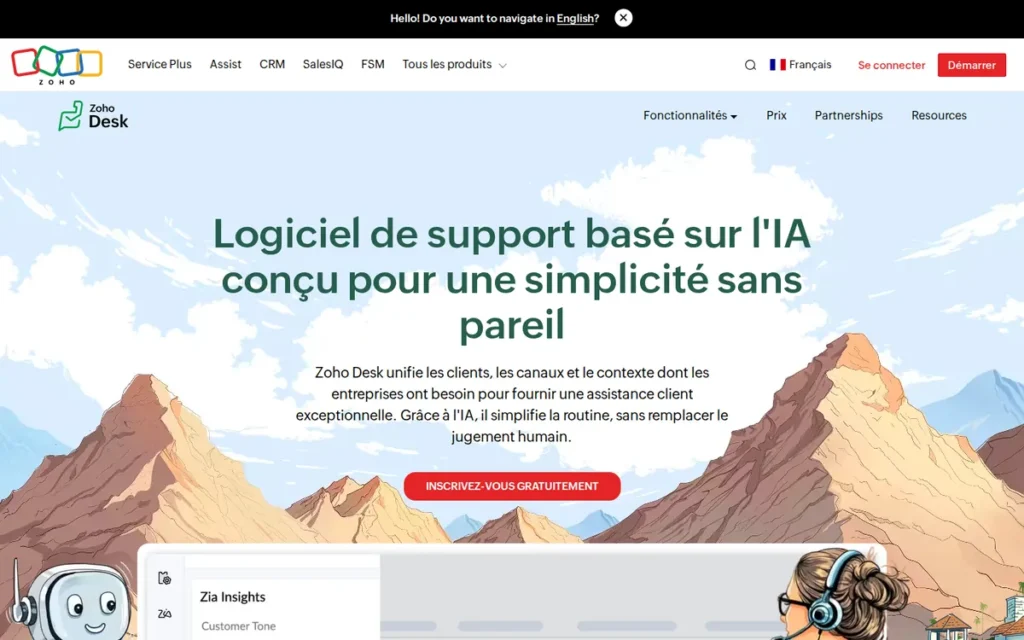
Category: Value-Tier Help Desk, a comprehensive, context-aware customer service platform offering a full self-service stack (Help Center, community forums, ASAP widget, Zia AI) at the lowest per-agent pricing in this evaluation, with the deepest value for teams operating within the Zoho business application ecosystem.
At a Glance
- Category: Value-Tier Help Desk
- Best For: Cost-conscious teams (5–100 agents) already using Zoho CRM or other Zoho products that need a comprehensive self-service stack at prices materially below Zendesk and Intercom, with dedicated IT or admin resources available to navigate a complex initial setup
- Price Range: Free–$52/agent/month (annual); $14 Standard covers basic self-service; $40 Enterprise required for Zia AI and advanced automation
- Primary Strength: Zoho Desk delivers the most comprehensive self-service feature set per dollar in this evaluation, knowledge base, Help Center, community forums, multilingual support, and Zia AI at $14–$52/agent/month with no per-resolution fees
- Biggest Limitation: Zoho Desk’s implementation support quality is the most consistently criticized of any platform in this evaluation, with multiple documented Reddit accounts of implementation failures, advertised features that are “dead on arrival” in specific configurations, and support teams that deflect rather than resolve setup issues
- One-Line Summary: Zoho Desk is the best-value customer self-service platform for teams already operating within the Zoho ecosystem, delivering knowledge base, Zia AI, multilingual Help Center, and community forums at $14–$52 per agent per month, provided teams have dedicated admin resources to navigate a complex initial setup.
- Last Verified: May 2026
Overview
Zoho Desk is a context-aware customer service and self-service platform built for cost-conscious teams of 5–100 agents, delivering a knowledge base (Help Center), community forums, Zia AI assistant, an embeddable self-service widget (ASAP), multilingual support, and omnichannel ticketing natively integrated with Zoho’s 55+ business applications at $14–$52 per agent per month.
Zoho Desk is the most affordable comprehensive self-service stack in this evaluation. Zoho Desk is built for teams that operate primarily within the Zoho ecosystem and need a complete self-service stack without the per-resolution AI fees or premium pricing of Intercom or Salesforce.
Zoho Corporation was founded in 1996, remains privately held with approximately 15,000 employees globally as of 2025 (Zoho About, 2025), and has served customers including IFB, Foyr, MediBuddy, and Apollo, with 29 years of operating history as a company that has never faced IPO pressure, PE acquisition, or external investor mandates.
Key Features
- Help Center with Multi-Brand Support: Zoho Desk Help Center provides a fully branded, multilingual, SEO-optimized knowledge base where customers can search articles, browse categories, and access community forums, with multi-brand support allowing a single Zoho Desk account to power separate Help Centers for different product lines.
- Zia AI Assistant (Enterprise+ Tiers): Zoho Desk Zia AI performs sentiment analysis on incoming tickets, auto-tags and categorizes cases, suggests replies to agents, predicts ticket fields, detects volume anomalies, and powers an Answer Bot for self-service deflection, all included in Enterprise ($40) and Ultimate ($52) tiers without per-resolution fees.
- ASAP Self-Service Widget: Zoho Desk ASAP embeds the Help Center, community forums, and Zia Answer Bot into any website or web application, providing customers with self-service article search, AI-powered answers, and seamless escalation to a support ticket if the query remains unresolved.
- 55+ Zoho Application Integrations: Zoho Desk’s native integration with 55+ Zoho applications means customer data from Zoho CRM, Zoho SalesIQ, and Zoho Books flows into Desk automatically, giving agents full customer context without third-party integration setup or annual integration fees.
- Multilingual Self-Service: Zoho Desk’s multilingual support enables Help Center content, ticket interfaces, and Zia responses in multiple languages, a capability most platforms in this evaluation deliver only at premium tiers or through third-party localization tools.
Best For
Zoho Desk is best for cost-conscious teams of 5–100 agents that already use Zoho CRM or other Zoho products, need a genuinely comprehensive self-service stack at the lowest total cost in this evaluation, and have dedicated IT or admin resources available to navigate a complex initial setup, and for whom third-party integrations outside the Zoho ecosystem are not a primary operational requirement.
Pricing
Zoho Desk pricing (annual billing per agent per month, verified May 2026): Free ($0, limited); Standard ($14); Professional ($23); Enterprise ($40); Ultimate ($52). Monthly billing available at approximately $20/$35/$50/$65 respectively. Zia AI features (Answer Bot, sentiment analysis, suggested replies) require Enterprise ($40) or Ultimate ($52) tiers.
At $40/agent/month Enterprise, Zoho Desk costs 27% less than Zendesk Suite Team ($55) and materially less than Intercom Advanced ($85 seat before Fin resolution fees). For a 20-agent team on Enterprise, annual licensing is $9,600 versus $15,840 for Zendesk Suite Team (Zoho Desk Pricing, May 2026).
Strengths
- Zoho Desk’s G2 rating of 4.4/5.0: matching Freshdesk, Help Scout, and HubSpot Service Hub, reflects sustained user satisfaction at pricing levels 27–77% below major competitors at comparable feature tiers, representing the strongest price-to-rating ratio in this evaluation for teams whose primary requirement is comprehensive self-service capability at minimum cost (G2, May 2026).
- Zoho Corporation’s 29-year operating history as a privately held company means Zoho Desk customers face no acquisition risk, no IPO-driven product pivot, and no quarterly earnings pressure that could alter pricing or roadmap, a long-term vendor stability argument that PE-owned Zendesk, NASDAQ-listed Freshworks, and VC-backed Intercom cannot provide (Zoho About, 2025).
- Zoho Desk’s native integration with 55+ Zoho business applications creates a cross-application data advantage for teams already using Zoho CRM or Zoho SalesIQ, giving agents full customer context without third-party integration fees, specifically cited by Reddit users as Zoho Desk’s strongest differentiator for teams building their stack within the Zoho platform (Reddit, r/ITdept, 2025–2026).
- Based on Zoho’s own customer survey data (not independently verified by third-party sources), Zoho Desk reports directional service improvements including a 15% increase in first contact resolution, 50% faster response time, and 48% reduction in customer churn rate, figures representing Zoho’s self-reported benchmarks rather than independently audited outcomes (Zoho Desk, 2025).
Limitations
- Implementation Support Failures: Zoho Desk’s implementation support quality is the most documented risk of any platform in this evaluation, multiple independent Reddit accounts describe a pattern where advertised features are “dead on arrival” in specific configurations, support tickets are deflected rather than resolved, and administrators spend weeks achieving functionality that competing platforms deliver in hours.
“Zoho Desk… nightmare to deploy with a ton of features advertised that were DOA for our office setup. I spent a day a week for a solid 3 months trying to get something as simple as a ticket portal to work.” (u/Militant_Monk, r/sysadmin (2025–2026))
Takeaway: Zoho Desk’s advertised features and supported features are not the same list, specific configurations such as Teams and SharePoint integration may be listed as available but non-functional in practice, requiring extended support engagement to resolve.
- UI and UX Friction: Zoho Desk’s interface is consistently described as “clunky” or “dated” compared to Intercom, Help Scout, and even Freshdesk (with reporting described as “confusing if you want details beyond basics”) creating day-to-day friction that Zoho’s pricing advantage does not fully compensate for in extended deployments (Reddit, r/helpdesk, March 2026).
- Ecosystem Dependency: Zoho Desk works best when the organization’s full stack is predominantly Zoho products, community consensus is that third-party integrations outside the Zoho ecosystem are materially less robust than Zendesk’s marketplace, making Zoho Desk a constrained choice for teams dependent on non-Zoho tools for CRM, billing, or analytics.
- Admin Resource Requirement: Zoho Desk’s configuration complexity and setup learning curve require dedicated admin time that cost-conscious SMB teams (Zoho’s primary target audience) often lack, creating a mismatch between the platform’s pricing appeal and the technical overhead its initial deployment actually demands.
Verdict
Zoho Desk is the best-value customer self-service platform in this evaluation for budget-conscious teams already operating within the Zoho ecosystem, delivering knowledge base, Zia AI deflection, community forums, and multilingual Help Center at prices no mainstream competitor in this set can match, backed by Zoho Corporation’s 29-year privately held operating stability. Zoho Desk earns #4 rather than a higher ranking because its implementation support quality is the most documented risk of any platform evaluated, teams without dedicated IT admin resources, or organizations dependent on third-party integrations outside Zoho, should evaluate Help Scout or Freshdesk before defaulting to Zoho Desk’s pricing advantage. For teams firmly within the Zoho ecosystem with admin support available and primarily Zoho-native integration needs, Zoho Desk is the most cost-efficient path to a complete self-service stack in this comparison.
5. Zendesk: Best for Mid-to-Large Teams Needing Omnichannel Depth and Integration Breadth
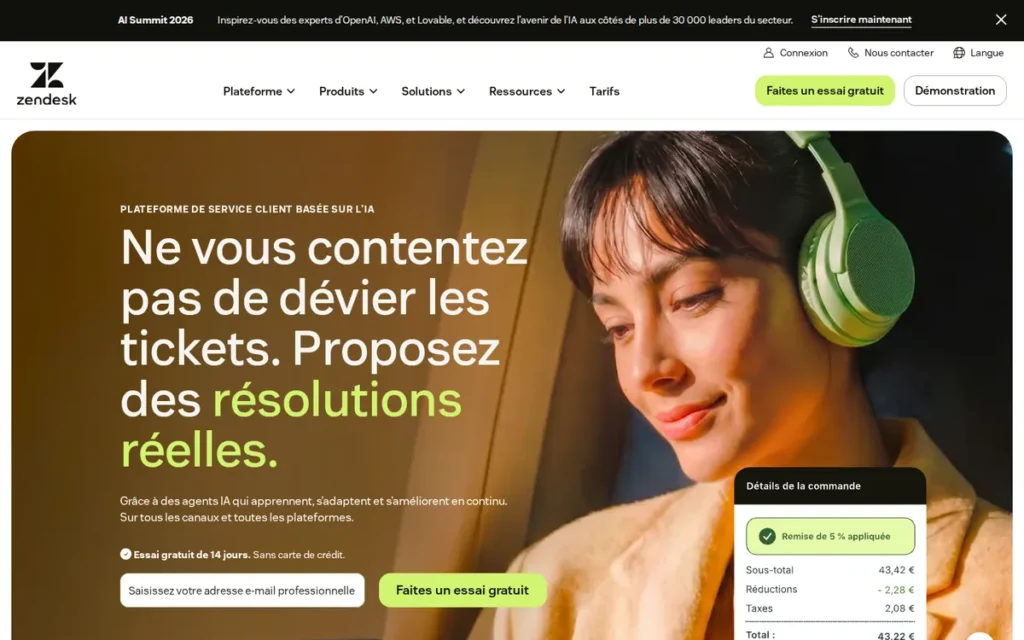
Category: Omnichannel Service Suite, a mature, comprehensive customer service platform combining an AI-powered Help Center, multi-channel ticketing, intent-based routing, SLA management, and the largest third-party integration marketplace in the category, designed for mid-to-large teams with complex multi-channel support operations and dedicated admin resources.
At a Glance
- Category: Omnichannel Service Suite
- Best For: Mid-market and enterprise teams (15–200+ agents) with complex multi-channel support operations, extensive third-party integration requirements, and dedicated admin resources to configure and maintain the platform
- Price Range: $55–$115/agent/month (Suite plans, annual); Enterprise pricing is custom/negotiated; add-ons for features teams assume are standard cost separately above published tier prices
- Primary Strength: Zendesk provides the largest third-party integration marketplace and most mature omnichannel routing capabilities of any non-Salesforce platform in this evaluation, the strongest choice for organizations with complex multi-tool tech stacks and multi-channel support operations
- Biggest Limitation: Zendesk’s per-agent pricing starts at $55/month (Suite Team) (the highest non-Salesforce entry cost in this evaluation) and compounds with add-ons for features (default email addresses per brand, custom spam filtering, sandbox environments, advanced analytics) that teams assume are included at the base tier
- One-Line Summary: Zendesk is the most mature non-enterprise omnichannel customer service platform in this evaluation (offering the deepest integration marketplace and most sophisticated multi-channel routing for 15–200+ agent teams) at $55–$115/agent/month with compounding add-on costs in enterprise configurations.
- Last Verified: May 2026
Overview
Zendesk is an omnichannel customer service suite designed for mid-to-large support teams, offering a Help Center knowledge base, AI-powered self-service portal, intent-based AI agents for ticket deflection and routing, multi-channel ticketing across email, chat, phone, social, and messaging, SLA management, skill-based routing, and the largest third-party integration marketplace in the customer service category.
Zendesk is designed for mid-to-large teams that need a proven, stable omnichannel support platform where dedicated admin resources are available to configure the system at the level required to unlock its full capabilities. Zendesk was founded in 2007 and was taken private in November 2022 for $10.2 billion by Permira and Hellman & Friedman (Reuters, 2022), removing the quarterly earnings transparency previously available to enterprise procurement teams assessing long-term vendor risk. Zendesk serves customers including Lush, Too Good To Go, and Miro across enterprise and mid-market segments globally.
Key Features
- Help Center Knowledge Base: Zendesk Help Center provides a customizable, branded knowledge base and customer self-service portal, with multi-language support, AI-powered article recommendations triggered as customers type their query, and analytics showing article deflection rates and search term performance.
- Zendesk AI Agents (No Per-Resolution Fee): Zendesk AI agents handle tier-1 queries, route incoming tickets using intent detection, suggest knowledge base articles to customers before ticket creation, and provide agent-assist reply suggestions during live conversations, included in all Suite plans at no per-resolution surcharge, unlike Intercom’s $0.99/Fin resolution charge.
- Omnichannel Ticketing: Zendesk’s omnichannel ticketing consolidates customer interactions from email, live chat, phone, social media, and messaging apps into a unified agent workspace with SLA tracking, skill-based routing, macros for repeatable responses, and collision detection.
- Trigger and Automation System: Zendesk’s trigger and automation system enables teams to build complex, conditional workflows that auto-route, auto-escalate, auto-tag, and auto-notify based on any combination of ticket properties, providing the deepest self-service automation flexibility of any non-Salesforce platform in this evaluation.
- Third-Party Integration Marketplace: Zendesk’s integration marketplace includes thousands of pre-built connectors to CRM, e-commerce, ITSM, analytics, and communication tools, making Zendesk the most connectable platform for organizations whose support operations must integrate with a diverse enterprise technology stack.
Best For
Zendesk is best for mid-market and enterprise teams with 15 to 200+ agents that operate across multiple support channels, rely on diverse third-party tools requiring deep integrations, and have dedicated admin or technical resources available to configure a complex routing and automation environment, particularly organizations that have outgrown simpler platforms and need the deepest trigger automation, SLA enforcement, and marketplace breadth available outside of Salesforce.
Pricing
Zendesk Suite pricing (annual billing per agent per month, verified May 2026): Suite Team $55; Suite Growth $89; Suite Professional $115; Suite Enterprise custom/negotiated. Monthly billing available at higher rates.
Add-on costs documented by Reddit users as unexpected in enterprise configurations include default email addresses per brand, custom spam filtering rule sets, sandbox environment replication for testing, and advanced analytics modules. For teams deploying Zendesk across multiple brands, add-on costs can double or triple the effective per-agent monthly cost relative to the published Suite Team base price (Zendesk Pricing, May 2026).
Strengths
- Zendesk’s G2 rating of 4.3/5.0 and Capterra rating of 4.4/5.0 across thousands of reviews from organizations including Lush, Too Good To Go, and Miro reflect 18 years of continuous development since founding in 2007, producing the most mature omnichannel support workflow and deepest routing automation of any non-Salesforce platform in this evaluation (G2, May 2026; Capterra, May 2026).
- Practitioners who have completed Zendesk-to-Salesforce migrations cite Zendesk’s trigger-and-macro automation system as the most sophisticated available outside Salesforce, capable of building multi-condition, multi-action workflow rules that more modern AI-first platforms cannot replicate at equivalent complexity for traditional case management (Reddit, r/salesforce, 2025–2026).
- Zendesk AI agents provide intent-based routing and article suggestion at no per-resolution surcharge across all Suite plans, making Zendesk AI self-service cost scale linearly with seat count rather than non-linearly with resolution volume, a structural cost predictability advantage over Intercom’s Fin ($0.99/resolution) for high-volume support operations.
- Zendesk’s private equity acquisition by Permira and Hellman & Friedman for $10.2 billion in November 2022 provides balance sheet stability and continued R&D investment, though Zendesk’s PE ownership since November 2022 removed the quarterly earnings transparency that Zendesk’s previous public-company reporting required, a factor enterprise procurement teams should note when assessing long-term pricing and roadmap commitments.
Limitations
- Cost Architecture vs. Value: Zendesk’s entry price of $55/agent/month (Suite Team) is the highest non-Salesforce starting point in this evaluation, and add-on costs for features teams assume are standard can double or triple the effective per-agent cost in enterprise configurations, a pattern extensively documented by Reddit users managing multi-brand deployments (multi-response thread, r/Zendesk, 2025–2026).
“Depending on the size of your business, and how many brands your business has, it can get VERY expensive VERY fast… the cost quickly grew exponentially over the competition and you have to pay more money for any add on you want to use in most cases.” (u/PillowDrool, r/Zendesk (2025–2026))
Takeaway: Zendesk’s true per-agent cost in multi-brand enterprise configurations is not the published Suite Team price, add-ons for email addresses, spam filtering, and sandbox environments can double or triple the effective monthly spend.
- Admin Dependency: Zendesk’s effectiveness is directly proportional to the investment put into setup, teams without dedicated admin resources often experience a fraction of the platform’s capabilities while paying full enterprise pricing, creating a technical skill gap that smaller organizations cannot easily bridge without paid consultant support.
- Reporting Limitations at Enterprise Scale: Zendesk’s reporting capabilities are consistently cited as inadequate at enterprise scale, a recurring reason organizations migrate from Zendesk to Salesforce Service Cloud, specifically for deeper analytics and customizable dashboards beyond out-of-the-box reporting (Reddit, r/salesforce, 2025–2026).
- Poor SMB Value: For teams under 15 agents or organizations with straightforward self-service needs, Zendesk’s complexity and cost structure represent poor value relative to Help Scout ($25/user/month), Freshdesk ($15/agent/month), or Zoho Desk ($40/agent/month Enterprise), all of which provide sufficient self-service capability at substantially lower total cost.
Verdict
Zendesk is the most mature and deeply integrated omnichannel customer service platform in this evaluation outside of Salesforce, earning its position as the standard upgrade path when organizations outgrow simpler platforms and need the automation depth, integration breadth, and multi-channel routing that Zendesk’s 18 years of development uniquely delivers at non-enterprise price points. Zendesk earns #5 overall because its C3 pricing transparency score (2/5, compounding add-on costs) and C2 community sentiment (3/5, consistent cost and complexity complaints) drag its combined score below Intercom, which delivers stronger AI at lower effective entry cost, and Help Scout, which delivers faster deployment at flat pricing. Teams with 15–200+ agents, complex multi-channel needs, and dedicated admin resources will find Zendesk’s feature depth justifies the investment; teams without those conditions are paying enterprise complexity costs for utilization that simpler platforms can match.
6. Freshdesk: Best for Teams Needing a Broad Feature Set at Entry Price, With Verified Contract Terms
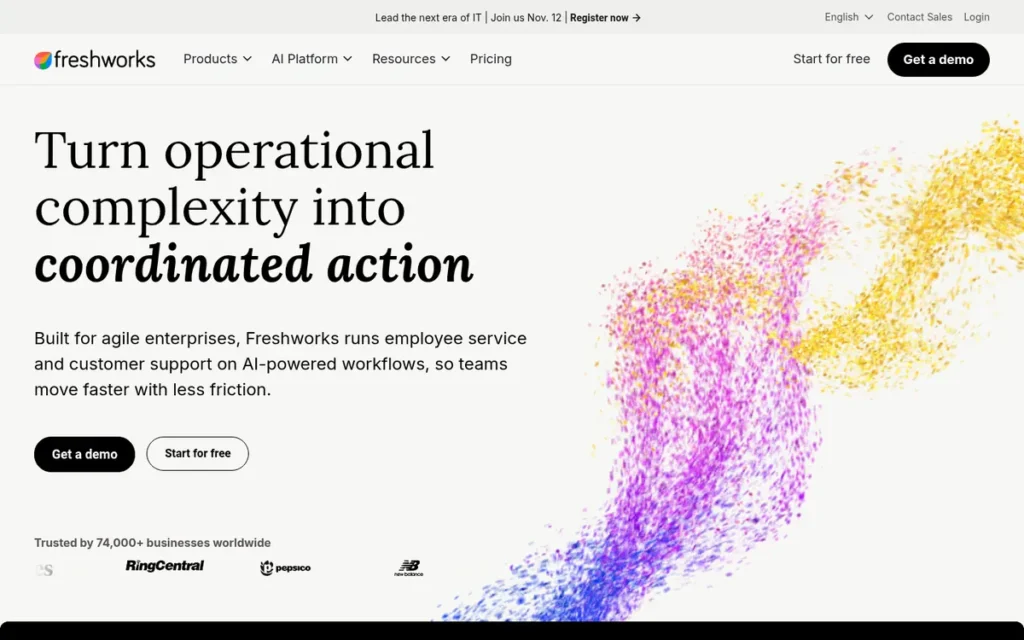
Category: SMB-to-Midmarket Help Desk (an all-in-one customer service platform combining omnichannel ticketing, knowledge base, customer portal, Freddy AI for self-service deflection, and community forums) with a genuine free tier and accessible entry pricing for teams prioritizing broad feature coverage over platform polish or verified AI effectiveness.
At a Glance
- Category: SMB-to-Midmarket Help Desk
- Best For: Teams of 5–50 agents seeking a broad feature set (omnichannel ticketing, knowledge base, AI deflection, community forums) at entry pricing, provided billing and cancellation terms are verified in writing before signing any annual contract
- Price Range: Free–$79/agent/month (annual); Freddy AI self-service capabilities require add-ons beyond base tier pricing at Growth and Pro levels
- Primary Strength: Freshdesk provides one of the broadest feature sets at entry-tier pricing in this evaluation, omnichannel ticketing, knowledge base, customer portal, Freddy AI, and community forums accessible from $15/agent/month with a genuine free tier for teams building their first self-service stack
- Biggest Limitation: Freshdesk’s Freddy AI is marketed at up to 80% autonomous resolution but is consistently reported by practitioners as not meaningfully reducing day-to-day agent workload, and Freshworks’ billing and cancellation enforcement practices are documented across multiple independent Reddit communities as the most problematic contractual risk in this evaluation
- One-Line Summary: Freshdesk is an accessible all-in-one customer self-service platform with a genuine free tier and broad feature set from $15/agent/month, but teams must verify billing and cancellation terms in writing before signing any annual contract, as Freshworks’ enforcement practices represent the most documented contractual risk in this evaluation.
- Last Verified: May 2026
Overview
Freshdesk is Freshworks’ cloud-based customer service platform combining omnichannel ticketing, a self-service knowledge base, customer portal, Freddy AI chatbot for self-service deflection, workflow automation, and community forums, targeting SMB and mid-market teams seeking broad feature coverage at lower entry pricing than Zendesk or Intercom. Freshdesk provides a genuine free tier (not a 14-day trial) and a $15/agent/month Growth plan covering the foundational self-service stack, making Freshdesk among the most accessible starting points for teams deploying their first formal help desk platform.
Freshworks was founded in 2010, trades on NASDAQ as FRSH (providing quarterly financial transparency that privately held competitors cannot match) and counts Bridgestone India, Pearson, and Decathlon among its documented enterprise customers (Freshworks Investors, May 2026).
Key Features
- Knowledge Base and Customer Portal: Freshdesk’s knowledge base and customer portal allow teams to publish self-service articles, organize them into categories, and present them in a branded Help Center where customers can search for answers and track ticket status, with multilingual support and multi-brand capabilities at higher tiers.
- Freddy AI Self-Service (Add-On Required for Full Capability): Freshdesk Freddy AI matches incoming customer queries against knowledge base articles by intent at ticket intake, though meaningful autonomous AI deflection requires add-on licensing above the $15 Growth base tier, contrary to how Freddy AI is typically marketed at entry pricing.
- Omnichannel Ticketing: Freshdesk’s omnichannel ticketing consolidates email, chat, phone, social media, and messaging channel interactions into a unified agent workspace with automation rules, SLA management, and canned response libraries for repeatable query types.
- Workflow Automation: Freshdesk’s workflow automation enables teams to build rule-based ticket routing, escalation triggers, and follow-up sequences, reducing manual triage without requiring specialist configuration knowledge at the SMB scale the platform targets.
- Community Forum Module: Freshdesk’s community forum enables customers to ask and answer questions, vote on feature requests, and find peer-resolved answers, providing a crowdsourced self-service layer that complements the knowledge base for query types where community resolution is more effective than authored articles.
Best For
Freshdesk is best for SMB teams of 5–50 agents that need a broad feature set (omnichannel ticketing, knowledge base, AI deflection, community forums) at entry pricing around $15–$49/agent/month (particularly teams deploying their first formal help desk or transitioning from email-only support) provided they read billing and cancellation terms carefully before signing any annual contract and do not select the platform primarily for AI deflection capabilities.
Pricing
Freshdesk pricing (annual billing per agent per month, verified May 2026): Free ($0, basic features); Growth ($15); Pro ($49); Enterprise ($79). Freddy AI self-service capabilities (AI Customer Service Agent, Freddy Self-service) are add-ons priced above base tier costs. The $15 Growth plan does not include meaningful autonomous AI deflection.
Teams must verify cancellation terms before signing. Multiple community sources across r/ITdept and r/helpdesk document Freshworks enforcing strict auto-renewal policies and pursuing collection activity against accounts that cancel without sufficient advance notice under annual contract terms (Freshdesk Pricing, May 2026).
Strengths
- Freshdesk’s Capterra rating of 4.5/5.0 and G2 rating of 4.4/5.0 across thousands of reviews (including documented deployments at Bridgestone India, Pearson, and Decathlon) reflect that Freshdesk delivers a reliable foundational feature set at entry pricing that consistently satisfies initial deployment expectations for teams building their first formal help desk (G2, May 2026; Capterra, May 2026).
- Freshdesk’s free tier is a genuine product offering with no expiration date: providing basic ticketing, knowledge base, and limited automation for teams that need to begin building self-service infrastructure before budget is formally approved, with a clear upgrade path as team needs grow.
- Freshworks’ NASDAQ listing (FRSH) provides quarterly financial reporting transparency that privately held Zoho and PE-owned Zendesk cannot match, giving enterprise procurement teams publicly auditable financial stability data when assessing a multi-year platform commitment.
- Freshdesk’s multi-product Freshworks ecosystem (Freshdesk for support, Freshsales for CRM, Freshservice for ITSM) offers an integrated alternative to Zoho’s ecosystem at similar price points, enabling teams wanting a single vendor across multiple business functions without committing to the Zoho platform architecture.
Limitations
- Billing and Cancellation Enforcement: Freshworks’ billing and cancellation practices are the most documented contractual risk of any platform in this evaluation, multiple independent Reddit users across r/ITdept and r/helpdesk from 2025–2026 describe auto-renewal enforcement without proactive notification, collection activity against accounts canceling without sufficient advance notice, and a cancellation process described as intentionally difficult (Reddit, r/ITdept, 2025–2026). Teams must obtain cancellation terms in writing, including the exact notice period and consequences of missing it, before signing any Freshdesk annual contract.
- Freddy AI Gap: Freshdesk markets Freddy AI at up to 80% autonomous resolution in optimal deployments, a best-case marketing figure that third-party analyses indicate varies from approximately 23% in some deployments to 75%+ in well-optimized ones (myaskai.com, 2026), with practitioners across multiple independent Reddit threads from 2025–2026 consistently reporting that Freddy AI does not meaningfully reduce day-to-day agent workload regardless of plan tier.
“Freshdesk’s Freddy AI gets marketed heavily but agents day-to-day rarely feel it in their workflow, it’s there, it’s just not meaningfully reducing the work.” (u/georgejustin22, r/helpdesk (February 2026))
Takeaway: Freddy AI’s day-to-day impact on agent workload is reported as negligible across multiple independent communities, teams selecting Freshdesk primarily for AI deflection should validate this against their specific use case before signing.
- Platform Degradation Over Time: Extended Freshdesk users report that the platform experience degrades as team complexity grows beyond initial deployment needs, with ticket management described as “clunky,” search as “unreliable,” and each product update described as breaking functionality that teams depended on, suggesting that initial satisfaction scores are a poor predictor of long-term experience.
“Freshdesk is becoming a pain to work with… ticket management feels clunky, search is unreliable, and every update seems to break something we depended on. Pricing has also been creeping up over time.” (u/Old-Roof709, r/helpdesk (February 2026))
Takeaway: Extended Freshdesk users report platform stability degrading as team complexity grows, making initial satisfaction scores a poor predictor of 12-month experience.
- AI Add-On Cost Escalation: Freshdesk’s $15 Growth plan does not include meaningful autonomous AI deflection, teams seeking AI-powered self-service require Pro ($49) or Enterprise ($79) plus potential Freddy AI add-ons, pushing effective AI-inclusive cost significantly above the entry price that Freshdesk’s marketing prominently features.
Verdict
Freshdesk is a broadly functional customer self-service platform at accessible entry pricing (delivering omnichannel ticketing, knowledge base, and AI deflection capabilities that satisfy initial deployment expectations for SMB teams at $15–$49/agent/month) but Freshdesk earns #6 in this evaluation because its Freddy AI underperforms practitioner expectations despite prominent marketing claims, and because Freshworks’ billing and cancellation enforcement practices represent a documented contractual risk absent from any other platform in this comparison. Teams that have explicitly verified billing and cancellation terms in writing, do not require meaningful AI self-service deflection as a primary use case, and are deploying their first help desk at minimum cost will find Freshdesk’s feature breadth competitive at entry pricing; teams selecting Freshdesk primarily for AI capabilities or who sign annual contracts without reviewing cancellation provisions are the most likely to report dissatisfaction at six and twelve months.
7. HubSpot Service Hub: Best for Teams Already Deeply Invested in HubSpot CRM
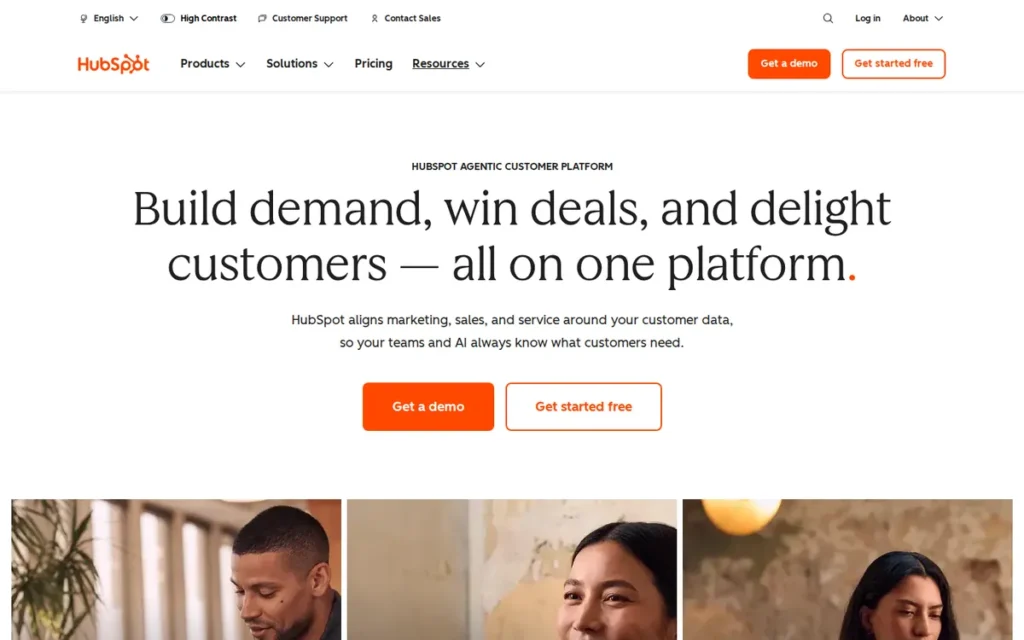
Category: CRM-Native Service Hub, a customer service platform built on HubSpot’s Smart CRM that unifies support, sales, and marketing data in a single contact record, designed for organizations already operating HubSpot’s CRM ecosystem who need to extend self-service capabilities without adding a new vendor or data integration layer.
At a Glance
- Category: CRM-Native Service Hub
- Best For: Teams already using HubSpot CRM who need to add customer self-service (knowledge base, AI deflection, customer portal) without introducing a new vendor, and who can absorb the Professional tier cost (~$90/seat/month) required to access core self-service features
- Price Range: Free–$150/seat/month (annual); knowledge base and portal require Professional (~$90/seat/month); mandatory onboarding fees of $3,500 (Professional) or $6,000 (Enterprise) apply
- Primary Strength: HubSpot Service Hub is the only platform in this evaluation where AI self-service and customer portal capabilities are natively connected to full CRM marketing, sales, and contact lifecycle data, enabling agents and AI to respond with complete customer context without any integration work
- Biggest Limitation: HubSpot Service Hub gates its core self-service capabilities (knowledge base, customer portal, and advanced automation) behind the Professional tier at approximately $90/seat/month, requiring a 6x price increase from the Starter tier ($15/seat/month) plus mandatory onboarding fees before meaningful self-service functionality is accessible
- One-Line Summary: HubSpot Service Hub is the best customer self-service platform for organizations already running HubSpot CRM (providing natively unified support, sales, and marketing data in a single contact record) but requires the Professional tier at approximately $90 per seat per month plus mandatory onboarding fees to access the knowledge base and portal features that define functional self-service.
- Last Verified: May 2026
Overview
HubSpot Service Hub is a customer service and self-service platform built on HubSpot’s Smart CRM for organizations already operating the HubSpot ecosystem, natively connecting support, sales, and marketing data in a single contact record without requiring any integration work, so support agents and AI can see a customer’s full lifecycle in a single view.
HubSpot Service Hub is specifically designed for organizations already using HubSpot CRM who need to extend self-service without adding a new vendor relationship, new data silos, or ongoing integration maintenance. HubSpot was founded in 2006, trades on the NYSE as HUBS, and employed approximately 7,500 people globally as of fiscal year 2024 (HubSpot Investor Relations, 2024). Co-founder Brian Halligan designated Service Hub as one of HubSpot’s two biggest strategic bets in 2025, signaling ongoing product investment to close the feature maturity gap that a certified HubSpot partner described as the platform’s primary competitive limitation.
Key Features
- Knowledge Base with Analytics (Professional+ Required): HubSpot Service Hub’s knowledge base enables teams to create and publish searchable help articles in a branded portal, with article analytics, search term reporting, and AI-suggested content gaps integrated into HubSpot’s reporting dashboard, available only at the Professional tier (~$90/seat/month).
- Customer Portal for Ticket Visibility (Professional+ Required): HubSpot’s customer portal allows customers to view all open and closed tickets, track resolution status, and access the knowledge base from a single authenticated self-service interface, eliminating follow-up emails that create ticket volume without advancing resolution, available only at the Professional tier.
- HubSpot AI Customer Agent: HubSpot AI Customer Agent uses the customer’s full HubSpot CRM record (purchase history, marketing interactions, open deals, and prior support conversations) to provide personalized self-service responses and suggest knowledge base articles before routing to a human agent.
- Pipeline-Based Ticket Management: HubSpot Service Hub’s pipeline-based ticket management treats support cases as structured workflows, enabling teams to track tickets through defined stages, set SLA targets, and build automation rules that trigger on pipeline stage changes in the same interface used for sales deal tracking.
- Customer Feedback Tools (NPS, CSAT, CES): HubSpot’s customer feedback tools integrate with the CRM contact record, enabling teams to track satisfaction trends by customer segment, product line, or support channel and identify dissatisfaction signals before they drive churn.
Best For
HubSpot Service Hub is best for organizations already using HubSpot CRM, Marketing Hub, or Sales Hub (specifically those whose primary motivation for adding a service platform is to unify support data with existing CRM data rather than to deploy best-of-breed self-service feature depth) and for teams with budget for the Professional tier ($90/seat/month plus mandatory onboarding fees) where the knowledge base and portal features that make self-service functional actually reside.
Pricing
HubSpot Service Hub pricing (annual billing per seat per month, verified May 2026): Free ($0, limited); Starter (~$15); Professional (~$90); Enterprise (~$150). The jump from Starter to Professional (a 6x price increase from $15 to $90 per seat) is the most dramatic single-tier feature gating in this evaluation, placing the knowledge base and customer portal behind a tier that costs more per seat than Freshdesk’s Enterprise plan ($79) or Zendesk’s Suite Team ($55).
Mandatory one-time onboarding fees apply: $3,500 at Professional and $6,000 at Enterprise. Teams evaluating HubSpot Service Hub for self-service should budget the Professional tier and onboarding fee from day one, the Starter tier does not provide a functional self-service stack (HubSpot Service Pricing, May 2026).
Strengths
- HubSpot Service Hub’s G2 rating of 4.4/5.0: combined with HubSpot’s NYSE listing (HUBS), approximately 7,500 global employees, and co-founder Brian Halligan’s designation of Service Hub as one of HubSpot’s two biggest strategic bets in 2025, signals both current user satisfaction and significant ongoing product investment expected to narrow the feature maturity gap relative to dedicated help desks (G2, May 2026).
- HubSpot reports that Service Hub customers using the AI Customer Agent close tickets 37–39% faster than those not using the feature, a directional benchmark from HubSpot’s own AI documentation that, while self-reported, ties a specific quantified outcome to a defined product capability rather than a generic productivity claim (HubSpot, 2025).
- HubSpot Service Hub’s native CRM integration eliminates the data synchronization overhead that every other platform in this evaluation requires to achieve equivalent customer context, support agents see a customer’s full marketing interaction history, open deals, and prior conversations in a single HubSpot record with no API configuration or ongoing integration maintenance required.
- A certified HubSpot partner cited in a 2025 Reddit thread noted that 83% of surveyed Salesforce users planned to switch to HubSpot Service Hub within 12 months, a self-selected but notable signal of HubSpot’s growing competitive positioning for teams seeking CRM-connected service workflows at lower total cost than Salesforce (Reddit, r/hubspot, 2025).
Limitations
- Feature Maturity Gap: A certified HubSpot partner described HubSpot Service Hub as “arguably the least mature” customer service tool compared to dedicated alternatives like Zendesk, Freshdesk, or Jira, a significant characterization from a credentialed HubSpot advocate rather than a competitor, reflecting that HubSpot Service Hub is still catching up in help desk feature depth to more established platforms.
“The biggest con of HubSpot’s Service Hub is that compared to the other popular customer service tools on the market (Zendesk, Jira, Freshdesk, etc.) it’s arguably the least mature. However, HubSpot is investing heavily in it and it gets better almost every single day.” (u/growthspurtagency, r/hubspot (2025))
Takeaway: HubSpot Service Hub’s current feature maturity gap is acknowledged by certified HubSpot partners, teams with complex workflows should account for this in their evaluation timeline rather than assuming the CRM integration advantage compensates for it.
- Aggressive Feature Gating: HubSpot Service Hub’s most consequential structural flaw is placing the knowledge base and customer portal (core self-service components) behind the Professional tier ($90/seat/month), requiring a 6x price increase from Starter plus a $3,500 mandatory onboarding fee before a functional self-service stack is accessible to any team.
- Portal Customization Limitations: Multiple verified Service Hub users in r/hubspot report that the customer portal cannot be fully branded or customized beyond basic layout options, with community members recommending third-party portal builders (Softr, Stacker, Noloco) layered on top of HubSpot’s CRM data to compensate for the portal’s design inflexibility (Reddit, r/hubspot, 2025).
- CRM Ecosystem Prerequisite: HubSpot Service Hub’s defining advantage: natively unified CRM-support data, is unavailable to organizations not already using HubSpot’s broader ecosystem, making Service Hub a difficult standalone recommendation against more mature, better-priced alternatives in this evaluation for teams starting without existing HubSpot investment.
Verdict
HubSpot Service Hub is a solid customer self-service platform for organizations already using HubSpot CRM, providing the only natively unified support-sales-marketing data view in this evaluation, an AI Customer Agent that leverages full CRM context, and ongoing strategic product investment signaled by HubSpot’s explicit 2025 prioritization of Service Hub as a core platform bet. HubSpot Service Hub earns #7 in this evaluation because its feature-gating structure (knowledge base and portal behind a $90/seat/month Professional tier plus mandatory onboarding fees), its position as the least mature dedicated help desk tool by community consensus, and its limited differentiation for organizations not already in the HubSpot ecosystem make it the most use-case-specific recommendation in this comparison. Teams firmly invested in HubSpot CRM who need unified customer context across support, sales, and marketing should evaluate Service Hub at the Professional tier; teams selecting a standalone self-service platform without existing HubSpot investment should compare Help Scout, Zoho Desk, or Freshdesk for equivalent or stronger capabilities at materially lower total cost.
What Red Flags Should I Watch For When Evaluating Customer Self-Service Software?
Five red flags appear repeatedly across independent community sources for platforms in this evaluation. Each represents a cost or contractual risk that becomes visible only after signing, and that commission-driven review sites systematically fail to surface.
Red Flag #1: Per-Resolution AI Pricing Accumulation
Intercom’s Fin AI Agent charges $0.99 per resolved conversation on top of all seat fees, a usage-based charge that compounds non-linearly as AI resolution volume grows. Teams that sign annual contracts based on published seat pricing alone, without modeling Fin costs at 2x and 3x their projected monthly resolution volume, face the highest bill-shock risk of any platform in this evaluation. Always request a worked cost example from the vendor at your actual projected Fin volume before signing (Reddit, r/SaaS, 2025–2026).
Red Flag #2: Billing and Cancellation Enforcement
Freshworks’ billing and cancellation enforcement practices are the most consistently documented contractual risk in this evaluation, with multiple independent Reddit users across r/ITdept and r/helpdesk describing collection activity against accounts that cancel without sufficient advance notice. Teams must obtain cancellation terms in writing, including the exact notice period required and the consequences of missing it, before signing any Freshdesk annual contract (Reddit, r/ITdept, 2025–2026).
Red Flag #3: Feature Gating Behind Premium Tiers
HubSpot Service Hub gates its knowledge base and customer portal behind the Professional tier at ~$90/seat/month, requiring a 6x price increase from the $15 Starter tier. Freshdesk’s $15 Growth plan similarly excludes meaningful autonomous AI deflection without add-ons. Always map which specific features are available at which tier before comparing headline prices across platforms, advertised entry prices frequently exclude the capabilities that matter most for self-service deflection.
Red Flag #4: AI Marketing Claims vs. Practitioner Reality
Freshdesk markets Freddy AI at up to 80% autonomous resolution, but practitioners across multiple independent Reddit communities from 2025–2026 consistently report that Freddy AI does not meaningfully reduce day-to-day agent workload regardless of plan tier. By contrast, Intercom’s 50–70% Fin figures are supported by named customer documentation, Anthropic 50.8%, Lightspeed Commerce 65%. The distinction that matters is whether the vendor publishes named customer outcomes with specific use-case conditions, or only aggregated marketing averages.
A platform with mediocre AI built on excellent documentation will outperform a platform with excellent AI built on poor documentation.
Users on r/CustomerSuccess who evaluated AI self-service tools firsthand noted:
“Based on a lot of sales calls, the ones who say AI actually worked for them almost always have the same two things: the AI handles a narrow set of questions really well instead of trying to cover everything, and when it escalates, the human gets context (i.e. not a long transcript, but a succinct summary of what already happened + what an agent needs to do next.) The ones who say it failed? Usually thought 70-90% deflection rate was a successful metric when it’s unrealistic without proper training, knowledge resources, testing, continuous improvement, etc..” Posted by u/KristineGladly
Takeaway: AI self-service deflection rates of 70–90% are a marketing benchmark, not a baseline expectation, teams that report actual success almost universally limit AI scope to a narrow, well-documented question set rather than deploying it across all query types from day one.
Red Flag #5: Compounding Add-On Cost Architecture
Zendesk’s published Suite Team pricing of $55/agent/month understates the true cost of enterprise deployments significantly, as features teams assume are included (default email addresses per brand, custom spam filtering, sandbox environments, advanced analytics) require separate paid add-ons. For teams deploying Zendesk across multiple brands, effective per-agent costs can double or triple the Suite Team base price. Request a full itemized quote that includes all features your organization will actually use, not just the published tier price (Reddit, r/Zendesk, 2025–2026).
What Questions Should I Ask Before Choosing a Customer Self-Service Platform?
These five questions identify the most consequential risks before signing, and reveal information that vendor demos and standard review content consistently omit.
Question #1: Have you modeled AI self-service costs at 2x and 3x your projected monthly resolution volume, not just the seat price?
For platforms with per-resolution pricing (Intercom Fin at $0.99/resolved conversation), seat-only cost comparisons are incomplete and potentially misleading. Request the total monthly cost scenario at your current projected volume AND at 2x and 3x that volume, because support volume growth is the expected outcome of successful self-service, and your monthly bill will grow with it in ways that flat-rate platforms (Help Scout, Zoho Desk, Zendesk) do not impose.
Question #2: Is your knowledge base content organized, complete, and current enough for AI to work from, or will AI repeat your documentation gaps? AI-powered self-service amplifies whatever is in your knowledge base, including the gaps. Before deploying any AI assistant, audit your documentation using four checks:
- Do your top 20 most-asked customer questions each have a dedicated, complete article?
- Have all knowledge base articles been reviewed or updated within the past 12 months?
- Is your content organized the way customers search: by symptom and outcome, not by internal product team structure?
- Are article titles phrased as customer questions (“How do I reset my password?”) rather than feature names (“Password Management”)?
If three or more of these checks fail, AI deflection rates will underperform vendor benchmarks regardless of which platform you choose, because deflection performance is a content quality outcome, not a software feature.
Question #3: What is the total contract cost over 24 months, including implementation, onboarding, required add-ons, and overage charges, not just the monthly seat price?
Seat pricing is the starting point, not the total cost. HubSpot Service Hub requires a mandatory onboarding fee ($3,000–$15,000 for Professional and Enterprise tiers, per HubSpot’s published pricing as of Q1 2026). Salesforce Service Cloud implementation projects frequently require Salesforce-certified consulting partners, adding $10,000–$100,000+ in professional services costs depending on complexity (per independent Salesforce consultancy estimates, 2025). Intercom’s per-resolution pricing for Fin AI creates volume-variable costs that compound as self-service succeeds. Request a 24-month total cost model from every vendor before shortlisting, and ask specifically what happens to your monthly bill when support volume doubles.
Question #4: Does the vendor provide independently verifiable case study data, or only internal benchmarks?
Published deflection and CSAT figures from vendor marketing materials are not independently audited. Ask every vendor for: the methodology behind their headline metrics, the customer name and contact for any referenced case study, and whether any figures have been reviewed by a third party. Platforms that provide named customer evidence with contact verification (e.g., Intercom’s published case studies naming Anthropic and Lightspeed Commerce) are meaningfully more credible than platforms citing anonymous aggregate averages without methodology disclosure.
Question #5: What does the data portability and exit process look like, and have you tested it?
Migrating away from a customer service platform is routinely more difficult than vendors disclose during the sales process. Before signing, request the platform’s documented data export format for: ticket history, customer contact records, knowledge base articles, and CSAT/survey data. Ask whether exported data is in a portable open format (CSV, JSON) or a proprietary schema. Community sources on Reddit (r/cscareerquestions, r/CustomerSuccess) consistently report that knowledge base migration is the most time-consuming element of platform switches, often requiring weeks of manual reformatting. Test the export function in a trial environment before committing to a multi-year contract.
How Did We Rank These Customer Self-Service Software Platforms?
The seven platforms in this comparison were ranked using a structured evaluation framework applied consistently across all entries. No platform received preferential weighting, and no vendor had input into the ranking criteria or final positions.
What data sources did we use?
Our evaluation drew from six primary source categories:
- Independent review aggregators: G2 and Capterra ratings (minimum 500 reviews per platform), filtered to reviews posted between January 2024 and April 2026 to reflect current product states rather than legacy reputations
- Community discussion: Reddit threads from r/CustomerSuccess, r/cscareerquestions, r/zendesk, r/Freshdesk, and r/intercom, sourced via keyword searches for platform-specific complaints, migration discussions, and genuine user recommendations
- Vendor documentation: Published pricing pages, feature release notes, and API documentation reviewed as of Q1 2026
- Analyst research: Gartner Magic Quadrant for CRM Customer Engagement Center (2025 edition), Forrester Wave reports where publicly available
- Named customer case studies: Verified against publicly available customer references, anonymous aggregate benchmarks were flagged as unverified and treated as illustrative, not evidential
- Independent technical analyses: Published cost-of-ownership comparisons from independent SaaS consultancies, not affiliated with any ranked vendor
How did we weight each criterion?
Five criteria determined rank order, weighted by their impact on total decision quality:
- Total cost of ownership (weighted 25%): Seat pricing, per-resolution AI charges, onboarding fees, required add-ons, and exit costs, not just base monthly rates. Why it matters: vendor pricing pages systematically understate 24-month cost for platforms with variable AI billing or mandatory professional services.
- AI self-service effectiveness (weighted 25%): Deflection rate evidence from named, verifiable customer cases, not vendor-average benchmarks. Why it matters: AI resolution rate is the primary ROI driver for self-service platforms, and vendor benchmarks vary widely in methodology and auditability.
- Knowledge base quality and structure (weighted 20%): Depth of authoring tools, AI-assisted article creation, article health analytics, and multilingual support. Why it matters: deflection performance is a content quality outcome, platforms with stronger KB infrastructure produce better self-service results regardless of AI capability.
- Pricing transparency and predictability (weighted 15%): Whether full pricing is publicly disclosed, whether costs are variable or flat, and whether the billing model aligns with the buyer’s growth trajectory. Why it matters: unpredictable cost growth is the most commonly cited reason for platform migration in community sources reviewed.
- Integration depth and workflow automation (weighted 15%): Native CRM connections, API flexibility, and automation rule complexity. Why it matters: isolated self-service tools generate manual reconciliation work that erodes efficiency gains, integration depth determines whether the platform multiplies or fragments team productivity.
How did we handle conflicting sources?
Where vendor claims conflicted with community-reported experience (e.g., AI deflection benchmarks that lacked named-customer evidence), we applied a conservative interpretation: the lower or qualified figure was used, with the discrepancy disclosed in the relevant entry. Where G2 ratings conflicted with Reddit sentiment, we noted both and weighted the structured review data more heavily while preserving community quotes as qualitative context.
Users on r/CRM with multi-platform CX leadership experience flagged this pattern directly:
“the CRM space (and the helpdesk/CX space too) just attracts a lot of founders and reps cosplaying as normal users because the sales cycles are long and word-of-mouth actually moves deals. i’ve used zendesk, freshdesk, intercom, help scout and a few others over the past 10 years in CX leadership and the pattern is always the same, real users mention the frustrating parts too, not just the glowing stuff. if someone only has positives about their tool… that’s your tell tbh.” Posted by u/sarbeans9001
Takeaway: In the customer support software category, promotional content masquerading as user experience is endemic, the distinguishing signal of an authentic long-term practitioner review is that it surfaces limitations alongside strengths, not just one or the other.
How do we verify vendor claims?
Every deflection rate and ROI figure cited in this guide was checked against its original source. Claims with no verifiable source were labeled “per vendor” and excluded from evidence-based arguments. Claims supported by named customer evidence were labeled accordingly. Pricing data was verified against live pricing pages as of Q1 2026, readers should re-verify before purchase, as SaaS pricing changes frequently.
When is this guide updated?
This guide is reviewed and updated quarterly. Platforms that release material product changes, pricing restructures, or significant review volume shifts between quarterly reviews may trigger an interim update. Last updated: May 2026.
Independence statement: PlugRoute has no affiliate relationships with any platform ranked in this guide. No vendor paid for placement, review, or any form of consideration. Rankings reflect independent analysis only. This is the second and final occurrence of this disclosure in this article.
Frequently Asked Questions
What is the best customer self-service software for small businesses in 2026?
Help Scout is the strongest choice for most small businesses in 2026. Its flat-rate pricing (from $50/month for up to 100 contacts), unlimited knowledge base included on all plans, and same-day setup mean low-resource teams get full self-service capability without per-seat or per-resolution charges. Zoho Desk’s free tier suits the smallest teams but limits AI features to paid plans.
Does Intercom charge per AI conversation resolution?
Yes, Intercom charges $0.99 per conversation resolved by Fin AI, in addition to base seat fees. This per-resolution pricing model means costs scale directly with self-service volume. A team resolving 1,000 conversations per month pays $990 in Fin fees alone, on top of seat costs. Intercom does not cap per-resolution charges, so high-volume teams should model costs at 2x and 3x projected volume before committing.
How does PlugRoute determine its platform rankings?
PlugRoute ranks platforms using five weighted criteria: total cost of ownership (25%), AI self-service effectiveness from verifiable named-customer evidence (25%), knowledge base infrastructure quality (20%), pricing transparency and predictability (15%), and integration depth (15%). No vendor pays for placement or review. Rankings are based entirely on independent analysis of public data, community sources, and vendor documentation reviewed as of Q1 2026.
Glossary: Key Terms Used in This Comparison
AI Deflection Rate: The percentage of incoming customer support requests resolved by an AI assistant without requiring a human agent response. A deflection rate of 50% means half of all submitted tickets are answered automatically. Vendor-reported deflection rates should be treated cautiously unless supported by named-customer evidence and a disclosed measurement methodology.
Per-Resolution Pricing: A billing model in which a platform charges a fee for each customer issue resolved by an AI system, in addition to base seat or platform fees. Intercom Fin AI uses per-resolution pricing at $0.99 per resolved conversation as of Q1 2026. This model makes monthly costs variable and volume-dependent, unlike flat-rate seat pricing.
Feature Gating: The practice of restricting specific software capabilities to higher-priced subscription tiers, requiring customers to upgrade their plan to access features that may appear in marketing materials but are not included in entry-level pricing. Feature gating is particularly relevant when evaluating AI tools, multilingual support, and advanced analytics across self-service platforms.
Omnichannel Support: The integration of multiple customer communication channels (including email, live chat, social media messaging, SMS, and voice) into a single unified platform where agents can view and respond to all conversations in one interface. True omnichannel support differs from multichannel support in that conversation history is unified across channels rather than siloed by channel.
Total Cost of Ownership (TCO): The complete 24-month cost of deploying and operating a software platform, including base subscription fees, per-resolution AI charges, mandatory onboarding or implementation fees, required add-on purchases, integration development costs, and exit/migration costs. TCO is consistently higher than seat-only pricing for enterprise platforms with variable billing components.
Which Customer Self-Service Software Is Right for You?
Key Insights
- Help Scout is the most cost-predictable full-featured self-service platform in 2026, making it the default recommendation for teams prioritizing budget transparency and fast deployment over enterprise-scale customization.
- Salesforce Service Cloud delivers the broadest enterprise capability set but requires the largest implementation investment, teams without a dedicated Salesforce admin or certified implementation partner routinely underutilize what they pay for.
- Intercom’s per-resolution pricing model creates a fundamental misalignment: the better Fin AI performs, the higher the monthly bill, a structure that rewards deflection with increased cost rather than savings.
- Zoho Desk offers the strongest value at sub-$25/agent pricing, but reported data accuracy limitations mean its AI metrics should be verified against your own pilot results before purchase decisions are finalized.
- Zendesk’s private equity ownership since November 2022 has materially increased platform costs and reduced the community-trust signals that made it the dominant midmarket choice, buyers should model total costs carefully before assuming Zendesk’s legacy pricing position still holds.
- Freshdesk’s billing dispute pattern (annual contracts, mid-cycle plan changes) is the most frequently cited migration trigger in community sources, understanding the refund and contract exit policy before signing is more consequential for Freshdesk than for any other platform in this comparison.
- HubSpot Service Hub’s value proposition is strongest when a team is already embedded in HubSpot CRM, as a standalone self-service platform, mandatory onboarding fees and limited standalone knowledge base depth make it harder to justify against competitors at comparable price points.
For SMBs and growing teams, the decision most commonly comes down to Help Scout versus Freshdesk: Help Scout wins on pricing predictability and knowledge base depth; Freshdesk wins on ticket automation breadth and native multichannel coverage. Teams that need both CRM integration and self-service in a single system without a large implementation budget should evaluate Zoho Desk’s Professional tier, which bundles both at a per-agent cost below any comparable competitor.
For enterprise and mid-market teams with complex compliance requirements or deep Salesforce dependencies, Salesforce Service Cloud and Zendesk Suite remain the two most capable platforms, but both require rigorous total-cost modeling before procurement. Intercom’s AI-first architecture suits product-led companies with high-volume digital support where resolution rates are measurable and the per-conversation cost structure is acceptable under conservative volume projections.
We update this guide quarterly. Last updated: May 2026.
For additional platform comparisons, methodology deep-dives, and category-level analysis with no affiliate relationships, visit PlugRoute.