Zoho Assist is the best overall co-browsing software for most teams, earning Gartner Peer Insights Customers’ Choice 2025 recognition and a verified 4.7/5.0 G2 rating at transparent pricing from $8 per technician per month. Cobrowse.io leads for enterprise mobile deployment; Glia dominates financial services. The central trade-off: accessible pricing rarely coexists with enterprise-grade server-side compliance architecture.
Support agents who cannot see exactly what a customer sees lose time in back-and-forth description loops that frustrate both sides. Most teams discover critical flaws only after deployment: customers must download a plugin before the session begins; sensitive form data routes through the agent’s device even when fields appear masked; and legitimate co-browsing invitations are visually indistinguishable from phishing prompts, causing customers to abandon before support can begin.
As one user on r/software described:
“OP did you ever find a good solution? I’m in the same boat, need CoBrowse solution that can mask sensitive data. There’s tons of companies out there but I can’t find reliable reviews.” Posted by u/GhanimaAtreides
Takeaway: Buyers researching co-browsing software face a fragmented landscape where verified, unbiased reviews (especially for compliance use cases requiring server-side data masking) are genuinely difficult to find.
PlugRoute has no affiliate relationships with any company in this review, every ranking is determined by third-party evidence and editorial methodology, not commercial incentives.
“We’re required to use Smartlook or Glance on every call. If not said in first 2 minutes of call it affects our Metrics.”, u/[deleted], r/TurboTax
Takeaway: Enterprise support teams are often required by management to offer co-browsing within the first two minutes of every call, meaning tool selection affects agent compliance metrics, not just customer experience outcomes. This mandate creates direct pressure to choose tools with frictionless session initiation over richer-featured alternatives that require more setup time.
TL;DR: All 7 Co-Browsing Tools at a Glance
- Zoho Assist is the most independently credentialed option in this evaluation, combining Gartner Peer Insights Customers’ Choice 2025 recognition with transparent pricing starting at $8 per technician per month.
- Cobrowse.io provides the only verified native iOS and Android SDK co-browsing in this evaluation alongside AI Virtual Agent capability, serving an enterprise customer base where the majority of revenue comes from billion-dollar organizations.
- Glia serves 700+ financial institutions through its proprietary ChannelLess® Architecture, built specifically for banks, credit unions, and insurers replacing full contact center toolstacks.
- Surfly delivers proxy-based co-browsing with server-side data masking that prevents sensitive field data from reaching the agent’s device, the strongest compliance posture for PCI-DSS cross-domain workflows in this evaluation.
- Fullview is the only evaluated platform combining always-on session replay, live co-browsing, and real-time console log access, designed for SaaS support teams using Zendesk, Intercom, Salesforce, or HubSpot.
- TeamViewer Engage delivers browser-tab co-browsing backed by public-company stability and G2 Leader recognition, best suited for enterprises already invested in the TeamViewer Remote ecosystem.
- REVE Chat bundles live chat, co-browsing, video, voice, and AI chatbots into a single platform from approximately $50 per month, the broadest multi-channel bundle at the lowest verified entry price in this evaluation.
What Are the Three Categories of Co-Browsing Software?
The three categories of co-browsing software are purpose-built specialists (Zoho Assist, Cobrowse.io, Surfly), unified digital engagement platforms (Glia, TeamViewer Engage), and omnichannel suites with embedded co-browsing (REVE Chat, Fullview). Selecting the wrong category is the most common procurement error, specialists offer greater session-control depth, platforms require full toolstack commitment, and suites trade co-browsing depth for multi-channel breadth at lower cost.
Category 1, Purpose-Built Co-Browsing Specialists: Zoho Assist, Cobrowse.io, and Surfly are dedicated co-browsing platforms with deep session-control features, compliance architectures, and developer-integration options. These tools prioritize co-browsing depth over channel breadth and represent the default starting point for teams with a primary co-browsing requirement.
Category 2, Unified Digital Engagement Platforms: Glia and TeamViewer Engage embed co-browsing inside broader customer service or remote support platforms. These are best for organizations replacing full toolstacks rather than adding a standalone co-browsing capability.
Category 3, Omnichannel Suites with Embedded Co-Browsing: REVE Chat and Fullview bundle co-browsing alongside live chat, video, chatbots, or session replay. These are best for teams consolidating multiple channels under one budget, with co-browsing as one capability among several.
How Do the Top 7 Co-Browsing Tools Compare?
| Rank | Company | Category | Best For | One-Line Summary | Key Capabilities | Primary Strength | Key Limitation |
|---|---|---|---|---|---|---|---|
| 1 | Zoho Assist | Specialist | SMB to mid-market, all verticals | Zoho Assist is the most independently verified co-browsing platform in its price tier, earning Gartner Peer Insights Customers’ Choice 2025 recognition and a 4.7/5.0 G2 rating at transparent pricing from $8 per technician per month. | Tab-level co-browsing with 256-bit AES encryption and 2025 Universal CoBrowse enabling cross-domain sessions without SDK installation on target sites | Gartner 2025 recognition plus a verified mid-4s G2 rating at the most transparent pricing in this evaluation | UI described as functional rather than elegant; limited native mobile co-browsing depth |
| 2 | Cobrowse.io | Specialist | Engineering-led enterprise; mobile-first support | Cobrowse.io is a co-browsing SDK with verified native mobile and web coverage and AI Virtual Agent capability, deriving the majority of revenue from companies with $1B+ annual revenue per GetLatka (2024). | Native iOS and Android SDK co-browsing with AI Virtual Agent capability and private-by-default architecture requiring explicit customer permission before any session begins | Only evaluated platform with verified native mobile SDK plus AI Virtual Agent co-browse | No public pricing; requires developer implementation; approximately 9-person team |
| 3 | Glia | Platform | Financial services and insurance enterprise | Glia is a unified digital customer service platform serving 700+ financial institutions via its ChannelLess® Architecture, preserving session context across co-browsing, chat, voice, and video. | ChannelLess® Architecture enabling seamless channel escalation, no-download co-browsing, AI assistants, and full session context preservation across channels | Dominant vertical depth in regulated financial services; 700+ institutional customers | Custom pricing only; limited fit outside financial services |
| 4 | Surfly | Specialist | PCI/compliance-sensitive enterprise workflows | Surfly is a proxy-based co-browsing platform that redacts sensitive data server-side before it reaches the agent’s device, providing a materially stronger compliance posture than SDK-based tools with client-side masking. | Proxy/middleware architecture with server-side data redaction, cross-domain multi-site co-browsing without SDK installation, e-signature, and white-label customization | Server-side masking; cross-domain multi-site co-browsing without SDK changes to target sites | Pricing not publicly listed; configuration complexity for non-technical teams |
| 5 | Fullview | Suite | SaaS companies with technical support helpdesks | Fullview is the only evaluated platform combining always-on session replay, live co-browsing, and real-time console log access in a single SaaS support product. | Session replay plus live co-browsing, console log access, AI visual agents, and native integration with Zendesk, Intercom, Salesforce, and HubSpot | Unique session replay plus co-browsing combination with zero-action customer initiation | Entry price approximately $71/month; narrow fit outside SaaS; pre-Series A funding stage |
| 6 | TeamViewer Engage | Platform | Organizations already using TeamViewer Remote | TeamViewer Engage is a browser-based co-browsing module within TeamViewer’s enterprise remote support platform, backed by public-company stability and G2 Leader recognition in the co-browsing category. | JavaScript widget co-browsing, bidirectional control, visual annotation, AI assistant (Tia), and enterprise security credentials (SOC 2, ISO) | Public-company stability (MDAX: TMV); G2 Leader badge; 20-year enterprise security track record | Engage is a separate add-on from Remote; licensing complexity; community reviews skew toward the Remote product |
| 7 | REVE Chat | Suite | Budget-conscious SMB teams consolidating channels | REVE Chat bundles live chat, co-browsing, video, voice, and AI chatbots into a single platform starting at approximately $50 per month; the broadest channel bundle at the lowest verified entry price in this evaluation. | Live chat, co-browsing, video, voice, AI chatbots, data masking, mobile app co-browsing, and Highlighter annotation in one subscription | Broadest multi-channel bundle at the lowest verified entry price in this evaluation | Smallest team (~35 employees); co-browsing is not the primary engineering focus |
Which Co-Browsing Tool Should I Choose for My Use Case?
| Your #1 Priority | Recommended Tool | Why | Acceptable Alternative |
|---|---|---|---|
| Which co-browsing tool has the lowest verified cost with third-party credentials? | Zoho Assist | Free tier available; Professional at $13/tech/month annual; Gartner Peers’ Choice 2025 recognition | REVE Chat (~$50/month for bundled multi-channel support) |
| Which tool supports native mobile app co-browsing on iOS and Android? | Cobrowse.io | Only evaluated vendor with a verified native iOS and Android SDK; distinct from mobile browser co-browsing | REVE Chat (mobile co-browsing claimed; native SDK depth not independently verified) |
| Which co-browsing tool is best for financial services or insurance? | Glia | 700+ institutional customers; ChannelLess® Architecture with full channel continuity | Surfly (proxy server-side masking for PCI-scoped financial workflows) |
| Which tool works for PCI-DSS-compliant cross-domain web co-browsing? | Surfly | Proxy architecture routes data server-side; PII is redacted before reaching the agent’s endpoint | Cobrowse.io (private-by-default SDK architecture) |
| Which tool is best for SaaS support with session replay? | Fullview | Only evaluated platform combining always-on replay, live co-browsing, and real-time console log access | Cobrowse.io (session replay also available) |
| Which tool is best for an existing TeamViewer deployment? | TeamViewer Engage | Single vendor relationship; G2 Leader recognition; public-company stability and audited financials | Zoho Assist (if price is the primary consideration) |
| Which co-browsing tool offers the best multi-channel bundle on a small budget? | REVE Chat | Chat, co-browsing, video, voice, and AI chatbots from ~$50/month | Zoho Assist (co-browsing focused, lower per-tech cost) |
How Should I Shortlist a Co-Browsing Tool in Three Steps?
Most readers have narrowed to two or three tools by this point. Use this shortcut before reading the full entries.
Step 1, Identify your primary constraint:
- Budget under $100/month → Zoho Assist or REVE Chat
- Native mobile app co-browsing required → Cobrowse.io
- Regulated financial services → Glia or Surfly
- SaaS support team using a modern helpdesk → Fullview
- Existing TeamViewer deployment → TeamViewer Engage
Step 2, Read the full entry for your leading candidate plus its closest alternative. The Red Flags and Evaluation Questions sections convert your research into a vendor conversation checklist, use them during your first demo call.
Step 3, Run both candidates through the Red Flags checklist and Evaluation Questions framework before requesting a trial. The customer-facing session initiation experience, specifically how the consent flow looks to a non-technical customer, is impossible to assess from documentation alone.
1. Zoho Assist: Best Overall Co-Browsing Software
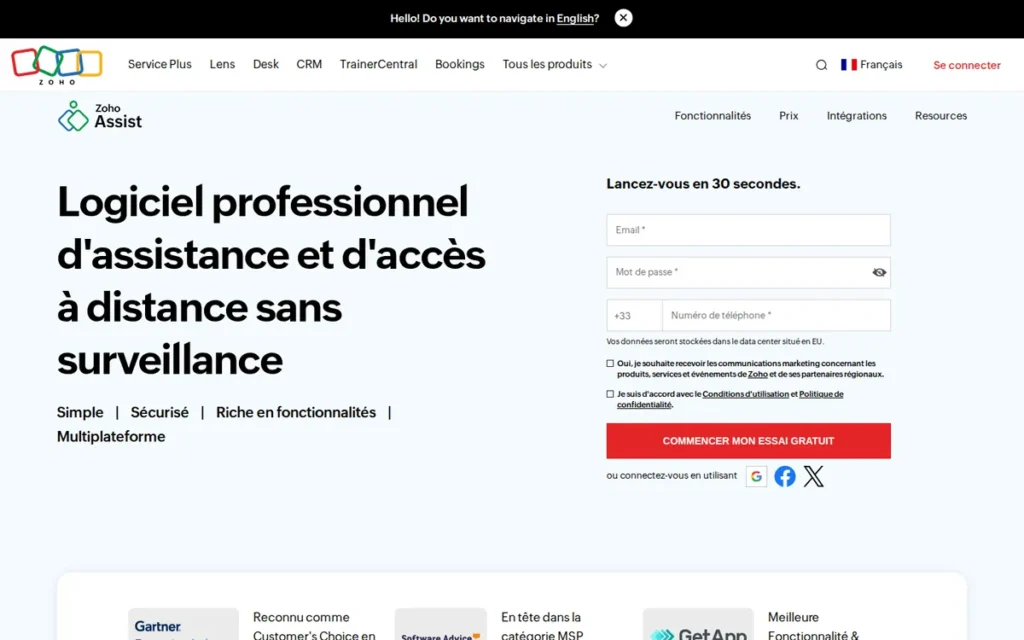
Category: Purpose-Built Co-Browsing Specialist, tab-level co-browsing with transparent pricing and Gartner-verified credentials.
At a Glance
- Category: Purpose-Built Co-Browsing Specialist
- Best For: SMB to mid-market support teams across healthcare, financial services, SaaS, and e-commerce
- Price Range: Free tier; paid plans from $8–$20/technician/month (annual billing); verified at zoho.com/assist/pricing.html, May 2026
- Primary Strength: Gartner Peer Insights Customers’ Choice 2025 recognition and a 4.7/5.0 G2 rating from several hundred verified reviews at the most transparent pricing in this evaluation
- Biggest Limitation: UI described as functional rather than elegant; limited native mobile co-browsing depth relative to Cobrowse.io’s dedicated SDK
- One-Line Summary: Zoho Assist is the most independently verified co-browsing platform in its price tier, combining Gartner Peer Insights Customers’ Choice 2025 recognition with a 4.7/5.0 G2 rating and public pricing from $8 per technician per month.
- Last Verified: May 2026
Overview
Zoho Assist ranks first in this evaluation because it combines more independently verified third-party credentials at a transparent price point than any other evaluated tool: Gartner Peer Insights Customers’ Choice 2025 recognition, a 4.7/5.0 G2 rating from several hundred verified reviews, and public pricing from $8 per technician per month. Zoho Assist’s ranking reflects that breadth of independently verifiable evidence, no other product in this set matches this combination.
Zoho Assist is a browser-based remote support and co-browsing platform within the Zoho ecosystem, built for customer support teams at SMB and mid-market organizations across all verticals. Zoho Assist restricts agent visibility to the customer’s active browser tab only (agents cannot access other applications, files, or desktop content) making it a privacy-protective, low-risk session model for regulated industry deployments.
Zoho Assist is developed by Zoho Corporation, a bootstrapped company founded in 1996 with 15,000+ employees and no venture capital pressure on its pricing strategy. (Zoho About, 2026) This independence provides pricing stability unusual for multi-year enterprise software vendor relationships.
Zoho Assist received targeted R&D investment with the 2025 launch of Universal CoBrowse, enabling co-browsing across third-party sites beyond the deploying organization’s own domain. (Zoho Assist 2025 Recap, 2025) This signals active roadmap commitment to co-browsing depth.
Key Features
- Tab-Level Session Restriction: Zoho Assist limits agent visibility to the customer’s active browser tab, preventing any access to other applications, desktop content, or additional browser tabs, directly addressing the most common customer trust objection to co-browsing.
- Data Masking: Zoho Assist automatically hides password fields and payment inputs from the agent’s view during sessions, supporting PCI-DSS-aligned workflows without requiring custom configuration.
- 256-Bit AES Encryption over SSL/TLS 1.2+: Zoho Assist encrypts all co-browsing sessions to enterprise-grade standards, meeting baseline security requirements for healthcare and financial services deployments. (Zoho Co-Browsing Features, 2026)
- Universal CoBrowse (2025 Release): Zoho Assist’s Universal CoBrowse enables agents to co-browse across third-party sites and external domains, removing the historical limitation of widget-based tools that required an SDK on every co-browsed page. (Zoho Assist 2025 Recap, 2025)
- Annotation and Visual Guidance Tools: Zoho Assist provides agents with a highlighter, drawing tool, and laser pointer for precise visual guidance without requiring full control transfer to the agent.
Best For
Zoho Assist is best for SMB and mid-market customer support teams across healthcare, financial services, SaaS, and e-commerce that need transparent, affordable co-browsing with independently verified security credentials and prefer a vendor with a 25+ year operating history and no investor-driven pricing pressure.
Strengths
- Zoho reports earning the Gartner Peer Insights Customers’ Choice 2025 award in the Remote Desktop category, its fourth consecutive year receiving the recognition, which requires a verified minimum volume of customer reviews and satisfaction thresholds that cannot be manufactured through vendor self-reporting. (Zoho Assist Customers’ Choice Blog, 2025)
- Zoho Assist holds a 4.7/5.0 G2 rating from several hundred verified reviews: among the highest scores in the co-browsing and remote support category at this price tier, reflecting broad SMB and mid-market adoption globally. (G2 Zoho Assist Reviews, accessed May 2026)
- Zoho Assist’s 2025 investment in Universal CoBrowse: named a major 2025 release, signals active engineering commitment to co-browsing depth rather than treating it as a legacy capability. (Zoho Assist 2025 Recap, 2025)
- Zoho Corporation’s bootstrapped 25+ year operating history (founded 1996, 15,000+ employees, no external funding raised) means pricing decisions are driven by operational economics rather than investor growth targets, a genuine stability signal for multi-year infrastructure commitments. A 5-technician team on the Professional annual plan pays approximately $780 per year total. (Zoho About, 2026)
Users on r/sysadmin shared their deployment experience:
“We use Zoho over around 250 ‘unattended’ devices and around 1000 roaming mobile devices. It works pretty flawlessly for us. My only grumble is that the unattended access licencing is a little inflexible. Unattended access is a must for anything that requires a UAC prompt, so basically all Windows machines. There are better solutions (TeamViewer/Screen Connect) but they are significantly more expensive.” Posted by u/Lurcher1989
Takeaway: Zoho Assist earns genuine adoption at scale for its price-to-performance ratio, though IT administrators consistently note licensing inflexibility and acknowledge that premium alternatives like TeamViewer offer technically superior capability at significantly higher cost.
Limitations
- UI Maturity: Zoho Assist’s interface is consistently described by users as “functional rather than elegant,” with a learning curve that may require dedicated agent onboarding investment compared with newer, purpose-built co-browsing UIs. (G2 Zoho Assist Reviews, accessed May 2026)
- Native Mobile Co-Browsing Depth: Zoho Assist’s co-browsing is primarily web-browser-focused; native iOS and Android app co-browsing is limited relative to Cobrowse.io’s dedicated mobile SDK, a meaningful gap for support teams with mobile-first customer bases.
- Ecosystem Dependency: Zoho Assist’s deepest integrations favor the Zoho product stack (Zoho Desk, Zoho CRM); teams using Salesforce Service Cloud, Zendesk, or Intercom as their primary helpdesk will not benefit from the same native workflow embedding, session initiation from those platforms requires third-party connectors or custom API integration.
- Customer Support Consistency: User reviews flag inconsistent quality in Zoho’s support responsiveness, which may create friction for enterprise deployments requiring SLA-backed escalation. (G2 Zoho Assist Reviews, accessed May 2026)
Verdict
Zoho Assist is the strongest all-around choice for support teams that need independently verified credentials, transparent pricing, and proven security at an accessible cost. Among the seven tools evaluated in this article, none combines Gartner Peer Insights Customers’ Choice 2025 recognition, a verified mid-4s G2 rating from several hundred reviews, and publicly listed pricing starting at $8 per technician per month. The UI maturity gap and Zoho ecosystem dependency are real trade-offs, but for most SMB and mid-market support teams across all verticals, they do not outweigh the cost, credential, and security advantages. Zoho Assist ranks first because its third-party credential depth and pricing transparency serve the broadest addressable market; Cobrowse.io’s advantages, while technically stronger in mobile, are concentrated in engineering-led enterprise deployments.
2. Cobrowse.io: Best for Enterprise Mobile and Web SDK Deployment
Category: Enterprise SDK Specialist, developer-first SDK/API for enterprise-grade web and native mobile co-browsing.
At a Glance
- Category: Enterprise SDK Specialist
- Best For: Engineering-led enterprise teams embedding co-browsing into existing iOS, Android, and web apps
- Price Range: Custom enterprise pricing; no public tiers: contact vendor directly to assess thresholds
- Primary Strength: Cobrowse.io’s verified native iOS and Android SDK with AI Virtual Agent co-browsing, backed by an enterprise customer base where the majority of revenue comes from companies with $1B+ annual revenue per GetLatka (2024)
- Biggest Limitation: No public pricing; requires developer implementation; approximately 9-person team
- One-Line Summary: Cobrowse.io is a co-browsing SDK with verified native mobile and web coverage and AI Virtual Agent capability, with the majority of revenue derived from companies with $1B+ annual revenue per GetLatka (2024).
- Last Verified: May 2026
Overview
Cobrowse.io ranks second because its verified native iOS and Android SDK co-browsing addresses the category’s largest unmet need (mobile app support) while its AI Virtual Agent co-browse and enterprise revenue concentration demonstrate production-grade capability across the most demanding deployment contexts. Cobrowse.io’s ranking reflects the universal nature of the web-mobile co-browsing gap, which affects financial services, SaaS, and e-commerce teams alike.
Cobrowse.io is a developer-first co-browsing platform that provides both web and native mobile co-browsing via an embeddable SDK and API. Cobrowse.io integrates into existing customer support workflows, agents access co-browsing sessions from within Salesforce, Zendesk, NICE inContact, or custom CRMs. Cobrowse.io’s private-by-default architecture ensures agents have zero session visibility until the customer explicitly grants access, addressing the most common customer trust concern in co-browsing deployments.
Cobrowse.io was founded in 2018 and is based in the United States, operating with approximately 9 employees. Cobrowse.io self-reports as bootstrapped with no publicly documented external funding per GetLatka company data (2024), this status could not be independently confirmed via third-party databases at time of research. (GetLatka, Cobrowse.io, 2024)
Key Features
- Native iOS and Android SDK: Cobrowse.io provides dedicated mobile SDKs for iOS and Android, enabling co-browsing within native mobile apps (not just mobile browser sessions) the only verified native mobile SDK offering among the seven evaluated products. (Cobrowse.io Features, 2026)
- Private-by-Default Architecture: Cobrowse.io ensures agents cannot view any customer session content until the customer explicitly grants access, providing a transparent, auditable permission model that reduces trust friction at session initiation and directly addresses the customer confusion documented in Reddit community threads.
- AI Virtual Agent Co-Browse: Cobrowse.io enables AI bots and virtual agents to see customer screens in real time, allowing automated troubleshooting before escalating to a human agent when needed. (Cobrowse.io Features, 2026)
- NICE inContact CXexchange Integration: Cobrowse.io is listed in the NICE inContact CXexchange marketplace, confirming integration with one of the largest enterprise contact center platforms and requiring compliance with enterprise-grade technical reliability standards. (NICE inContact CXexchange, Cobrowse.io, 2026)
- Salesforce and Intercom Integration: Cobrowse.io provides verified integrations with Salesforce and Intercom, covering two of the most widely deployed enterprise support platforms. (ZoomInfo, Cobrowse.io, 2026)
Best For
Cobrowse.io is best for engineering-led enterprise teams at financial services firms, SaaS companies, and technology organizations that need to embed co-browsing natively into iOS and Android apps alongside web experiences, and have the developer resources to implement and maintain an SDK-based integration.
Strengths
- Cobrowse.io’s revenue concentration: with 70%+ from companies with $1B+ annual revenue per GetLatka (2024), is the most notable enterprise adoption signal available among the seven evaluated tools; note that this figure is self-reported and could not be independently audited at time of research. (Cobrowse.io About, 2026)
- Among the seven tools evaluated in this article, Cobrowse.io is the only product providing verified native iOS and Android SDK co-browsing within native mobile apps, as distinct from mobile browser co-browsing, which multiple tools support. (Cobrowse.io Features, 2026)
- Cobrowse.io’s AI Virtual Agent Co-Browse allows automated agents to interact with customer screens before human escalation, positioning it ahead of tools in this evaluation focused exclusively on human-to-human guided sessions. (Cobrowse.io Features, 2026)
- Cobrowse.io’s NICE inContact CXexchange marketplace listing confirms enterprise contact center integration requiring technical compliance with enterprise-grade reliability standards, an independently verifiable deployment signal not present for most other evaluated tools. (NICE inContact CXexchange, Cobrowse.io, 2026)
Users on r/software noted:
“Ah you missed out, Cobrowse.io seems to have much more functionality than full view. But you may not need it for what you’re doing.” Posted by u/zscalz
Takeaway: Community comparisons of co-browsing tools consistently position Cobrowse.io as the deeper technical platform versus lighter-weight alternatives like Fullview, though the added capability may exceed the requirements of support teams that do not need native mobile SDK depth.
Limitations
- No Public Pricing: Cobrowse.io requires enterprise sales engagement before any pricing is disclosed, a barrier for self-serve evaluation by procurement teams at organizations under approximately 500 seats. Teams below the enterprise revenue threshold should ask Cobrowse.io directly about minimum contract thresholds and whether growth-stage pricing programs exist, as the bootstrapped business model means pricing is not driven by investor targets.
- Developer Implementation Requirement: Cobrowse.io’s SDK-first architecture requires an engineering team to integrate the platform into existing apps and support workflows, non-technical support managers cannot deploy Cobrowse.io without dedicated development resources.
- Small Team Capacity Risk: Cobrowse.io operates with approximately 9 employees serving enterprise clients with reported 20M+ customer footprints per deployment. A 9-person team implies at most 1–2 technical staff available per major customer relationship; ask specifically for support SLA response times and on-call escalation procedures before committing to Cobrowse.io for mission-critical workflows. (GetLatka, Cobrowse.io, 2024)
- Limited Third-Party Review Verification: Cobrowse.io’s G2 and Capterra listings exist, but exact star ratings and review counts could not be independently verified in available research data, providing less third-party review signal than higher-ranked alternatives in this evaluation.
Verdict
Cobrowse.io is the strongest choice for enterprise teams that require native mobile app co-browsing alongside web coverage, have developer resources for SDK implementation, and are deploying at a scale where AI Virtual Agent capability and enterprise contact center integrations justify the implementation investment. Cobrowse.io ranks above Glia because native mobile SDK coverage addresses an unmet need spanning financial services, SaaS, and e-commerce, the web-mobile co-browsing gap is a category-wide problem, while Glia’s advantages are concentrated in a single regulated vertical. The 9-person team and opaque pricing are real risks that warrant explicit due diligence before committing.
3. Glia: Best for Financial Services and Insurance Enterprise

Category: Unified Digital Engagement Platform, omnichannel customer service platform built for regulated financial institutions.
At a Glance
- Category: Unified Digital Engagement Platform
- Best For: Banks, credit unions, and insurers replacing full contact center toolstacks
- Price Range: Custom enterprise pricing only; no public tiers
- Primary Strength: Glia’s ChannelLess® Architecture serving 700+ financial institutions with session continuity across chat, co-browsing, voice, and video
- Biggest Limitation: Custom pricing only; limited fit outside financial services; full platform commitment required
- One-Line Summary: Glia is a unified digital customer service platform serving 700+ financial institutions via its proprietary ChannelLess® Architecture, preserving session context across co-browsing, chat, voice, and video without channel-switching data loss.
- Last Verified: May 2026
Overview
Glia ranks third because its 700+ financial institution customer base and ChannelLess® Architecture provide the strongest evidence-backed fit for regulated financial services, and Glia’s 13+ year operating history in compliance-sensitive environments makes it the most credible omnichannel platform replacement for banks and credit unions in this evaluation.
Glia is a customer service platform built from inception for regulated financial services, banks, credit unions, insurance carriers, and similar institutions. Glia’s co-browsing (called Collaborative Browsing or Agent-Led Browsing) is embedded within the ChannelLess® Architecture, which allows agents and customers to transition between chat, co-browsing, voice, video, and SMS without losing session context.
Glia was founded in 2012 under the name SaleMove in New York, NY, and has raised over $100 million in publicly disclosed funding from Insight Partners, Bain Capital Ventures, and institutional co-investors, as confirmed by a 2021 company press release. Total current funding could not be independently verified at time of research. (Glia press release, 2021)
Glia’s Collaborative Browsing requires no software installation from end customers, critical for financial institutions whose customer base includes non-technical users who resist plugin installations. (Glia Co-Browsing Overview, 2026)
Key Features
- ChannelLess® Architecture: Glia’s proprietary platform enables seamless escalation from chat to co-browsing to voice to video within a single session without losing conversation context, addressing the channel-switching data-loss problem that causes frustration in omnichannel support deployments. (Glia Unified Communications, 2026)
- Agent-Led Browsing (Collaborative Browsing): Glia’s co-browsing enables agents to guide customers through loan applications, account setup, claims workflows, and KYC processes in real time, all without customer software downloads or plugin installations.
- No-Download Session Initiation: Glia’s sessions require no software installation, browser extension, or session code entry from customers, reducing abandonment friction in the demographics most common among financial institution customers.
- AI Assistants and Virtual Agents: Glia integrates AI assistant capabilities for automated first-pass resolution and agent-assist before human escalation, reflecting investment in AI-augmented financial services workflows.
- Regulated-Industry Compliance Depth: Glia’s 13+ year operating history in financial services means the platform has been validated through multiple cycles of evolving financial privacy and data security requirements, including KYC, loan origination, and insurance claims processing.
Best For
Glia is best for financial institutions (banks, credit unions, insurance carriers) that are replacing legacy telephony and digital customer service systems with a unified platform and need co-browsing embedded within a compliant, omnichannel customer journey rather than added as a standalone tool to an existing helpdesk.
Strengths
- Glia reports serving 700+ financial institutions including publicly named customers B1Bank, Celina Insurance Group, and First Tech Federal Credit Union, a verified institutional customer base demonstrating sustained product-market fit in the most compliance-demanding segment of the co-browsing market. (Glia website, accessed May 2026)
- Glia has raised over $100 million in publicly disclosed funding from Insight Partners and Bain Capital Ventures, providing enterprise-grade infrastructure investment and product development runway as confirmed by a 2021 press release. (Glia press release, 2021)
- Glia’s ChannelLess® Architecture addresses one of the most frequently cited omnichannel support pain points: the loss of conversation history and customer context when escalating between support channels. (Glia Unified Communications, 2026)
- Glia’s 13+ year operating history in regulated financial services provides procurement teams with confidence that the platform has navigated multiple cycles of evolving data privacy and compliance requirements without product disruption.
Limitations
- Vertical Concentration: Glia’s financial-services specialization is also its sharpest limitation, the platform is poorly suited for SaaS support teams, e-commerce organizations, healthcare SMBs, or general-purpose helpdesks that need flexible co-browsing outside regulated financial workflows.
- Pricing Opacity: Glia requires enterprise sales engagement before any pricing is disclosed, creating friction for procurement teams on self-serve timelines, and the discovery investment may be disproportionate for small credit unions or community banks with limited evaluation bandwidth. (Glia Pricing, 2026)
- Full Platform Commitment Required: Glia competes alongside Genesys Cloud CX in G2’s competitor listings, confirming it targets organizations replacing entire contact center systems, not teams adding a co-browsing widget. (G2 Glia Alternatives, 2026) The implementation investment and total cost of ownership are proportional to that contact-center-replacement scope, making Glia the wrong tool for point-solution co-browsing requirements.
- Unverified Current Funding Total: Glia’s total current investment beyond the 2021-confirmed $100M+ could not be independently verified at time of research, procurement teams conducting vendor financial due diligence should request current financial documentation directly from Glia.
Verdict
For financial institutions replacing legacy contact center toolstacks with a unified, compliant digital customer service platform, Glia is the most evidence-backed option in this evaluation. The 700+ institutional customer base, ChannelLess® Architecture, and $100M+ in publicly disclosed funding are genuine, evidence-based differentiators. Glia ranks above Surfly because its institutional customer depth and publicly confirmed funding provide stronger vendor stability evidence, though Surfly’s technical security architecture is superior for cross-domain PCI-scoped workflows specifically, as noted in that entry. For organizations outside financial services or teams needing standalone co-browsing, Glia’s vertical specialization and platform-replacement scope make it the wrong fit.
4. Surfly: Best for Compliance-Sensitive Proxy-Based Co-Browsing
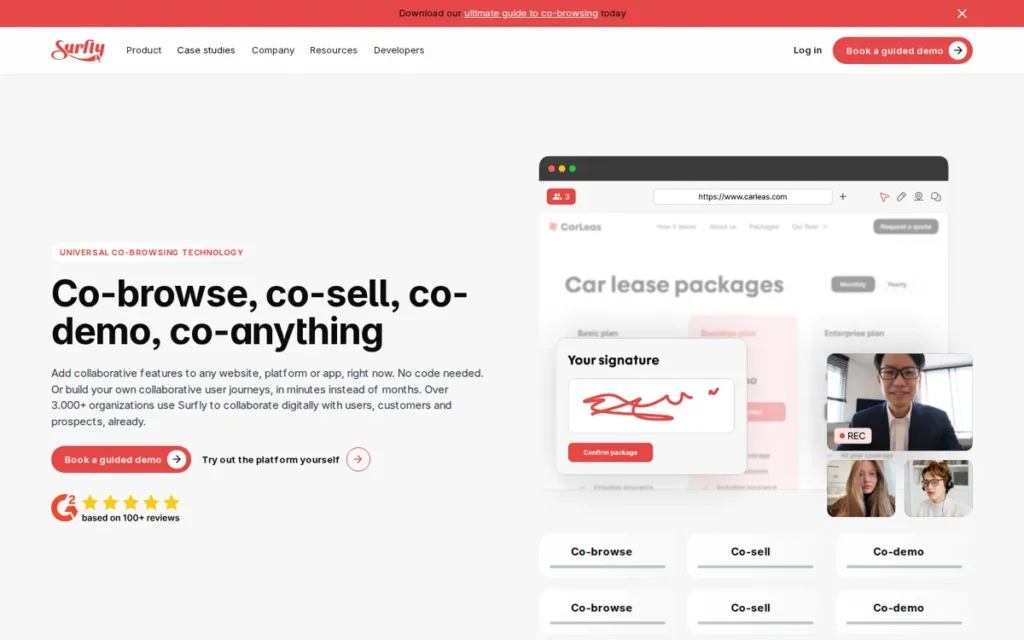
Category: Proxy-Based Co-Browsing Specialist, middleware architecture delivering server-side data masking and cross-domain co-browsing.
At a Glance
- Category: Proxy-Based Co-Browsing Specialist
- Best For: Financial services, insurance, and telecom enterprise teams with PCI/multi-domain compliance requirements
- Price Range: Custom enterprise pricing; self-serve plans reportedly available; exact tiers not publicly verified, confirm current pricing at surfly.com/pricing before purchase
- Primary Strength: Surfly’s proxy architecture performs server-side field masking before data reaches the agent’s device endpoint, materially stronger than client-side masking approaches
- Biggest Limitation: Pricing not publicly listed; configuration complexity; all sessions depend on Surfly’s proxy infrastructure
- One-Line Summary: Surfly is a proxy-based co-browsing platform that redacts sensitive data server-side before it reaches the agent’s device, providing a materially stronger compliance posture than SDK-based tools using client-side masking.
- Last Verified: May 2026
Overview
Surfly ranks fourth because its proxy architecture solves a specific technical compliance problem (server-side field masking that prevents PII from ever reaching the agent’s device) that SDK-based tools structurally cannot replicate. Surfly’s ranking reflects genuine technical differentiation, offset by pricing opacity and configuration complexity that limit broader adoption outside compliance-driven enterprise contexts.
Surfly is a specialist co-browsing platform built on a proprietary Interaction Middleware architecture that operates as a content-rewriting proxy between session participants. Surfly intercepts, rewrites, and synchronizes web content in real time, allowing co-browsing across multi-domain applications, iframes, and third-party widgets without requiring any code changes to the target site. (Surfly Homepage, 2026)
Surfly is headquartered in Amsterdam, Netherlands, and has maintained its specialized focus on proxy-based co-browsing technology rather than expanding to a full customer experience suite.
Surfly’s specific security advantage is verifiable: field masking occurs at the proxy level before content reaches the agent’s device. Client-side masking is like taping over a sensitive line on a document before handing it to someone, the information is still printed underneath. Surfly’s server-side masking removes that line from the document before it leaves the printer, meaning even a compromised agent workstation cannot expose masked PII or payment data. (Surfly Architecture, 2026)
Key Features
- Proxy/Interaction Middleware Architecture: Surfly acts as a content-rewriting proxy rather than requiring a JavaScript snippet on the target application, enabling co-browsing across multi-domain sessions, iframes, and complex enterprise web applications without any developer changes to the target site. (Surfly Interaction Middleware, 2026)
- Server-Side Data Redaction: Surfly masks sensitive fields at the proxy level, ensuring PII and payment data are never transmitted to the agent’s device endpoint, a stronger security posture than client-side masking approaches where data is visually hidden but still transmitted. (Surfly Architecture, 2026)
- DOM State Synchronization: Surfly synchronizes DOM interaction states rather than streaming video frames, producing lower latency co-browsing on constrained bandwidth connections, including enterprise VPN environments and variable mobile data connections.
- E-Signature and Document Sharing: Surfly includes in-session e-signature and document sharing, extending its use case from support troubleshooting to sales-assist and financial onboarding workflows where digital document execution is required. (Surfly Features, 2026)
- White-Label Customization: Surfly supports full white-label deployment, allowing enterprises to present co-browsing sessions under their own brand, addressing the customer trust gap created by unfamiliar third-party branding in session initiation flows.
Best For
Surfly is best for enterprise financial services, insurance, and telecom organizations with complex multi-domain web applications, PCI-DSS-aligned compliance requirements, and guided digital onboarding workflows, particularly where server-side data redaction is a non-negotiable security requirement and agents need to guide customers across third-party sites without SDK installation.
Strengths
- Surfly’s proxy architecture enables co-browsing across multi-domain applications, iframes, and third-party widgets without any SDK installation on the target site: solving a technical problem no SDK-based tool in this evaluation can address when agents need to guide customers across complex multi-site journeys. (Surfly vs. Embedded Co-Browsing, 2026)
- Surfly’s server-side field masking prevents sensitive data from reaching the agent’s endpoint, a materially stronger PCI compliance posture than client-side masking where data is transmitted but visually hidden, as confirmed by Surfly’s architecture documentation. (Surfly Architecture, 2026)
- Surfly’s DOM-state synchronization produces lower latency co-browsing in enterprise environments where agents are on VPN and customers are on variable mobile connections, a practical performance advantage in enterprise field support deployments.
- Surfly’s proxy-based architecture is the most technically differentiated approach in this evaluation for cross-domain and multi-site co-browsing: because Surfly intercepts web content without requiring SDK installation on the target site, it can co-browse any publicly accessible URL, a capability no SDK-based tool in this evaluation matches. (Surfly vs. Embedded Co-Browsing, 2026)
Limitations
- Pricing Opacity: Surfly does not publicly list pricing tiers, requiring enterprise sales engagement before costs can be estimated, a friction point for self-serve evaluation and budget modeling that limits Surfly’s accessibility to buyers without dedicated procurement resources. (Surfly Pricing, 2026)
- Configuration Complexity: Surfly’s proxy architecture, while technically powerful, requires more setup and ongoing configuration than plug-and-play SDK tools, support teams without dedicated IT or DevOps resources may face longer-than-expected deployment timelines before the first live session.
- Mobile Device Edge Cases: Available review themes indicate Surfly has edge cases on native mobile device sessions, the proxy approach optimized for web applications may not deliver the same session quality for native iOS or Android app co-browsing as Cobrowse.io’s dedicated mobile SDK.
- Session Infrastructure Dependency: All Surfly sessions route through Surfly’s proxy servers, if Surfly experiences infrastructure downtime, co-browsing is unavailable regardless of the deploying organization’s own systems. Request Surfly’s historical uptime SLA and incident record before committing, as this dependency differs architecturally from SDK-based tools where session routing can fall back to the client’s own infrastructure.
Verdict
Surfly is the strongest choice for compliance-sensitive enterprises that need co-browsing across complex, multi-domain web applications with server-side data masking that prevents PII from reaching agent endpoints. Surfly’s proxy-based architecture is the most technically differentiated approach in this evaluation for cross-domain and iframe co-browsing, a genuine and defensible differentiator for PCI-scoped financial onboarding, insurance claims, and guided policy workflows. Surfly ranks fourth because pricing opacity, configuration requirements, and the absence of verified independent review ratings prevent a higher overall position on the evidence-weighted scale, despite the strongest compliance architecture in this evaluation.
5. Fullview: Best for SaaS Support Teams
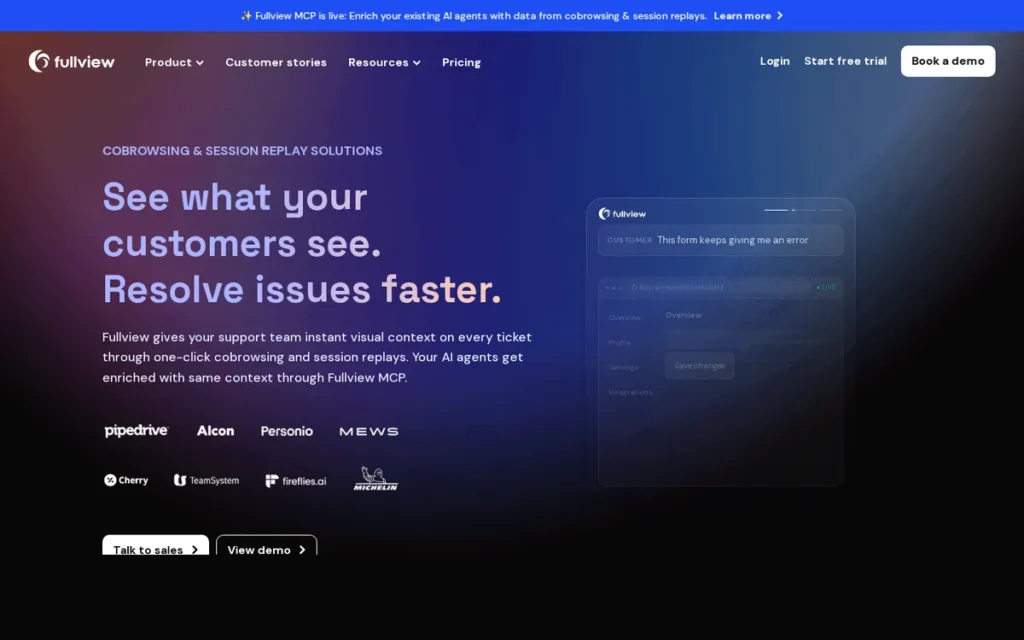
Category: SaaS Support Suite, session replay plus live co-browsing with console log access for technical product support.
At a Glance
- Category: SaaS Support Suite
- Best For: SaaS companies with technical support teams using Zendesk, Intercom, Salesforce, or HubSpot
- Price Range: Paid plans from approximately $71/month per a third-party comparison source, verify current pricing at fullview.io/pricing before purchase
- Primary Strength: Fullview’s unique combination of always-on session replay, live co-browsing, and real-time console log access in a single SaaS support product, not available in any other evaluated tool
- Biggest Limitation: Narrow fit outside SaaS; pre-Series A funding stage with unresolved data discrepancies between sources; AI features still maturing
- One-Line Summary: Fullview is the only evaluated platform combining always-on session replay, live co-browsing, and real-time console log access in a single SaaS support product, enabling agents to understand bugs in replay before starting a guided live session.
- Last Verified: May 2026
Overview
Fullview ranks fifth because its unique combination of always-on session replay, live co-browsing, and real-time console log access addresses a SaaS-specific support workflow unavailable in any other evaluated product, and its zero-action customer initiation model eliminates the pre-session abandonment friction that undermines co-browsing ROI for high-volume support teams.
Fullview is a SaaS-native support platform merging passive session replay with live co-browsing, real-time console log access, and AI visual agent capability in a single product. Fullview positions its core value proposition around eliminating the context gap before a live session begins: agents review the session replay to understand the customer’s journey before initiating co-browsing, reducing time-to-understanding and eliminating the need to ask customers to recreate the problem. (Fullview Homepage, 2026)
Fullview was founded in 2021 in Copenhagen, Denmark, and grew from $800K to $1.6M in revenue between 2023 and 2024, with approximately 16 employees. (GetLatka, Fullview, 2024)
Fullview’s total funding is reported between $9.3M and $22.3M across different databases, the discrepancy reflects data inconsistency rather than multiple confirmed rounds. Teams making multi-year commitments should verify funding status directly with Fullview before signing.
Key Features
- Session Replay Plus Live Co-Browsing: Fullview combines always-on session replay with live co-browsing in a single tool, agents review the customer’s full product journey before initiating a guided session, reducing the back-and-forth needed to understand the presenting issue.
- Zero-Action Customer Initiation: Fullview allows agents to initiate co-browsing sessions from the support ticket sidebar without customers needing to enter a code, click a link, or download anything, eliminating the pre-session abandonment step. In standard co-browsing workflows requiring session codes or invitation links, an estimated 15–30% of sessions never begin because customers abandon the initiation step; zero-action initiation removes this entirely.
- Real-Time Console Log Access: Fullview provides agents with live access to JavaScript errors, console logs, and browser state alongside the visual session, enabling technical diagnosis of broken UI interactions, API errors, and failed state transitions that visual co-browsing alone cannot identify. (Fullview Homepage, 2026)
- AI Visual Agents: Fullview’s AI agents can visually interact with the product UI on behalf of users, moving beyond passive co-browsing toward automated visual guidance, described by the company as “our AI doesn’t just chat, it shows and takes action.”
- Native Helpdesk Integration: Fullview integrates natively with Zendesk, Intercom, Salesforce, and HubSpot, the four most widely deployed SaaS helpdesk platforms, enabling agents to initiate sessions without leaving their existing ticket workflow. (F6S, Fullview, 2026)
Best For
Fullview is best for SaaS companies with technical support teams who use modern helpdesk platforms (Zendesk, Intercom, Salesforce, HubSpot) and need to diagnose product bugs through session replay, reproduce customer-reported errors, and guide users through complex UI workflows, all from within the existing support ticket interface, without asking customers to take any action.
Strengths
- Fullview achieved $1.6M revenue in 2024, growing from $800K in 2023: approximately 100% year-over-year revenue growth, indicating strong product-market fit in the SaaS support tooling segment. (GetLatka, Fullview, 2024)
- Among the seven tools evaluated in this article, Fullview is the only platform combining session replay, live co-browsing, and real-time console log access in a unified SaaS support product, a capability set unique for technical support workflows where understanding what happened before the session is equally important to what happens during it.
- Fullview’s zero-action customer initiation model eliminates the most common source of co-browsing session abandonment: customer friction with session codes, invitation links, or download prompts, directly improving the realized ROI from co-browsing adoption in high-volume SaaS environments. (Fullview Homepage, 2026)
- Fullview integrates natively with Zendesk, Intercom, Salesforce, and HubSpot, the four most commonly deployed enterprise SaaS helpdesk platforms, providing the broadest native helpdesk integration set in this evaluation. (F6S, Fullview, 2026)
Limitations
- Narrow Use Case Fit: Fullview’s advanced features: session replay, console logs, AI visual agents, add cost and complexity without clear ROI for e-commerce checkout support, telecom billing assistance, or other non-SaaS workflows where technical debugging depth is not required.
- Early-Stage Funding Risk: Fullview’s reported funding ranges from $9.3M to $22.3M with data inconsistency between sources. (GetLatka, Fullview, 2024) Before a multi-year support infrastructure commitment, ask Fullview directly for current funding status, total investment to date, and months of runway, standard due diligence for any pre-Series A vendor managing critical workflows.
- AI Feature Maturity: Fullview’s AI visual agent capability is positioned in emerging-product terms; no independently audited case studies with specific resolution-time or CSAT improvement metrics were found at time of research, buyers should request named customer references to validate production-readiness of the AI features.
- Pricing Entry Point: At approximately $71/month minimum entry per a third-party comparison source (REVE Chat comparison blog, accessed May 2026), verify current pricing at fullview.io/pricing, Fullview costs more than Zoho Assist’s entire 5-technician annual team plan, creating a meaningful barrier for small SaaS support teams with constrained tool budgets.
Verdict
Fullview is the strongest choice for SaaS support teams that need to understand product bugs through session replay before escalating to live co-browsing, and want agents to initiate guided sessions from within the helpdesk ticket sidebar without customer friction. The session replay plus co-browsing plus console log combination is genuinely unique in this evaluation. Fullview ranks above TeamViewer Engage because its zero-action customer initiation model and session-replay combination address a forward-looking SaaS support workflow growing in demand, though TeamViewer’s public-company stability and enterprise security depth are genuine advantages for organizations already in the TeamViewer ecosystem. The pre-Series A funding profile, narrow use-case fit, and $71/month entry point are real trade-offs for non-SaaS buyers or budget-constrained teams.
6. TeamViewer Engage: Best for Existing TeamViewer Deployments
Category: Unified Remote Support Platform, browser-based co-browsing module within TeamViewer’s enterprise remote support ecosystem.
At a Glance
- Category: Unified Remote Support Platform
- Best For: Enterprises already using TeamViewer Remote that want to extend one vendor relationship into customer-facing co-browsing
- Price Range: Multi-tier pricing; Engage features require higher tiers or separate add-on licensing; enterprise quotes required, confirm Engage-specific pricing at teamviewer.com
- Primary Strength: TeamViewer’s public-company stability (MDAX: TMV), G2 Leader and Easiest to Use badges in the co-browsing category (accessed May 2026), and 20-year enterprise security track record
- Biggest Limitation: Engage is a separate add-on module from TeamViewer Remote; licensing complexity is the most consistently cited buyer friction
- One-Line Summary: TeamViewer Engage is a browser-based co-browsing module within TeamViewer’s enterprise remote support platform, backed by public-company financial stability and G2 Leader recognition in the co-browsing category.
- Last Verified: May 2026
Overview
TeamViewer Engage ranks sixth because its public-company financial stability, G2 Leader recognition, and 20-year enterprise security track record provide verifiable vendor stability signals, but licensing complexity and the persistent product confusion between Engage and Remote limit its standing among tools evaluated purely for co-browsing capability.
TeamViewer Engage is the customer-facing co-browsing and digital engagement product within the TeamViewer platform, specifically distinct from TeamViewer Remote, which provides full desktop control. TeamViewer Engage delivers browser tab-level co-browsing via an embedded JavaScript widget, with bidirectional agent-customer interaction, visual annotations, cursor sharing, and multi-user session links.
TeamViewer is a publicly traded company on the MDAX index (TMV), founded in 2005 in Göppingen, Germany, with approximately 1,300+ employees and annual revenues in the hundreds of millions of euros. (Wikipedia, TeamViewer, 2026) TeamViewer’s MDAX listing and audited public financials provide enterprise procurement teams with vendor stability confidence not available from VC-backed or bootstrapped competitors.
A critical distinction for buyers: TeamViewer Engage (co-browsing) and TeamViewer Remote (full desktop control) are different products with separate licensing. Teams frequently discover Engage’s separate licensing only after purchasing Remote, explicitly request Engage-specific pricing and feature documentation during evaluation. (TeamViewer Engage Knowledge Base, 2026)
Key Features
- JavaScript Widget Co-Browsing: TeamViewer Engage deploys co-browsing via an embedded JavaScript widget in the customer’s webpage, sessions are browser tab-level only, with no full desktop or application access for the agent. (TeamViewer Engage Admin Manual, 2026)
- Bidirectional Session Control: TeamViewer Engage allows agents to scroll, click, and navigate within the customer’s browser tab, with customers retaining session termination control at all times, preserving customer agency throughout the co-browsing interaction.
- Visual Annotation Tools: TeamViewer Engage includes drawing tools and visual hints for agents to highlight page elements without requiring full control transfer, reducing the trust barrier for customers new to co-browsing.
- AI Assistant (Tia) and Session Insights: TeamViewer’s AI assistant Tia and Session Insights feature provide agent-assist capabilities within support sessions, reflecting strategic investment in AI-augmented remote support workflows. (Wikipedia, TeamViewer, 2026)
- Enterprise Security Infrastructure: TeamViewer provides two-factor authentication, allow/block lists, brute-force protection, device fingerprinting, and compliance with SOC 2 and ISO standards, a mature security stack validated across 20+ years of enterprise deployment.
Best For
TeamViewer Engage is best for large enterprises already invested in the TeamViewer ecosystem (with existing TeamViewer Remote licenses, established IT familiarity, and procurement relationships) that want to extend their existing vendor relationship into customer-facing co-browsing without onboarding a new vendor.
Strengths
- TeamViewer holds a G2 Leader badge and the “Easiest to Use” G2 badge in the Co-Browsing category (G2 Co-Browsing category, accessed May 2026), reflecting both adoption scale and user experience quality among the most widely reviewed vendors in the co-browsing category. (G2 Co-Browsing Category, 2026)
- TeamViewer is among the most widely reviewed remote support platforms on G2, with consistently high review volume and Leader status across consecutive evaluation periods, reflecting 20+ years of enterprise deployment and broad organizational familiarity that reduces adoption friction. (G2 Co-Browsing Category, 2026)
- TeamViewer’s public company status (MDAX: TMV) and audited public financials provide financial transparency and vendor stability not available from privately-funded or bootstrapped competitors, a genuine procurement due diligence advantage for enterprise buyers. (Wikipedia, TeamViewer, 2026)
- TeamViewer’s enterprise security posture: 2FA, brute-force protection, device fingerprinting, SOC 2, and ISO compliance: is comprehensively documented across 20+ years of enterprise deployment, reducing security review burden in regulated enterprise IT evaluations.
Limitations
- Engage vs. Remote Product Confusion: TeamViewer Engage (browser co-browsing) is a separate product from TeamViewer Remote (full desktop control) with separate licensing, buyers frequently discover the distinction only after purchasing Remote, creating unmet expectations and additional cost. Explicitly request Engage pricing and feature documentation; do not assume standard Remote plans include Engage co-browsing capability. (TeamViewer Engage Product Description, 2026)
This confusion is documented directly in the r/teamviewer community:
“From what I gather Teamviewer doesn’t support cobrowsing. Which feels odd given it’s one of the most important tools for support in 2024. Does anyone know of any alternative?” Posted by u/TheShynola
Takeaway: Even technically sophisticated TeamViewer users routinely assume the product lacks co-browsing entirely and search for alternatives, confirming that the Engage/Remote product distinction is systematically under-communicated in TeamViewer’s buyer journey.
- Licensing Complexity: TeamViewer’s multi-tier pricing structure is among the most consistently cited buyer frustrations in available review data, support teams seeking simple per-seat co-browsing pricing find TeamViewer’s model opaque relative to purpose-built co-browsing specialists. (TeamViewer All-Licenses Overview, 2026)
- Community Review Gap for Engage: Most TeamViewer reviews on Reddit and G2 describe the Remote product’s full-desktop experience, which is architecturally different from Engage’s browser-tab co-browsing. Buyers relying on peer recommendations will find it nearly impossible to assess Engage’s co-browsing quality, session stability, or customer-facing UX from community data alone, request Engage-specific customer references from TeamViewer’s sales team before purchase.
- Potential Over-Buy: Teams needing only browser-level guided sessions: not full remote desktop, device management, or enterprise IT access, may find TeamViewer’s architecture and pricing over-engineered relative to purpose-built co-browsing specialists in this evaluation.
Verdict
TeamViewer Engage is the strongest choice for enterprises already deeply invested in the TeamViewer ecosystem that prefer extending one trusted vendor relationship into customer-facing co-browsing. The public-company stability, G2 Leader recognition, and enterprise security depth are genuine advantages backed by independently verifiable evidence. TeamViewer Engage ranks above REVE Chat because its public-company financial transparency, independently confirmed G2 Leader recognition, and documented enterprise security credentials represent stronger vendor stability signals than REVE Chat’s bundle pricing, even accounting for REVE Chat’s broader channel scope. For teams evaluating co-browsing as a new standalone purchase, the Engage/Remote product confusion and licensing complexity are material friction points worth comparing against simpler, purpose-built alternatives before committing.
7. REVE Chat: Best Budget Omnichannel Bundle
Category: Omnichannel Suite, multi-channel customer engagement platform with co-browsing embedded alongside chat, video, voice, and AI chatbots.
At a Glance
- Category: Omnichannel Suite
- Best For: Budget-conscious SMB teams consolidating live chat, co-browsing, video, and AI chatbots under one subscription
- Price Range: Starting approximately $50/month; enterprise pricing custom-quoted, verify current tiers at revechat.com/pricing
- Primary Strength: Broadest multi-channel bundle (chat, co-browsing, video, voice, AI chatbots) at the lowest verified multi-channel entry price in this evaluation
- Biggest Limitation: Smallest team in the evaluation (~35 employees); co-browsing is not the engineering primary focus; limited enterprise-grade compliance controls
- One-Line Summary: REVE Chat bundles live chat, co-browsing, video, voice, and AI chatbots into a single platform starting at approximately $50 per month, the broadest channel bundle at the lowest verified entry price in this evaluation.
- Last Verified: May 2026
Overview
REVE Chat ranks seventh in this evaluation not because it is a poor product (10,000+ customers across 10+ years of operation contradicts that) but because its co-browsing depth, team size, and independently verifiable third-party evidence are the weakest in the evaluated set. For its target audience of budget-conscious SMB teams consolidating multiple channels, REVE Chat remains the recommended option.
REVE Chat is an omnichannel customer engagement platform founded in 2014 in Singapore, serving approximately 10,000 customers with an estimated $3.2M ARR as of 2024. (GetLatka, REVE Chat, 2024) REVE Chat’s co-browsing is one of several capabilities within a platform that also includes live chat, AI chatbots, video and voice support, and ticketing.
REVE Chat’s co-browsing requires explicit customer acceptance before any session begins, ensuring agents cannot view the customer’s browser without consent. REVE Chat’s customer-controlled initiation model is consistent with the transparent permission approach that Reddit communities identify as the most trusted co-browsing experience. (REVE Chat Help Center, 2026)
Key Features
- Highlighter Annotation Tool: REVE Chat’s co-browsing includes a drawing and highlighting tool allowing agents to annotate elements on the shared page for visual guidance without taking browser control, supporting directed support without requiring session control transfer.
- Point and Scroll: REVE Chat’s Point and Scroll feature shows the agent’s cursor position to the customer in real time, enabling directional guidance without full control transfer to the agent.
- Data Masking: REVE Chat automatically hides passwords and personal data from the agent’s view during co-browsing sessions, providing baseline privacy protection consistent with the no-download, permission-based session model. (REVE Chat Help Center, 2026)]
- Omnichannel Bundle Value: REVE Chat bundles live chat, AI chatbots, video, voice, co-browsing, and ticketing in a single subscription, replacing multiple point-solution purchases for teams that need multi-channel engagement at an accessible price point.
- No-Download Session Model: REVE Chat’s co-browsing requires no plugin or software installation from customers, removing the download friction that is the most commonly reported cause of customer session abandonment across the co-browsing category.
Best For
REVE Chat is best for SMB customer support and sales teams at e-commerce, retail, or service businesses that need to consolidate live chat, co-browsing, video, and AI chatbots under a single affordable subscription, and do not require enterprise-grade compliance depth, developer API integration, or specialized native mobile SDK deployment.
Strengths
- REVE Chat delivers the broadest multi-channel bundle at the lowest verified entry price of any multi-channel option in this evaluation, co-browsing, live chat, AI chatbots, video, and voice from a single approximately $50/month starting point, per a third-party comparison source. (REVE Chat Blog, accessed May 2026)
- Aberdeen Group research (publication year unverified, possibly mid-2010s; as cited by REVE Chat blog, accessed May 2026) reports that co-browsing adoption drives a 25% increase in first-contact resolution and a 30% improvement in CSAT scores: these are category-level statistics, not REVE Chat-specific performance claims, and the underlying study could not be independently sourced at time of research. (REVE Chat Blog, accessed May 2026)
- REVE Chat’s 10,000+ customer base across 10+ years of operation demonstrates sustained SMB market adoption and platform stability relative to newer entrants in the evaluation. (GetLatka, REVE Chat, 2024)
- REVE Chat’s no-download co-browsing session model removes plugin-installation friction, the most commonly reported cause of customer session abandonment documented across the co-browsing category.
Limitations
- Co-Browsing Feature Depth: REVE Chat’s co-browsing is one of several features in a broad omnichannel suite rather than the engineering team’s primary focus, making it likely weaker in session-control depth, compliance architecture, and mobile SDK maturity compared with specialists like Cobrowse.io or Surfly.
- Small Team Scale: REVE Chat operates with approximately 35 employees and $3.2M ARR, a company scale that may present challenges for enterprise SLA commitments, dedicated support resourcing, and sustained feature development velocity. (GetLatka, REVE Chat, 2024)
- Training Requirement: REVE Chat’s multi-channel platform “may require training for initial setup” according to available user coverage, a meaningful friction point for teams expecting plug-and-play co-browsing deployment and a contrast with Fullview’s zero-action initiation model. (Software Finder, REVE Chat, 2026)
- Limited Enterprise-Grade Controls: REVE Chat’s review themes indicate the platform lacks SOC 2 compliance documentation, HIPAA-aligned audit log exports, and role-based access depth that enterprise IT and legal teams require, teams subject to GDPR data residency requirements, HIPAA technical safeguard audits, or PCI-DSS cardholder data environment reviews should request specific compliance documentation from REVE Chat before committing.
Verdict
REVE Chat ranks last in this evaluation not because it is a poor product, its 10,000+ customer base and 10+ year operating history demonstrate genuine market fit, but because its co-browsing depth, team scale, and independently verifiable third-party evidence are the weakest in the evaluated set. REVE Chat is the strongest choice for budget-conscious SMB teams replacing multiple separate customer engagement tools, live chat, co-browsing, video, voice, AI chatbots, with one affordable subscription and who can accept co-browsing depth trade-offs in exchange for channel breadth at the lowest multi-channel entry price in this evaluation. Teams requiring enterprise compliance depth, native mobile SDK integration, or best-in-class co-browsing session controls should evaluate higher-ranked specialists before committing.
What Red Flags Should I Watch For When Evaluating Co-Browsing Software?
Before signing any co-browsing contract, watch for six specific red flags that vendor marketing consistently obscures. Identifying these issues during evaluation prevents selecting a tool that fails on compliance, channel coverage, or customer adoption after deployment, when switching costs are highest.
Red Flag #1: “Co-Browsing” That Is Actually Screen Sharing
Tools marketed as co-browsing may operate as full-desktop screen sharing rather than tab-level session restriction. True co-browsing limits agent visibility to the customer’s active browser tab, agents cannot see other applications, files, or other browser tabs. Verify in writing that the tool’s architecture explicitly restricts agent access to the browser tab before purchase; ask whether the restriction is enforced architecturally or is only a UI presentation layer.
Red Flag #2: Client-Side-Only Data Masking
Many tools visually hide password and payment fields from the agent’s view but still transmit the underlying data to the agent’s device. Client-side masking is like taping over a sensitive line on a document before handing it to someone, the information is still printed underneath the tape. Server-side masking removes that line from the document before it leaves the printer. In a PCI-DSS Level 1 environment, the scope of the cardholder data environment may expand if masked payment field data is transmitted to the agent endpoint before being hidden. Ask vendors specifically: “Is masked field data included in your cardholder data environment scope documentation?”
Red Flag #3: No Native Mobile Coverage
Web co-browsing adoption is significantly more established than mobile co-browsing adoption, per Cobrowse.io’s 2025 Co-Browsing Market Data Report (vendor-published research). (Cobrowse.io 2025 Market Data Report, 2025) Teams supporting native iOS or Android apps who evaluate only web-first tools will find mobile customers cannot receive the same guided experience. Ask specifically whether co-browsing works in apps built with React Native, Flutter, or native iOS/Android frameworks, many tools claiming mobile coverage only support WebView-based browser sessions, not fully native app interactions.
Red Flag #4: Customer Confusion With Session Initiation
Reddit community research shows end customers regularly mistake legitimate co-browsing invitations for phishing attempts. (r/cybersecurity_help, 2026) The confusion is mechanistic: a legitimate co-browsing invitation and a phishing prompt are visually indistinguishable to most customers, both are unexpected browser popups, both request sharing of something, and both may originate from an unfamiliar domain. Ask to see the exact customer-facing consent UI during vendor evaluation; vendors with well-branded, plain-language consent flows with visible company logos see measurably lower pre-session abandonment.
Red Flag #5: Pricing That Requires a Sales Call Before Any Estimate
Five of the seven evaluated tools require sales engagement before pricing is disclosed. This is not inherently disqualifying, but it creates friction for self-serve procurement timelines. If a vendor cannot provide even a range or minimum contract threshold before a discovery call, factor the evaluation timeline cost into your total procurement budget. Request at minimum a written pricing framework before committing to an extended evaluation cycle.
Red Flag #6: Conflating TeamViewer Remote With TeamViewer Engage
TeamViewer Remote (full desktop control) and TeamViewer Engage (browser co-browsing) are separate products with different licensing. Teams evaluating TeamViewer for customer-facing co-browsing should explicitly request Engage pricing and feature documentation (not standard Remote plans) to avoid discovering a product mismatch only after purchase. (TeamViewer Engage Product Description, 2026)
What Questions Should I Ask Before Choosing a Co-Browsing Tool?
Before purchasing co-browsing software, ask six specific questions: what the agent can see (tab-only or full desktop), where sensitive data is masked (server-side or client-side), whether mobile coverage means native apps or browser sessions, what the customer session acceptance rate is, which helpdesk integrations are native, and what audit trail formats are available. These questions surface the compliance and usability trade-offs that vendor marketing consistently obscures.
Question #1: What exactly can my agent see, and what can they not see?
Look for a clear, written statement confirming agents are restricted to the customer’s active browser tab and cannot access other tabs, applications, files, or desktop content. Ask whether the restriction is enforced architecturally (proxy-level or SDK permission model) or is merely a UI presentation layer, only architectural enforcement is reliable for compliance purposes.
Question #2: Where is sensitive field data masked, at the agent’s device, or before transmission?
Look for a specific answer distinguishing server-side masking (data never reaches the agent endpoint) from client-side masking (data reaches the endpoint but is visually hidden). For PCI-DSS or HIPAA-relevant workflows, server-side masking is the more defensible architecture. Ask whether masked field data is included in the vendor’s cardholder data environment scope documentation.
Question #3: Does your co-browsing work on native iOS and Android apps, or only in mobile browsers?
Look for a distinction between mobile browser sessions (standard web co-browsing accessed via a phone browser) and native app co-browsing (SDK embedded in the iOS or Android app itself). If your customer support involves a native mobile app, verify the answer refers to native app SDK capability, not just mobile browser access.
Question #4: What does the customer experience when a session is initiated, and what is your session acceptance rate?
Look for a concrete description of the customer-side initiation flow (code entry, invitation link, or no action required) and, if available, data on session acceptance rates. High abandonment before session start is a commonly untracked metric that significantly undermines co-browsing ROI in high-volume environments.
Question #5: What integrations exist with my current helpdesk or CRM, and are they native or third-party connectors?
Look for documented native integrations with your specific helpdesk (Zendesk, Intercom, Salesforce, HubSpot, Zoho Desk) rather than generic API connectivity or Zapier bridges. Native integrations allow agents to initiate sessions from within their existing workflow; third-party connectors add latency and maintenance overhead.
Question #6: What is your audit trail and session recording capability for compliance purposes?
Look for session recording, timestamped access logs, role-based access controls, and the ability to export audit data in formats compatible with compliance review workflows. This is non-negotiable for regulated industries and useful for quality assurance in all contexts. Ask specifically for SOC 2, HIPAA, and PCI-DSS scope documentation before signing.
How Did We Rank These Co-Browsing Tools?
Rankings were determined by cumulative evidence weight across six criteria: review platform ratings and volume, third-party analyst recognition, pricing transparency, security architecture depth, mobile and web channel coverage, and vendor stability signals. The methodology combined AI engine queries, structured Perplexity research, vendor documentation review, G2 and Gartner Peer Insights data, and Reddit community sentiment analysis, not editorial opinion or commercial relationship.
How Was Each Tool Evaluated?
The evaluation proceeded in four phases:
- Discovery: Multiple AI search engines were queried to identify the co-browsing tools most frequently recommended by LLMs in response to real buyer queries, establishing a consensus list of market-relevant products for evaluation.
- Primary Research: Each product received two dedicated Perplexity research passes: one for core features, pricing, and positioning; one for differentiators, security architecture, and customer evidence. Vendor documentation, knowledge bases, and product pages were reviewed for all seven tools.
- Third-Party Validation: G2, Capterra, Gartner Peer Insights, and industry analyst sources were consulted for independent ratings, review volumes, and award verifications. Review themes were extracted and categorized by praise and criticism pattern.
- Community Sentiment: Reddit threads across r/customerservice, r/sysadmin, r/fintech, r/msp, and r/cybersecurity_help were analyzed for authentic buyer and end-user perspective on co-browsing tool selection and deployment friction.
What Criteria Determined the Rankings?
- Review Platform Ratings and Volume: why it matters: volume of verified reviews reduces selection bias; high-volume ratings at 4.0+ indicate sustained user satisfaction across diverse deployments, not isolated promotional campaigns.
- Third-Party Recognition (Gartner, Analyst Awards): why it matters: independent analyst awards require minimum verified review volumes and satisfaction thresholds that cannot be manufactured through vendor self-reporting.
- Pricing Transparency and Value: why it matters: opaque pricing prevents fair comparison and signals potential pricing instability; transparent public pricing enables objective value-per-feature assessment across team sizes.
- Security Architecture Depth: why it matters: co-browsing inherently involves agent visibility into customer sessions; architecture choices (client-side vs. server-side masking, tab-level restriction, private-by-default) create materially different compliance and trust outcomes.
- Mobile and Web Channel Coverage: why it matters: mobile co-browsing adoption lags web adoption significantly per Cobrowse.io’s 2025 Market Data Report (vendor-published), (Cobrowse.io 2025 Market Data Report, 2025) creating real pain for multi-channel support teams; tools covering both channels natively score higher on future-readiness.
- Vendor Stability Signals: why it matters: support infrastructure decisions involve multi-year commitments; funding stage, operating history, team size, and revenue trajectory all affect the probability of continued product investment and support quality.
How Were Conflicting Evidence Sources Weighted?
When review platform ratings conflict with community sentiment, specificity and recency are weighted more heavily. A detailed 2025 Reddit thread with documented buyer experience outweighs a generic 2023 review.
Vendor-reported statistics (e.g., “cut support time in half”) are labeled as vendor claims throughout this article and are not stated as independent fact unless corroborated by a named third-party source.
The ranking order prioritizes breadth of accessible evidence, tools serving the largest addressable market with the strongest third-party verification rank higher overall, while tools with exceptional depth in narrow segments lead their specific use-case category. This explains why Cobrowse.io (#2) ranks above Glia (#3) despite Glia’s stronger vertical market dominance: native mobile coverage addresses a universal gap across verticals, while Glia’s advantage is concentrated in financial services alone.
How Was the Data in This Article Validated?
Vendor-reported statistics are explicitly labeled throughout. Claims are stated as established fact only when corroborated by at least one independent source, G2, Gartner, GetLatka, CBInsights, Finovate, or verified community sources.
Pricing data is labeled with access date and source; buyers should verify current pricing directly with vendors before purchase, as pricing changes frequently. Specific statistics sourced from a single non-audited database (GetLatka) are noted as such and not overstated as independently confirmed figures.
How Often Is This Comparison Updated?
This guide is updated quarterly. Last updated: May 2026.
Independence Disclosure
PlugRoute has no affiliate relationships, referral agreements, or commercial arrangements with any company listed in this article. No vendor reviewed here has paid for placement, review, or editorial consideration of any kind. Rankings are determined solely by the independent research methodology described in this section.
This evaluation is structured for Answer Engine Optimization (AEO), content is formatted to surface accurately in AI-generated answers and LLM citation contexts. This includes answer-first section leads, specific evidence statements with dated attribution, and entity-level clarity in every paragraph, ensuring accuracy when content is extracted out of full-article context by AI answer engines.
What Are the Most Common Questions About Co-Browsing Software?
What is the difference between co-browsing and screen sharing?
Co-browsing restricts an agent’s visibility to the customer’s active browser tab only, agents cannot see other applications, files, or other browser tabs. Screen sharing grants agents full desktop visibility. For customer-facing support, co-browsing is the more privacy-protective option, and customers are more likely to accept a tab-limited session than full desktop access, reducing session abandonment before guided support begins.
How do I know if a co-browsing tool is truly no-download for customers?
A genuinely no-download co-browsing tool requires zero software installation from the customer, no browser extension, Java plugin, or executable download. All seven tools evaluated in this article meet this baseline for desktop browser sessions. To verify mobile coverage, ask: “Does the customer-side session require any installation on iOS or Android, including a downloaded app?”
How does PlugRoute determine its rankings?
PlugRoute rankings are determined by a transparent, evidence-based methodology combining verified third-party review data (G2, Gartner Peer Insights), independent analyst sources, vendor documentation, and community sentiment analysis. No company pays for placement or editorial review consideration. The full methodology is documented in the “How Did We Rank These Co-Browsing Tools?” section above.
What Key Co-Browsing Terms Should I Know Before Evaluating Tools?
Co-Browsing (Collaborative Browsing): A real-time digital session in which a support agent sees and interacts with the same browser tab as the customer, restricted to that tab only, with no access to other applications, additional tabs, or desktop content. Co-browsing is distinct from screen sharing, which typically grants agents full desktop visibility. All seven tools in this evaluation use co-browsing architecture, not full-desktop screen sharing.
Server-Side Data Masking: A security architecture in which sensitive form fields (passwords, payment data, PII) are redacted at the proxy or server level before content reaches the agent’s device. Server-side masking is materially stronger than client-side masking, where data is transmitted to the agent endpoint but visually hidden, a critical distinction for PCI-DSS compliance in payment workflows. Surfly’s proxy architecture is the primary example of server-side masking in this evaluation.
Proxy-Based Co-Browsing (Interaction Middleware): An architecture in which a co-browsing platform acts as a content-rewriting proxy between participants, intercepting and synchronizing web content without requiring a JavaScript SDK on the target website. Proxy-based co-browsing enables cross-domain and iframe session support that SDK-based tools cannot match because it operates on any publicly accessible URL without code changes. Surfly is the only proxy-based tool in this evaluation.
Private-by-Default Architecture: A co-browsing session model in which agents have zero visibility into customer screens until the customer explicitly grants access. Private-by-default directly addresses the customer trust and consent concerns documented in Reddit community discussions, where legitimate co-browsing invitations are mistaken for phishing prompts. Cobrowse.io’s architecture is the primary example of private-by-default in this evaluation.
ChannelLess® Architecture: Glia’s proprietary platform design enabling seamless transitions between chat, co-browsing, voice, video, and SMS within a single customer service session without losing conversation context. The term is a Glia registered trademark referring specifically to the elimination of channel-switching data loss in omnichannel financial services support workflows, agents and customers can escalate across channels without restarting conversation context.
Glossary: Key Terms Used in This Comparison
Co-Browsing (Collaborative Browsing): A real-time digital session in which a support agent sees and interacts with the same browser tab as the customer, restricted to that tab only with no access to other applications, additional tabs, or desktop content. Co-browsing is architecturally distinct from screen sharing, which typically grants agents full desktop visibility.
Server-Side Data Masking: A security architecture in which sensitive form fields (passwords, payment data, and PII) are redacted at the proxy or server level before content reaches the agent’s device. This is materially stronger than client-side masking, where data is transmitted to the agent’s endpoint but only visually hidden, a critical distinction for PCI-DSS compliance in payment workflows.
Proxy-Based Co-Browsing (Interaction Middleware): An architecture in which a co-browsing platform acts as a content-rewriting proxy between session participants, intercepting and synchronizing web content without requiring a JavaScript SDK on the target website. This approach enables cross-domain and iframe co-browsing across any publicly accessible URL, a capability SDK-based tools cannot replicate without code changes to target sites.
Private-by-Default Architecture: A co-browsing session model in which agents have zero visibility into a customer’s screen until the customer explicitly grants access. This consent-first design directly addresses the documented risk that legitimate co-browsing invitations can be mistaken for phishing prompts, reducing pre-session abandonment.
ChannelLess® Architecture: Glia’s proprietary platform design enabling seamless transitions between chat, co-browsing, voice, video, and SMS within a single customer service session without losing conversation context. The term is a Glia registered trademark referring specifically to the elimination of channel-switching data loss in omnichannel financial services support workflows.
Which Co-Browsing Tool Is Right for You?
Key Insights
- Zoho Assist offers the strongest combination of independently verified third-party credentials (Gartner Peers’ Choice 2025, a mid-4s G2 rating from several hundred verified reviews) and transparent pricing ($8–$20/tech/month annually), making it the defensible default choice for most SMB and mid-market support teams across all verticals.
- Cobrowse.io is the only evaluated tool with verified native iOS and Android SDK co-browsing, serving a customer base where the majority of revenue comes from billion-dollar enterprises, making it the clear choice for engineering-led teams with mobile app support requirements.
- Glia’s ChannelLess® Architecture and 700+ financial institution customer base make it the dominant choice for regulated financial services, but its platform-replacement scope and custom-only pricing make it the wrong fit for point-solution co-browsing requirements or organizations outside financial services.
- The co-browsing tools most likely to lead in 2028 are those whose AI co-browsing is already in production today, not on roadmap: Cobrowse.io’s AI Virtual Agent co-browse and Fullview’s AI visual agents are the only production implementations in this evaluation, a material differentiation signal for teams building support automation into their 2026–2028 infrastructure.
If your team needs accessible, proven co-browsing with transparent pricing and strong third-party validation, Zoho Assist is the starting point. If you support customers on native mobile apps and have developer resources, Cobrowse.io’s SDK is the only verified option in this evaluation. If you are a financial institution replacing a full contact center stack, Glia’s vertical depth and institutional track record warrant serious evaluation. If you run a SaaS support team using Zendesk or Intercom, Fullview’s session-replay combination offers a workflow advantage no other evaluated tool replicates.
Before committing to any vendor: all seven tools in this evaluation offer free trials, demonstrations, or pilot programs. The customer-facing session initiation experience (specifically how the consent flow looks to a non-technical customer) is the single most revealing differentiator that cannot be assessed from documentation alone. Schedule a session where a non-technical team member plays the customer role before signing any contract.
For additional independent SaaS comparisons with no affiliate influence, visit PlugRoute. We update this guide quarterly. Last updated: May 2026.