HubSpot Sales Hub is the best email tracking software for sales teams needing CRM-connected pipeline visibility, while Right Inbox is the top-rated Gmail tracker (4.7/5.0 across 12,000+ Google Workspace Marketplace reviews) at $7.95/month, and Saleshandy leads for cold outreach at scale. Gmail-only tools deliver more capability per dollar; Outlook users face a significantly smaller and more expensive compatible market.
Not knowing whether a prospect opened your email causes poorly timed follow-ups and lost pipeline momentum. Email tracking tools range from a free Chrome extension installed in 30 seconds to a $100/seat/month AI-powered CRM platform. The most common mistake in this category is choosing the wrong tier or tool type, not the wrong product within the right one.
PlugRoute has no affiliate relationships with any company listed. Rankings are determined entirely by research data and objective evaluation criteria.
“Email tracking is useful but not super reliable anymore because of Apple privacy and proxy opens… tools like Yesware, Mixmax, and Streak still work fine inside Gmail, but they’re more for workflow than ‘true’ tracking.” (u/mishalsandip051, r/EmailProspecting, 2025)
Takeaway: Experienced practitioners increasingly value email tracking tools for workflow automation and CRM data quality, not open-rate accuracy, which Apple Mail Privacy Protection has progressively degraded as a reliable signal.
TL;DR: Top Picks at a Glance
- HubSpot Sales Hub: CRM-integrated email tracking with AI workflows for Gmail and Outlook teams; native pipeline auto-logging at $100/seat/month for full automation
- Right Inbox: highest-rated Gmail tracker by marketplace volume (4.7/5.0, 12,000+ Google Workspace Marketplace reviews) at $7.95/month; Gmail-only
- Saleshandy: cold email infrastructure with unlimited sender rotation and company-reported 852M+ B2B contacts at $25/month
- Mailtrack: unlimited Gmail open tracking free; over 1.5 million active users (Mailsuite, 2026); “Sent via Mailtrack” watermark on free plan
- Yesware: automatic Salesforce CRM sync for Gmail and Outlook teams; now listed on G2 as Vendasta Yesware
- EmailAnalytics: team response-time and volume analytics for sales managers; zero pixel tracking; does not track outgoing email opens
- Vocus.io: most affordable paid Gmail tracker at $5/month with per-recipient group attribution and 30-day credit-card-free trial
What Are the Different Types of Email Tracking Software?
Email tracking tools divide into three distinct categories, and the most common purchase mistake in this market is selecting the wrong category, not the wrong product within the right category.
- CRM-Integrated Sales Platforms: HubSpot Sales Hub, Yesware, Saleshandy: embed tracking within CRM workflows, automatically logging email engagement data to contact and deal records for pipeline-connected visibility and workflow automation.
- Gmail Productivity Trackers: Right Inbox, Mailtrack, Vocus.io: Chrome extensions that add tracking, scheduling, reminders, and templates inside Gmail without requiring a separate platform login or CRM implementation.
- Team Email Analytics, EmailAnalytics (the only tool in this category in this evaluation): measures internal team performance, response time per rep, email volume, unanswered threads, not whether outgoing emails are opened by prospects.
A common misconception is worth addressing directly: buyers assume email tracking software tracks emails. The tools that deliver the highest ROI track what happens to the deal after an email is opened.
A rep who knows a prospect opened the same proposal three times can call 60 seconds later with full context. A rep with only an open notification (but no CRM record, no sequence logic, and no pipeline connection) has a data point, not an insight.
Users on r/EmailProspecting noted:
“I’ve used most of these and Mailtracker is good for basic tracking. If you’re doing any volume though, you’ll want something that connects to your crm. I’ve had good luck with tools that integrate with monday CRM and HubSpot. The game changer isn’t just seeing opens, it’s having that data flow into your pipeline so you can actually act on it instead of just collecting vanity metrics.” Posted by u/TurnoverEmergency352
Takeaway: Experienced email tool users consistently identify CRM pipeline integration (not open-rate data) as the feature that converts email tracking from a vanity metric into an actionable sales tool.
How Do the Top Email Tracking Tools Compare at a Glance?
The table below compares all seven evaluated tools across eight criteria. All pricing was verified against official product pages and corroborated by third-party sources in May 2026, HubSpot, Mailtrack, and EmailAnalytics pricing is subject to frequent change; verify before budgeting.
| Rank | Company | Category | Best For | One-Line Summary | Key Capabilities | Primary Strength | Key Limitation |
|---|---|---|---|---|---|---|---|
| 1 | HubSpot Sales Hub | CRM Suite | Teams needing CRM + email tracking automation | Only email tracking platform in this evaluation combining native CRM, AI forecasting, and workflow automation for Gmail and Outlook teams | Native CRM auto-logging, AI Forecasting, sequences, 1,100+ integrations, Gmail + Outlook | Only tool that owns its CRM; every tracked event auto-populates pipeline records | Sequences and AI require Professional tier at $100/seat/month |
| 2 | Right Inbox | Gmail Productivity Suite | Individual Gmail professionals needing tracking + scheduling + sequences | Highest volume-weighted Gmail tracker (4.7/5.0, 12,000+ GWS Marketplace reviews) bundling tracking, scheduling, and sequences at $7.95/month | Open/click tracking, scheduled send, reply-cancel sequences, reminders, templates | Strongest volume-weighted marketplace rating in evaluation at $7.95/month | Gmail-only; no Outlook support under any plan or tier |
| 3 | Saleshandy | Cold Outreach Platform | SDR teams running high-volume cold email campaigns | Cold email infrastructure platform with unlimited sender rotation and company-reported 852M+ B2B contacts at $25/month | Sender rotation (unlimited), AI Sequence Copilot, Lead Finder, unified reply inbox, Gmail + Outlook | Only tool with unlimited sender rotation + company-reported 852M+ contact database | Email-only; no LinkedIn or multi-channel outreach |
| 4 | Mailtrack | Open Tracker | Individual Gmail users wanting free read receipts | Most widely installed Gmail open-tracker with 1.5M+ active users and 4.6/5.0 G2 rating | Double-checkmark read receipts, unlimited open tracking, campaigns to 10,000, revival alerts | Unlimited Gmail open tracking free; 1.5M+ active users; setup under 60 seconds | Free plan appends “Sent via Mailtrack” branding to all outgoing emails |
| 5 | Yesware | Sales Engagement Add-In | Salesforce teams needing automatic CRM activity logging | Inbox-native Gmail/Outlook add-in with automatic Salesforce sync; now listed on G2 as Vendasta Yesware | Salesforce auto-log, attachment tracking, multi-touch sequences, meeting scheduling, Gmail + Outlook | Automatic bidirectional Salesforce sync across both Gmail and Outlook | Full value for Salesforce users only; documented Outlook-on-Mac compatibility failures |
| 6 | EmailAnalytics | Team Email Analytics | Managers needing rep response time and volume data | Team email performance analytics via OAuth API for Gmail and Outlook; 4.5/5.0 G2 (~8 reviews, thin dataset); zero pixel tracking | Response time per rep, volume dashboards, unanswered threads, OAuth API, Gmail + Outlook | Zero tracking pixels; completely immune to Apple MPP false positives | Does not track whether prospects open outgoing sales emails |
| 7 | Vocus.io | Gmail Outreach Tracker | Budget-constrained small Gmail-based sales teams | Most affordable paid Gmail tracker at $5/month with per-recipient group attribution; 4.3/5.0 G2 (~15 reviews, thin dataset) | Per-recipient group attribution, cross-thread reply detection, shared inbox, Salesforce AppExchange | Lowest paid entry price in evaluation ($5/month); 30-day credit-card-free trial | Lowest G2 rating in evaluation (4.3/5.0 on ~15 reviews; thin dataset) |
Which Email Tracking Tool Should I Choose for My Use Case?
Answer these four questions before comparing any features: (1) Gmail or Outlook? (2) Warm pipeline follow-up or high-volume cold outreach? (3) Individual or team use? (4) Which CRM? Your answers eliminate three to five tools before you read a single entry.
Before reading further, calculate your 12-month cost: [seats] × [monthly price per seat] × 12. A tool at $20/seat/month costs $2,400/year for a 10-person team, before you evaluate whether it’s actually the tier that unlocks the features you need.
| Your #1 Priority | Recommended Tool | Why | Acceptable Alternative |
|---|---|---|---|
| Free Gmail open tracking | Mailtrack | Unlimited free tracking; 1.5M+ active users (Mailsuite, 2026); installs in under 60 seconds | Right Inbox free tier (5 emails/month limit; effectively a trial) |
| Gmail tracking + scheduling + sequences (paid) | Right Inbox | 4.7/5.0 Google Workspace Marketplace (12,000+ reviews); unlimited features at $7.95/month | Vocus.io at $5/month (lower review score; 4.3/5.0 on ~15 reviews) |
| Full CRM pipeline integration (Gmail + Outlook) | HubSpot Sales Hub | Native CRM auto-logging; AI workflows; 1,100+ integrations; Professional at $100/seat/month | Yesware (Salesforce teams only; verify Mac Outlook via trial) |
| Salesforce auto-logging (Gmail or Outlook) | Yesware | Automatic bidirectional Salesforce sync; listed as Vendasta Yesware on G2 | HubSpot Sales Hub (if switching CRMs is viable) |
| Cold outreach at volume (multiple inboxes, AI sequences) | Saleshandy | Sender rotation + company-reported 852M+ contacts + unified reply inbox at $25/month | No equivalent in this evaluation |
| Team performance analytics (response times, volume per rep) | EmailAnalytics | Zero pixel tracking; OAuth API; no rep workflow change; no direct competitor in evaluation | No equivalent in this evaluation |
| Budget Gmail team outreach with per-recipient attribution | Vocus.io | $5/month entry; 30-day credit-card-free trial; Salesforce AppExchange listed | Right Inbox at $7.95/month (4.7/5.0 GWS Marketplace, 12,000+ reviews) |
1. HubSpot Sales Hub: Best for Sales Teams Needing CRM-Connected Email Tracking
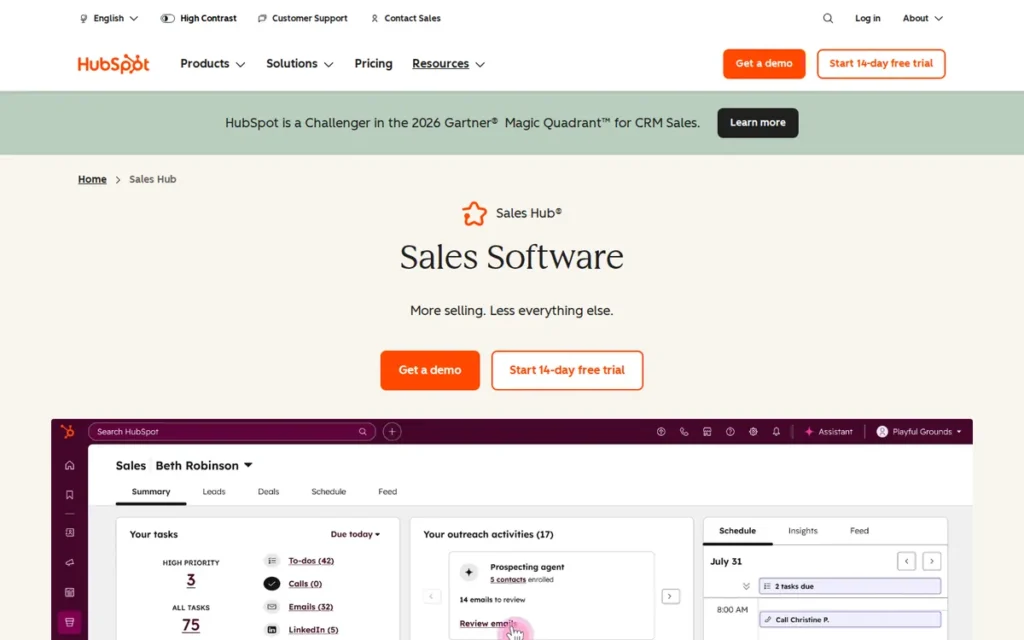
Category: CRM Suite with Email Tracking, a full sales CRM platform that embeds open/click tracking, pipeline automation, and AI-powered engagement workflows natively alongside contact, company, and deal management.
At a Glance
- Category: CRM Suite with Email Tracking
- Best For: Sales teams of 3+ using Gmail or Outlook that need email engagement data to flow automatically into CRM pipeline records, trigger follow-up workflows, and feed AI-powered deal forecasting
- Price Range: Free (200 tracking notifications/month) – $150/seat/month; Professional at $100/seat/month unlocks sequences and AI features, verify at hubspot.com/pricing/sales, as HubSpot adjusts pricing frequently; if reading more than 60 days after May 2026, re-verify before budgeting
- Primary Strength: HubSpot Sales Hub automatically logs every tracked open, click, and reply to the corresponding CRM contact, company, and deal record in real time, eliminating manual activity logging for both Gmail and Outlook users
- Biggest Limitation: Sequences and AI Forecasting require the Professional tier at $100/seat/month, making HubSpot Sales Hub materially more expensive than all standalone trackers in this evaluation for teams whose only need is open notifications
- One-Line Summary: HubSpot Sales Hub is the only email tracking platform in this evaluation that combines open/click tracking, native CRM pipeline management, workflow automation, and AI deal forecasting in a single integrated system supporting both Gmail and Outlook
- Last Verified: May 2026
Overview
HubSpot Sales Hub is an AI-powered CRM and sales engagement platform designed for sales teams that need email tracking inseparable from pipeline context, every open, click, and reply automatically populates the corresponding contact, company, and deal record, supporting both Gmail via Chrome extension and Outlook via add-in without manual data entry.
HubSpot Sales Hub delivers complete sales pipeline visibility through real-time open and click notifications, email sequences, meeting scheduling, AI Forecasting, and an AI Assistant integrated into the sales workflow, plus over 1,100 third-party integrations including Salesforce, Slack, LinkedIn, and Zoom.
HubSpot Sales Hub is best suited to sales teams of three or more that have outgrown standalone tracking plugins and need engagement signals to directly inform pipeline management, automated follow-up logic, and CRM data quality.
Key Features
- Automatic CRM Activity Logging: HubSpot Sales Hub logs email opens, clicks, link interactions, and replies to CRM contact and deal records in real time, eliminating the most common source of sales CRM data decay (reps failing to manually record email activity) for both Gmail and Outlook users.
- Workflow Automation from Email Engagement Events: HubSpot Sales Hub’s workflow automation triggers rep tasks, Slack alerts, sequence enrollments, and pipeline stage updates when defined email engagement conditions are met, for example, a prospect opening the same email three times can automatically create a follow-up task and notify the rep in real time.
- AI Forecasting and Deal Insights: HubSpot Sales Hub includes an AI Forecasting assistant that uses engagement patterns, deal velocity, and rep activity data to predict pipeline outcomes, adding predictive intelligence alongside notification-based tracking (HubSpot YouTube feature overview, 2026).
- Sequence Auto-Cancellation on Reply: HubSpot Sales Hub’s sequences module enables multi-step personalized email cadences with automatic send-cancellation when a reply is detected, preventing follow-up messages from reaching prospects who have already responded.
- 1,100+ Technology Integrations: HubSpot Sales Hub connects to over 1,100 integrations (a connectivity depth that exceeds all other tools in this evaluation by at least 1,080 integrations) including Salesforce, Microsoft 365, Google Workspace, Slack, Zoom, and LinkedIn (HubSpot App Marketplace; Protocol80, 2026).
Best For
HubSpot Sales Hub is best for sales teams of three or more users already using or planning to adopt HubSpot CRM, particularly teams in SaaS, professional services, or mid-market B2B sales where separation between email engagement data and pipeline records is creating CRM data quality problems, duplicated data-entry effort, or missed follow-up windows.
Pricing
HubSpot Sales Hub’s Free plan includes basic email open tracking with 200 tracking notifications per month. The Starter tier rate should be verified directly at hubspot.com/pricing/sales, third-party sources as of May 2026 report figures ranging from $9 to $20/seat/month depending on bundle and billing cycle, reflecting HubSpot’s frequent pricing adjustments. Professional at $100/seat/month (annual) or $125/month (monthly) unlocks sequences, automation, and AI features, the tier required for meaningful sales team use beyond individual open notifications. Enterprise at $150/seat/month (annual) adds advanced permissions and custom reporting. Third-party analyses note that onboarding fees may apply on higher tiers. Pricing verified at hubspot.com/pricing/sales, May 2026.
Strengths
- HubSpot Sales Hub’s publicly named enterprise and growth-stage customers include Doctolib, ClassPass, Meltwater, Atlassian, and DoorDash, confirming verified at-scale reliability for complex, multi-seat sales teams across industries (HubSpot Customer Stories, 2026).
- HubSpot Sales Hub supports both Gmail (Chrome extension) and Outlook (add-in) natively, one of only two tools in this evaluation providing full-featured tracking and workflow automation across both major email clients, a critical advantage for organizations split across Google Workspace and Microsoft 365.
- HubSpot Sales Hub’s AI layer: including AI Forecasting and an AI Assistant integrated into the sales workflow, adds predictive deal insights alongside engagement notifications, making HubSpot Sales Hub an intelligence-driven engagement system rather than a notification tool (HubSpot YouTube feature overview, 2026).
This aligns with community experience on r/hubspot:
“I’ve launched a few marketing emails around a conference I recently attended, and I’ve started some email sequences as well. Just the emails alone have been so exciting to watch perform … getting push notifications on my phone when someone opens my email or clicks a link inside the email for example is a thrill.” Posted by u/StandardRoyal9603
Takeaway: New HubSpot Sales Hub users consistently describe real-time open and click notifications as an immediate, tangible productivity win that validates the platform’s email tracking capability in early deployment.
Limitations
- Cost at Scale: HubSpot Sales Hub’s most consequential trade-off is cost relative to use case, sequences and AI features require Professional at $100/seat/month, a cost that scales linearly with headcount. G2 and Capterra reviewers consistently identify pricing escalation as the primary complaint pattern, and Trustpilot documents recurring billing and contract friction at higher tiers, teams whose actual need is open notifications rather than pipeline automation will find this cost difficult to justify against standalone trackers at $7.95–$35/month (G2; Capterra; Trustpilot, 2026).
Users on r/hubspot noted:
“We keep hitting deliberate paywall friction that Hubspot builds in to push upgrades, except this pricing makes it impossible for small businesses to justify the ROI. We’re just a small team (2-3 seats), and we’re already forced to supplement Hubspot with Mailchimp and other tools due to these paywalls.” Posted by u/InternationalTap9884
Takeaway: Small teams on HubSpot consistently encounter paywall friction that makes the Professional tier cost difficult to justify, confirming that HubSpot Sales Hub’s pricing model is optimized for teams that need its full CRM and automation stack, not those seeking open notifications alone.
- Learning Curve: HubSpot Sales Hub’s breadth creates onboarding friction that simpler tools like Right Inbox or Mailtrack do not, G2 and Capterra reviewers consistently flag feature discovery time and configuration complexity as friction points for new users joining teams that have recently adopted HubSpot (G2; Capterra, 2026).
- Billing Friction on Higher Tiers: HubSpot Sales Hub’s Trustpilot reviews include recurring complaints about billing and contract issues on higher tiers, a material risk for SMBs committing to annual contracts at Professional or Enterprise pricing, and a due-diligence consideration before signing any multi-year contract (Trustpilot, 2026).
Verdict
HubSpot Sales Hub is the only tool in this evaluation where email tracking and CRM pipeline management are the same feature, not a connected pair of tools. HubSpot Sales Hub’s native CRM, dual Gmail/Outlook support, and integration ecosystem represent a capability combination not replicated by any other tool in this evaluation at any price point, but teams that only need open notifications or basic reminders will find the Professional tier’s $100/seat/month cost difficult to justify relative to alternatives at $7.95–$35/seat/month. HubSpot Sales Hub is best evaluated by teams with three or more seats already using or actively considering HubSpot CRM as their primary pipeline system.
2. Right Inbox: Best for Gmail Professionals: Strongest Volume-Weighted Marketplace Rating in This Evaluation
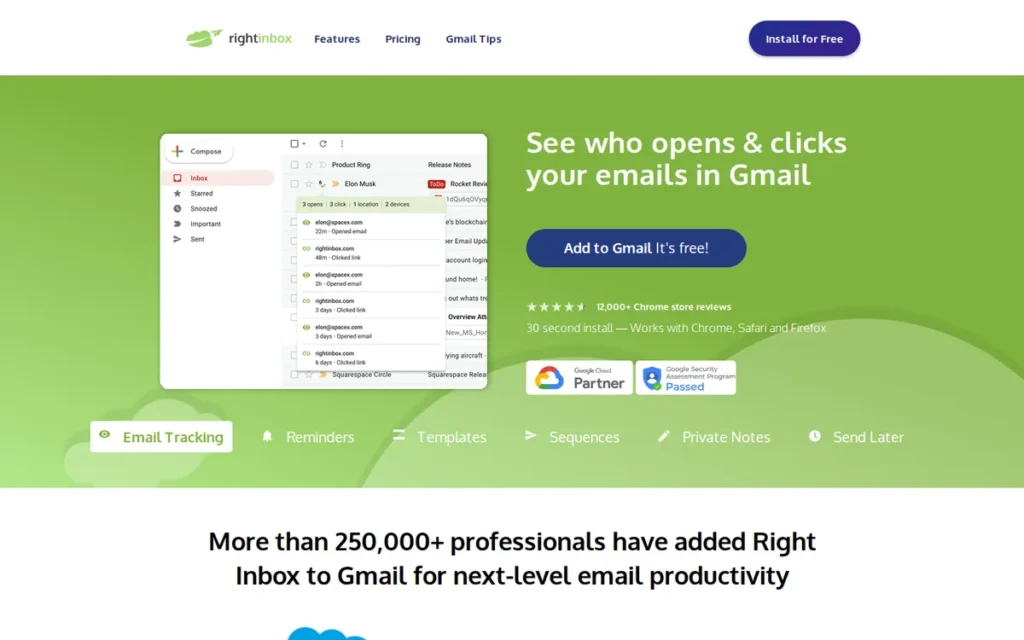
Category: Gmail Productivity Suite, a Chrome extension that bundles open/click tracking with scheduling, reminders, automated follow-up sequences, and templates inside the Gmail interface without requiring a separate platform or CRM.
At a Glance
- Category: Gmail Productivity Suite
- Best For: Individual sales professionals, recruiters, and small Gmail-based teams (1–10 users) who need tracking plus scheduling, reminders, and automated sequences without CRM overhead, Gmail users exclusively
- Price Range: Free (5 uses per feature per month) – $14.95/user/month (Professional); unlimited tracking on Personal plan at $7.95/user/month, verified May 2026
- Primary Strength: Right Inbox holds a 4.7/5.0 rating on the Google Workspace Marketplace across 12,000+ reviews (the strongest volume-weighted marketplace rating in this evaluation) and combines open/click tracking, scheduling, automated sequences, and reminders at $7.95/month
- Biggest Limitation: Right Inbox is Gmail-only: no Outlook support under any plan, making it completely inaccessible to any sales professional or team whose primary email client is Microsoft Outlook or Exchange
- One-Line Summary: Right Inbox is a Gmail Chrome extension with a 4.7/5.0 Google Workspace Marketplace rating across 12,000+ reviews that bundles tracking, scheduling, automated sequences, and reminders at $7.95/month, the strongest volume-weighted peer-validation signal for a Gmail productivity tracker in this evaluation
- Last Verified: May 2026
Overview
Right Inbox is a Gmail productivity Chrome extension designed for sales professionals, recruiters, and marketers who need email tracking, scheduling, reminders, and automated follow-up sequences in a single lightweight install, without switching platforms or adopting a full CRM.
Right Inbox has accumulated 12,000+ reviews on the Google Workspace Marketplace with a 4.7/5.0 rating and a 4.7/5.0 on G2 across approximately 28 verified reviews, the Google Workspace Marketplace score is the stronger peer-validation signal given the volume differential. Right Inbox also reports 250,000+ active professional users as of 2026 (company-reported figure; Right Inbox homepage, 2026).
Right Inbox is best for individual Gmail users or small Gmail-based teams who need more than a basic open tracker but do not require cold outreach infrastructure, Outlook compatibility, or deep CRM pipeline integration.
Key Features
- Open and Click Tracking with Per-Recipient Attribution: Right Inbox tracks opens and clicks on outgoing Gmail messages in real time, with per-recipient attribution identifying which specific contact in a group email opened the message, not just an aggregate count of total opens across all recipients.
- Time-Zone-Aware Scheduled Send: Right Inbox’s scheduled send feature allows Gmail users to compose emails immediately and queue them for delivery at a specified future time, with third-party reviewers specifically documenting its value for teams communicating across multiple time zones (Tim Noetzel review, 2026).
- Cross-Thread Reply-Cancel Sequences: Right Inbox’s automated follow-up sequences automatically cancel when a reply is detected (including replies made outside the original email thread) preventing the professionally damaging experience of following up on a conversation the prospect has already answered elsewhere.
- All-in-One Gmail Productivity Layer: Right Inbox consolidates email reminders, recurring email templates, private inbox notes, and multiple email signature management into a single Chrome extension, replacing several separate Gmail productivity add-ons with one install.
- Mail Merge and CRM Integration on Professional Tier: Right Inbox’s Professional plan ($14.95/user/month) adds mail merge, CRM integration, and multi-step email sequences with automation, bringing lightweight outreach campaign capabilities to Gmail users without a dedicated outreach platform.
Best For
Right Inbox is best for individual sales professionals and small teams of one to ten users operating exclusively in Gmail who need open/click tracking plus scheduling, reminders, and automated follow-ups as a unified productivity layer, at the most competitive full-featured price point in this evaluation ($7.95/month) without platform training overhead or CRM implementation requirements.
Pricing
Right Inbox’s Free plan includes 5 tracked emails, 5 templates, 5 reminders, 5 scheduled emails, 5 notes, and 5 signatures per month, sufficient for evaluation but restrictive enough that any active sales user will require a paid plan within days of installation. Personal plan at $7.95/user/month (billed annually) provides unlimited tracking, templates, recurring emails, notes, and signatures. Professional plan at $14.95/user/month (billed annually) adds mail merge, email sequences, CRM integration, and priority support. Pricing verified against Right Inbox’s official pricing page and corroborated by Mailmeteor pricing review, May 2026.
Strengths
- Right Inbox holds a 4.7/5.0 rating on the Google Workspace Marketplace across 12,000+ reviews (the strongest volume-weighted marketplace rating in this evaluation) alongside a 4.7/5.0 on G2 with approximately 28 verified reviews; the Marketplace score is the stronger peer-validation signal given the volume differential (Google Workspace Marketplace; G2, May 2026).
- Right Inbox’s Personal plan at $7.95/user/month delivers unlimited tracking, scheduling, reminders, recurring emails, templates, and multi-signature management at a price 4.4x lower than Yesware’s entry paid tier, the best documented price-to-feature ratio in this evaluation for individual Gmail use cases.
- Right Inbox’s automatic sequence cancellation on reply detection: including replies outside the original email thread, reduces the risk of following up on prospects who have already responded, a quality-of-life reliability feature that distinguishes Right Inbox from simpler reminder tools and basic tracking extensions.
- Right Inbox reports over 250,000 company-reported active professional users and is documented as part of the Mailshake outreach ecosystem integration stack, confirming adoption within professional sales and recruiting segments rather than general Gmail productivity users (Right Inbox homepage; Mailshake help documentation, 2026).
Limitations
- Gmail Exclusivity: Right Inbox’s most consequential trade-off is Gmail exclusivity, Right Inbox has no Outlook support and is completely inaccessible to any sales professional or team whose organization runs on Microsoft 365 or Exchange, a binary compatibility filter that removes Right Inbox from consideration before any feature or price comparison for those buyers.
- No Cold Outreach Infrastructure: Right Inbox lacks sender rotation, domain warmup, inbox limit management, and unified reply management (the infrastructure features required for high-volume cold email campaigns) meaning teams sending more than a few hundred prospecting emails per month will need to supplement or replace Right Inbox with a purpose-built cold outreach platform such as Saleshandy.
- Documented Scheduled-Send Reliability Issues: Right Inbox has documented occasional reliability issues with the scheduled-send feature among G2 reviewers, with noted failures to deliver at the specified time and browser compatibility issues on non-Chrome browsers, a consideration for sales professionals whose workflow depends on precise delivery timing as a competitive element (G2, 2026).
Verdict
Right Inbox is the highest volume-validated email tracking tool for Gmail in this evaluation, 4.7/5.0 on the Google Workspace Marketplace across 12,000+ reviews, and delivers the strongest price-to-feature ratio for Gmail-native sales professionals at $7.95/month. For teams that include any Outlook users, Right Inbox’s Gmail exclusivity is the decisive disqualifying limitation, no feature or price advantage compensates for fundamental email-client incompatibility, and those buyers should evaluate HubSpot Sales Hub or Yesware instead. For Gmail-only buyers, Right Inbox’s marketplace-validated review performance and exceptional value make it the most evidence-supported recommendation in this evaluation.
3. Saleshandy: Best for Cold Outreach at Scale: Cold Email Infrastructure Platform for SDR Teams and Agencies
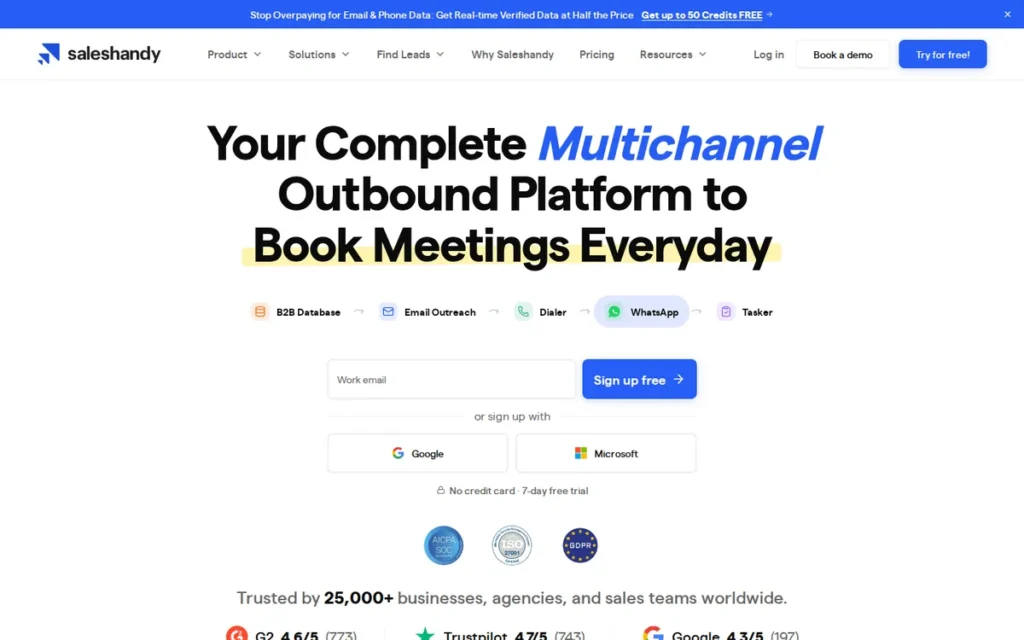
Category: Cold Outreach Platform, a purpose-built email sending infrastructure for high-volume cold email campaigns, featuring sender rotation across unlimited inboxes, AI-generated sequences, a company-reported 852M+ B2B lead database, and a unified reply inbox.
At a Glance
- Category: Cold Outreach Platform
- Best For: SDR teams, outbound sales agencies, and B2B founders running high-volume cold email campaigns across multiple sending domains who need prospecting data and sending infrastructure in one platform
- Price Range: From $25/month (Starter); lead credits for B2B contact database sold separately, verify current tier structure at saleshandy.com/pricing before purchase; verified May 2026
- Primary Strength: Saleshandy is the only tool in this evaluation that combines sender rotation across unlimited connected email accounts, an AI Sequence Copilot for campaign creation, and a company-reported 852M+ verified B2B contact database in a single platform starting at $25/month
- Biggest Limitation: Saleshandy is an email-only platform with no native LinkedIn, calling, or multi-channel outreach capabilities, limiting its value to organizations whose entire outbound motion is exclusively email-based
- One-Line Summary: Saleshandy is a cold email infrastructure platform rated 4.6/5.0 on G2 (775 reviews) that bundles unlimited sender rotation, an AI Sequence Copilot, and a company-reported 852M+ B2B contact database at $25/month, purpose-built for SDR teams and agencies running high-volume outbound campaigns
- Last Verified: May 2026
Overview
Saleshandy is a purpose-built cold outreach platform designed for SDR teams, outbound sales agencies, and organizations running high-volume prospecting campaigns who need email sending infrastructure (sender rotation, deliverability management, automated multi-step sequences, and unified reply handling) rather than an open-notification add-on to a warm inbox workflow.
Saleshandy includes a company-reported Lead Finder database of 852M+ verified B2B contacts [Source: Saleshandy marketing, 2026, independently unverified], an AI Sequence Copilot that generates complete campaign sequences from an ICP description and website URL, and a unified inbox that aggregates and AI-categorizes replies from all connected sending accounts.
Saleshandy is not appropriate for individual reps tracking warm pipeline emails or small teams doing light follow-up outreach, Saleshandy’s architecture is specifically designed for teams sending hundreds to thousands of cold emails per day across multiple sending domains who need infrastructure-level capability.
Key Features
- Sender Rotation Across Unlimited Inboxes: Saleshandy’s sender rotation distributes outbound sends automatically across unlimited connected email accounts, preserving cold email deliverability by preventing any single domain from reaching per-inbox daily sending limits, a technical capability not offered by any other tool in this evaluation.
- AI Sequence Copilot: Saleshandy’s AI Sequence Copilot generates complete cold outreach sequences (subject lines, email body copy, follow-up variants, and optimized send timing) from a website URL, ICP description, and campaign goal, compressing hours of copywriting into a single setup step (Saleshandy AI email sequence page, 2026).
- Company-Reported 852M+ B2B Lead Finder Database: Saleshandy’s company-reported Lead Finder claims access to 852M+ verified B2B contacts with real-time email verification [Source: Saleshandy marketing, 2026, independently unverified]; one user testimonial on Saleshandy’s marketing site reports a bounce rate reduction from 12% to under 3%, combining prospecting and verification that would otherwise require separate tools (Saleshandy marketing, 2026).
- AI-Powered Unified Reply Inbox: Saleshandy’s unified inbox aggregates replies from all connected sending accounts with AI-powered sentiment categorization (positive, negative, out of office, and referral) making simultaneous reply management across 10+ sending inboxes operationally practical for small teams (Cleverly review, 2026).
- Multi-CRM Integration: Saleshandy integrates with Salesforce, HubSpot, Pipedrive, Zoho CRM, Gmail, Outlook, and Zapier, allowing reply and engagement data to flow into existing CRM pipelines without manual export or custom development.
Best For
Saleshandy is best for outbound SDR teams, growth agencies, and B2B founders running high-volume cold email campaigns across multiple sending domains, particularly teams that also need prospecting data and would otherwise pay separately for a lead database tool alongside a cold email sending platform.
Pricing
Saleshandy’s Starter plan begins at $25/month, according to independent review sources. Lead credits for the Lead Finder B2B contact database are sold separately from email sending plans, teams with existing prospect lists pay only for sending infrastructure. The per-plan versus per-user billing structure should be confirmed for your team size before purchase. Pricing verified against independent review sources (Cleverly, 2026; ConnectSafely, 2026); verify current pricing and tier contents at saleshandy.com/pricing.
Strengths
- Saleshandy holds a 4.6/5.0 G2 rating across 775 reviews with consistent third-party reviewer praise for automated follow-ups, sender rotation, deliverability support, and the AI Sequence Copilot, peer-validated confirmation of core cold outreach infrastructure capabilities across real-world deployments (G2; Cleverly; Mailforge review summary, 2026).
- Saleshandy’s combined Lead Finder database plus sending infrastructure positions Saleshandy as a bundled alternative to Apollo.io (leads), ZeroBounce (verification), and a separate cold email platform, at a $25/month entry price that represents a meaningful cost comparison for teams that need all three functions (Cleverly review, 2026).
- Saleshandy supports both Gmail and Outlook, with multi-CRM integrations including Salesforce, HubSpot, Pipedrive, and Zoho, enabling cold outreach engagement data to flow into existing CRM records without manual export or Zapier intermediary steps for organizations using those platforms.
- Saleshandy’s unified reply inbox with AI sentiment categorization addresses a critical operational gap in high-volume outreach (managing and prioritizing replies from multiple sending identities simultaneously) that simple tracking extensions cannot address architecturally.
Limitations
- Email-Only Architecture: Saleshandy’s most consequential trade-off is its email-only architecture, Saleshandy has no native LinkedIn outreach, calling workflow, or multi-channel sequencing capability, limiting its value to organizations whose entire outbound motion is exclusively email-based. G2 reviewers additionally flag occasional UI complexity at scale when managing sequences and the unified inbox simultaneously across multiple sending identities (G2, 2026).
- Tracking Pixels May Hurt Deliverability at Volume: An advanced practitioner who sent one million cold emails documented a counterintuitive finding: at serious volume, tracking pixels may actively degrade inbox placement rates, shifting Saleshandy’s value toward infrastructure management and reply handling rather than open notification accuracy.
“No tracking pixels, no HTML, no unsubscribe links on any of our emails, period. Open rates are a vanity metric that genuinely hurts your deliverability in 2025.” (u/BashKing12, r/coldemail, 2025)
Takeaway: At high cold email volume, experienced practitioners advise against optimizing for open rates, Saleshandy’s infrastructure, AI personalization, and reply management capabilities deliver more durable ROI than open-rate data at that scale.
- Lead Credits Sold Separately: Saleshandy’s lead credits for the Lead Finder contact database are billed separately from sending plans, teams that need both prospecting data and sending infrastructure pay two distinct cost streams, and the combined cost should be calculated before assuming the bundle delivers savings over competing tools.
Verdict
Saleshandy is the strongest cold outreach infrastructure platform in this evaluation for SDR teams and agencies running high-volume email campaigns, rated 4.6/5.0 on G2 across 775 reviews with documented capabilities in sender rotation, AI sequence generation, and a company-reported 852M+ contact database that no other evaluated tool approximates. Saleshandy is not a simple email tracker (Saleshandy is purpose-built for teams sending hundreds to thousands of cold emails per day) and buyers who need open notifications for warm inbox follow-ups will find most of Saleshandy’s infrastructure unnecessary and should evaluate Right Inbox or HubSpot Sales Hub instead. Saleshandy’s most significant structural gap is multi-channel: teams that combine email and LinkedIn outreach will need a supplementary tool or a different platform entirely.
4. Mailtrack: Best Free Option: Most Widely Installed Gmail Open-Tracker for Individual Users
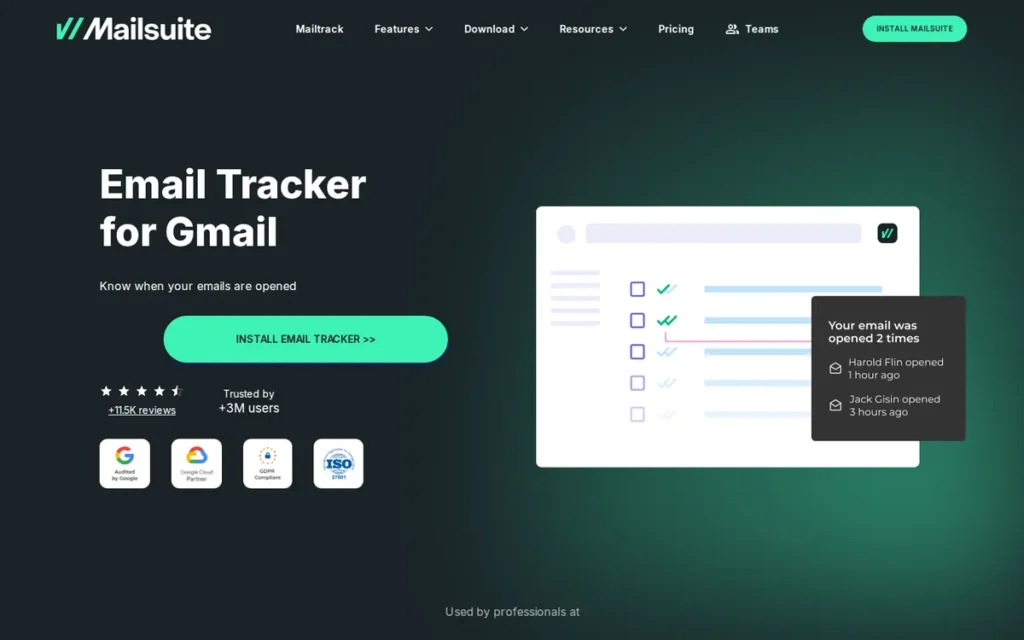
Category: Open Tracker, a Gmail-native read-receipt and link click tracking extension using double-checkmark visual indicators to show when emails are opened, with expanded team campaign capabilities under the Mailsuite brand umbrella.
At a Glance
- Category: Open Tracker (expanding to Gmail Campaign Platform under Mailsuite brand)
- Best For: Individual Gmail users, freelancers, and non-technical salespeople who need instant email read-receipt confirmation at zero cost, comfortable with the free-plan watermark or willing to pay $9.99–$11.99/month to remove it
- Price Range: Free (with “Sent via Mailtrack” branding on all outgoing emails) – $9.99–$11.99/user/month Pro (verify current rate at mailtrack.io/pricing, as pricing has shifted upward from previously cited figures), verified May 2026
- Primary Strength: Mailtrack provides unlimited Gmail open tracking on its free plan backed by a 4.6/5.0 G2 rating and over 1.5 million active users (Mailsuite, 2026) (the largest user base in this evaluation) with installation in under 60 seconds via Chrome Web Store
- Biggest Limitation: Mailtrack’s free plan appends “Sent via Mailtrack” branding to every outgoing email, widely documented as professionally problematic in B2B sales contexts and a documented spam-flag risk on some enterprise email servers
- One-Line Summary: Mailtrack is the most widely installed Gmail open-tracker with over 1.5 million active users (Mailsuite, 2026) and a 4.6/5.0 G2 rating, offering unlimited read-receipt tracking free, with the trade-off that its free plan appends visible branding to every outgoing email
- Last Verified: May 2026
Overview
Mailtrack, now operating under the Mailsuite brand umbrella, is the most widely installed Gmail read-receipt and open-tracking extension, using a WhatsApp-inspired double-checkmark system that makes email read status instantly recognizable without any training or interface change.
Mailtrack has accumulated over 1.5 million active users (Mailsuite, 2026), holds a 4.6/5.0 G2 rating, and is distributed via both the Chrome Web Store and the Google Workspace Marketplace, making Mailtrack the most accessible entry point into email tracking for Gmail users globally.
The Mailsuite rebrand has added team-oriented capabilities including shared templates, campaigns to up to 10,000 recipients with per-recipient open attribution, activity dashboards, and CSV export, significantly expanding Mailtrack beyond its original single-user read-receipt origins without increasing the free offering’s entry price.
Key Features
- Double-Checkmark Read-Receipt UX: Mailtrack’s double-checkmark system displays sent/opened status directly inside Gmail’s standard compose and sent views (one gray check indicating sent, two green checks indicating opened) using a visual language borrowed from WhatsApp that requires no training to interpret.
- Campaigns to 10,000 Recipients with Per-Recipient Attribution: Mailtrack’s Campaigns feature now enables individually tracked sends to up to 10,000 recipients simultaneously from Gmail with per-recipient open attribution rather than aggregate statistics, competing directly with lightweight mail-merge tools under the Mailsuite brand umbrella (Mailsuite help center, 2026).
- Revival and No-Reply Alerts: Mailtrack provides no-reply alerts configurable for 24–72 hours without a response, and revival alerts when previously quiet contacts re-open old emails, enabling reps to follow up precisely when re-engagement signals emerge from dormant prospect lists.
- Link Click Tracking and CSV Export: Mailtrack includes link click tracking, per-campaign analytics, and CSV export under the Mailsuite feature set, expanding its analytics beyond open notifications for teams that need more granular engagement data.
- Zero-Friction Chrome Web Store Distribution: Mailtrack can be installed by any Gmail or Google Workspace user in under 60 seconds without IT approval, procurement, or configuration, the most accessible distribution model in this evaluation.
Best For
Mailtrack is best for individual Gmail users, freelancers, and non-technical salespeople who need to confirm whether their emails have been read and want the fastest possible path to that visibility, particularly users comfortable operating on the free plan or willing to pay $9.99–$11.99/month to remove the watermark, and whose outreach volume and CRM requirements are within Mailtrack’s Gmail-only, low-integration design.
Pricing
Mailtrack’s Free plan provides unlimited open tracking with a “Sent via Mailtrack” branding signature appended to all outgoing emails, this watermark is the free plan’s most consequential professional constraint and the documented primary driver of upgrade decisions. Pro plan removes the watermark and adds link click tracking, no-reply alerts, and advanced campaign features. Pricing has shifted upward from the $9.99/month figure appearing on some third-party listing aggregators to approximately $11.99/user/month, verify the current rate at mailtrack.io/pricing before budgeting. Pricing range verified against EmailAnalytics tracking comparison and Mailbird review, May 2026.
Strengths
- Mailtrack holds a 4.6/5.0 G2 rating and has accumulated over 1.5 million active users (Mailsuite, 2026), the largest verified user base in this evaluation, representing a decade of sustained growth through its free-tier distribution model that confirms at-scale product reliability across a broad and diverse user population (G2; Mailsuite, 2026).
- Mailtrack’s distribution model: installable via Chrome Web Store in under 60 seconds without IT approval, procurement process, or software configuration, is the most accessible entry path to email tracking visibility in this evaluation, giving individual buyers and self-serve SMBs a structural speed-to-value advantage (Chrome Web Store, 2026).
- Mailtrack’s Mailsuite rebrand has added campaigns to 10,000 recipients with per-recipient open attribution, shared templates, and team dashboards, significantly expanding Mailtrack from a single-user read-receipt tool to a lightweight team outreach platform without increasing the entry price of the core free offering (Mailsuite help center; PlusVibe comparison, 2026).
- Mailtrack’s revival alerts: notifications triggered when a prospect re-opens a previously dormant email, provide actionable re-engagement signals for sales reps managing large prospect lists over multi-week or multi-month cycles where timing a follow-up to renewed interest materially improves response rates.
Limitations
- Free Plan Branding Watermark: Mailtrack’s most consequential trade-off is its free-plan branding signature, the “Sent via Mailtrack” text appended to every outgoing email on the free tier is widely documented as professionally problematic in B2B sales contexts, flagged as a potential spam-flag risk on some enterprise email servers, and identified as the primary driver of user churn. The upgrade cost has also shifted upward from previously cited third-party figures.
“I didn’t consent to be tracked electronically by you. Your email shows me the content and spies on me.” (u/notextinctyet, r/NoStupidQuestions, 2023)
Takeaway: Mailtrack’s free plan watermark simultaneously reveals to recipients that tracking is occurring, a professional liability in B2B sales that the $9.99–$11.99/month Pro upgrade resolves; verify the current Pro rate at mailtrack.io/pricing before budgeting.
- Apple Mail Privacy Protection False Positives: Mailtrack, like all five pixel-based trackers in this evaluation, is subject to Apple Mail Privacy Protection prefetching, where Apple Mail fires the tracking pixel on email delivery before any human reads it, registering a false open notification. The only evaluated tool completely immune to this issue is EmailAnalytics, which uses no tracking pixels. Long-time Mailtrack users have documented this directly: “sometimes I get the notification about the same email telling that they opened the email but they tell me they didn’t even open it” (u/SalahEddie, r/GMail, 2024).
- Gmail Only, Minimal CRM Integration: Mailtrack currently provides no Outlook support, making Mailtrack inaccessible to sales professionals whose primary email client is Microsoft Outlook or Exchange, and Mailtrack’s free tier has minimal CRM integration capability. Teams needing cross-client compatibility, Salesforce auto-logging, or cold outreach infrastructure will outgrow Mailtrack’s design immediately.
Verdict
Mailtrack is the most accessible entry point into email tracking for Gmail users, offering unlimited open tracking on a free plan backed by a 4.6/5.0 G2 rating and over 1.5 million active users (Mailsuite, 2026) validating its core reliability across a decade of market presence. Mailtrack is the correct choice for individual Gmail users and freelancers who need read-receipt confirmation quickly and at zero cost, provided they are comfortable with the professional implications of the watermark or willing to pay $9.99–$11.99/month to remove it. Teams requiring CRM integration, Outlook support, cold outreach infrastructure, or team-level performance analytics will outgrow Mailtrack’s design immediately and should evaluate HubSpot Sales Hub, Saleshandy, or EmailAnalytics for those needs.
5. Yesware: Best for Salesforce Teams: Inbox-Native Sales Engagement with Automatic Salesforce CRM Sync
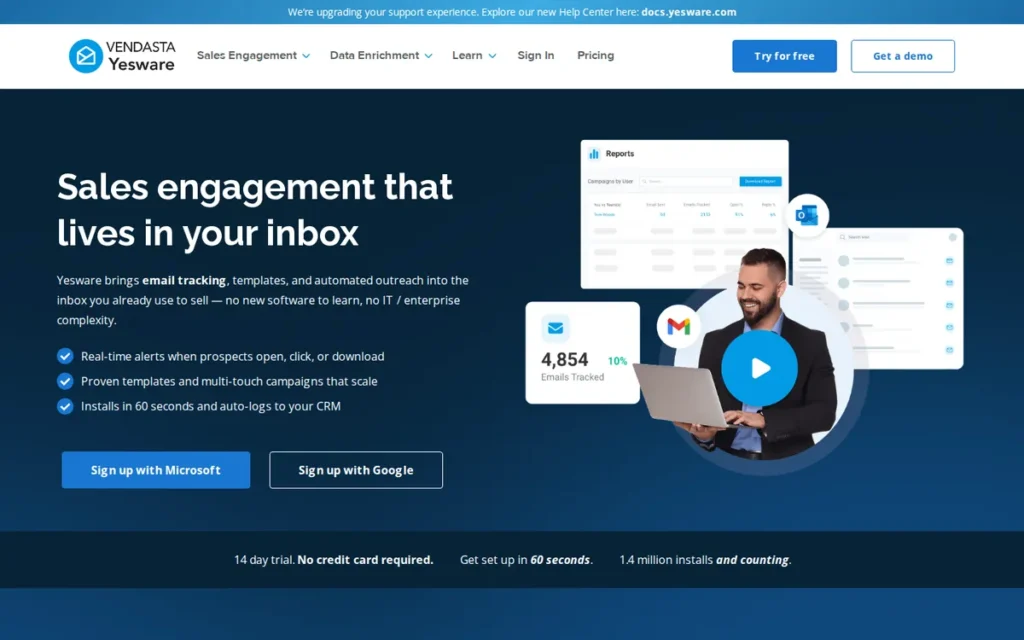
Category: Sales Engagement Add-In, an inbox-native sales tool for Gmail and Outlook that adds open/click/attachment tracking, email templates, multi-step sequences, and automatic Salesforce CRM sync without requiring reps to leave the inbox or adopt a new platform interface.
At a Glance
- Category: Sales Engagement Add-In
- Best For: Sales teams operating on Salesforce CRM that send relationship-based prospecting emails from Gmail or Outlook and need engagement events logged automatically to Salesforce contact and opportunity records without manual rep action
- Price Range: Free (limited) – $35+/user/month Premium; now listed on G2 as Vendasta Yesware, verify current pricing at yesware.com/plans-and-pricing, as the Vendasta acquisition may affect tier structure and pricing; verified May 2026
- Primary Strength: Yesware is the only tool in this evaluation that provides automatic, bidirectional Salesforce CRM sync, logging email opens, clicks, replies, and attachment views to Salesforce contact and opportunity records in real time across both Gmail and Outlook
- Biggest Limitation: Yesware’s full value is primarily unlocked by Salesforce users (teams without Salesforce gain fewer meaningful advantages over cheaper Gmail trackers) and Yesware has documented compatibility failures on Outlook for Mac and non-standard hosting environments reported by paying customers
- One-Line Summary: Yesware is a Gmail-and-Outlook sales engagement add-in rated 4.4/5.0 on G2 across 800+ reviews that automatically logs email tracking events to Salesforce CRM, purpose-built for sales teams where Salesforce data quality is a pipeline management priority; now listed on G2 as Vendasta Yesware
- Last Verified: May 2026
Overview
Yesware is an inbox-native sales engagement platform founded in 2010 that supports both Gmail (Chrome extension) and Outlook (add-in), offering open tracking, click tracking, attachment view tracking, email templates, multi-touch sequences, meeting scheduling, and deep automatic Salesforce CRM sync, all operable without leaving the inbox.
Yesware has accumulated over 800 reviews on G2 with a 4.4/5.0 rating and is now listed on G2 under the name Vendasta Yesware following its acquisition, a branding change that buyers will encounter during independent G2 research and that signals the depth of acquisition integration.
Yesware’s foundational philosophy, “never leave your inbox”, distinguishes Yesware from CRM-first platforms like HubSpot Sales Hub and from cold-email infrastructure platforms like Saleshandy. Vendasta, which acquired Yesware, primarily serves digital marketing agencies and resellers, a different core market than Yesware’s traditional sales rep user base, creating questions about future product priority alignment (MarketBetter review, 2026).
Key Features
- Automatic Bidirectional Salesforce Sync: Yesware automatically logs email opens, clicks, reply events, and attachment views to Salesforce contact and opportunity records in real time, eliminating the most common source of Salesforce CRM data decay, reps failing to manually log outgoing email activity after every send.
- Dual Gmail and Outlook Support: Yesware provides full-featured tracking support across both Gmail (Chrome extension) and Outlook (add-in), making Yesware one of only two tools in this evaluation (alongside HubSpot Sales Hub) that delivers tracking and workflow capability across both major email clients for teams in mixed environments.
- Multi-Touch Email Campaigns with Reply-Stop: Yesware’s multi-touch email campaigns allow reps to build automated sequences with conditional branching and automatic send-stop on reply, supporting systematic prospect follow-up cadences without leaving Gmail or Outlook.
- Attachment Tracking: Yesware includes attachment tracking: an email engagement signal not available from Mailtrack, Right Inbox, or Vocus.io, enabling reps to know when a prospect opens a PDF proposal, pitch deck, or contract document and time follow-up to genuine document review (Startupik review, 2026).
- Meeting Scheduling Integration: Yesware’s meeting scheduling feature allows reps to embed calendar availability directly into outgoing emails, reducing the back-and-forth required to confirm calls with prospects without a separate scheduling tool.
Best For
Yesware is best for sales teams operating on Salesforce CRM that send individual, relationship-based prospecting and pipeline emails from Gmail or Outlook and need engagement events (opens, clicks, attachment views) automatically written to Salesforce contact and opportunity records without requiring manual rep logging or Zapier intermediary steps.
Pricing
A Free plan with limited features is available. The Premium plan is referenced at $35/user/month by independent review sources (MarketBetter, 2026). Enterprise tier pricing requires direct contact with Yesware. Critical: Yesware is now listed on G2 as Vendasta Yesware, the Vendasta acquisition may affect pricing structure, tier naming, and feature allocation, so all figures should be verified at yesware.com/plans-and-pricing before committing to a paid plan. The absence of a meaningful permanent free tier (unlike Mailtrack’s free plan or HubSpot’s free CRM) means teams must commit financially to access the full tracking and sequence capabilities that justify switching. Pricing partially verified against MarketBetter review, May 2026.
Strengths
- Yesware has accumulated 800+ G2 reviews with a 4.4/5.0 rating across more than 15 years of market presence (the second-largest G2 review base in this evaluation) confirming sustained adoption among sales teams willing to publicly validate the product and a track record that newer entrants cannot yet match (G2, 2026).
- Yesware’s bidirectional Salesforce auto-log: writing tracking events directly to Salesforce contact and opportunity records in real time without manual rep action, is the feature that consistently drives Yesware selection over alternatives in community discussions for teams where Salesforce data quality directly affects pipeline accuracy and forecast reliability (RevOps Tools, 2026).
- Yesware’s dual Gmail/Outlook compatibility makes Yesware accessible to both Google Workspace and Microsoft 365 sales teams without requiring separate tools for each email client, a structural advantage over the five Gmail-only tools in this evaluation for organizations in mixed email-client environments.
- Yesware’s attachment tracking capability: not available from Mailtrack, Right Inbox, or Vocus.io, provides the engagement signal of knowing when a prospect opens a proposal or contract, directly actionable in complex sales processes with multiple stakeholders and long document-review evaluation cycles (Startupik review, 2026).
Limitations
- Salesforce Dependency: Yesware’s most consequential trade-off is its Salesforce dependency, Yesware’s primary differentiator delivers its full value only to teams operating on Salesforce, leaving non-Salesforce users with a capable but expensive Gmail/Outlook tracker at $35/seat/month compared to Right Inbox’s $7.95/month for functionally similar individual tracking. Yesware is additionally now listed on G2 as Vendasta Yesware, a visible acquisition indicator that buyers conducting independent research will encounter before comparing recommendations.
- Documented Outlook Compatibility Failures on Mac: Yesware has specific documented Outlook compatibility failures on Mac and non-standard hosting environments, with a paying user reporting: “After a month of not being able to download the Yesware extension, I was told it doesn’t work with third party hosting and is ‘iffy’ on a MAC. Now I’m trying to get my payment refunded” (u/More_Organization306, r/EmailProspecting, 2025).
Takeaway: Outlook-on-Mac users should complete a full trial before committing to a paid Yesware plan, a compatibility failure resulting in non-installation after purchase is a documented real-world risk, not a theoretical edge case.
- Vendasta Acquisition Uncertainty: Yesware’s acquisition by Vendasta introduces uncertainty about independent product roadmap control, pricing trajectory, and long-term feature development priorities, buyers planning multi-year commitments should factor this vendor stability consideration into their evaluation, particularly given that Vendasta’s core market differs from Yesware’s traditional sales team user base.
Verdict
Yesware is the most defensible choice for Salesforce-centric sales teams that need automatic, bidirectional email activity logging across both Gmail and Outlook, a combination that no other tool in this evaluation replicates at comparable depth. Yesware’s 800+ G2 reviews and 4.4/5.0 rating confirm reliable product performance for this specific use case, and its 15+ year market history provides vendor stability context despite Vendasta acquisition uncertainty. Teams without Salesforce, teams using Outlook on Mac, or teams seeking the most cost-effective Gmail tracking solution should evaluate Right Inbox (4.7/5.0 GWS Marketplace, 12,000+ reviews, $7.95/month) or HubSpot Sales Hub as higher-value alternatives before committing to Yesware’s $35/seat/month entry point.
6. EmailAnalytics: Best for Sales Managers and RevOps: The Only Team Email Performance Analytics Platform in This Evaluation
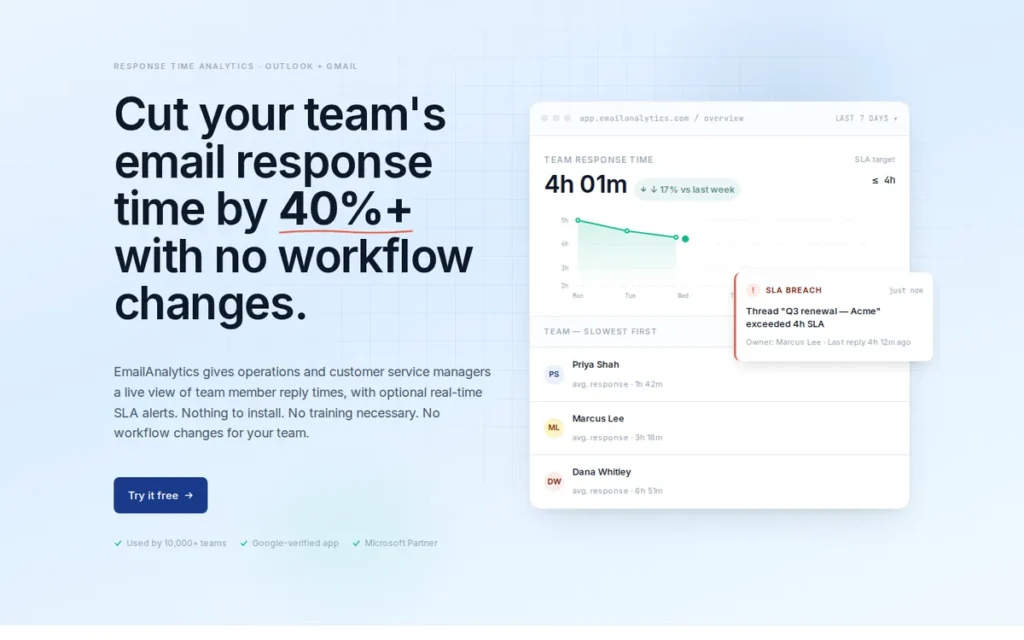
Category: Team Email Analytics, an API-connected dashboard that measures team-level email performance metrics (response time per rep, volume, thread management) without accessing email content or adding any tracking pixels to outgoing messages.
At a Glance
- Category: Team Email Analytics
- Best For: Sales managers, RevOps leaders, and team leads with 5+ email-communicating team members who need objective visibility into rep response times, volume per rep, and unanswered thread counts, without disrupting individual rep workflows
- Price Range: Approximately $19/inbox/month (reported May 2026: HubSpot Marketplace listing appears to reflect an outdated figure of ~$13.50/month; verify current pricing at emailanalytics.com/pricing before budgeting); 14-day free trial available
- Primary Strength: EmailAnalytics is the only tool in this evaluation that measures team-level email performance metrics (average response time per rep, emails sent/received, top senders and recipients) without adding tracking pixels to outgoing emails or requiring any workflow change from individual team members
- Biggest Limitation: EmailAnalytics does not track whether outgoing emails are opened, clicked, or engaged with by external recipients, the primary function most buyers searching for “email tracking software” are seeking
- One-Line Summary: EmailAnalytics is a team email performance analytics platform rated 4.5/5.0 on G2 (approximately 8 reviews, thin dataset; Reddit practitioner recommendations are the stronger validation signal) that connects to Gmail and Outlook via API to measure rep response times, volume, and thread patterns for sales managers without pixel tracking
- Last Verified: May 2026
Overview
EmailAnalytics is a team email performance analytics platform that connects to Gmail/Google Workspace and Outlook/Microsoft 365 accounts via OAuth API (not via extension or add-in installation) to provide sales managers with dashboards measuring average response time per rep, emails sent and received, top senders and recipients, email activity by hour and day of week, and team-wide volume comparisons.
EmailAnalytics is categorically different from every other tool in this evaluation: EmailAnalytics does not track whether outgoing emails are opened by recipients, and does not add pixel or link wrappers to outgoing messages, EmailAnalytics measures how the sales team handles its email volume as an operational management metric, not how external recipients engage with outgoing emails.
EmailAnalytics is built specifically for sales managers, RevOps leaders, and customer success leads who need objective visibility into email response time SLA compliance and team accountability metrics that existing tracking tools do not address.
Key Features
- Per-Rep Response Time Measurement: EmailAnalytics measures average email response time per individual team member from actual reply timestamps without any manual rep logging, providing managers with objective SLA compliance data across the team without behavioral self-reporting or CRM data quality dependency.
- Team Volume and Activity Dashboards: EmailAnalytics tracks emails sent and received, top senders and recipients, email activity distribution by hour and day of week, and unanswered thread counts for each connected team member, surfacing operational patterns invisible in any standard email client interface.
- Zero-Installation OAuth Connection: EmailAnalytics requires zero software installation and zero workflow change from individual team members, OAuth connection is completed in approximately 60 seconds per account, and dashboard data populates automatically from that point without any rep interaction.
- Gmail and Outlook Compatibility via API: EmailAnalytics supports both Gmail/Google Workspace and Outlook/Microsoft 365 via API connection, making EmailAnalytics the mostbroadly compatible team analytics platform in this evaluation across email client environments.
- HubSpot and Google Workspace Marketplace Listings: EmailAnalytics is listed on both the HubSpot App Marketplace and the Google Workspace Marketplace, confirming compliance with both platforms’ developer security and data access requirements.
Best For
EmailAnalytics is best for sales managers, RevOps leaders, and customer success team leads at companies with five or more email-communicating team members who need objective operational visibility into response time SLA compliance, email volume distribution, and unanswered thread patterns, particularly organizations where “how fast is the team actually responding to inbound inquiries and pipeline emails?” is an unanswered operational question.
Pricing
Independent pricing sources as of 2026 report EmailAnalytics at approximately $19/inbox/month, the HubSpot Marketplace listing appears to reflect an outdated figure of approximately $13.50/month, a difference that could cause meaningful budget miscalculation for teams planning multi-user implementations. A 14-day free trial is available. The full pricing tier structure, including whether billing is per user, per team, or flat-rate, requires verification from the live pricing page at emailanalytics.com/pricing before purchase. Pricing partially verified against independent pricing sources, May 2026.
Strengths
- EmailAnalytics company-reported data states that teams using EmailAnalytics improve average email response time by 42.5%, attributed to the accountability effect of visible performance metrics, consistent with management research on measurement-driven behavioral change, though independently unverified and appropriately attributed here to the company’s own marketing claims (EmailAnalytics homepage, 2026).
- EmailAnalytics uses zero tracking pixels in outgoing emails, making EmailAnalytics the only tool in this evaluation completely immune to Apple Mail Privacy Protection false positives and not subject to the deliverability concerns that pixel-based tracking creates at high outbound volume, an increasingly important differentiator as privacy protections expand across email clients.
- RevOps practitioners on Reddit specifically recommend EmailAnalytics for team response time and volume tracking, with multiple authenticated community voices citing EmailAnalytics as having no direct competitor in the team operational analytics segment: “for tracking actual inbox behavior like response times and email volume per rep, EmailAnalytics is the best I’ve used… most outreach tools completely ignore that side of things and it’s where deals get lost” (u/BladeRunner29, r/EmailProspecting, 2025).
Takeaway: For salesmanagers, EmailAnalytics fills a distinct operational gap (team response time accountability) that no other evaluated tool addresses, confirmed by multiple practitioner recommendations across independent Reddit communities.
- EmailAnalytics is listed on both the Google Workspace Marketplace and the HubSpot App Marketplace, confirming compliance with both Google’s and HubSpot’s developer security and data access requirements, a meaningful trust signal for IT and security reviewers evaluating API-based access to company email accounts.
Limitations
- Does Not Track Outgoing Email Opens: EmailAnalytics’ most consequential trade-off is also its defining feature, EmailAnalytics does not track whether outgoing sales emails are opened, clicked, or engaged with by prospects, which is the primary function most buyers searching for “email tracking software” are seeking. Buyers who need both team operational analytics and individual prospect engagement tracking will need to use EmailAnalytics alongside a complementary tool such as HubSpot Sales Hub, Right Inbox, or Yesware.
- G2 Dataset Too Thin for Statistical Comparison: EmailAnalytics holds a 4.5/5.0 G2 rating on approximately 8 reviews, a dataset too thin for statistically meaningful comparison to tools with 775+ reviews in this evaluation. Reddit practitioner recommendations across three independent communities provide the stronger peer-validation signal for EmailAnalytics, not the G2 score.
- Pricing Transparency Gap: EmailAnalytics’ pricing structure requires verification from the live pricing page, independent sources as of 2026 report approximately $19/inbox/month, approximately 40% higher than the outdated ~$13.50/month figure appearing in some marketplace listings, making accurate budget planning dependent on direct verification before purchase.
Verdict
EmailAnalytics is the only platform in this evaluation purpose-built for measuring team email performance as an operational management metric, with a 4.5/5.0 G2 rating (on a thin ~8-review base) validated by RevOps practitioners across multiple independent Reddit communities as the strongest documented solution in the team response-time analytics segment with no direct competitor. EmailAnalytics does not compete with the other six tools evaluated (EmailAnalytics serves a different buyer (managers, not individual reps) and measures a different signal (internal team behavior, not external prospect engagement)) and organizations that need both signals should evaluate EmailAnalytics alongside Right Inbox, HubSpot Sales Hub, or Yesware as complementary tools. EmailAnalytics is the correct recommendation when the operational question is “how quickly and consistently is my team responding to inbound and pipeline emails?” rather than “did my prospect open the email I sent?”
7. Vocus.io: Best Affordable Gmail Team Option: Per-Recipient Group Tracking at $5/Month
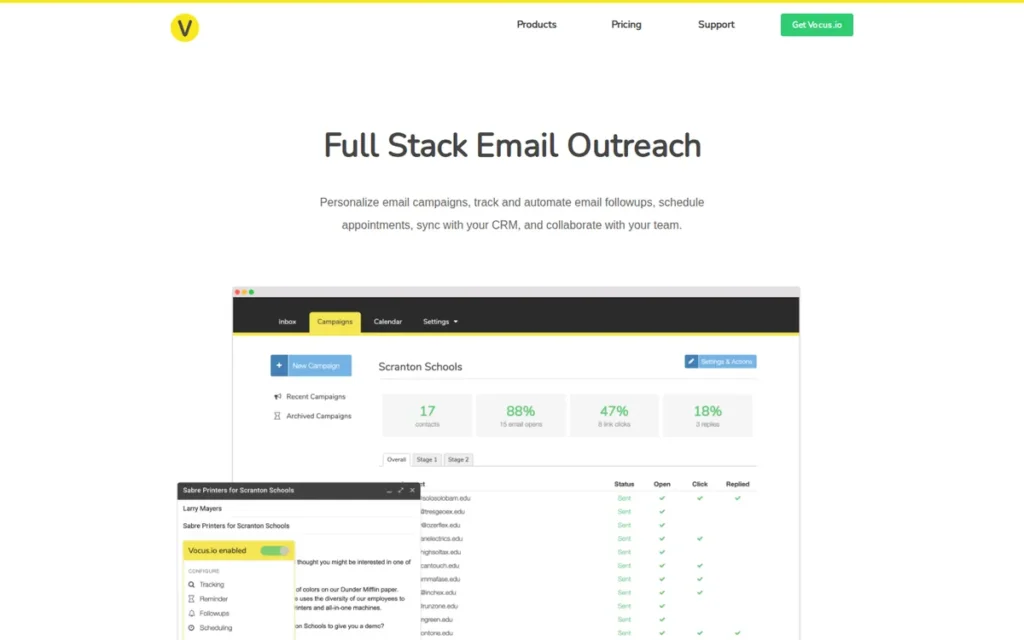
Category: Gmail Outreach Tracker, a Gmail-native extension that adds per-recipient open/click tracking, automated follow-up sequences with cross-thread reply detection, shared team templates, and a shared inbox for small team collaboration at the most affordable paid entry price in this evaluation.
At a Glance
- Category: Gmail Outreach Tracker
- Best For: Small Gmail-based sales teams of 2–5 users needing per-recipient tracking attribution in group sends at the lowest possible paid-plan cost, teams that have outgrown Mailtrack’s free tier but cannot justify the per-seat costs of higher-rated alternatives
- Price Range: $5/user/month (entry) – approximately $20/month Professional; 30-day free trial, no credit card required, verified May 2026
- Primary Strength: Vocus.io offers per-recipient attribution within group email sends (identifying exactly which named individual opened a multi-recipient email) at the most affordable paid entry price ($5/month) in this evaluation, with the most generous free trial (30 days, no credit card required)
- Biggest Limitation: Vocus.io holds the lowest G2 rating in this evaluation (4.3/5.0 on approximately 15 reviews, a thin dataset insufficient for statistical comparison), generates minimal community discussion, and is described by third-party reviewers as having a dated interface with restrictions on outreach scalability
- One-Line Summary: Vocus.io is a Gmail-native outreach tracker starting at $5/month that identifies which specific named recipient opened a group email and offers automated follow-up sequences with cross-thread reply detection, the most affordable team-capable Gmail tracker in this evaluation, with a 30-day credit-card-free trial
- Last Verified: May 2026
Overview
Vocus.io is a Gmail-native email outreach and tracking tool founded in 2016 and based in Washington that offers per-recipient open and click tracking within group sends, automated multi-stage follow-up sequences, a shared inbox for team collaboration, shared email templates, CRM logging, email scheduling, and a Salesforce AppExchange listing, all operating within the Gmail interface without a separate platform login.
Vocus.io’s $5/user/month starting price is the lowest paid-plan entry point in this evaluation, and Vocus.io’s 30-day free trial with no credit card required is the most generous trial period in this category, reducing the financial risk of initial evaluation below any other evaluated tool.
Vocus.io holds a 4.3/5.0 G2 rating across approximately 15 reviews (the lowest rating and thinnest dataset in this evaluation) and has generated no significant dedicated Reddit community discussion, indicating Vocus.io has not yet reached the peer-validation depth of competitors at comparable price points.
Key Features
- Per-Recipient Attribution in Group Sends: Vocus.io’s per-recipient tracking identifies exactly which individual opened a group email by name (not just an anonymous count of how many recipients engaged) enabling actionable stakeholder-level insight when emailing multiple contacts at a single prospect organization (Vocus.io email tracking page, 2026).
- Cross-Thread Reply Detection Before Follow-Up: Vocus.io’s automated follow-up system checks for any reply from a recipient (including replies made outside the original email thread) before sending a follow-up, reducing the risk of following up after a prospect has already responded in a parallel or forwarded conversation (Vocus.io automated follow-ups page, 2026).
- Shared Inbox and Team Templates: Vocus.io provides a shared inbox and shared template library for team use, enabling small sales teams to maintain consistent messaging and coordinated outreach without each rep managing completely separate template sets.
- Salesforce AppExchange Listed: Vocus.io is listed on the Salesforce AppExchange as “Vocus.io for Gmail and G Suite, Log Emails, Track, Reminders, Auto-Followups,” confirming Salesforce developer verification and security review compliance for Gmail-to-Salesforce CRM logging (Salesforce AppExchange, 2026).
- 30-Day Credit-Card-Free Trial: Vocus.io offers a 30-day free trial with no credit card required (the most generous evaluation period in this category comparison) allowing complete feature testing and team workflow assessment before any financial commitment.
Best For
Vocus.io is best for small Gmail-based sales teams of two to five users who need per-recipient tracking attribution within group sends, shared templates, and automated follow-up sequences at the lowest paid-plan entry price in this evaluation, particularly teams that have outgrown Mailtrack’s free tier but whose budget does not justify Yesware ($35/month), HubSpot Sales Hub, or even Right Inbox ($7.95/month).
Pricing
Vocus.io’s entry-level plan starts at $5/user/month. The Professional plan is referenced at approximately $20/month. A 30-day free trial is available with no credit card required, the most generous trial period in this category evaluation. Pricing verified against Woodpecker review of Vocus.io, Prospeo alternatives listing, and Vocus.io’s own competitor comparison pages, May 2026. Full current pricing and tier feature details should be verified at vocus.io/pricing before purchase.
Strengths
- Vocus.io is listed on the Salesforce AppExchange: a credential requiring Salesforce developer verification and security review compliance, confirming that Vocus.io’s Gmail-to-Salesforce CRM logging meets Salesforce’s platform integration security standards, a trust credential that Mailtrack and Right Inbox (on free and Personal tiers) do not hold for Salesforce environments (Salesforce AppExchange listing, 2026).
- Vocus.io’s cross-thread reply detection: checking for replies outside the original email thread before triggering automated follow-ups, is a practical reliability feature that prevents reps from inadvertently following up on prospects who have already responded in parallel or forwarded conversations, a quality-of-life capability that simple reminder-based trackers typically miss.
- Vocus.io’s 30-day free trial with no credit card required is the most generous evaluation period in this category comparison, reducing the financial risk of initial product testing and team workflow assessment to zero before any financial commitment is required.
- Vocus.io’s $5/month entry price is the lowest paid-plan cost in this evaluation, making Vocus.io the most financially accessible option for small teams that need per-recipient tracking and shared templates but cannot currently justify the per-seat costs of higher-rated alternatives in this comparison.
Limitations
- Lowest G2 Rating in This Evaluation on Thin Dataset: Vocus.io’s most consequential trade-off is the combination of a 4.3/5.0 G2 rating across approximately 15 reviews (a dataset too thin to establish reliable quality signals) and no significant dedicated Reddit community discussion, meaning buyers cannot access the practitioner-level validation available for Mailtrack, Yesware, HubSpot, and Saleshandy through community forums (Woodpecker blog; G2, 2026).
- Dated Interface and Restricted Scalability: Third-party reviewers describe Vocus.io’s interface as “dated” and specifically note restrictions on inbox counts and follow-up capabilities that limit outreach scalability beyond small team use, suggesting the product’s polish and scalability ceiling do not yet match higher-rated alternatives at comparable price points (Woodpecker blog, 2026).
- Gmail-Only with a Stronger-Rated Alternative at $2.95 More: Vocus.io currently provides no Outlook support, excluding all Outlook users entirely, and Gmail-only buyers at the $7.95/month price point have a materially stronger peer-validated option in Right Inbox (4.7/5.0 Google Workspace Marketplace, 12,000+ reviews) that warrants direct comparison before committing to Vocus.io on price alone.
Verdict
Vocus.io is the most affordable paid entry point in this evaluation at $5/month, with per-recipient group tracking and cross-thread reply detection delivering meaningful technical differentiation for small Gmail-based sales teams operating on tight budgets. Vocus.io’s 4.3/5.0 G2 rating on approximately 15 reviews and minimal community presence are genuine limitations that buyers should weigh explicitly against the price advantage, teams with even modest budget flexibility should compare Right Inbox at $7.95/month (4.7/5.0 Google Workspace Marketplace, 12,000+ reviews) as a higher-rated alternative before defaulting to Vocus.io on cost alone. Vocus.io earns primary consideration for teams for whom the $2.95/month difference between Vocus.io and Right Inbox is a decisive budget factor.
What Red Flags Should I Watch For When Evaluating Email Tracking Tools?
Six structural risks consistently cause purchase regret in this category, free-tier branding, unreliable open tracking, pricing escalation, Gmail-only tools on Outlook teams, thin review datasets, and acquisition-related vendor uncertainty.
Red Flag #1: Branding Watermarks That Signal Tracking to Recipients
Free-tier email trackers sometimes append branding signatures to outgoing emails. Mailtrack’s “Sent via Mailtrack” is the most documented example in this evaluation, it simultaneously exposes that tracking is occurring, may flag emails as spam on enterprise email servers, and creates professional image problems documented across community discussions (Reddit, r/NoStupidQuestions, 2023). Verify whether a tool’s free plan appends any visible branding to outgoing emails before using it for B2B sales outreach.
Red Flag #2: Open-Tracking Accuracy in Apple Mail Environments
Think of Apple Mail as a proxy that reads your email on delivery, before the recipient does. Apple Mail Privacy Protection prefetches tracking pixels the moment an email arrives, registering a false open notification before any human reads the message. Every open notification from an Apple Mail user carries this uncertainty.
All six pixel-based trackers in this evaluation are affected equally. Only EmailAnalytics is immune, it uses no tracking pixels. A practical breakdown by tracking type:
- Click tracking (more reliable: requires a deliberate human action on a wrapped link): available on paid tiers from Yesware, HubSpot Sales Hub, Saleshandy, Right Inbox, and Vocus.io.
- Open tracking only (pixel-based; subject to Apple MPP false positives): Mailtrack free tier.
- No tracking pixels (completely immune to Apple MPP): EmailAnalytics only.
In 2026, click tracking is the reliable signal; open rates are the directional estimate.
Red Flag #3: Per-Seat Pricing That Escalates Beyond Initial Estimates
The pattern of “great tool, gets expensive” appears consistently across HubSpot Sales Hub, Yesware, and Saleshandy reviews on G2 and Capterra. Calculate the actual 12-month cost at your expected team size before purchasing, not the per-user headline rate. Specific tier gates buyers frequently underestimate:
- HubSpot Sales Hub sequences and AI require Professional at $100/seat/month: not Starter
- Right Inbox CRM integration and sequences require Professional at $14.95/month: not Personal at $7.95
- Yesware’s Salesforce sync requires the Premium tier: not the Free tier
- Mailtrack’s watermark-free experience requires Pro at $9.99–$11.99/month: not the free plan
Red Flag #4: Gmail-Only Tools Evaluated by Outlook Users
Three of the seven tools in this evaluation, Mailtrack, Right Inbox, and Vocus.io, currently provide no Outlook support, making them completely inaccessible to any sales professional whose primary email client is Microsoft Outlook or Exchange. This is a binary exclusion: no feature or price advantage compensates for fundamental email-client incompatibility.
Yesware’s Outlook support has documented compatibility failures on Mac and non-standard hosting environments, meaning “Gmail + Outlook” in a product description does not guarantee equal functionality across all Outlook configurations (u/More_Organization306, r/EmailProspecting, 2025). Verify Outlook compatibility through a full trial before committing to any paid plan.
Red Flag #5: Thin Review Datasets Misrepresented as Equivalent to Large Review Bases
Two tools in this evaluation hold G2 datasets too thin for statistically meaningful comparison, EmailAnalytics (approximately 8 reviews) and Vocus.io (approximately 15 reviews). A G2 score of 4.5/5.0 on 8 reviews and 4.5/5.0 on 775 reviews are not equivalent peer-validation signals, despite appearing identical in simple score comparisons. Always verify the review count alongside the score before using G2 ratings as a primary decision criterion.
Red Flag #6: Vendor Acquisition Uncertainty Affecting Long-Term Pricing and Roadmap
Yesware was acquired by Vendasta and is now listed on G2 as Vendasta Yesware, a branding change buyers will encounter during independent research, signaling the depth of acquisition integration. Similarly, Mailtrack now operates under the Mailsuite brand umbrella with significantly expanded team capabilities. When evaluating tools for multi-year commitments, verify whether recent acquisitions or rebrands may affect the product, pricing structure, or feature roadmap you are committing to.
What Questions Should I Ask Before Choosing Email Tracking Software?
Buyers who answer these questions before evaluating tools will eliminate most purchase regret in this category. The most common failures are selecting a Gmail-only tool on an Outlook team, underestimating the tier required, or purchasing an individual tracking tool when a team analytics platform is the actual operational need.
As one user on r/sales described:
“One of my biggest pain points in sales is losing track of conversations. I’ll send an email, tell myself ‘I’ll follow up if they don’t reply,’ and then three weeks later I realize the opportunity slipped through the cracks. I’ve tried setting manual reminders in my calendar or using Gmail stars, but both feel clunky and can be easily missed as those emails pile up.” Posted by u/she-happiest
Takeaway: Sales professionals consistently identify lost-thread follow-up failure as a primary revenue leak, the exact problem email tracking and automated reminder tools are designed to solve, and the reason choosing the right tool tier matters more than choosing between tools within the wrong tier.
Question #1: Does this tool support my email client, Gmail, Outlook, or both?
Platform compatibility is a binary filter that must be resolved before any feature or price comparison. Only HubSpot Sales Hub, Yesware, Saleshandy, and EmailAnalytics support both Gmail and Outlook with meaningful feature depth, every other tool in this evaluation is Gmail-only. Confirm which email client the tool supports natively and whether Outlook support has documented reliability limitations before proceeding.
Question #2: Do I need CRM integration, and with which CRM?
If engagement data needs to flow into Salesforce or HubSpot automatically, integration depth varies dramatically across tools:
- HubSpot Sales Hub provides native CRM ownership: no integration required.
- Yesware provides automatic bidirectional Salesforce sync.
- Saleshandy provides deep sync with Salesforce, HubSpot, Pipedrive, and Zoho.
- Right Inbox and Vocus.io offer API-based connectors on specific paid tiers.
- Mailtrack’s free tier has minimal CRM integration.
Define which CRM you’re using and verify the specific integration mechanism (not just that it is listed) before purchasing.
Question #3: Am I tracking warm pipeline emails or running high-volume cold outreach?
This distinction determines the correct product category. Warm pipeline tracking, following up with existing contacts, monitoring proposal engagement, is served by Right Inbox, Yesware, HubSpot Sales Hub, and Vocus.io. High-volume cold outreach, sending hundreds to thousands of prospecting emails per day across multiple domains, requires Saleshandy’s infrastructure (sender rotation, domain management, unified reply handling) that lightweight trackers cannot provide architecturally.
Question #4: What tier do I actually need to access the features that justify switching?
Every tool in this evaluation gates its most valuable features behind a paid tier, and the required tier is typically not the cheapest advertised option. Map your required features to the actual tier they appear in before comparing published starting prices. The specific tier gates most commonly underestimated are listed in Red Flag #3 above.
Question #5: Am I evaluating this tool for my individual inbox or for my entire team?
Individual reps and sales managers have fundamentally different needs. Individual reps need open/click notifications and follow-up sequences for their own outbound, Right Inbox, Mailtrack, Yesware, and Vocus.io serve this. Sales managers need team-level response time data, volume per rep, and SLA compliance visibility, EmailAnalytics serves this use case and nothing else in this evaluation does. Purchasing an individual tracker to solve a team accountability problem will not deliver the intended results.
Question #6: Have I completed a full trial using real prospect emails before committing to a paid plan?
All seven tools in this evaluation offer free tiers or free trials. A trial completed only with test emails (not real prospect emails in your actual workflow) will not reveal compatibility issues, false-positive rates in your specific email environment, or workflow friction that appears only at volume. Run the trial on at least 50 real prospect sends before purchasing any paid plan.
Before starting your trial, also check: (1) your email client confirmed; (2) 12-month cost calculated at your actual team size; (3) CRM and integration mechanism verified; (4) Outlook compatibility tested if applicable.
How Did We Rank These Email Tracking Software Tools?
These seven email tracking tools were ranked across six evidence-based criteria:
- User review ratings and volume
- Feature breadth for the target audience
- Platform compatibility (Gmail and/or Outlook)
- CRM integration depth
- Pricing transparency and value
- Tracking signal reliability
All data comes from verified third-party sources. No tool has a commercial relationship with PlugRoute.
What Were the Key Caveats for This Evaluation?
Tracking Reliability in 2026
Think of Apple Mail as a proxy that reads your email on delivery, before the recipient does. Apple Mail Privacy Protection prefetches tracking pixels the moment an email arrives, registering a false open notification before any human reads the message.
All six pixel-based trackers in this evaluation are affected equally. Only EmailAnalytics uses no tracking pixels and is immune to this issue entirely.
In 2026, click tracking is the reliable signal; open rates are the directional estimate. Click tracking requires a deliberate human action on a wrapped link, it cannot be triggered by automated prefetching. Buyers optimizing for engagement accuracy should prioritize click tracking availability and treat open rates as directional signals, not precise measurements.
How Were Tools Discovered and Evaluated?
The ranking process followed four sequential steps:
- Discovery: Identifying the seven most substantively documented email tracking tools through multi-engine research across G2, the Google Workspace Marketplace, the Salesforce AppExchange, and industry review publications.
- Deep Research: Running structured queries across each tool’s official product pages, pricing pages, third-party review aggregators (G2, Capterra), and authenticated community discussions (Reddit) to gather feature data, pricing, review sentiment, and documented limitations.
- LLM Response Analysis: Querying multiple AI answer engines (Perplexity, ChatGPT) with the primary search queries to identify which tools receive AI coverage and what information is absent from current AI recommendations. Right Inbox and Vocus.io are completely absent from all three LLM responses evaluated, a coverage gap this article addresses directly.
- Scoring and Ranking: Applying the six criteria to the gathered evidence, weighting primary criteria (review ratings and feature use-case fit) above secondary criteria (platform compatibility, CRM integration, pricing, tracking reliability).
What Criteria Were Used to Rank These Tools?
C1: Review Platform Ratings and Volume, G2 scores and Google Workspace Marketplace ratings with review volume provide the most objective cross-vendor signal of real-world user satisfaction. A high score with low volume is weighted less than a high score with high volume. Right Inbox’s 4.7/5.0 on the Google Workspace Marketplace across 12,000+ reviews outweighs Vocus.io’s 4.3/5.0 on approximately 15 reviews. Two entries, EmailAnalytics (~8 G2 reviews) and Vocus.io (~15 G2 reviews), have datasets too thin for statistical comparison and are noted throughout this article.
C2: Feature Breadth and Use-Case Fit for Target Audience: Tools are evaluated on how well their documented features serve specific buyer segments: individual reps needing open notifications, small teams needing productivity suites, Salesforce-centric teams needing auto-logging, cold outreach teams needing infrastructure, and managers needing team analytics. Tools are not penalized for being narrowly focused if they serve their target audience with documented depth.
C3: Platform Compatibility (Gmail and/or Outlook): Gmail-only tools are not penalized in absolute terms but score lower on this criterion than cross-client tools. Documented compatibility failures (Yesware on Outlook for Mac) are noted explicitly in entries.
C4: CRM Integration Depth: Scored on a four-level scale: native CRM ownership (HubSpot Sales Hub); deep auto-log without manual rep action (Yesware for Salesforce; Saleshandy for Salesforce/HubSpot/Pipedrive/Zoho); API-based connector (Vocus.io via AppExchange; Right Inbox Professional; EmailAnalytics via HubSpot Marketplace); minimal or none (Mailtrack free tier).
C5: Pricing Transparency and Value: Evaluated on the availability and utility of a free tier, the entry paid-plan price, the tier required for the features that justify purchase, and the per-user versus flat-rate billing architecture. Tools with specific free-tier limits stated numerically score higher on transparency than tools with vague “limited features” disclosures.
C6: Tracking Signal Reliability and Disclosure Honesty: Tools offering click tracking in addition to open tracking score higher. EmailAnalytics earns a unique advantage for using zero tracking pixels. This criterion is secondary to review performance and use-case fit.
How Was Conflicting Evidence Handled?
When review platform ratings conflict with Reddit community sentiment, specificity and recency are weighted over aggregate score. A detailed 2025 Reddit post documenting a specific failure mode (Yesware’s Outlook-on-Mac compatibility) carries more weight for that limitation than a generic positive G2 review from 2023.
When vendor-reported data cannot be independently verified, including EmailAnalytics’ 42.5% response time improvement claim and Saleshandy’s company-reported 852M+ contact database, it is attributed explicitly to the company’s own marketing claims rather than stated as fact. This standard is applied consistently throughout this article.
How Were Vendor Claims Validated?
Vendor-reported statistics are labeled as such throughout this article. Only claims corroborated by at least one independent source (a third-party review platform, an analyst market report, or an authenticated community discussion) are stated as fact. Pricing data is verified against official pricing pages or corroborated by a third-party review source with an explicit May 2026 verification date; any pricing that could not be verified at that standard is accompanied by a recommendation to verify against the live pricing page before purchase.
When Will This Article Be Updated?
This article was last updated in May 2026. Pricing, feature availability, and review scores in this category change frequently, particularly for tools that have recently undergone acquisition (Yesware by Vendasta) or rebranding (Mailtrack under Mailsuite). PlugRoute reviews are scheduled for quarterly verification updates. Readers evaluating tools more than 90 days after this publication date should verify pricing and tier contents against official product pages before purchase. We update this guide quarterly. Last updated: May 2026.
Does PlugRoute Have Any Affiliate Relationships?
PlugRoute has no affiliate relationships with any company listed. Rankings are determined entirely by research data and objective evaluation criteria.
Every ranking position in this article is earned by evidence, not by editorial preference, affiliate fees, or vendor relationships, the foundational commitment of PlugRoute.
What Are the Most Frequently Asked Questions About Email Tracking Software?
These are the questions sales professionals most commonly ask when evaluating email tracking software in 2026, answered directly, without promotional framing. Each answer is self-contained and citable without surrounding article context.
What is the best free email tracking software for Gmail?
Mailtrack is the best free email tracking software for Gmail, offering unlimited open tracking at zero cost with over 1.5 million active users confirming at-scale reliability (Mailsuite, 2026). The critical trade-off: Mailtrack’s free plan appends “Sent via Mailtrack” branding to every outgoing email, widely documented as professionally problematic in B2B contexts. Right Inbox’s free tier limits usage to 5 emails per feature per month, making it a structured trial rather than a sustainable free option.
Which email tracking tools work with both Gmail and Outlook?
Four of the seven evaluated tools work with both Gmail and Outlook: HubSpot Sales Hub, Yesware, Saleshandy, and EmailAnalytics. Mailtrack, Right Inbox, and Vocus.io are Gmail-only. Important: Yesware has documented compatibility failures on Outlook for Mac and non-standard hosting environments, complete a full trial before purchasing if your team uses macOS Outlook. Verify compatibility in your specific environment before committing to any paid plan.
How does PlugRoute determine its software rankings?
PlugRoute ranks software using six criteria: review ratings and volume, feature breadth for the target audience, platform compatibility, CRM integration depth, pricing transparency and value, and tracking signal reliability. Rankings are determined entirely by research data from verified third-party platforms and authenticated community discussions, not by affiliate fees or vendor relationships. No company has a commercial relationship with PlugRoute.
What Do These Email Tracking Terms Mean?
Pixel-Based Open Tracking: Pixel-based open tracking embeds an invisible 1×1 image in an outgoing email; when the recipient’s email client loads the image, the sender receives an open notification. All tools in this evaluation except EmailAnalytics use this mechanism, and all are subject to false positives caused by email clients that prefetch images automatically before a human reads the message.
Apple Mail Privacy Protection (MPP): Apple Mail Privacy Protection is a feature introduced by Apple in 2021 that prefetches email images (including tracking pixels) at the moment of delivery to Apple Mail, before any human reads the message. Apple Mail Privacy Protection registers a false open notification in any pixel-based tracking tool, degrading the reliability of open rate data for recipients using Apple Mail on iPhone, iPad, or Mac.
Sender Rotation: Sender rotation is a cold email infrastructure technique that distributes outbound sends across multiple connected email accounts or sending domains automatically, preventing any single inbox from reaching its daily sending limit and reducing the risk of domain-level spam flags from high-volume outbound activity. Saleshandy is the only tool in this evaluation that supports sender rotation natively.
CRM Auto-Log: CRM auto-log refers to the automatic, bidirectional synchronization of email engagement events (opens, clicks, replies, attachment views) directly into a CRM platform’s contact and opportunity records without requiring manual data entry by a sales rep. Yesware provides CRM auto-log for Salesforce; HubSpot Sales Hub provides it natively within its own CRM.
Email Cadence (Sequence): An email cadence, also called a sequence, is a predefined series of automatically triggered outgoing emails sent to a prospect over a defined period, typically with conditional logic that stops the sequence when a reply is detected. Email cadences are offered by HubSpot Sales Hub, Yesware, Saleshandy, Right Inbox (Professional tier), and Vocus.io, and are the primary mechanism that transforms a single-send tracker into a systematic outreach workflow.
Glossary: Key Terms Used in This Comparison
Apple Mail Privacy Protection (MPP): A feature introduced by Apple in 2021 that prefetches email images (including tracking pixels) at the moment of delivery to Apple Mail, before any human reads the message, causing pixel-based tracking tools to register false open notifications for recipients using Apple Mail on iPhone, iPad, or Mac.
Sender Rotation: A cold email infrastructure technique that distributes outbound sends automatically across multiple connected email accounts or sending domains, preventing any single inbox from reaching its daily sending limit and reducing the risk of domain-level spam flags from high-volume outbound activity.
CRM Auto-Log: The automatic, bidirectional synchronization of email engagement events (opens, clicks, replies, and attachment views) directly into a CRM platform’s contact and opportunity records without requiring manual data entry by a sales rep.
Email Cadence (Sequence): A predefined series of automatically triggered outgoing emails sent to a prospect over a defined period, typically with conditional logic that stops the sequence when a reply is detected, transforming a single-send tracker into a systematic outreach workflow.
Pixel-Based Open Tracking: A mechanism that embeds an invisible 1×1 image in an outgoing email so that when the recipient’s email client loads the image, the sender receives an open notification, a method subject to false positives from email clients that prefetch images automatically before a human reads the message.
Which Email Tracking Software Is Right for You?
Key Insights
- HubSpot Sales Hub is the only tool in this evaluation where email tracking and CRM pipeline management are the same feature (not a connected pair of tools) justified for teams of three or more that need engagement data to drive pipeline automation and AI deal forecasting across both Gmail and Outlook.
- Right Inbox delivers the strongest volume-weighted marketplace rating in this evaluation (4.7/5.0 across 12,000+ Google Workspace Marketplace reviews) at the lowest full-featured price point ($7.95/month), making it the most evidence-supported first recommendation for any individual rep or small team operating exclusively in Gmail.
- Saleshandy is purpose-built for a distinct use case: high-volume cold email infrastructure, and is not a simple tracking add-on; teams running warm pipeline follow-ups will find most of Saleshandy’s capabilities unnecessary and should evaluate Right Inbox or HubSpot Sales Hub instead.
- EmailAnalytics serves a fundamentally different buyer than every other evaluated tool: sales managers and RevOps leaders who need team-level operational visibility into response times and email volume, not individual rep notifications that a prospect opened an email.
For Gmail-only individuals and small teams: Right Inbox at $7.95/month is the evidence-backed first choice for full-featured Gmail tracking. If your only need is free open notifications and you can tolerate the watermark, Mailtrack is the viable zero-cost starting point. If the $7.95/month price is a barrier, Vocus.io’s $5/month entry offers per-recipient group tracking, though its lower review score (4.3/5.0 on approximately 15 reviews versus 4.7/5.0 across 12,000+) warrants explicit comparison before committing.
For teams using Outlook or needing CRM integration: HubSpot Sales Hub is the most complete solution for pipeline-integrated tracking across both email clients, but the Professional tier at $100/seat/month must be budgeted for meaningful automation. For Salesforce-specific teams on a tighter per-seat budget, Yesware at $35/month delivers targeted value, with the caveat that Outlook compatibility on Mac must be verified through a full trial before purchase.
Quick Recommendation Summary
- Individual Gmail user (free): Mailtrack
- Gmail professional (paid, highest volume-validated rating): Right Inbox
- Gmail small team (lowest budget): Vocus.io
- Cold outreach at scale: Saleshandy
- Salesforce team (Gmail or Outlook): Yesware
- Full CRM + tracking + automation: HubSpot Sales Hub
- Team performance analytics (managers, RevOps): EmailAnalytics
For additional independent software comparisons using the same evidence-based methodology, visit PlugRoute. We update this guide quarterly. Last updated: May 2026.